index
After successfully registering the module to the LoRaWAN Network Server as an ABP device, proceed with running the LoRaWAN ABP demo application example.
- Open the example code under RAK WisBlock RUI examples.
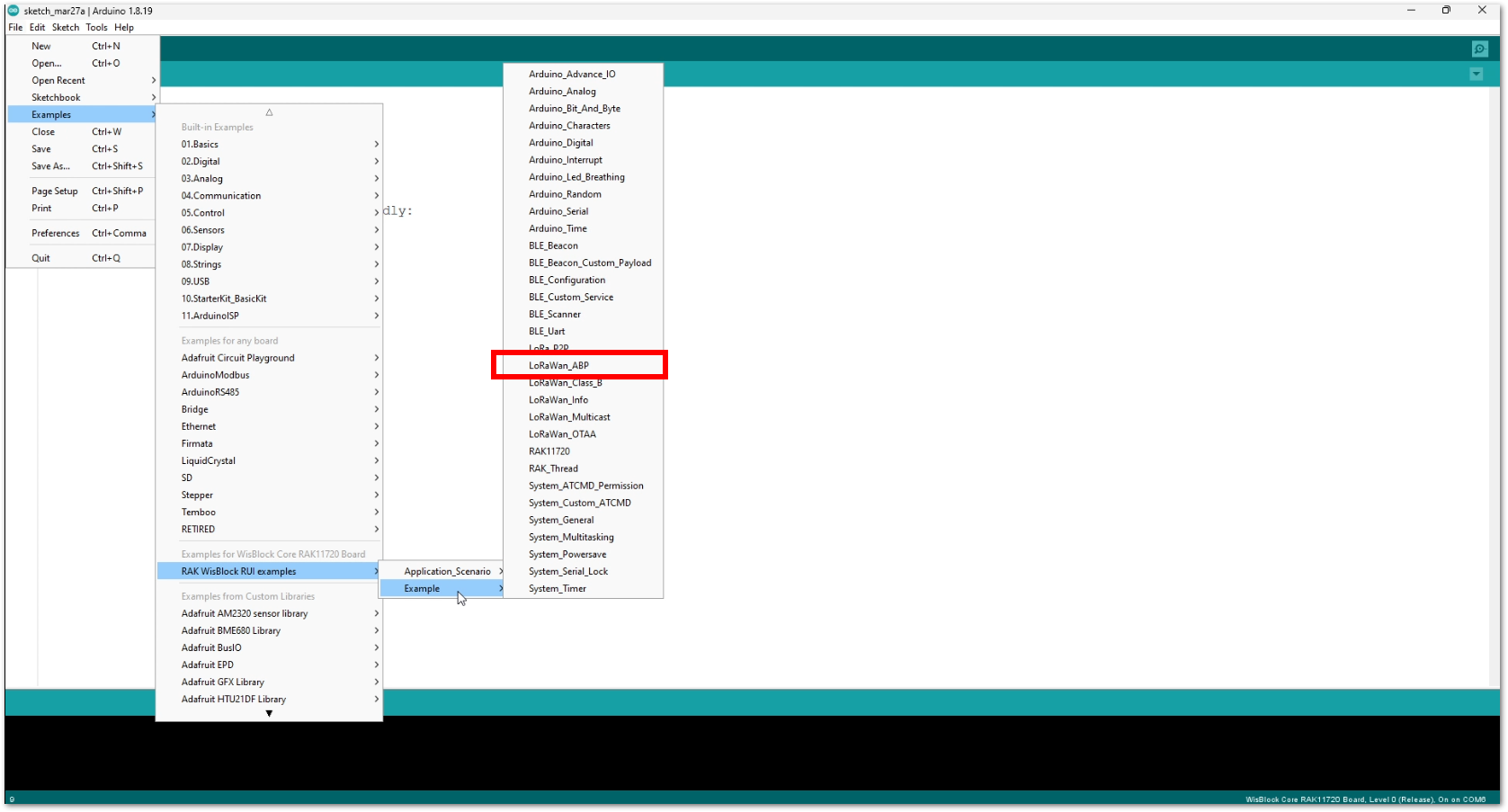 Figure 1: ABP LoRaWAN application example
- In the example code, you need to modify the device address (DEVADDR), application session key (APPSKEY), and network session key (NWKSKEY). All these parameters should match the ones generated on the LoRaWAN network server.
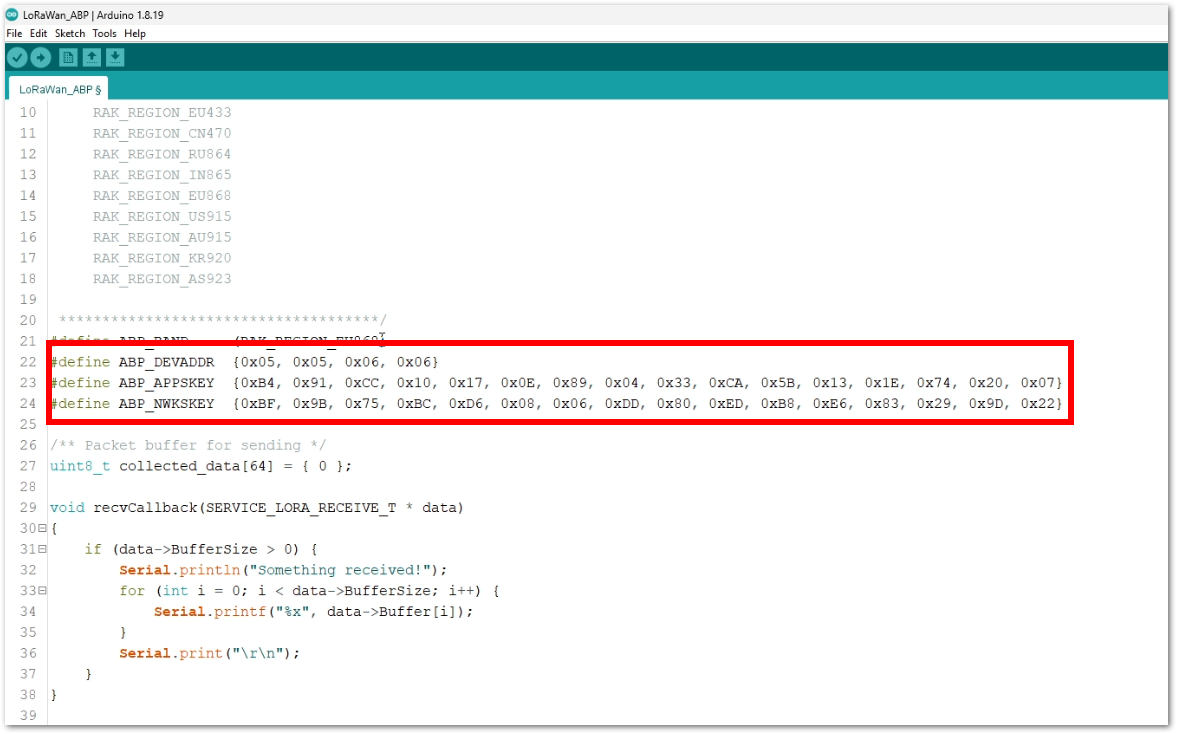 Figure 1: Updating DEVEUI and APPKEY
- This guide uses the EU868 regional band. There is no need to change the band in the example code. If the region you are in is different, you need to update the band in the code as well.
 if(!(ret = api.lorawan.band.set(4)))      // configure to EU868
  {
       Serial.printf("LoRaWan OTAA - set band is incorrect! \r\n");
       return;
  }
NOTE
The supported regions are as follows:
- RAK_REGION_EU433 = 0
- RAK_REGION_CN470 = 1
- RAK_REGION_RU864 = 2
- RAK_REGION_IN865 = 3
- RAK_REGION_EU868 = 4
- RAK_REGION_US915 = 5
- RAK_REGION_AU915 = 6
- RAK_REGION_KR920 = 7
- RAK_REGION_AS923-1 = 8
- RAK_REGION_AS923-2 = 9
- RAK_REGION_AS923-3 = 10
In addition to that, if you are using US915 you also need to set up the channel mask (channels 8 to 15 are the most commonly used channels in the US915 band).
- The last step is to upload the code by clicking the Upload icon. Take note that you should select the right board and port.
NOTE
The module should automatically go to BOOT mode when the firmware is uploaded via Arduino IDE. If BOOT mode is not initiated, you can manually send AT+BOOT command to start bootloader mode.
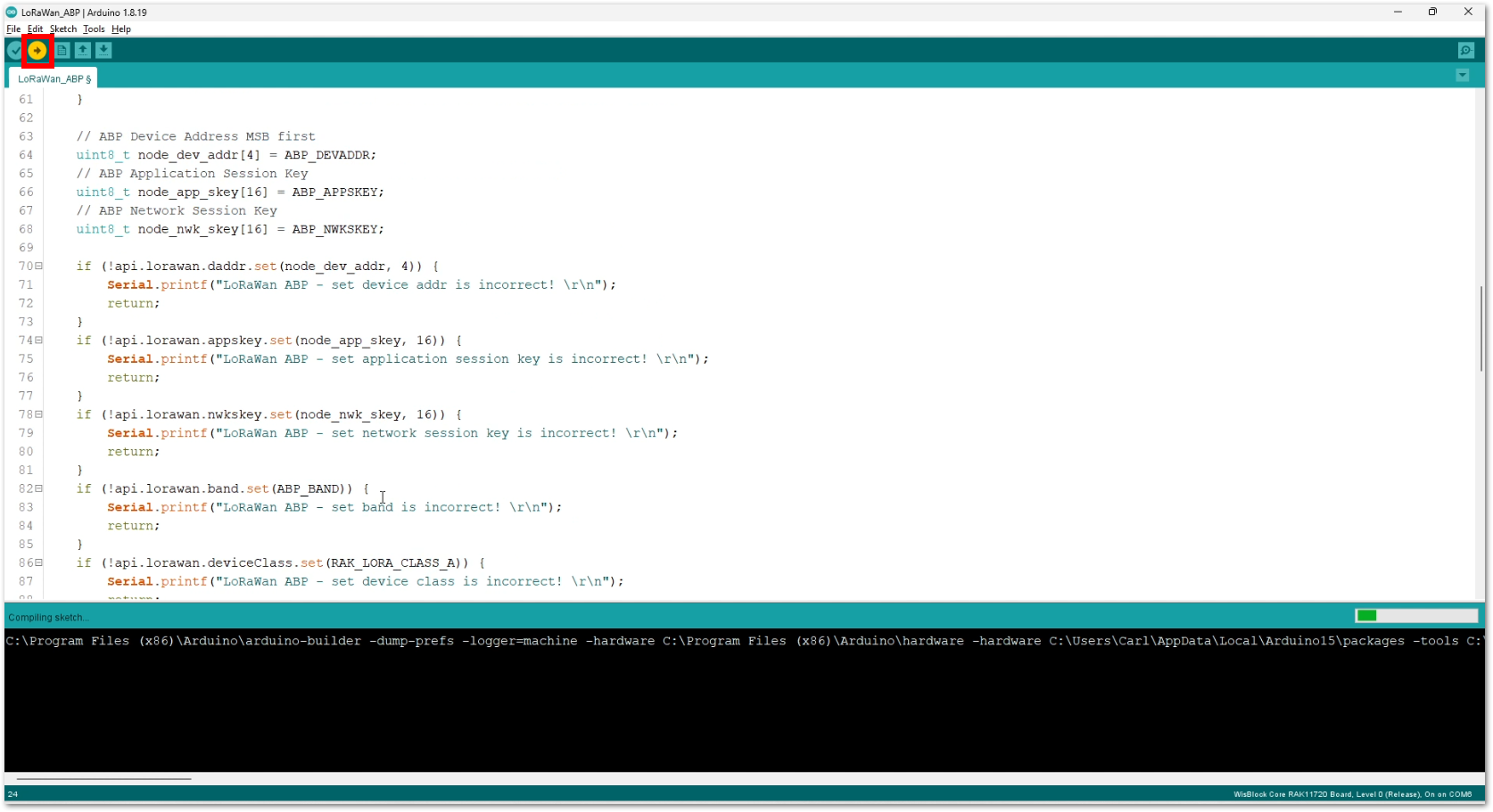 Figure 1: Uploading the code
- The terminal logs should now be visible in the Serial Monitor of the Arduino IDE. If the COM port disconnects, the terminal output may not appear immediately. You can reconnect the module or try to press the reset button to see the terminal output.
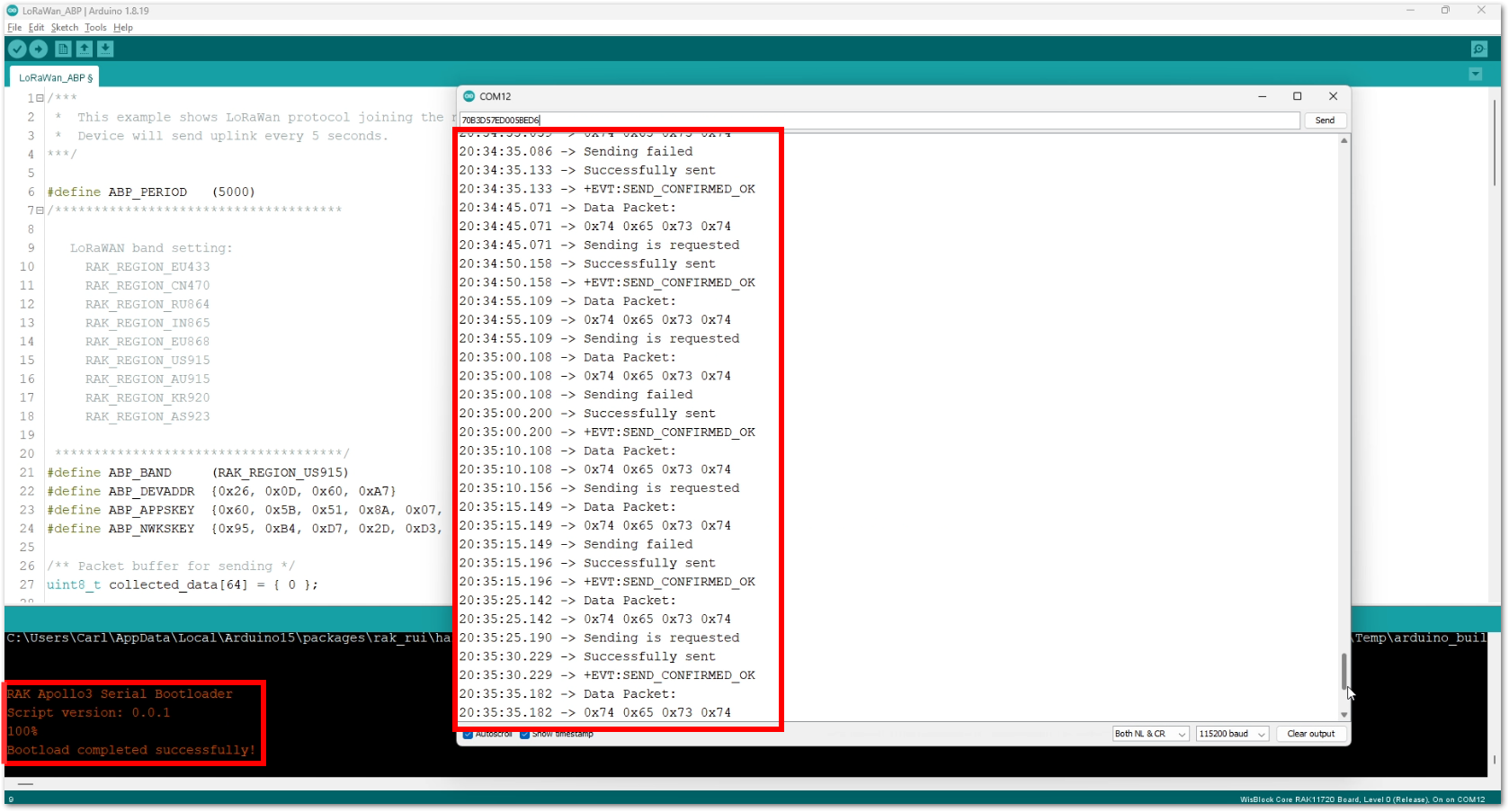 Figure 1: Output logs
- You can also check on the LoRaWAN network server
Live dataif your device can successfully send uplink packets.
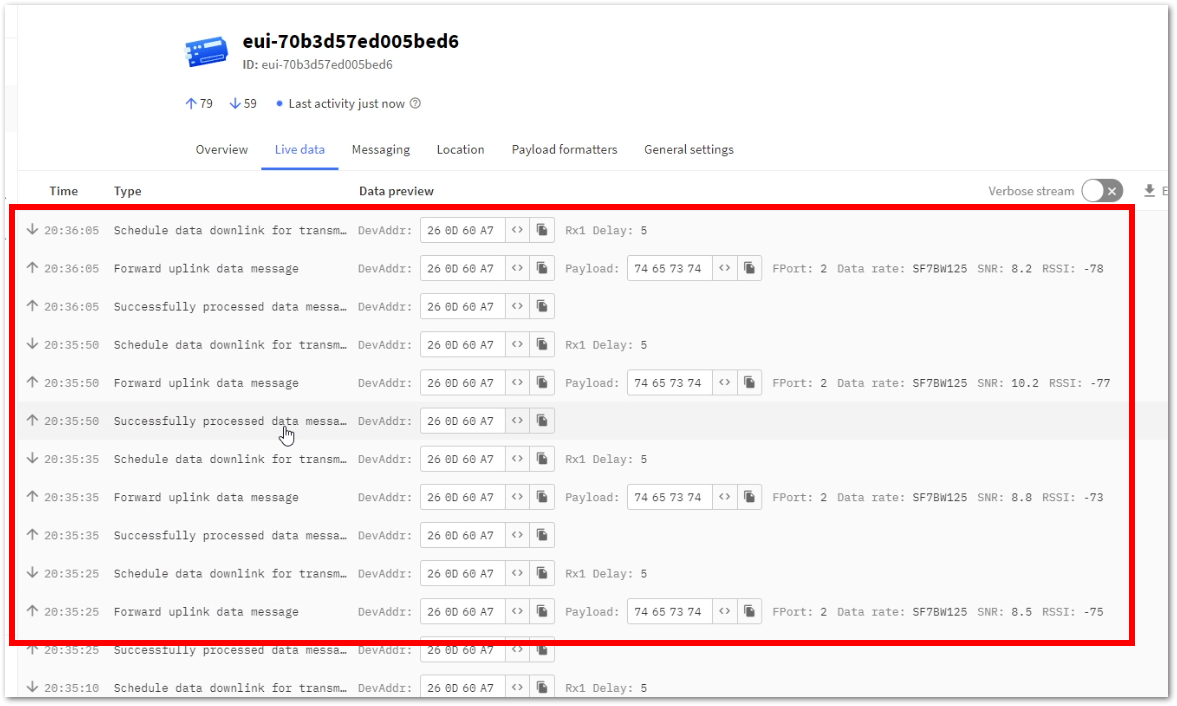 Figure 1: TTN Live Data
- On ABP, frame counters for both uplink and downlink need to be tracked by the device firmware. However, on RUI3 ABP, there is no tracking, and frame counts will go back to zero when the device resets. This will result in failures on uplinks and downlinks. To prevent this issue, enable the Resets frame counters option by following these steps.
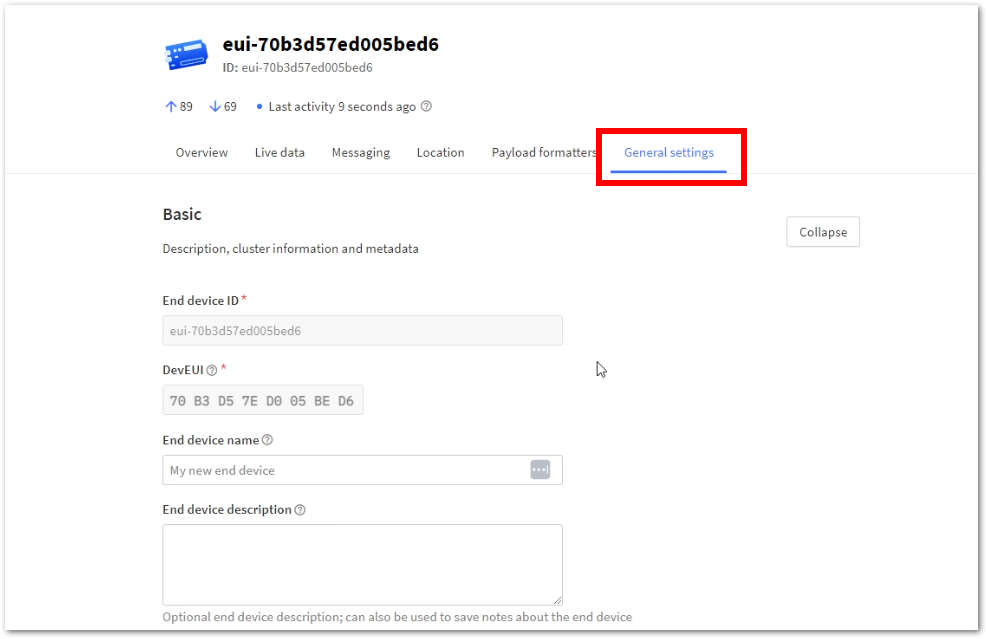 Figure 1: General Settings
- Click
Expandon Network Layer.
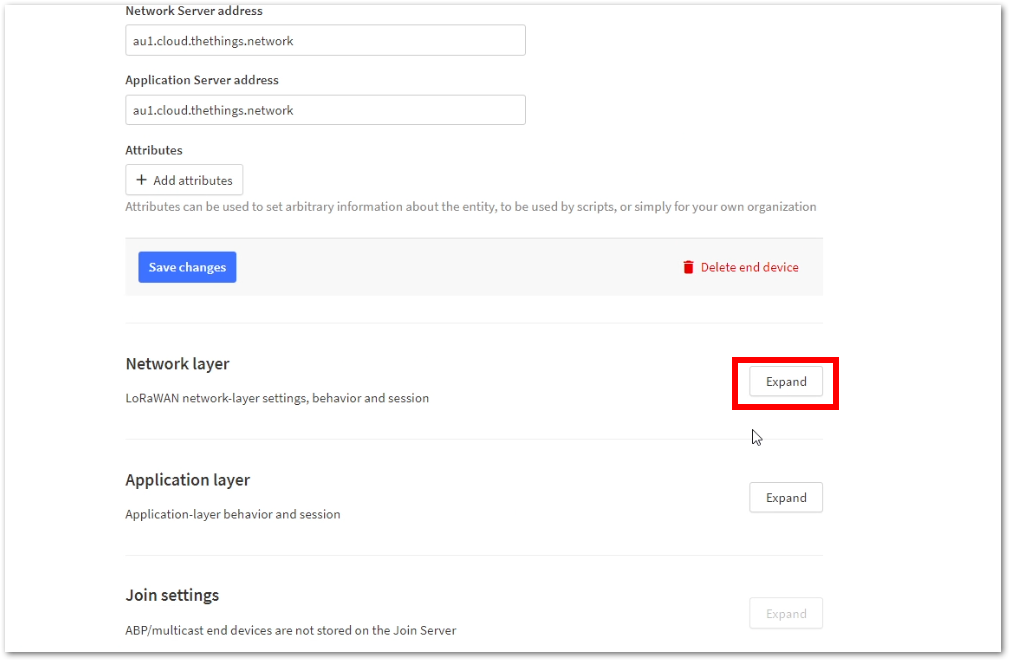 Figure 1: Expand Network Layer
- Select
Advanced MAC settings.
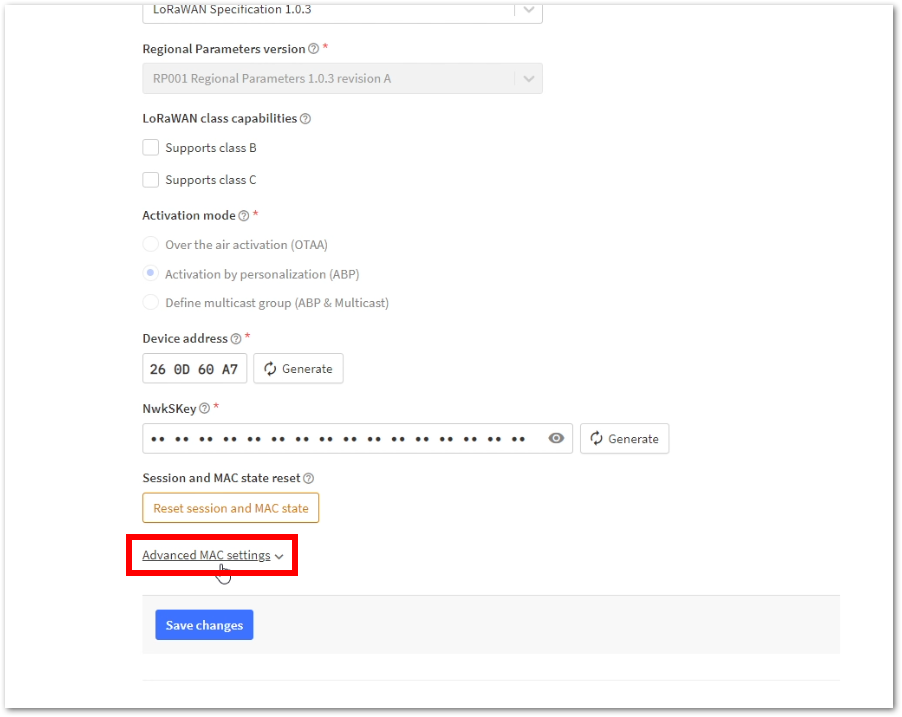 Figure 1: Advance MAC settings
- Check
Resets frame counters. With this enabled, all uplinks and downlinks will be successful even if the device resets/restarts.
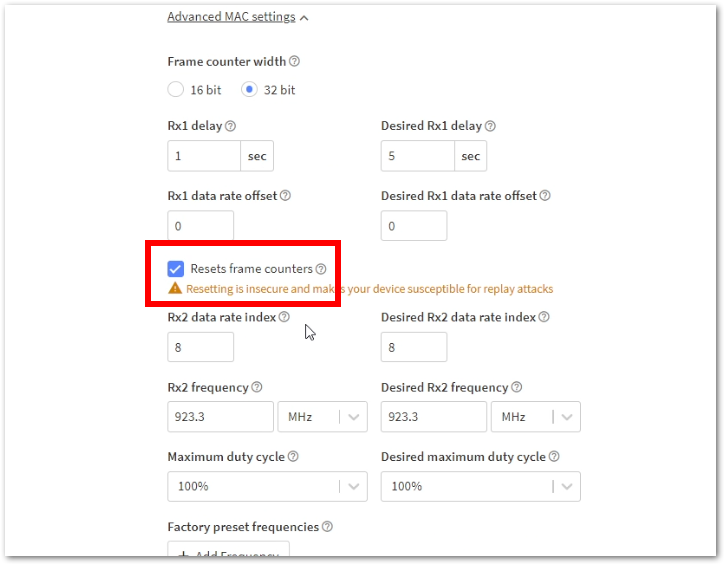 Figure 1: Resets Frame Counters


