index
Attaching a WisConnector
The WisConnector is the interface between the Wisblock Base module and the WisBlock Core, Sensor, and IO modules. Before connecting these modules, read the following instructions:
NOTE
This guide uses two arrows. Refer to Figure 2 for its representation.
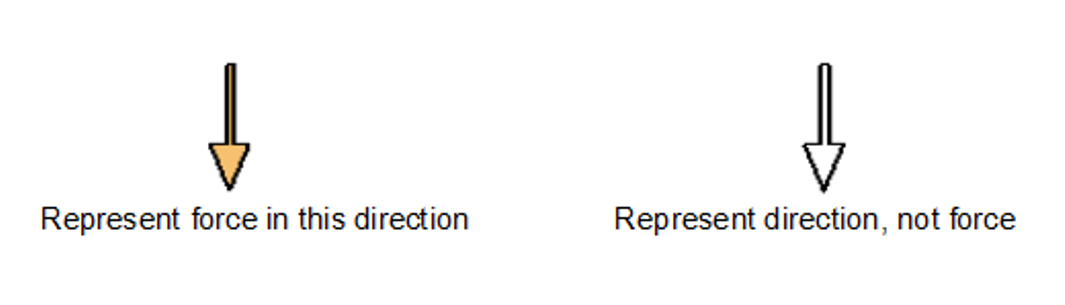 Figure 1: Notation within the guide
- Align the connectors. Keep the header parallel and place it lightly in the corresponding lap joint of the socket.
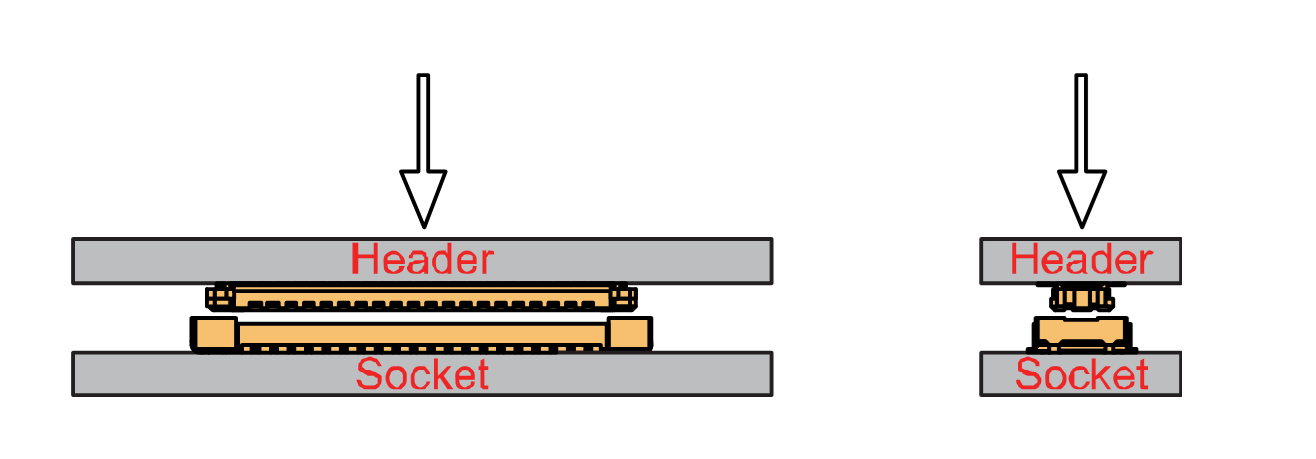 Figure 1: Alignment of WisConnector
- Fit the connector. Tilt one end of the connector (header) less than 20 degrees, while do not apply force during this process, gently place the other end in parallel.
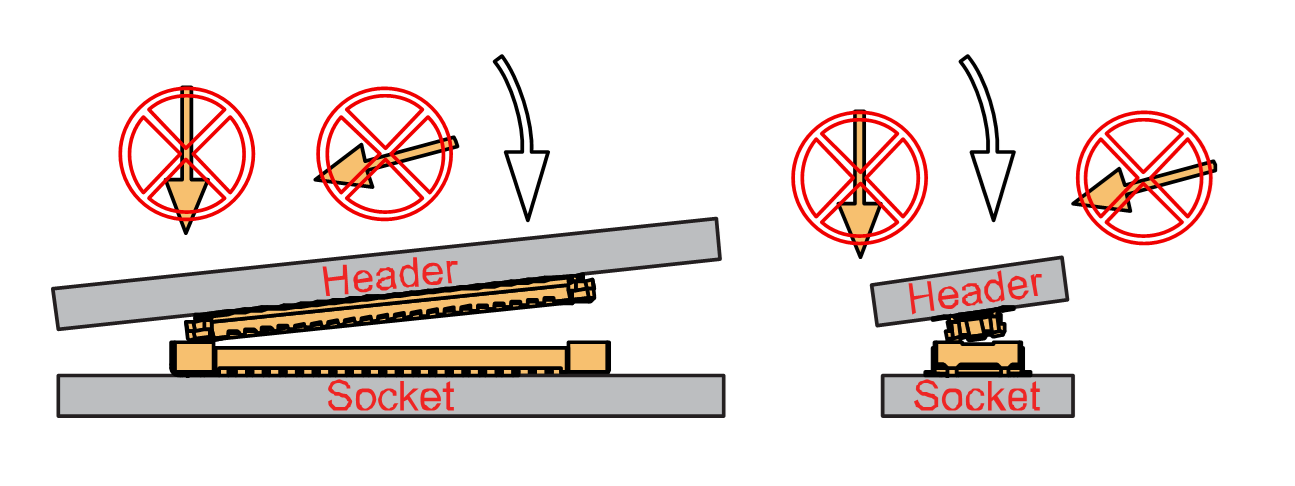 Figure 1: Fit the WisConnector’s header inside of the socket
- After the above alignment steps, the header and socket are matched but still not buckled.
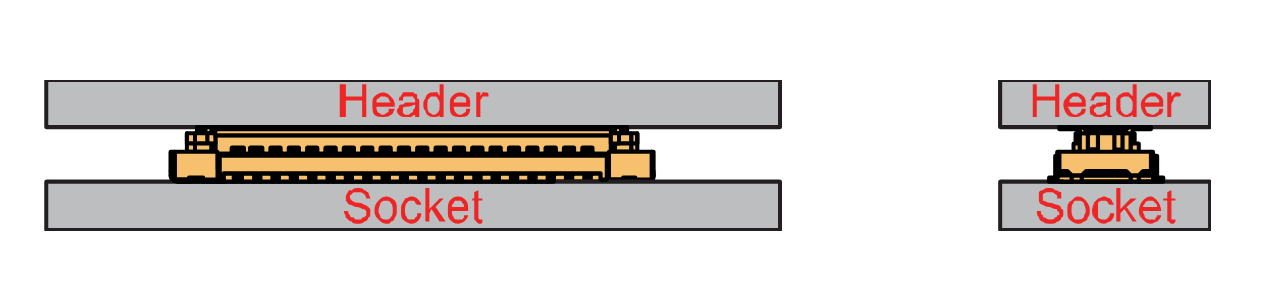 Figure 1: WisConnector’s header matched inside of the socket
- Apply forces evenly by pressing in parallel, then there will be a sound confirming the completion of the buckling.
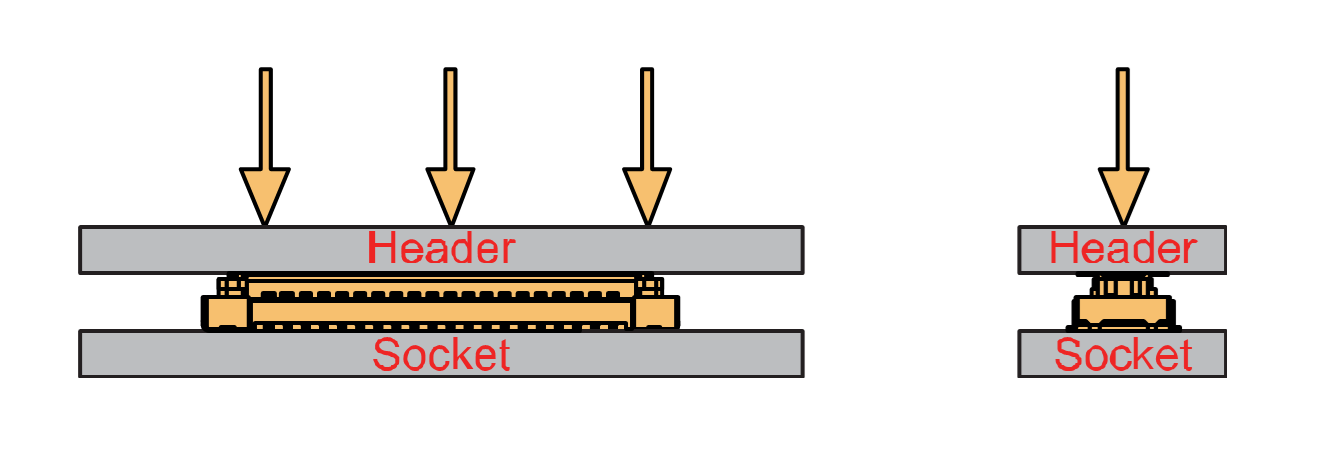 Figure 1: Apply forces to buckle the heard to the socket
- In the process of buckling and applying force, avoid the application of uneven force on both sides.
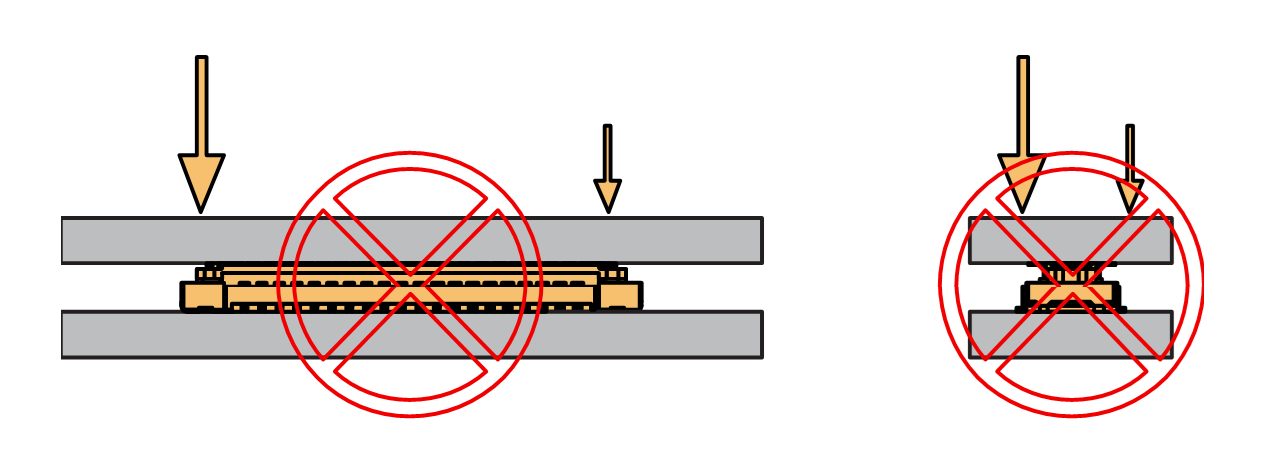 Figure 1: Avoid applying uneven forces
- When the buckling process is completed, check that the header and socket are kept in parallel.
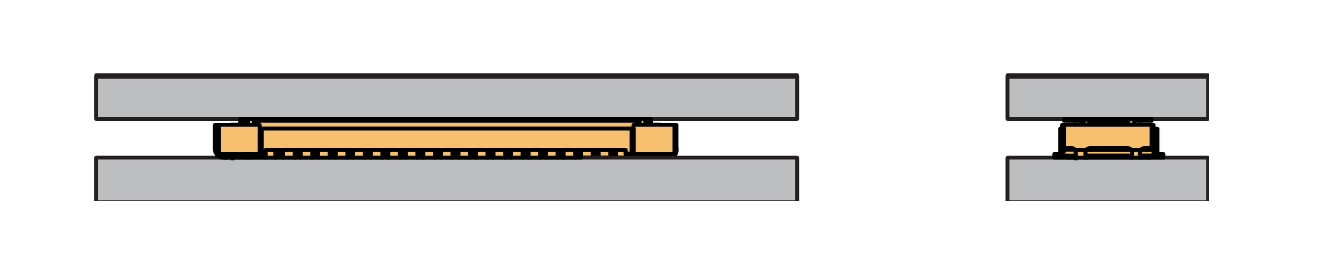 Figure 1: Correct way to buckle the WisConnector’s header to the socket
- If after buckling, the header and socket are not in a parallel state (not fully assembled in one place), then press the even force on both sides of the long side to complete the correct buckling.
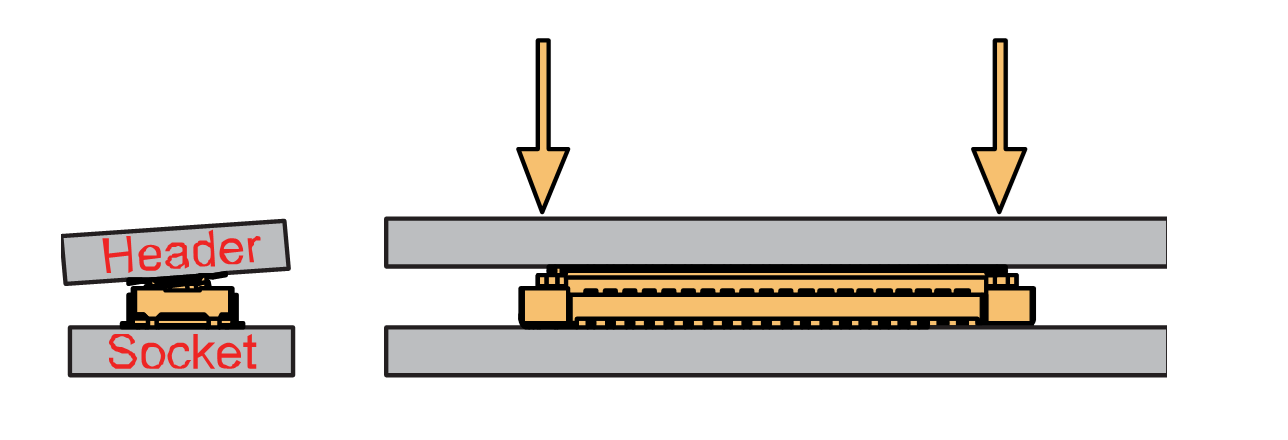 Figure 1: WisConnector’s header is not parallel to the socket
- When the aforementioned steps are not completed yet, do not apply force to buckle. Otherwise, there will be a risk to damage the connector. When the connector cannot be smoothly buckled down, repeat the alignment step.
Detaching a WisConnector
- To disconnect the header from the socket, pull out in parallel with even forces.
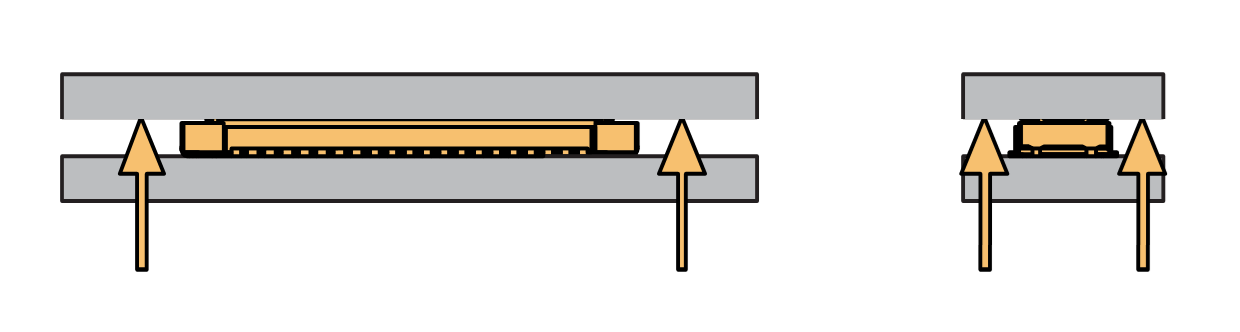 Figure 1: Correct way: Applying even forces to detach the header from the socket
- Avoid pulling out the header asymmetrically in the long-side direction.
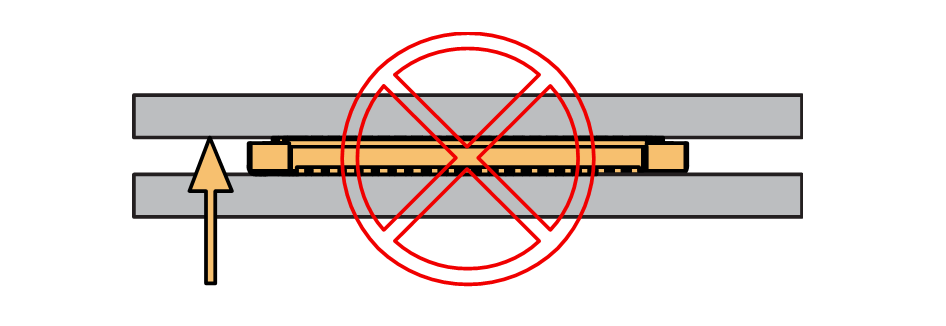 Figure 1: Wrong way: Applying uneven forces to detach the header from the socket
- The short-side of the connector can be pulled out asymmetrically, but apply the force vertically and avoid rotating the header.
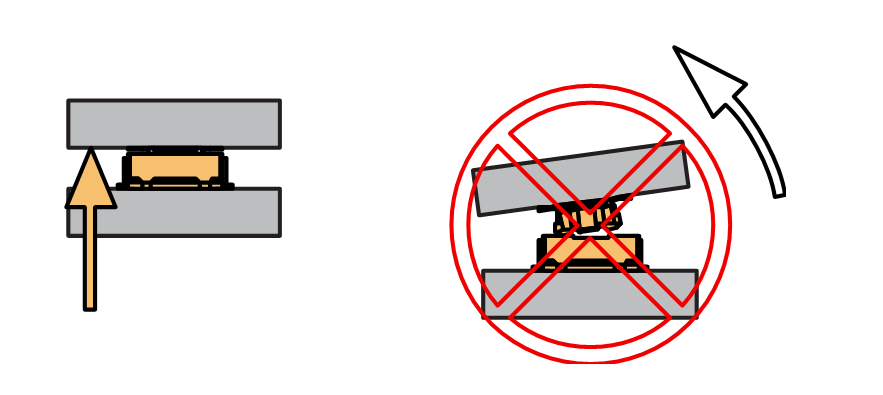 Figure 1: Wrong way: Do not rotate the header
- Avoid applying forces in a single corner.
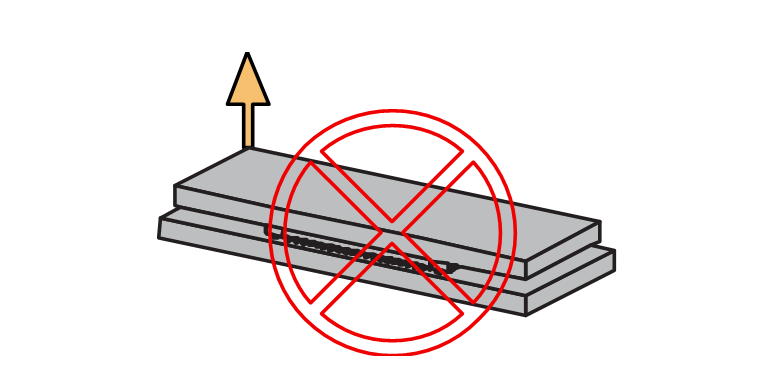 Figure 1: Wrong way: Do not apply force in a single corner of the header


