index
Supported WisNode Bridge devices automatically send a configuration uplink after LoRaWAN® network activation. This uplink provides a summary of the current device and interface configuration, allowing the configuration to be identified on the LoRaWAN Network Server without waiting for the normal reporting interval. The configuration uplink is separate from regular application data uplinks.
Uplink Behavior and Payload Format
Uplink Behavior
The device automatically sends a configuration uplink under the following conditions. No manual operation is required, and the configuration uplink operates independently of the normal uplink interval.
- OTAA: Sent after the device successfully receives a Join Accept.
- ABP: Sent after the device initializes with the configured ABP session parameters.
Payload Format
The configuration uplink is sent on FPort 3 and contains an 11-byte payload.
The following example shows the payload in hexadecimal format:
1201010000246f05030000
| Byte(s) | Hex Value | Field | Description |
|---|---|---|---|
| 0 | 0x12 | Protocol Vendor | Identifies the protocol vendor |
| 1 | 0x01 | Protocol Version | Protocol version |
| 2 | 0x01 | Protocol Type | Identifies the configuration uplink message type. |
| 3–6 | 0x00 0x00 0x24 0x6F | DevEUI (Last 4 Bytes) | Last 4 bytes of the device EUI for quick identification |
| 7 | 0x05 | Region (Band) | Encoded LoRaWAN region: 1 : CN470 2 : RU864 3 : IN865 4 : EU868 5 : US915 6 : AU915 7 : KR920 8 : AS923-1 9 : AS923-2 10 : AS923-3 11 : AS923-4 |
| 8 | 0x03 | RS485 Task Count | Number of enabled Modbus poll tasks |
| 9 | 0x00 | DI Enabled Count | Number of enabled DI channels |
| 10 | 0x00 | DO Enabled Count | Number of enabled DO channels |
View the Configuration Uplink
After the device is activated on the LoRaWAN network, you can view the configuration uplink on the connected LoRaWAN Network Server. Identify the message by FPort 3, then inspect the payload according to the format described above. The following examples show the configuration uplink on different network servers.
-
Built-in Network Server
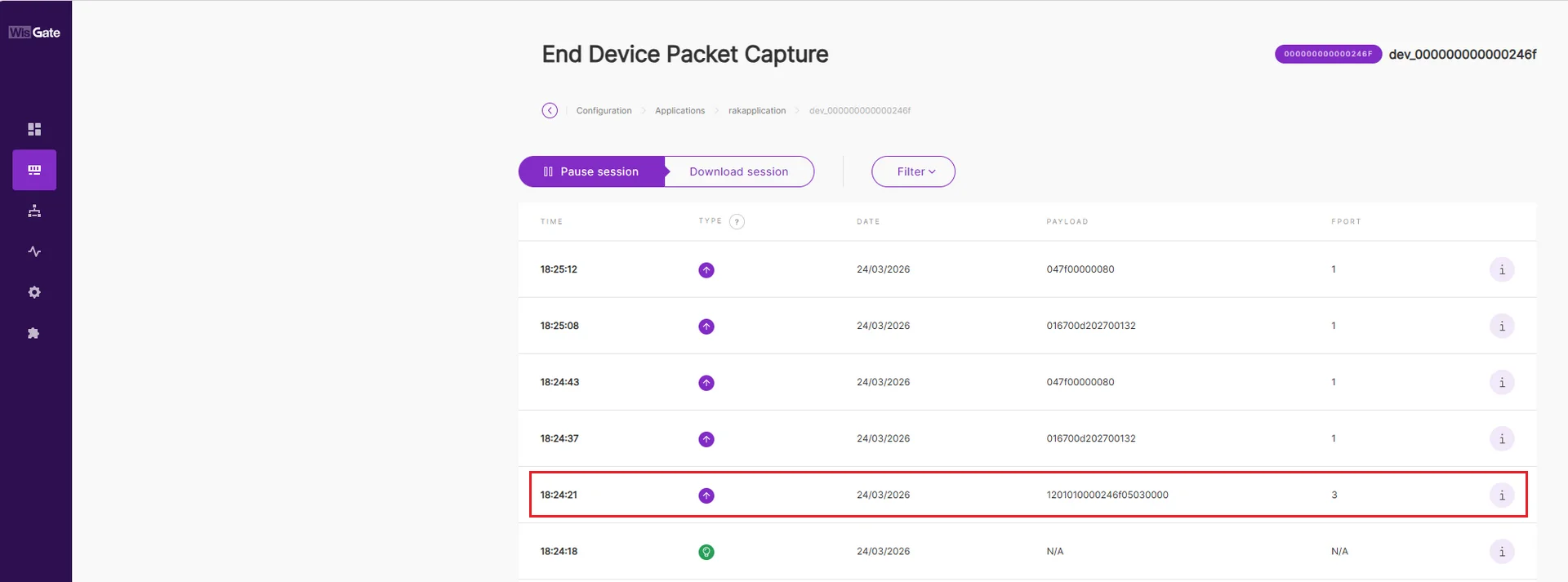 Figure 1: Built-in Instant
 -
The Things Stack (TTN)
 Figure 1: TTN Instant
 -
ChirpStack
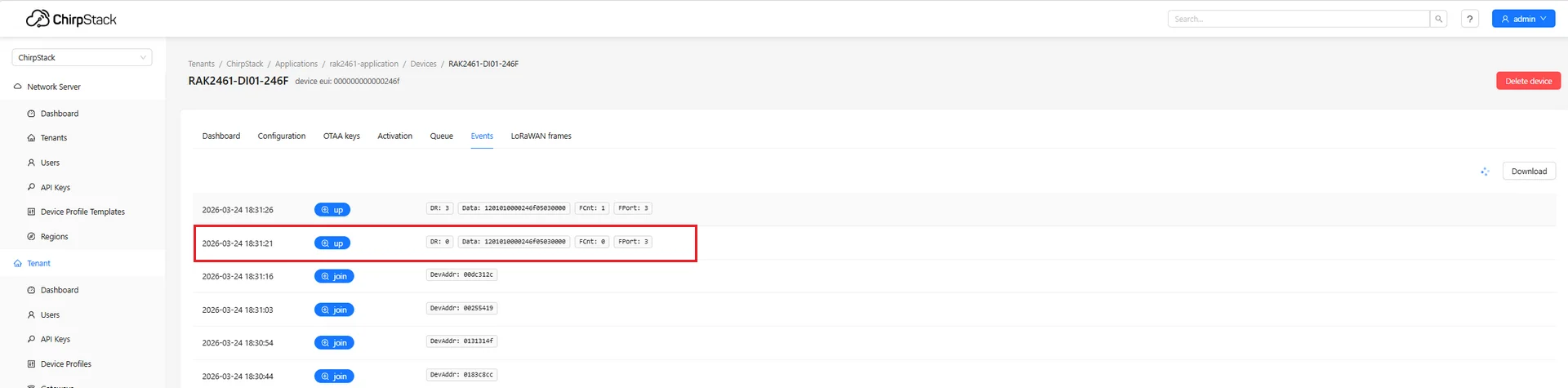 Figure 1: ChirpStack Instant


