RAK3272S Breakout Board Firmware Update
Follow this guide to update or reflash the firmware on the RAK3172S Breakout Board using the RAK Device Firmware Upgrade (DFU) Tool through the UART2 interface.
Device Recovery Option
If the RAK3272S Breakout Board stops responding to AT commands or firmware updates, you can recover it using the .hex file available in the datasheet and upload it via STM32CubeProgrammer.
For detailed steps, refer to the STM32CubeProgrammer Guide for RAK Modules.
Uploading the .hex file via STM32CubeProgrammer will erase all configured data on the device.
Minimum Hardware and Software Requirements
Refer to the table for the minimum hardware and software required to perform the firmware upgrade via UART2.
| Hardware/Software | Requirement |
|---|---|
| Computer | A Windows/Ubuntu/Mac computer |
| Firmware File | Bin firmware file downloaded from the website |
| Others | A USB to UART TTL adapter |
Firmware Upgrade Procedure
Execute the following procedure to upgrade the firmware in Device Firmware Upgrade (DFU) mode through the UART2 interface.
-
The RAK3272S should automatically enter BOOT mode when the firmware is uploaded using the RAK DFU Tool or WisToolBox.
-
If BOOT mode is not initiated, you can manually start bootloader mode by sending the
AT+BOOTcommand.
-
Download the latest application firmware of the RAK3272S.
-
Download the RAK Device Firmware Upgrade (DFU) tool.
-
Connect the RAK3272S Breakout Board to the computer via a USB-Serial adapter.
-
Open the Device Firmware Upgrade tool. Select the serial port and baud rate (115200) of the module and click the Select Port button.
If your firmware upload consistently fails, check the current baud rate setting using the AT+BAUD=? command and ensure that the same baud rate value is used in the RAK DFU Tool. Additionally, verify that you have selected the correct COM port.
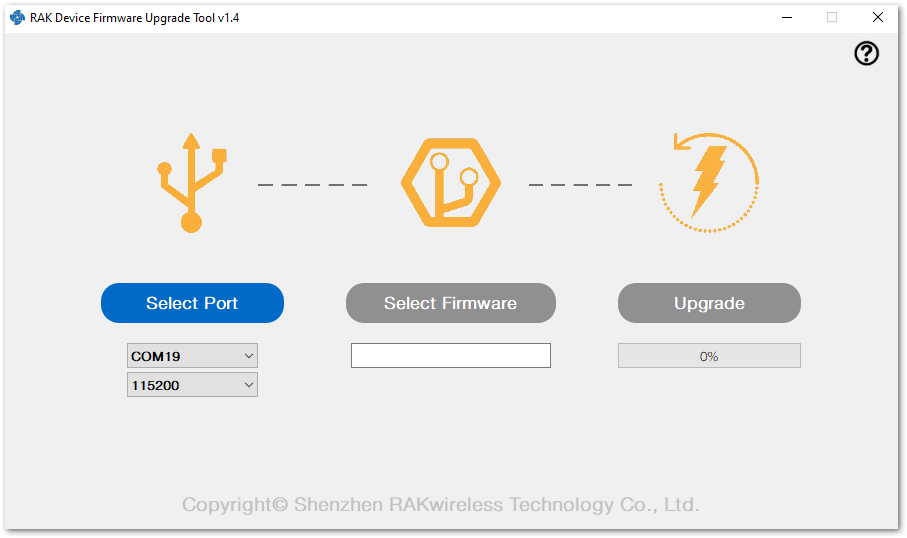 Figure 1: Device Firmware Upgrade Tool
- Select the application firmware file of the module with the suffix .bin.
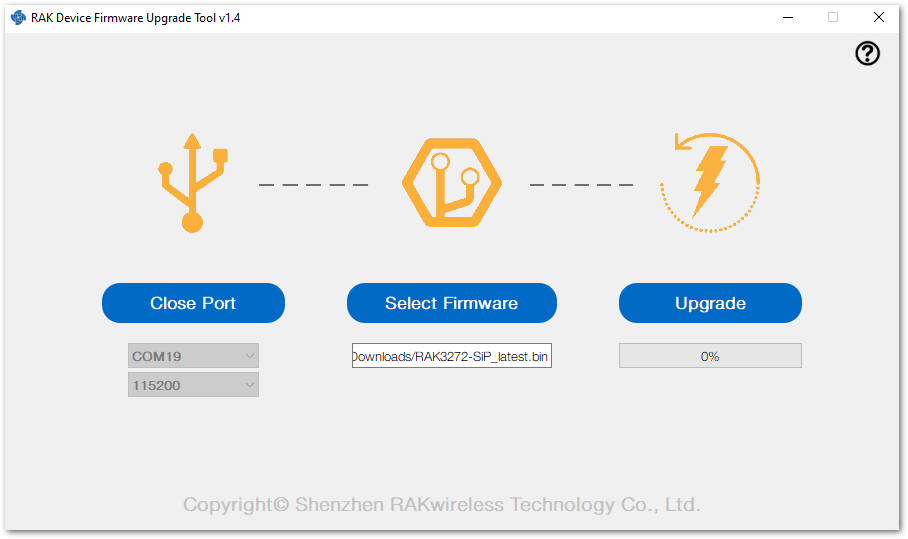 Figure 1: Select firmware
- Click the Upgrade button to upgrade the device. After the upgrade is complete, the RAK3272S will be ready to work with the new firmware.
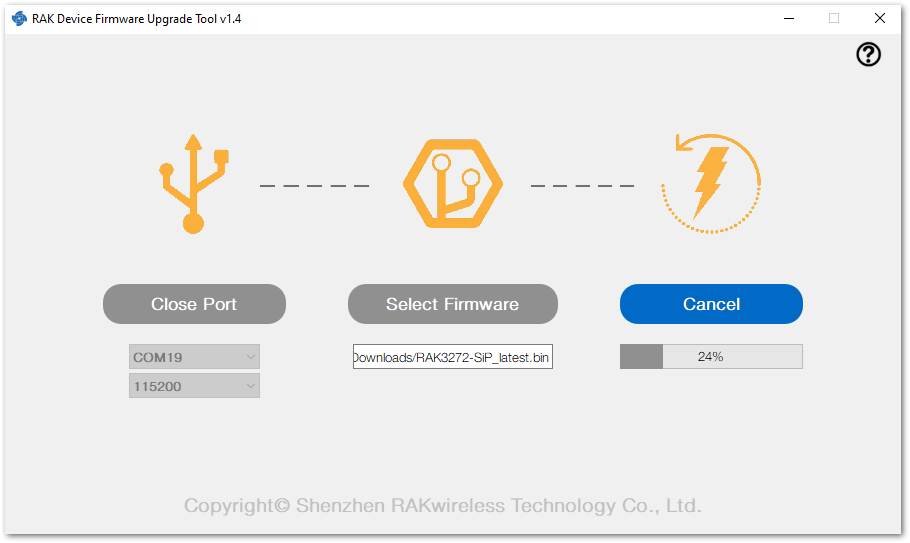 Figure 1: Firmware upgrade
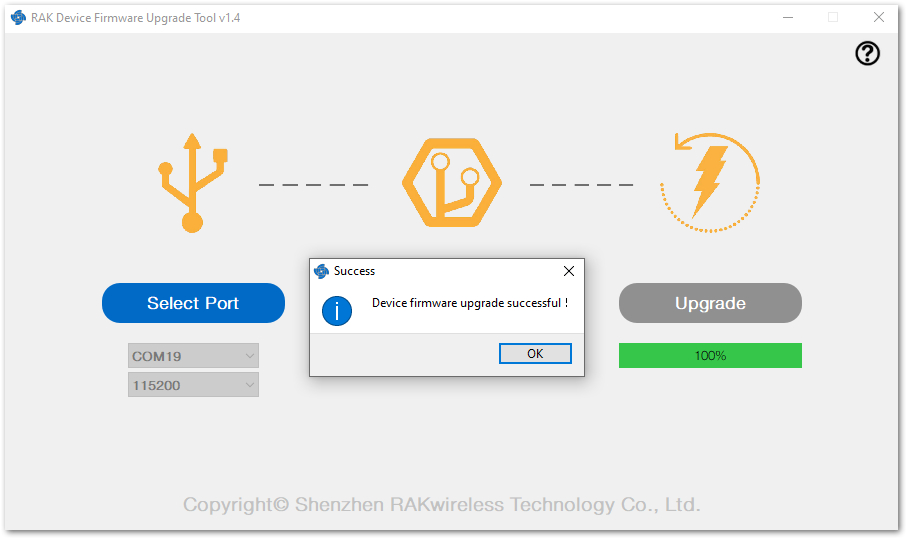 Figure 1: Upgrade successful


