index
Uplink Behavior and Payload Format
Uplink Behavior
The device automatically sends a configuration uplink when it joins, without requiring any manual operation and independently of normal uplink intervals.
-
OTAA Mode: Triggered each time the device receives a Join Accept message.
-
ABP Mode: Triggered after device initialization.
Payload Format
The configuration uplink uses FPort 3 and is encoded as an 11-byte hexadecimal payload, allowing clear identification on the server side while complying with LoRaWAN® payload size limitations.
The following example payload illustrates the field structure:
1201010000246f05030000
| Byte(s) | Hex Value | Field | Description |
|---|---|---|---|
| 0 | 0x12 | Protocol Vendor | Identifies the protocol vendor |
| 1 | 0x01 | Protocol Version | Protocol version |
| 2 | 0x01 | Protocol Type | Message type identifier |
| 3–6 | 0x00 0x00 0x24 0x6F | DevEUI (Last 4 Bytes) | Last 4 bytes of the device EUI for quick identification |
| 7 | 0x05 | LoRaWAN region (band) | Encoded LoRaWAN® region: 1 → CN470 2 → RU864 3 → IN865 4 → EU868 5 → US915 6 → AU915 7 → KR920 8 → AS923-1 9 → AS923-2 10 → AS923-3 11 → AS923-4 |
| 8 | 0x03 | RS485 Task Count | Number of enabled Modbus poll tasks |
| 9 | 0x00 | DI Enabled Count | Number of enabled DI channels |
| 10 | 0x00 | DO Enabled Count | Number of enabled DO channels |
Integration with LNS Platforms
The configuration uplink (FPort 3) can be viewed on the following platforms. Make sure that the Bridge IO device is connected to the LNS before the device joins the network. For more details, refer to Connect Bridge IO to LNS for Uplink.
-
Built-in Network Server
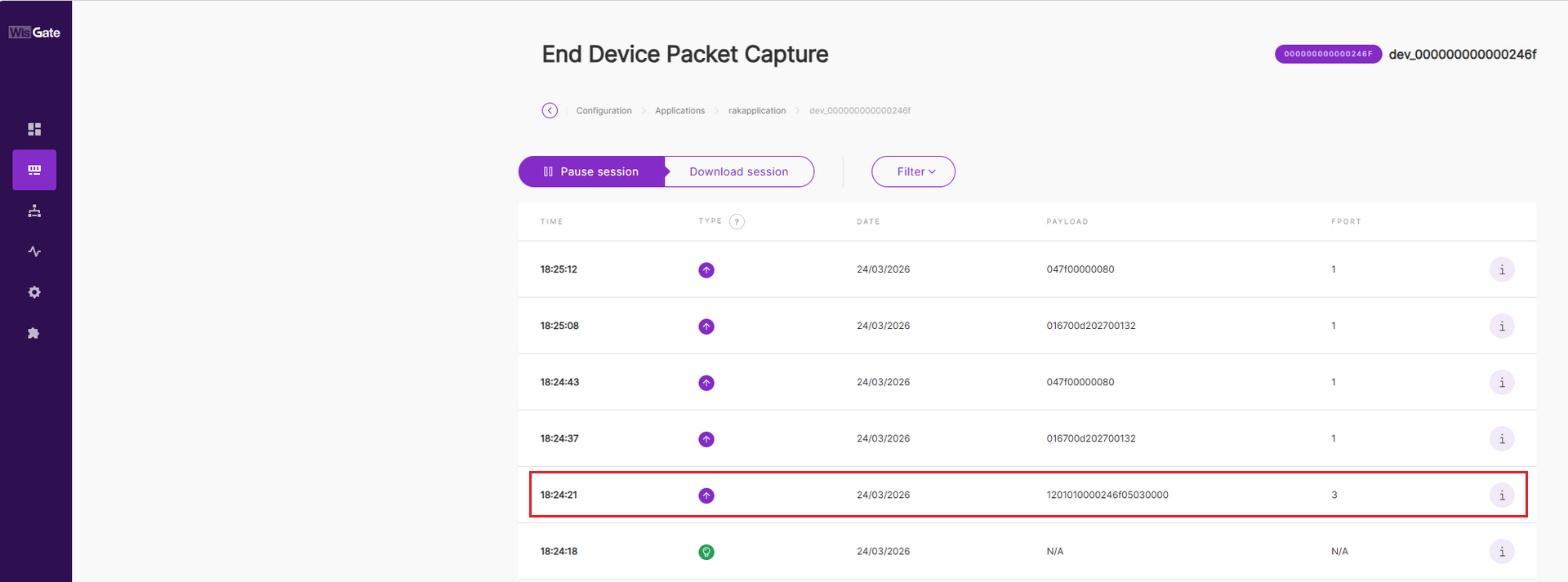 Figure 1: Built-in Instant
 -
The Things Stack (TTN)
 Figure 1: TTN Instant
 -
ChirpStack
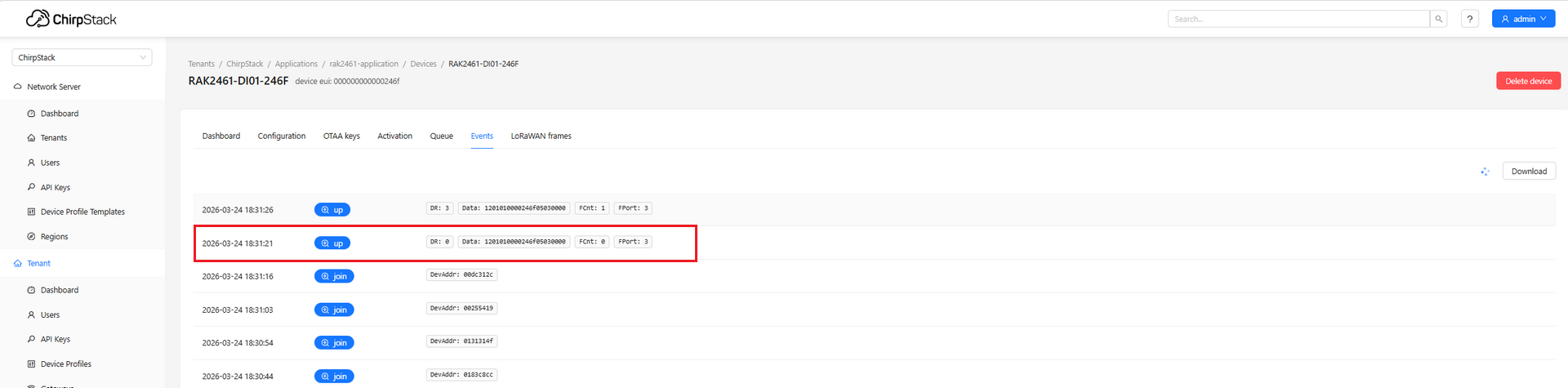 Figure 1: ChirpStack Instant


