Meshtastic WisMesh RAK3312 Starter Kit Quick Start Guide
The WisMesh RAK3312 Starter Kit is a versatile DIY kit designed for users who want a simple and reliable Meshtastic node. It is ideal for beginners and hobbyists looking for a hassle-free way to begin building with Meshtastic.
This guide covers the basics for the Meshtastic RAK3312 Starter Kit that are not handled by the Meshtastic documentation.
For detailed instructions how to configure the devices for the Meshtastic network, follow the Meshtastic Getting Started guide.
You can also check the Meshtastic Basic Device Setup Guide:.
To make sure that your device runs the latest Meshtastic firmware, download the most recent version of the Meshtastic firmware and upload it to your RAKwireless device. This ensures compatibility with the Meshtastic network.
- Meshtastic firmware for RAK3312 -
firmware-rak3312-w.x.yy.zzzzzzz.bin
Prerequisite
Before going through each and every step on using Meshtastic Starter Kit, make sure to prepare the necessary items listed below:
Hardware
- WisMesh RAK3312 Starter Kit
- Your choice of WisBlock Modules
- USB Cable
- Li-Ion/LiPo battery (optional)
- Solar charger (optional)
Software
The WisBlock Core module of the Meshtastic RAK3312 Starter Kit comes pre-flashed with the Meshtastic firmware.
To connect the device to the Meshtastic network, you will need one of the following configuration tools:
Make sure that you have installed one of these applications, you will need it to configure the Meshtastic network.
Product Configuration
Hardware Setup
RAK3312 to WisBlock Base
The Meshtastic RAK3312 Starter Kit comes with the RAK3312 module already assembled on the WisBlock Base board. The base board provides the USB interface for programming the RAK3312, a power source, and multiple module slots for adding WisBlock components.
Assembling and Disassembling of WisBlock Modules
Assembling
Figure 1 shows how to mount the RAK3312 module on top of a WisBlock Base board (RAK19007). Follow the assembly instructions in the WisBlock module assembly/disassembly instructions carefully to secure the connection safely. Once attached, secure the module with M1.2 x 3 mm screws.
Assembly of the RAK3312 on other base boards follows the same procedure. You can find assembly guides for other modules in their respective Quick Start Guides.
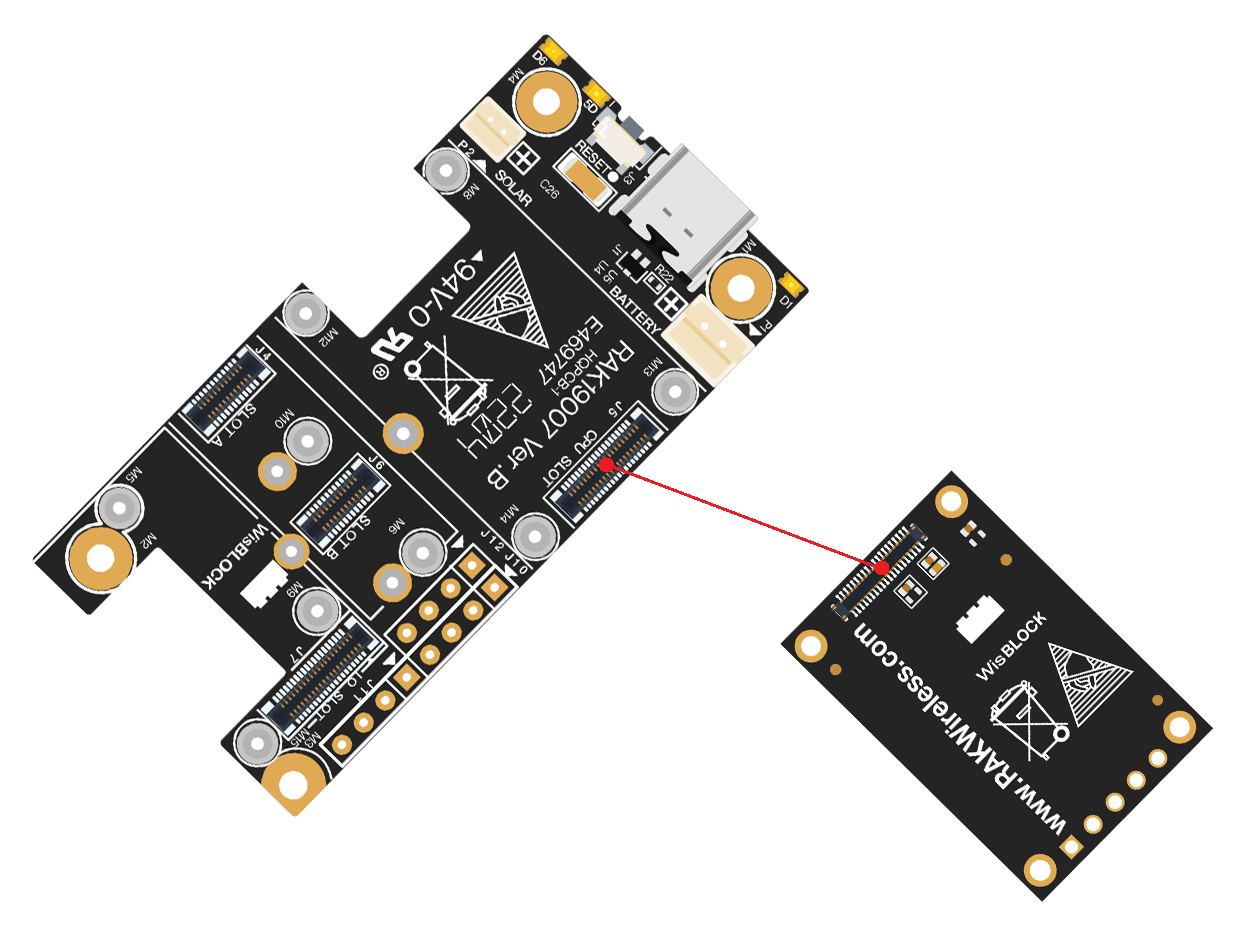 Figure 1: RAK3312 Mounting Sketch
Disassembling
To remove any WisBlock module, follow these steps:
- Remove the screws.
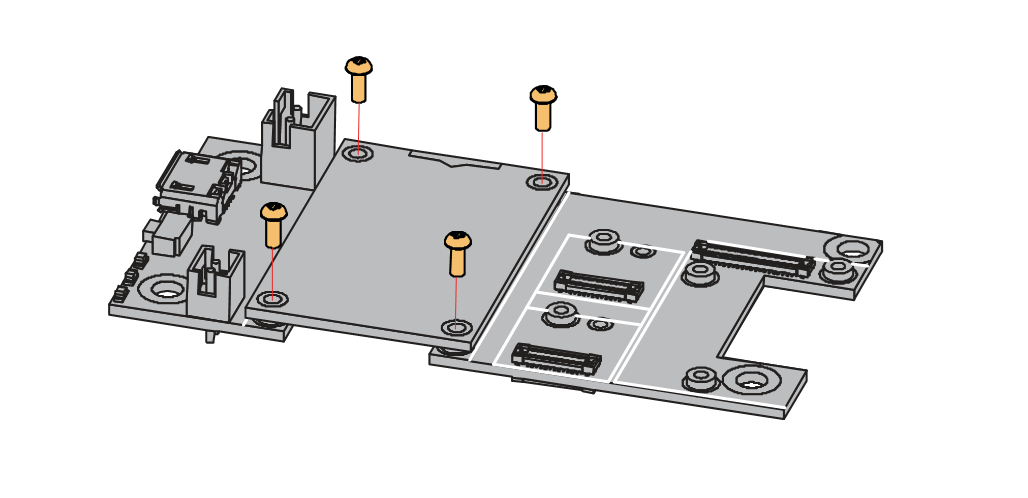 Figure 1: Removing screws from the WisBlock module
- Check the module silkscreen for the correct point where force can be applied.
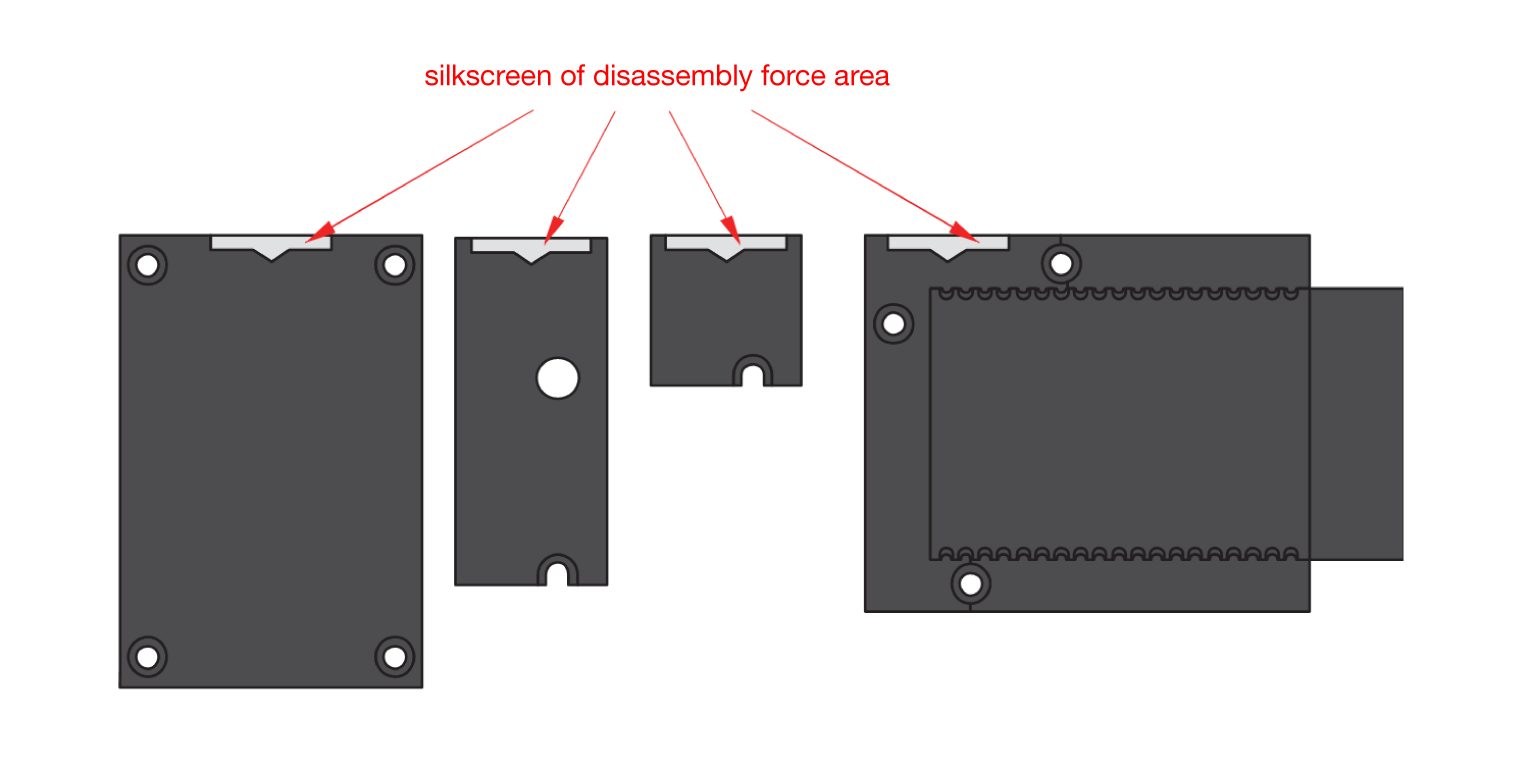 Figure 1: Detaching silkscreen on the WisBlock module
- Apply gentle upward pressure at the connector area as shown in Figure 4, to detach the module from the base board.
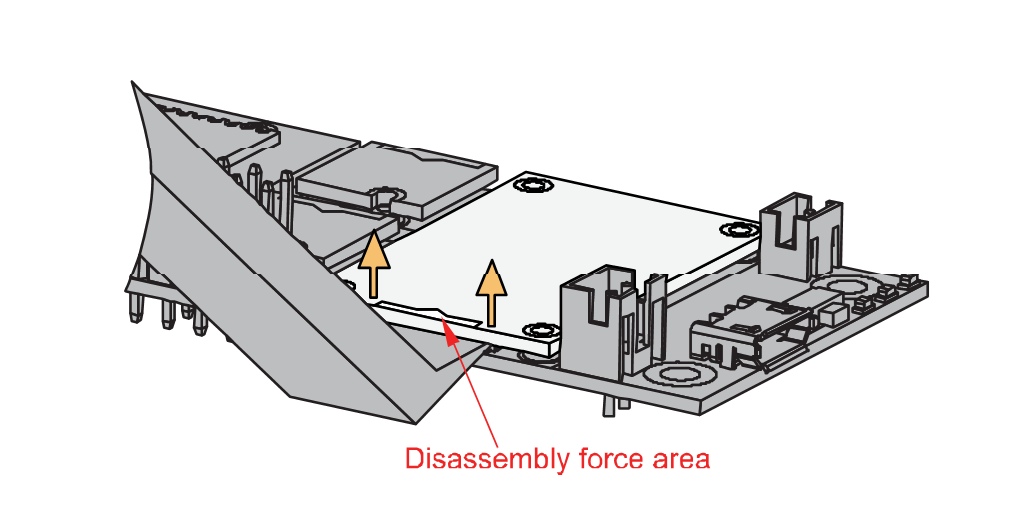 Figure 1: Applying even forces on the proper location of a WisBlock module
LoRa and WiFi/BLE Antenna
The Meshtastic Starter Kit includes several antennas:
- A 2 dBi rubber LoRa antenna with a SMA connector and an IPEX-to-SMA pigtail cable.
 Figure 1: LoRa Antenna
Detailed information about the 2 dBi rubber antenna can be found on the antenna datasheet.
- A LoRa PCB antenna that can be connected directly to the RAK3312
 Figure 1: LoRa PCB Antenna
- A WiFi/BLE PCB antenna that can be connected directly to the RAK3312
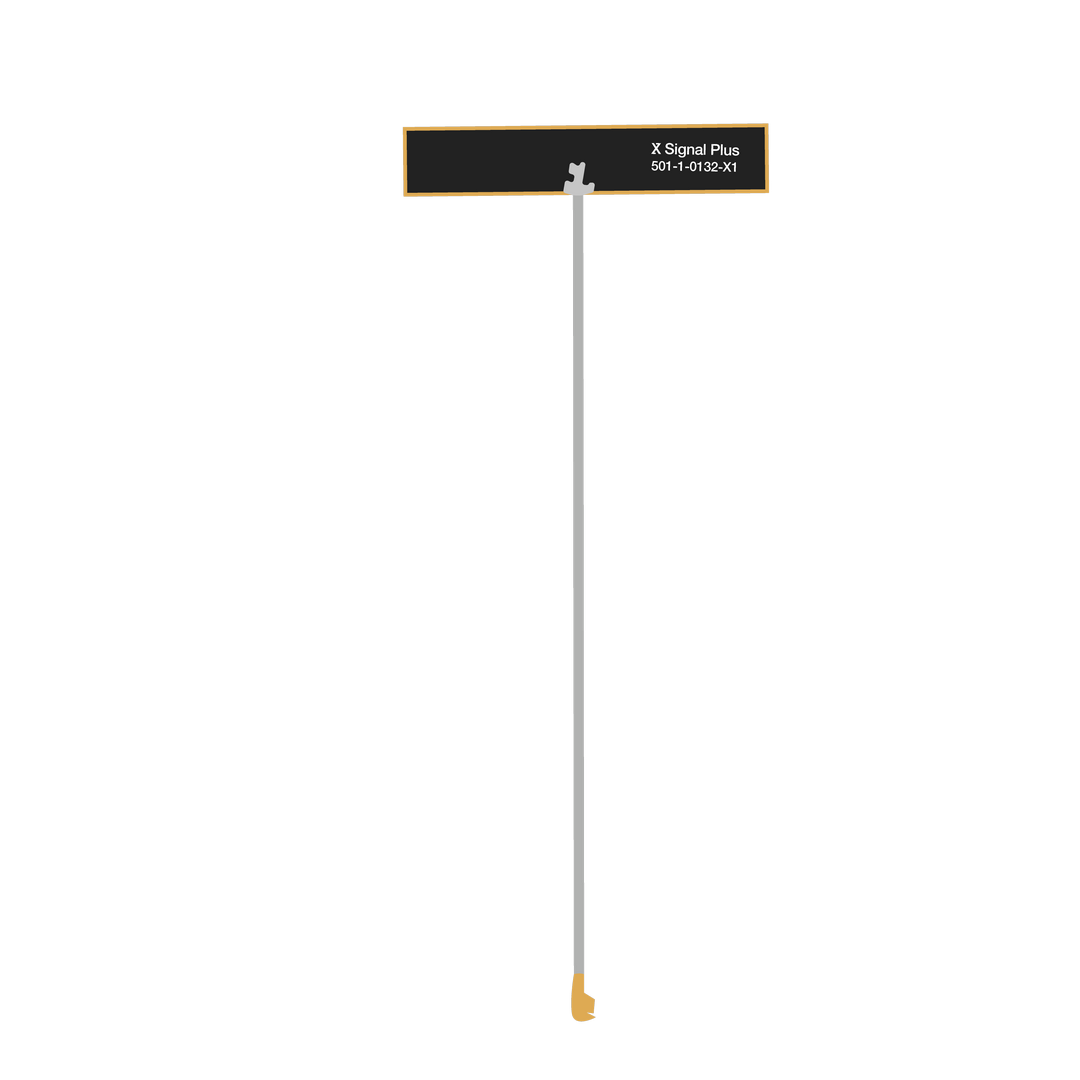 Figure 1: WiFi/BLE PCB Antenna
Make sure the antenna is securely connected to ensure proper LoRa signal performance. Avoid powering the module without an antenna attached to the IPEX connector, as this can damage the RF section of the chip.
RAK3312 has clear labels showing where each antenna connects, as shown in Figure 8.
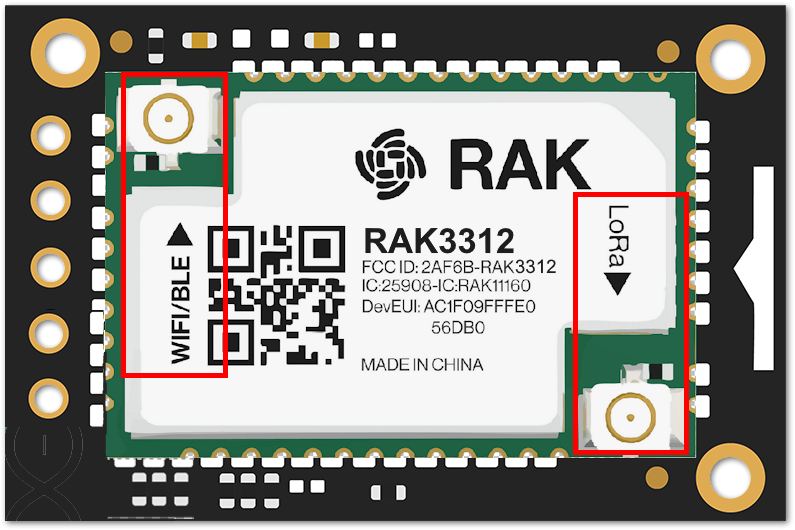 Figure 1: RAK3312 Antenna Label
Detailed information about the RAK3312 WiFi/BLE and LoRa antenna can be found on the 863-870 MHz antenna datasheet or the 902-928 MHz antenna datasheet.
When using the LoRa, WiFi, or BLE transceivers, make sure that an antenna is always connected. Using these transceivers without an antenna can damage the system. Make sure to fix the module with the screws to ensure a proper function.
Software Setup
To make sure that your device runs the latest Meshtastic firmware, download the most recent version of the Meshtastic firmware and upload it to your RAKwireless device. This ensures compatibility with the Meshtastic network.
- Meshtastic firmware -
firmware-rak3312-w.x.yy.zzzzzzz.bin
The Meshtastic Starter Kits come pre-flashed with the Meshtastic firmware. If you encounter problems, update the Meshtastic firmware to the latest version.
- Flash ESP32 devices. (link goes to Meshtastic.org)
To configure your device for the Meshtastic network, follow the Meshtastic Configuration Guide.
RAK3312 and WisBlock Base Boards
Detailed information and datasheets can be found in the documentation for the different modules:


