RAK12007 WisBlock Ultrasonic Sensor Module Quick Start Guide
Prerequisite
- Assemble the RAK12007 with a WisBlock Base and WisBlock Core by following the RAK12007 Installation Guide.
- Download and install the Arduino IDE, then add the RAKwireless Core boards by installing the RAKwireless Arduino BSP.
- USB Cable
- RAK1921 WisBlock OLED Display
- RAK19008 WisBlock IO Extension Cable (optional)
- Li-Ion/LiPo battery (optional)
- Solar charger (optional)
Initial Test of the RAK12007 WisBlock Module
NOTE
- This guide uses the RAK4631 WisBlock Core to demonstrate the configuration process. You can also use the RAK11200 or RAK11310 as the WisBlock Core.
- When using the RAK11200, configure the BOOT0 pin correctly before uploading the source code. Otherwise, the upload may fail. For detailed instructions, refer to the RAK11200 Quick Start Guide.
-
Install the RAKwireless Arduino BSP for WisBlock by using the
package_rakwireless_index.jsonboard installation package. The WisBlock Core should now be available on the Arduino IDE. -
You need to select first the WisBlock Core you have.
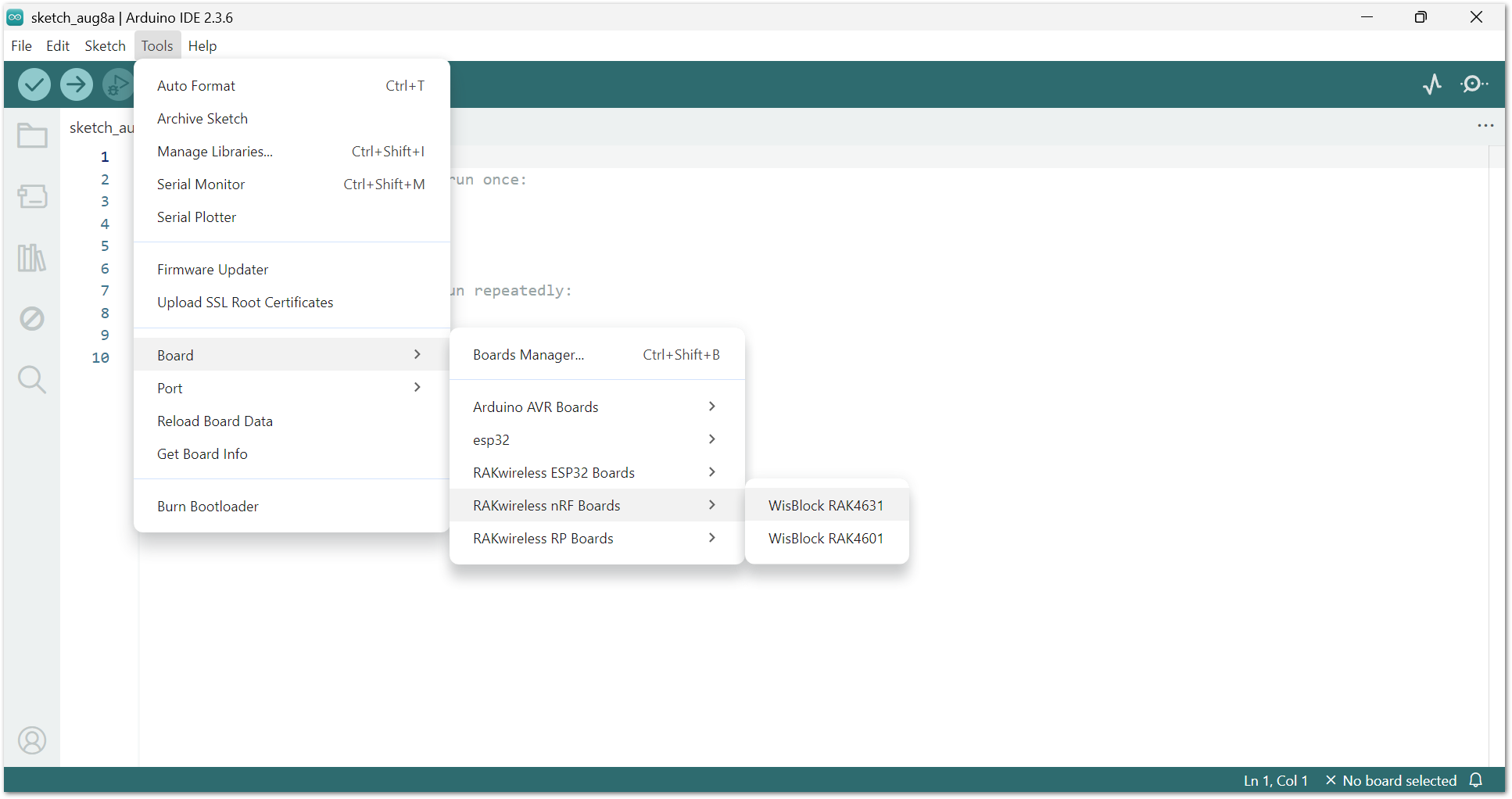 Figure 1: Selecting RAK4631 as WisBlock Core
- Copy the example code below:
Click to view the example
/**
 * @file RAK12007_OLED_Show_Distance.ino
 * @author rakwireless.com
 * @brief use ultrasonic measure distance and display the distance value on OLED example
 * velocity of sound =331.6+0.6T(m/s),(T is the Celsius temperature,331.6 m/sIs the speed of sound waves
 * traveling through air at a temperature of 0 degrees Celsius).
 * @version 0.1
 * @date 2021-06-17
 * @copyright Copyright (c) 2021
 */

#include <Wire.h>
#include <Adafruit_GFX.h>   //Click here to get the library: http://librarymanager/All#Adafruit_GFX
#include <Adafruit_SSD1306.h>   //Click here to get the library: http://librarymanager/All#Adafruit_SSD1306

#ifdef RAK4630
  #define BOARD "RAK4631 "
  #define  RAK4631_BOARD true
#else
  #define  RAK4631_BOARD false
#endif

#define SCREEN_WIDTH 128 // set OLED width,unit:pixel
#define SCREEN_HEIGHT 64 // set OLED height,unit:pixel

#define OLED_RESET -1
Adafruit_SSD1306 oled(SCREEN_WIDTH, SCREEN_HEIGHT, &Wire, OLED_RESET);

#define TRIG WB_IO6
#define ECHO WB_IO4
#define PD   WB_IO5   //power done control (=1 power done,=0 power on)

#define TIME_OUT  24125 //max measure distance is 4m,the velocity of sound is 331.6m/s in 0℃,TIME_OUT=4*2/331.6*1000000=24215us

float ratio = 346.6/1000/2;   //velocity of sound =331.6+0.6*25℃(m/s),(Indoor temperature about 25℃)

long int duration_time();  //measure high level time
void oled_init();

void setup()
{
   Serial.begin(115200);
   time_t timeout = millis();
   while (!Serial)
   {
     if ((millis() - timeout) < 5000)
     {
       delay(100);
     }
     else
     {
       break;
     }
   }

   pinMode(ECHO, INPUT);   // Echo Pin of Ultrasonic Sensor is an Input
   pinMode(TRIG, OUTPUT);  // Trigger Pin of Ultrasonic Sensor is an Output
   pinMode(PD, OUTPUT);    // power done control pin is an Output
   digitalWrite(TRIG,LOW);
   digitalWrite(PD,LOW);
   pinMode(LED_BLUE, OUTPUT);   // The LED is an Output
   oled_init();
   Serial.println("========================");
   Serial.println("    RAK12007 test");
   Serial.println("========================");
}
void loop()
{
   long int duration, mm;
   digitalWrite(LED_BLUE,HIGH);
   duration = duration_time();
   if(duration > 0)
   {
     mm = duration*ratio; //Test distance = (high level time×velocity of sound (340M/S) / 2,
     digitalWrite(LED_BLUE,LOW);
     Serial.print(mm);
     Serial.print("mm");
     Serial.println();

     oled.clearDisplay();
     oled.setTextColor(WHITE);
     oled.setTextSize(2.5);
     oled.setCursor(20, 10);
     oled.printf("Distance:");
     oled.setCursor(30, 40);
     oled.printf("%d mm",mm);
     oled.display();

   }
   else
   {
     Serial.println("Out of range");
     oled.clearDisplay();
     oled.setTextColor(WHITE);
     oled.setTextSize(2);
     oled.setCursor(0, 20);
     oled.printf("over range");
     oled.display();
   }
  delay(100);
}
long int duration_time()
{
   long int respondTime;
   pinMode(TRIG, OUTPUT);
   digitalWrite(TRIG, HIGH);
   delayMicroseconds(12);   //pull high time need over 10us
   digitalWrite(TRIG, LOW);
   pinMode(ECHO, INPUT);
   respondTime = pulseIn(ECHO, HIGH); // microseconds
   delay(33);
   if(RAK4631_BOARD)
   {
     respondTime = respondTime*0.7726; // Time calibration factor is 0.7726,to get real time microseconds for 4631board
   }
   Serial.printf("respond time is %d\r\n",respondTime);

   if((respondTime>0)&&(respondTime < TIME_OUT))  //ECHO pin max timeout is 33000us according it's datasheet
   {
    return respondTime;
   }
   else
   {
     return -1;
   }
}
void oled_init()
{
  oled.begin(SSD1306_SWITCHCAPVCC, 0x3C);
  oled.clearDisplay();
  oled.display();
}
NOTE
-
The example code is the same for all WisBlock Core Modules.
-
If you experience any error in compiling the example sketch, check the updated code for the RAK12007 WisBlock Ultrasonic Sensor Module that can be found on the RAK12007 WisBlock Example Code Repository.
- Install the required libraries by pressing
Ctrland clicking each highlighted link.
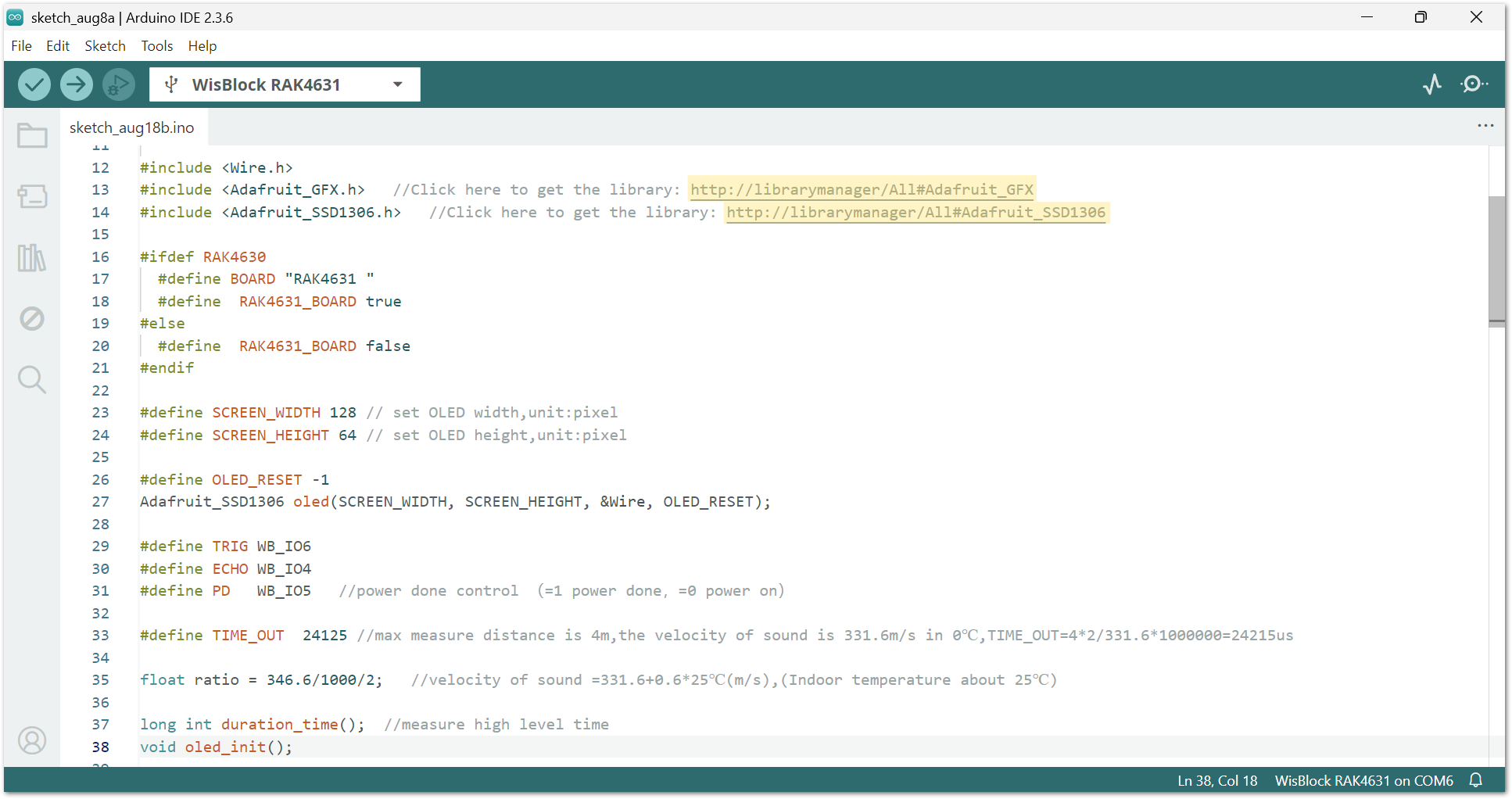 Figure 1: Links for required libraries
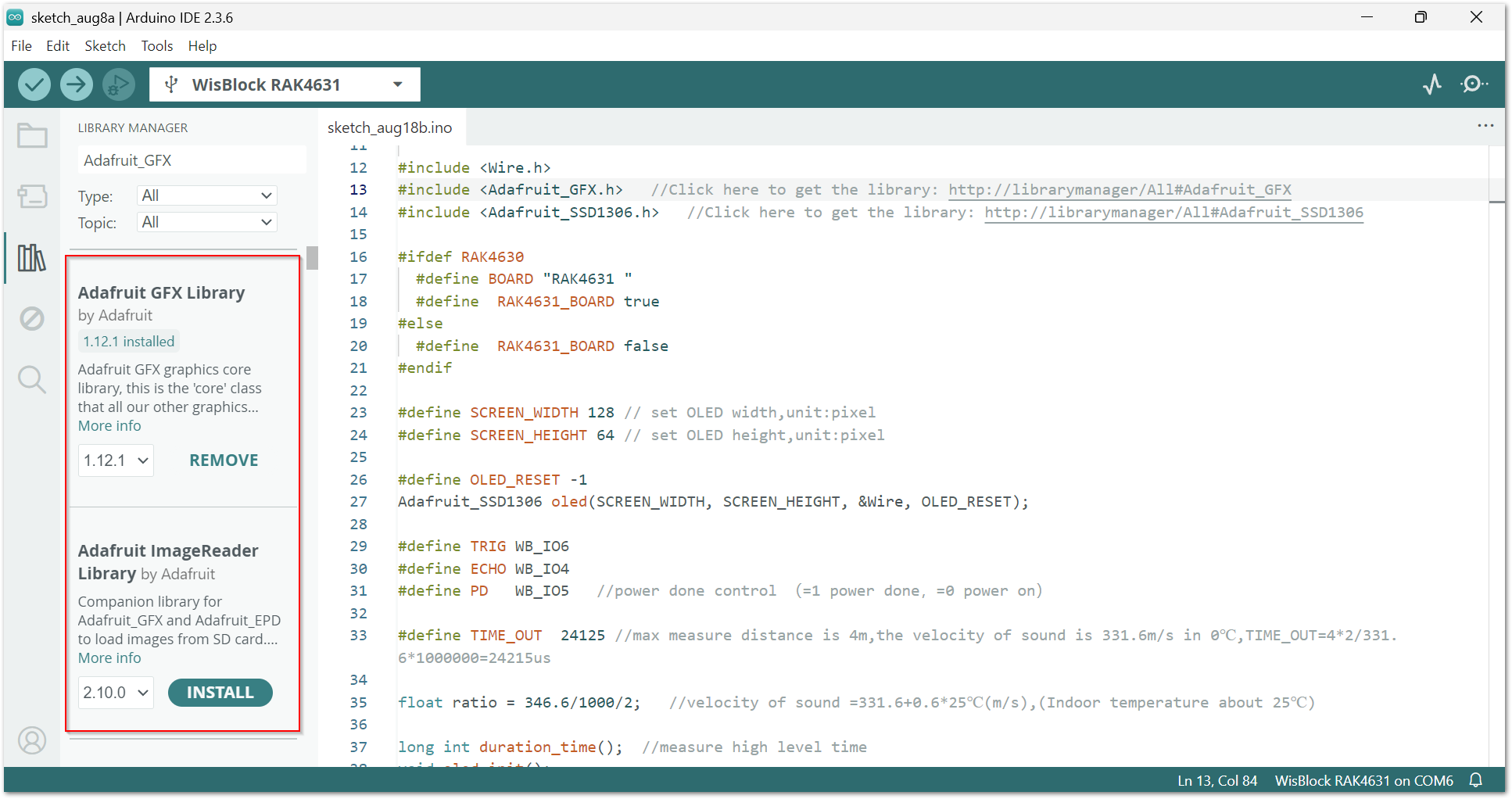 Figure 1: Installation of Adafruit GFX Library and Companion Library
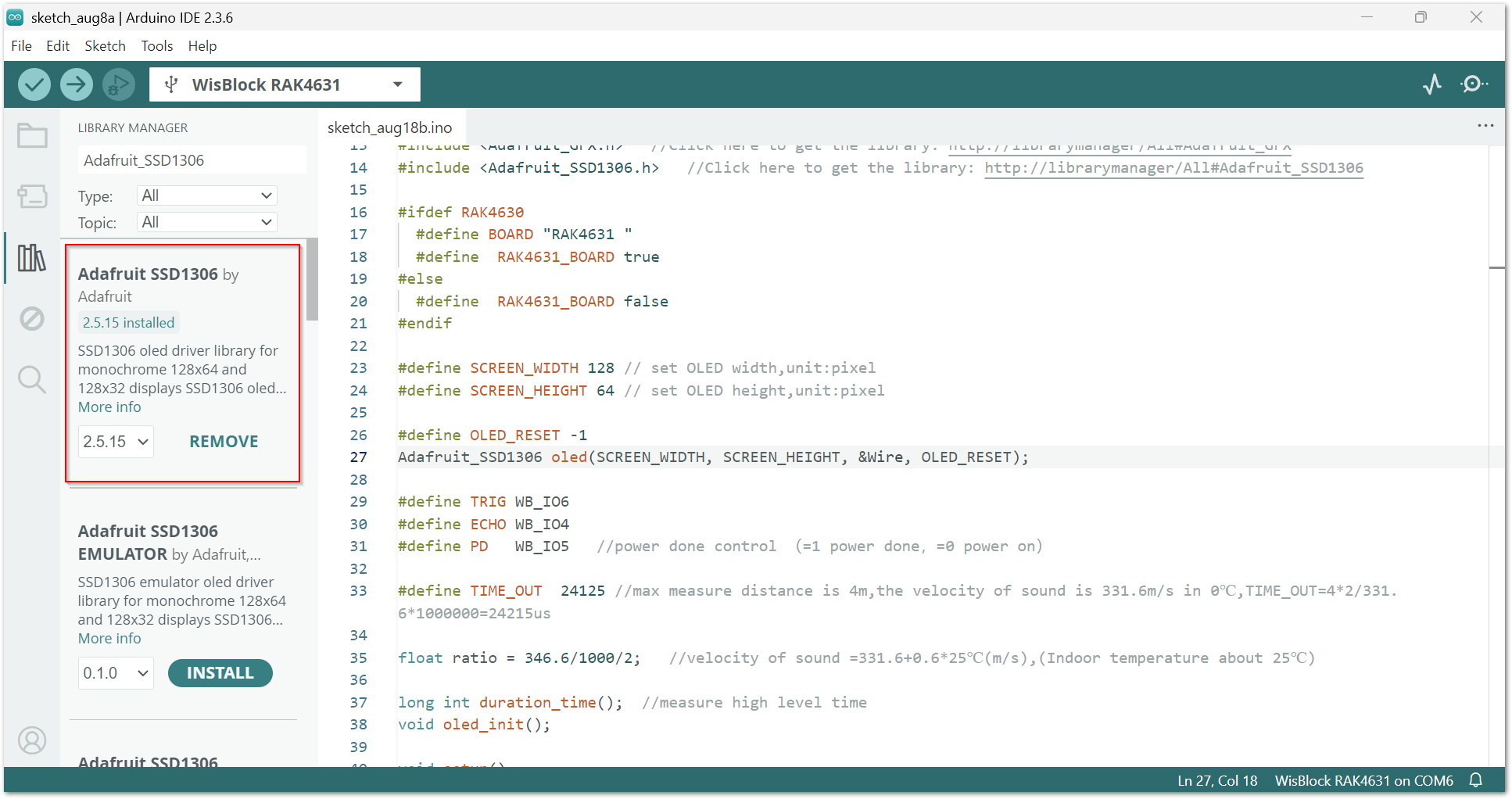 Figure 1: Installation of Adafruit SSD1306 Library
- Then select the right Serial Port and upload the code.
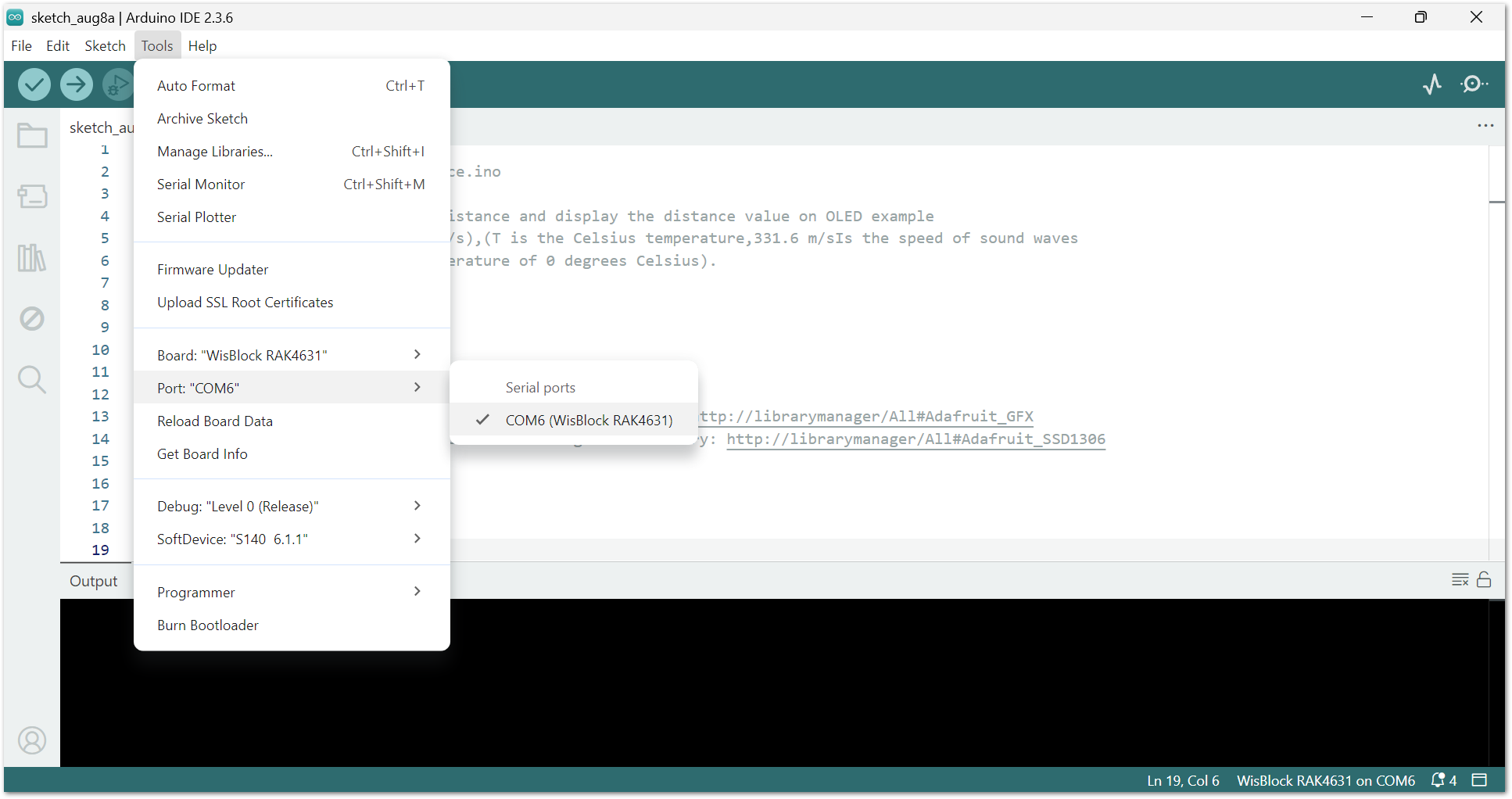 Figure 1: Selecting the correct Serial Port
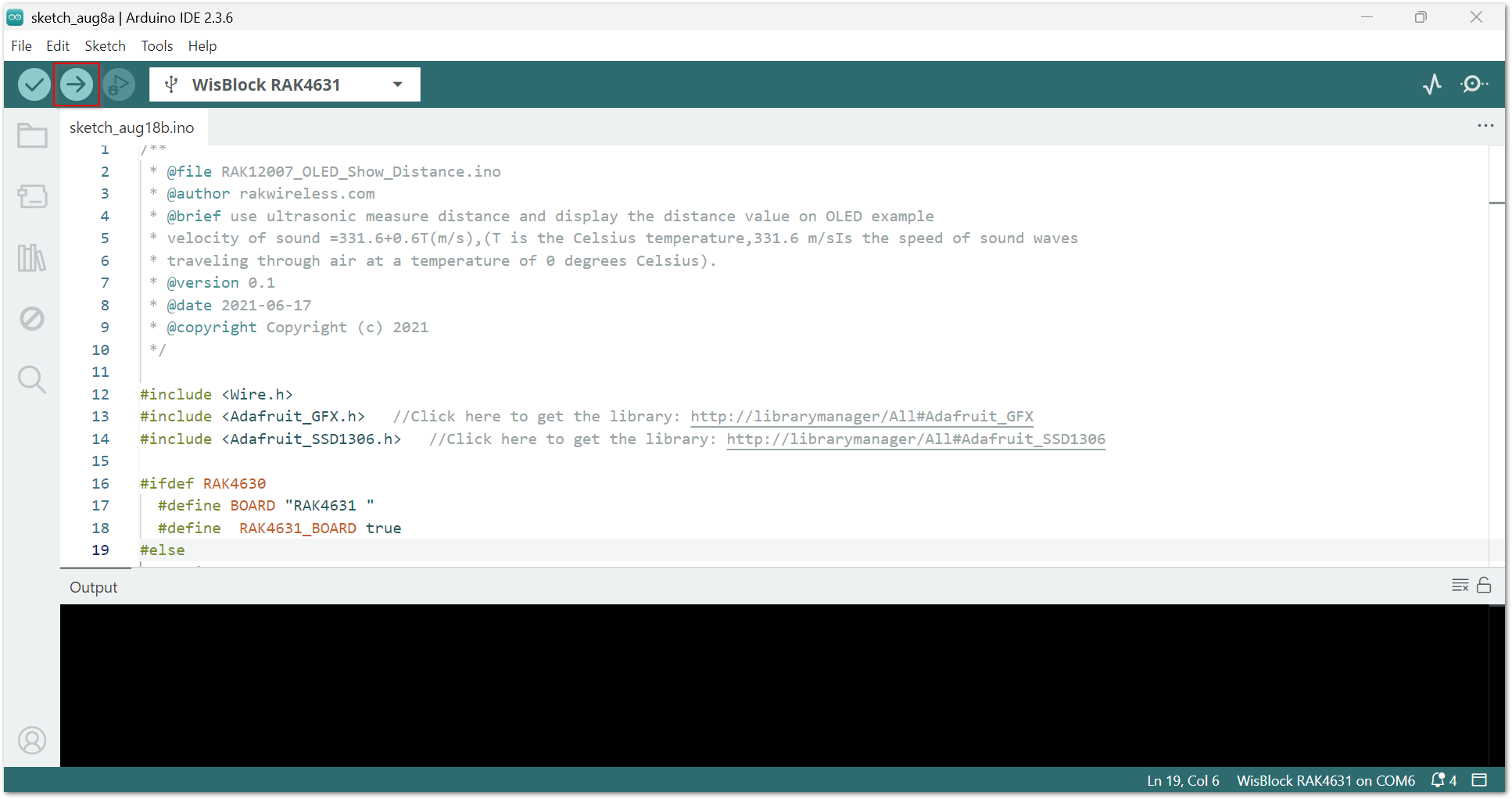 Figure 1: Uploading the sample code
- When you have successfully uploaded the sample code, you should see the distance displayed on the RAK1921 WisBlock OLED Display. Then, you can open up your serial monitor to get the sensor reading.
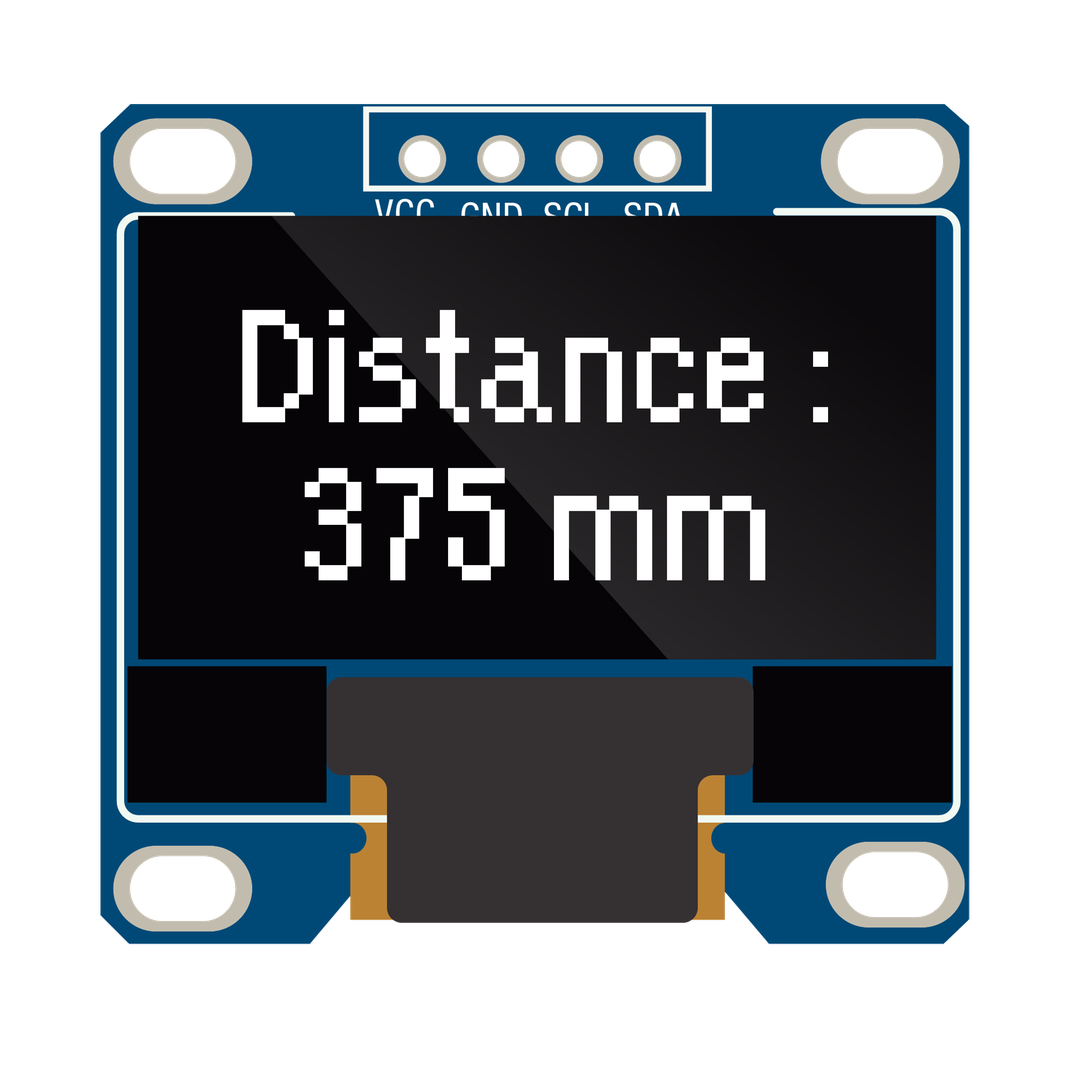 Figure 1: Distance shown in RAK1921 WisBlock OLED Display
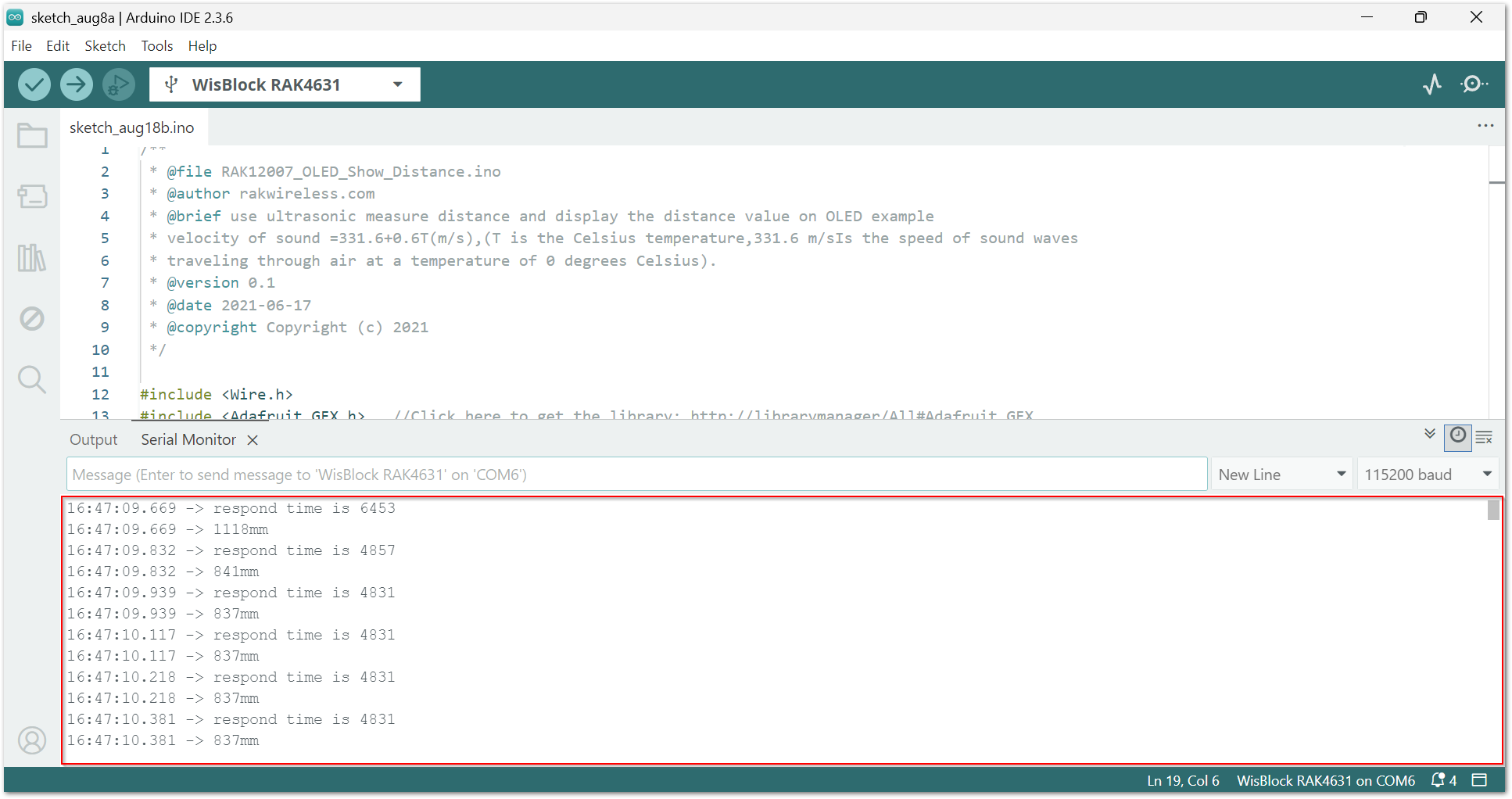 Figure 1: RAK12007 WisBlock Ultrasonic Module reading in Serial Monitor
You can try to point the sensor on any surface to detect the distance or put an object in front of the sensor.


