RAK16001 WisBlock ADC Module Installation Guide
Prerequisite
The modules required before installation include:
- RAK16001 ADC Module
- Your choice of WisBlock Base
- Your choice of WisBlock Core
WisBlock Module Installation
The RAK16001 is an Analog-to-Digital (ADC) module, which uses an ADS7830 from Texas Instruments that can measure 8-independent voltages or 4-independent differential voltages. The ADS7830 is an 8-bit ADC module that features a serial I²C interface and an 8-channel multiplexer with one sample-and-hold amplifier circuit.
Select a compatible WisBlock Base and WisBlock Core according to your needs.
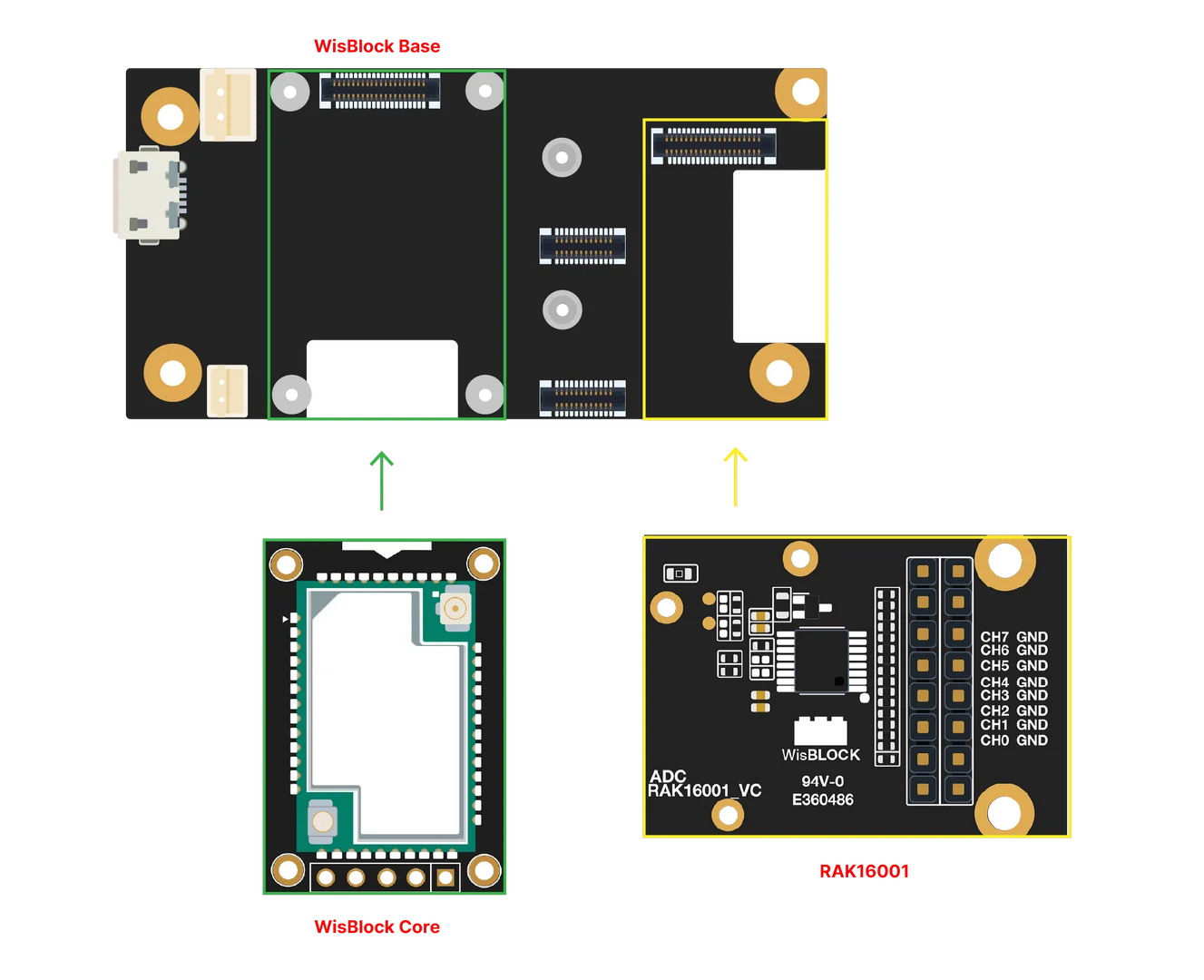 Figure 1: RAK16001 connection to WisBlock Base
Assembling and Disassembling of WisBlock Modules
Assembling
The RAK16001 module can be mounted on the IO slot of the WisBlock Base board. Also, always secure the connection of the WisBlock module by using compatible screws.
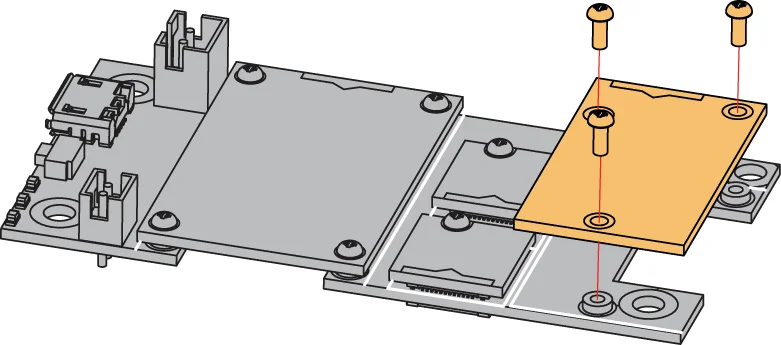 Figure 1: RAK16001 mounting connection to WisBlock Base module
Disassembling
The procedure in disassembling any type of WisBlock modules is the same.
- First, remove the screws.
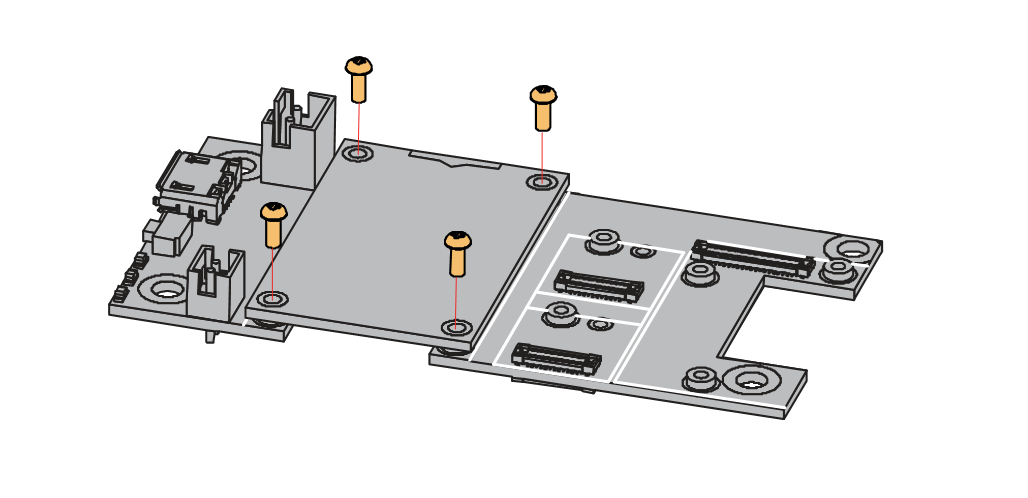 Figure 1: Removing screws from the WisBlock module
- Once the screws are removed, check the silkscreen of the module to find the correct location where force can be applied.
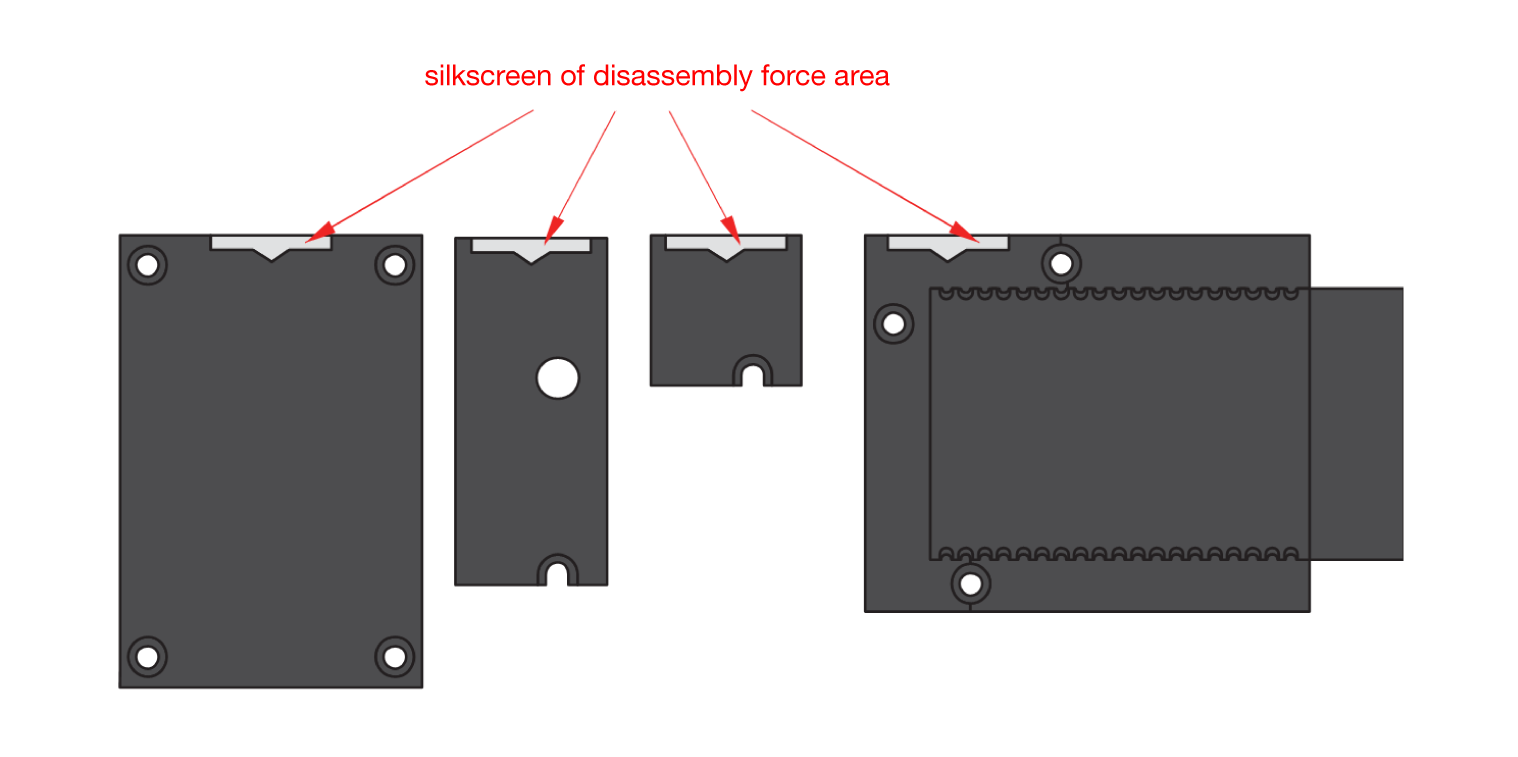 Figure 1: Finding the proper position to detach the WisBlock module
- Apply even force to the module at the position of the connector to detach the module from the WisBlock Base.
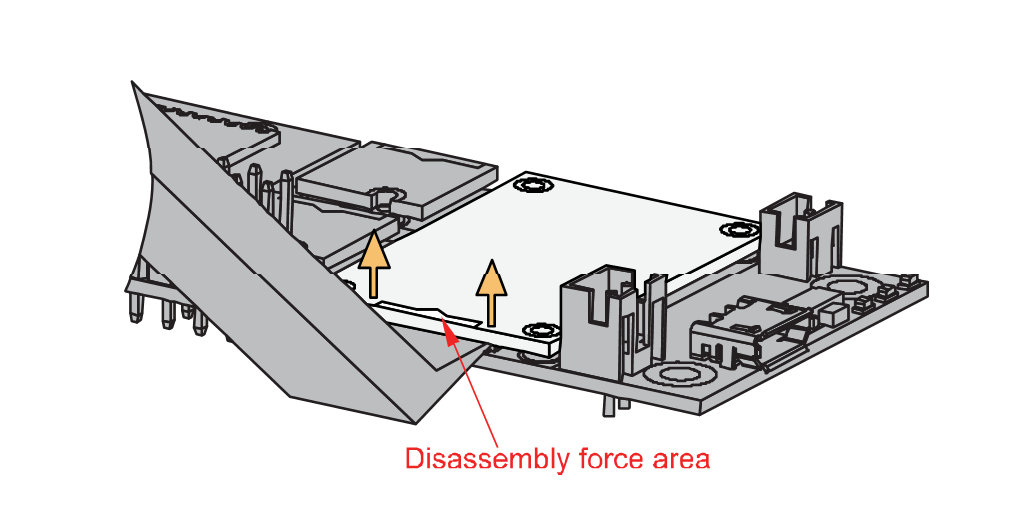 Figure 1: Applying even forces on the proper location of a WisBlock module
If you will connect other modules to the remaining WisBlock Base slots, check on the WisBlock Pin Mapper tool for possible conflicts.
After all this setup, you can now connect the battery (optional) and USB cable to start programming your WisBlock Core.
- Batteries can cause harm if not handled properly.
- Only 3.7-4.2 V Rechargeable LiPo batteries are supported. It is highly recommended not to use other types of batteries with the system unless you know what you are doing.
- If a non-rechargeable battery is used, it has to be unplugged first before connecting the USB cable to the USB port of the board to configure the device. Not doing so might damage the battery or cause a fire.
- Only 5 V solar panels are supported. Do not use 12 V solar panels. It will destroy the charging unit and eventually other electronic parts.
- Make sure the battery wires match the polarity on the WisBlock Base board. Not all batteries have the same wiring.


