RAK16002 with RAK11300 Quick Start Guide
Prerequisite
- Prepare a WisBlock Base with a sensor slot, a compatible WisBlock Core, and the RAK16002 module. Refer to the RAK16002 Installation Guide.
- Install the Arduino IDE and RAKwireless Arduino BSP to add the supported WisBlock Core boards to the Arduino Boards Manager.
- USB Cable
- Li-Ion/LiPo battery (optional)
- Solar charger (optional)
Software Configuration and Example
- Select the RAK11310 WisBlock Core. Install the RAKwireless Arduino BSP to find the RAK11310 in the Arduino Boards Manager.
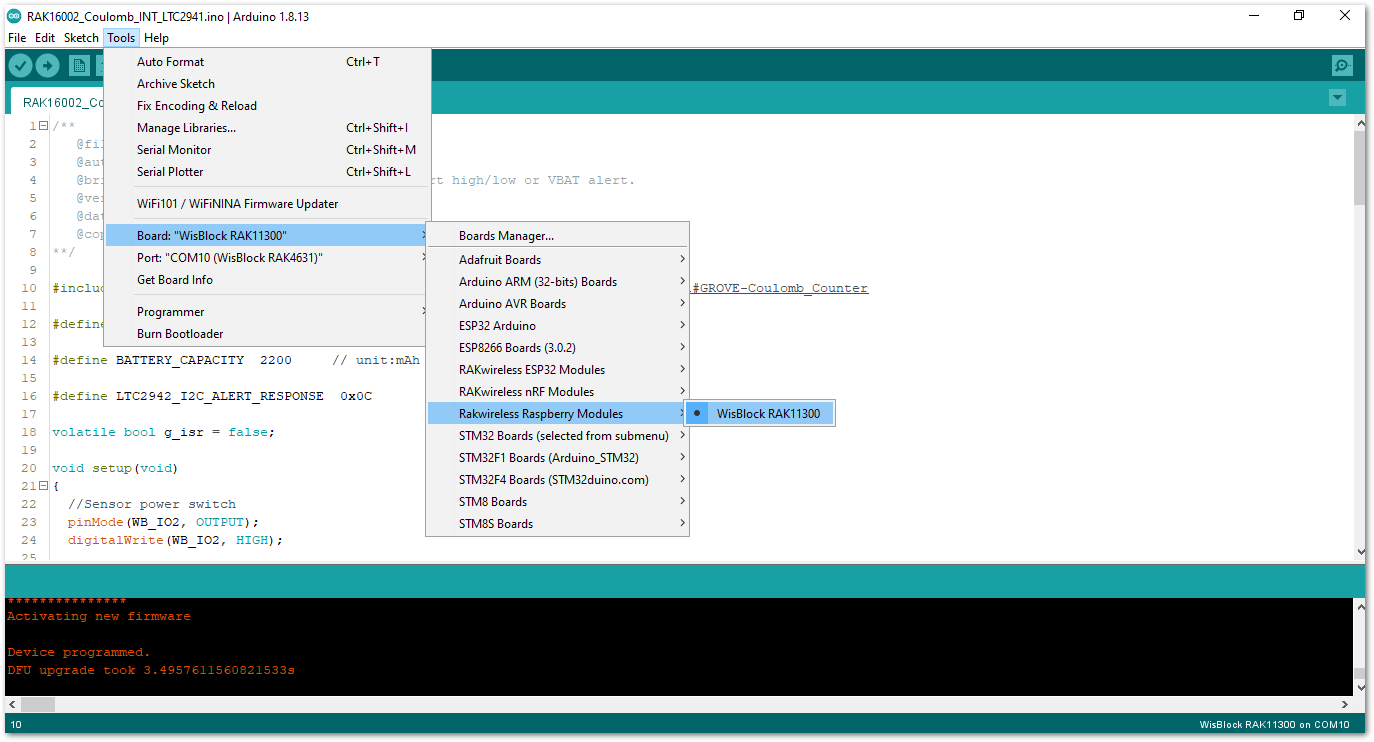 Figure 1: Selecting RAK11300 as WisBlock Core
- Next, copy the following sample code into your Arduino IDE:
Click to view the example
/**
   @file RAK16002_Coulomb_INT_LTC2941.ino
   @author rakwireless.com
   @brief  Trigger an interrupt when Charge alert high/low or VBAT alert.
   @version 0.1
   @date 2021-11-08
   @copyright Copyright (c) 2020
**/

#include "LTC2941.h"  //Click here to get the library: http://librarymanager/All#GROVE-Coulomb_Counter

#define INTERRUPT_PIN     WB_IO6  // Interrupt capable Arduino pin.

#define BATTERY_CAPACITY  2200     // unit:mAh

#define LTC2942_I2C_ALERT_RESPONSE  0x0C

volatile bool g_isr = false;

void setup(void)
{
  //Sensor power switch
  pinMode(WB_IO2, OUTPUT);
  digitalWrite(WB_IO2, HIGH);

/*
 * The LED_BLUE  lights up to indicate Charge alert high.
 * The LED_GREEN lights up to indicate Charge alert low.
 * All lights up to indicate VBAT alert.
 */
  pinMode(LED_BLUE, OUTPUT);
  digitalWrite(LED_BLUE, LOW);
  pinMode(LED_GREEN, OUTPUT);
  digitalWrite(LED_GREEN, LOW);

  pinMode(INTERRUPT_PIN, INPUT);

  time_t timeout = millis();
  Serial.begin(115200);
  while (!Serial)
  {
    if ((millis() - timeout) < 5000)
    {
      delay(100);
    }
    else
    {
      break;
    }
  }

  Serial.println("=====================================");
  Serial.println("RAK16002 Coulomb LTC2941 example");
  Serial.println("=====================================");

  Wire.begin();

  ltc2941.initialize();
  ltc2941.setBatteryFullMAh( BATTERY_CAPACITY , false);
  ltc2941.setAccumulatedCharge(42352); // Set the current battery level to 1800 mAh.

  attachInterrupt(digitalPinToInterrupt(INTERRUPT_PIN), interruptRoutine, FALLING);


  ltc2941.setBatteryAlert( VBAT_3_0_V );

  ltc2941.setChargeThresholdHigh( 42353 );//CURRENT_CAPACITY
  ltc2941.setChargeThresholdLow( 42351 );

  ltc2941.setAlertConfig( ALERT_MODE );

  /*
  *  The LTC2941 will stop pulling down the AL/CC pin and will not respond
  *  to further ARA requests until a new alert event occurs.
  */
  Wire.requestFrom(LTC2942_I2C_ALERT_RESPONSE, 1);
  while(Wire.available())
  {
    Wire.read();
  }
}

void loop(void)
{
  float coulomb = 0, mAh = 0, percent = 0;
  uint8_t Status;

  if (g_isr == true)
  {
    g_isr = false;

    ltc2941.setAccumulatedCharge(42352); // Reset the battery level only for periodic presentation interruption.

    Wire.requestFrom((int16_t)0x0C, 1); // Send alert response protocol.
    while(Wire.available())
    {
      Wire.read();
    }

    Status = ltc2941.getStatus();
    if(Status & 0x02)
    {
       Serial.println("VBAT alert interrupt!");
       digitalWrite(LED_GREEN, HIGH);
       digitalWrite(LED_BLUE, HIGH);
    }
    if(Status & 0x04)
    {
       Serial.println("Charge alert low interrupt!");
       digitalWrite(LED_GREEN, HIGH);
    }
    if(Status & 0x08)
    {
       Serial.println("Charge alert high interrupt!");
       digitalWrite(LED_BLUE, HIGH);
    }
  }
  coulomb = ltc2941.getCoulombs();
  mAh = ltc2941.getmAh();
  percent = ltc2941.getPercent();

  Serial.print(coulomb);
  Serial.print("C   ");
  Serial.print(mAh);
  Serial.print("mAh   ");
  Serial.print(percent);
  Serial.println("%");
  delay(1000);
  digitalWrite(LED_GREEN, LOW);
  digitalWrite(LED_BLUE, LOW);
}

void interruptRoutine()
{
  g_isr = true;
}
- Once the example sketch is open, install the GROVE-Coulomb_Counter library by clicking the red-highlighted link.
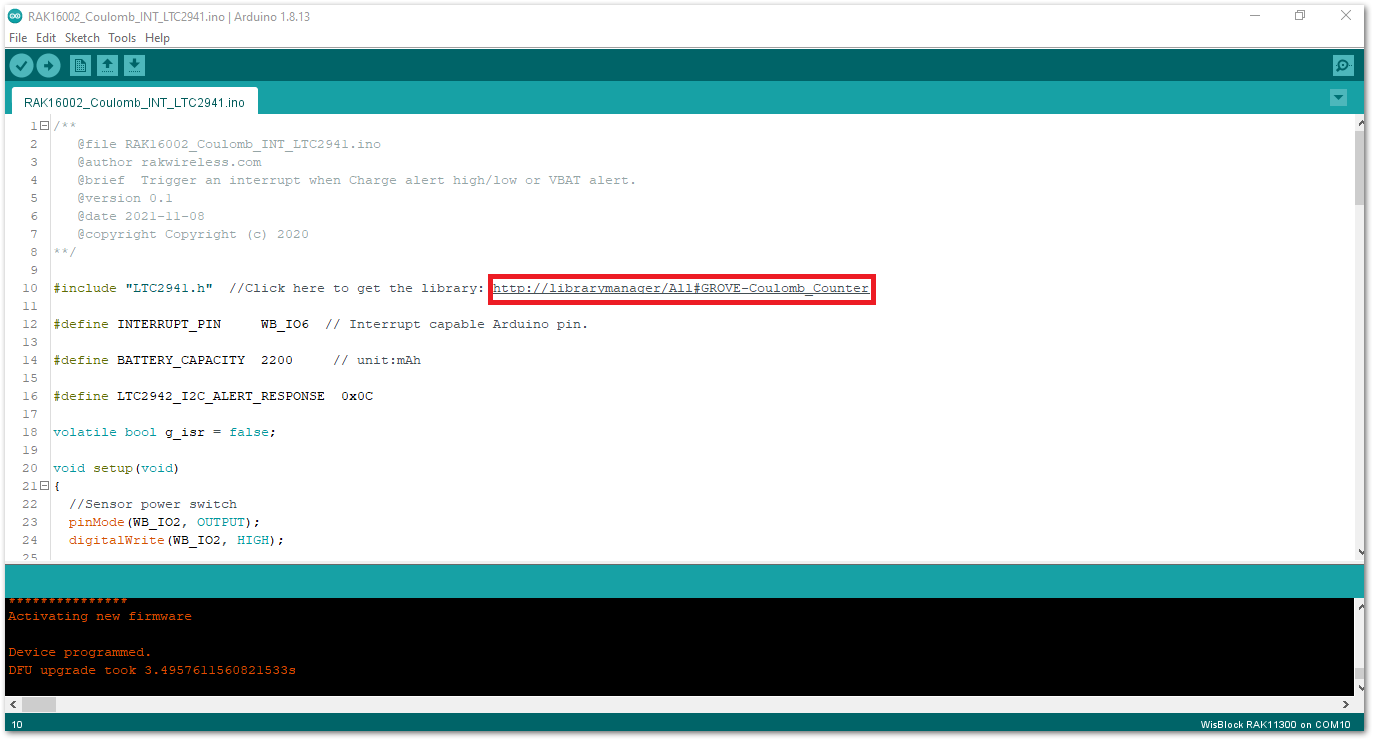 Figure 1: Install GROVE-Coulomb_Counter Library
Click on the Install button to finish library installation.
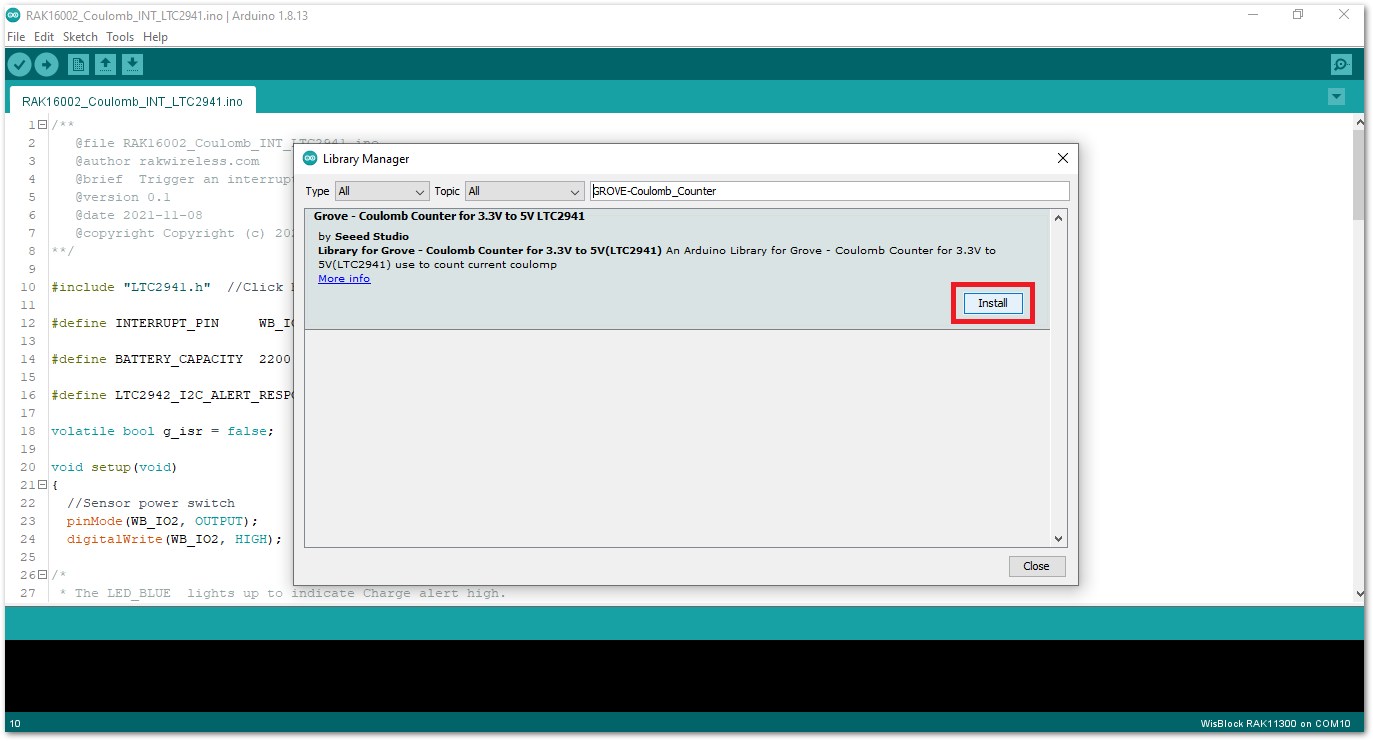 Figure 1: Install GROVE-Coulomb_Counter Library
- Now, you can select the correct port and upload the code.
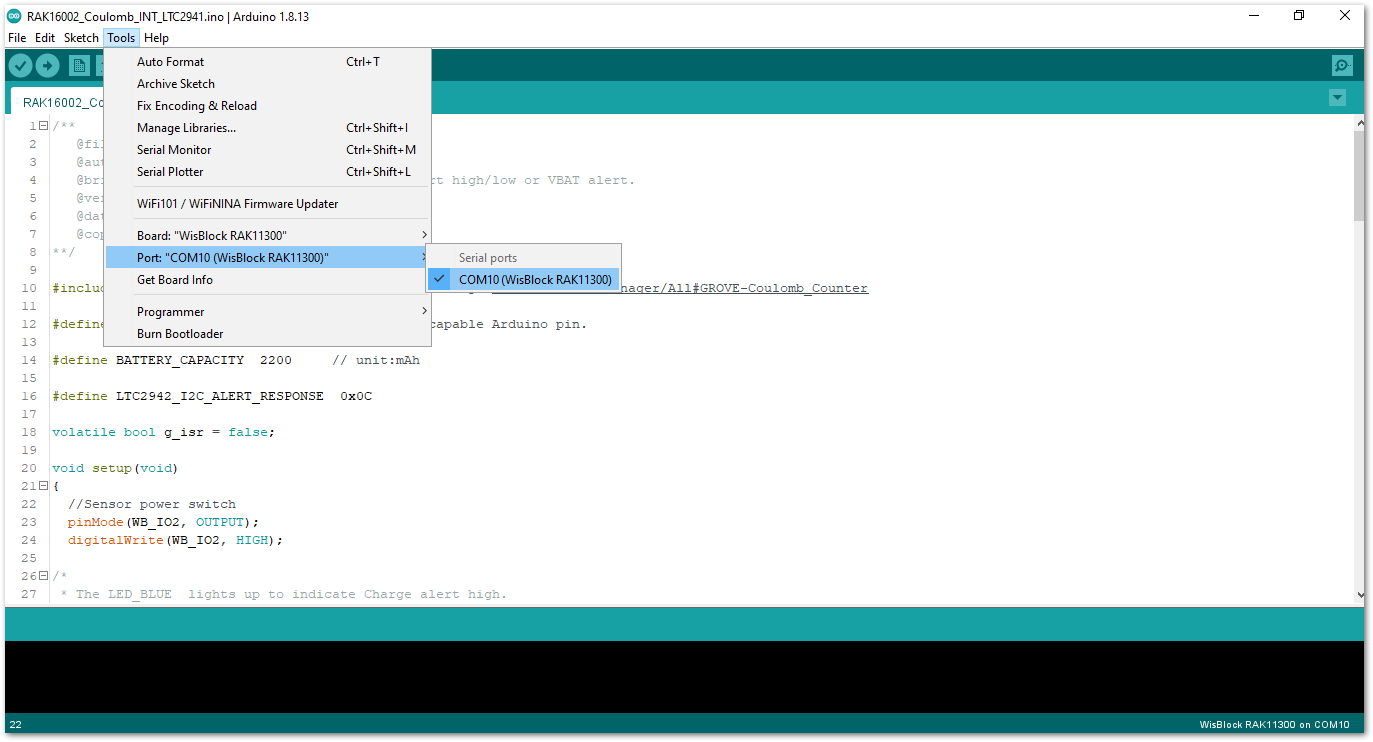 Figure 1: Selecting the correct Serial Port
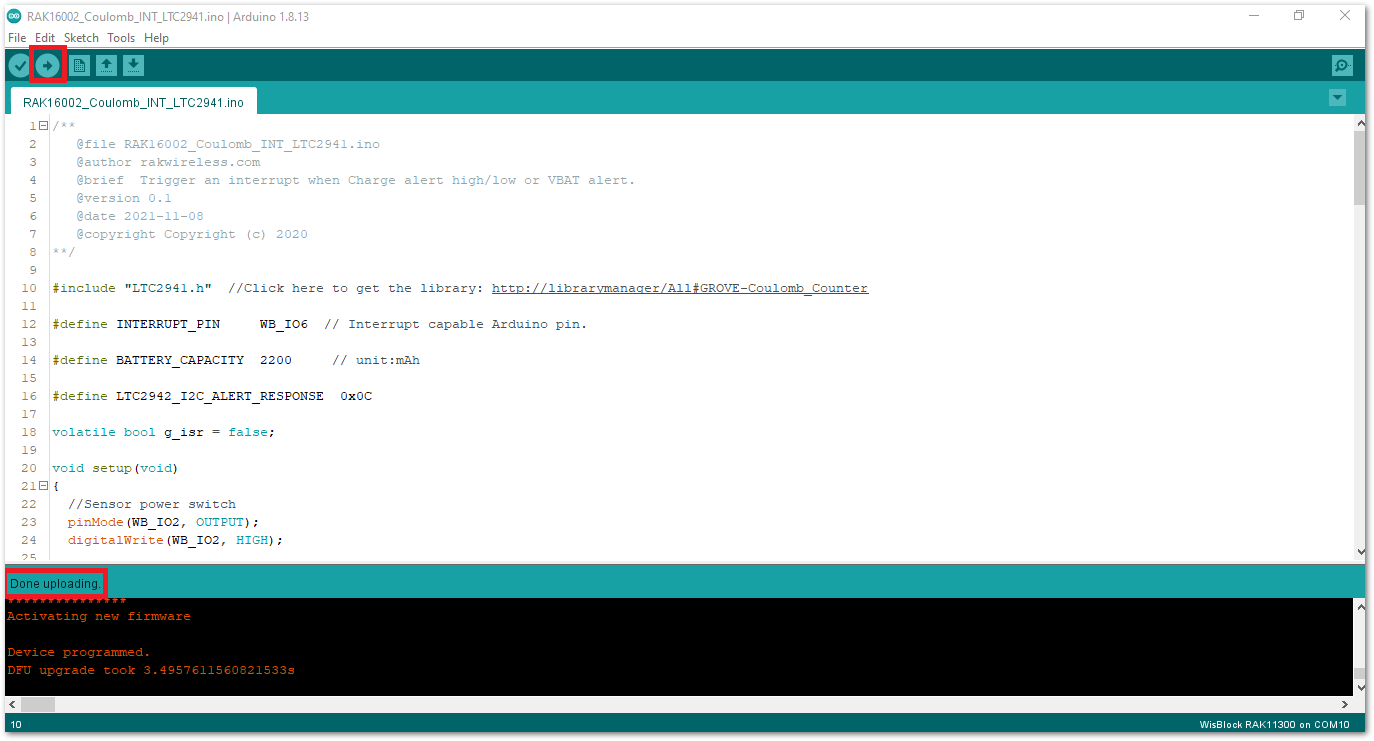 Figure 1: Uploading the RAK16002 Sample code
After a successful upload, open the Arduino Serial Monitor by clicking Tools -> Serial Monitor and check the charge, capacity, and charge percentage.
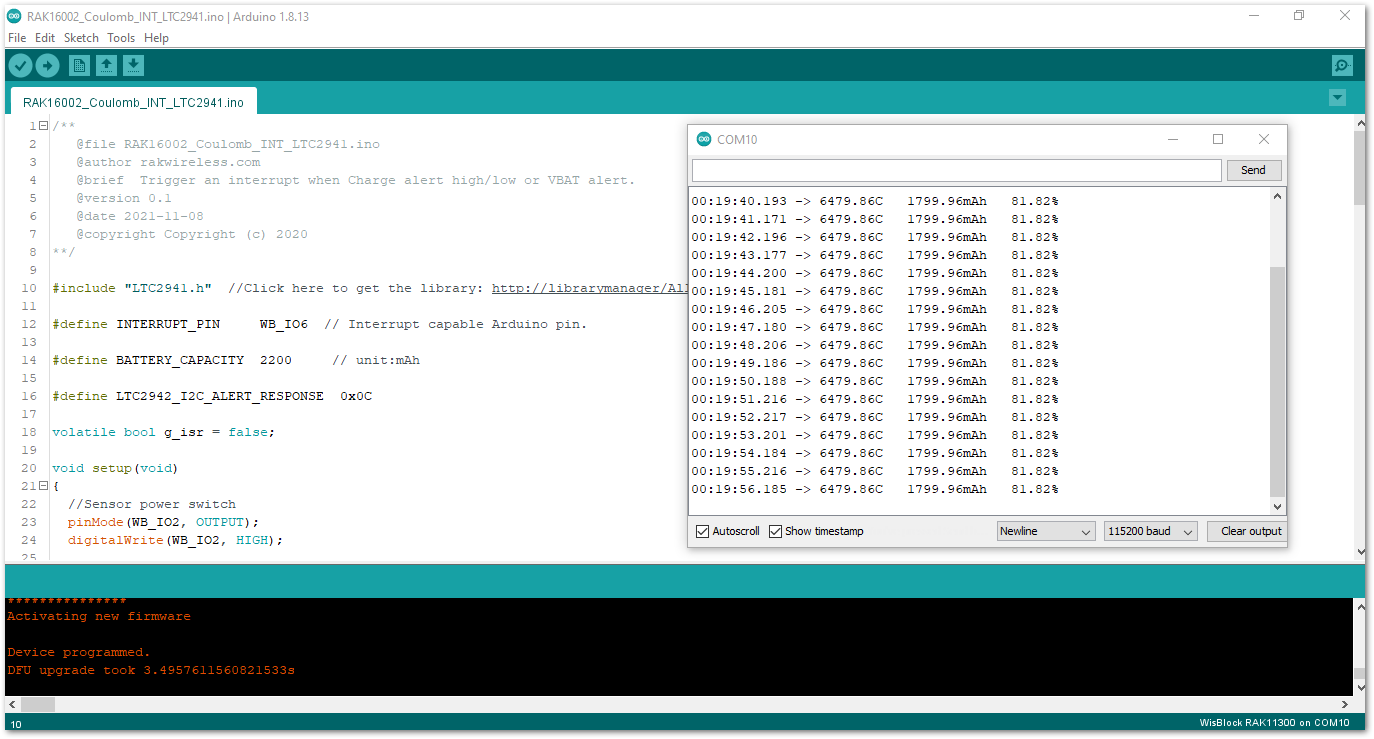 Figure 1: RAK16002 serial monitor
NOTE
If you encounter errors when compiling an example sketch:
-
Run the
post_installscript to install the missing drivers. You have to go to%userprofile%\AppData\Local\Arduino15\packages\rakwireless\hardware\mbed_rp2040\0.0.6and runpost_install.bat. -
Check the updated code for the RAK16002 WisBlock Core Module that can be found on the RAK16002 WisBlock Example Code Repository.


