RAK18003 with RAK18060 Quick Start Guide
RAK18003 is an interposer module, part of the WisBlock Audio Series. Its design allows multiple WisBlock Audio modules to be used together on a single IO slot. It consists of two IO expanders (TPT29555-TS5R), one signal switch (5223YWQ10/TR), and connectors where other WisBlock Audio modules can be interfaced. It also has a usable TF card slot. RAK18003 module can be used with RAK18060 Amplifier Module.
Prerequisite
- Assemble the RAK18003 with a WisBlock Base and WisBlock Core by following the RAK18003 Installation Guide.
- Install the Arduino IDE and RAKwireless Arduino BSP to add the supported WisBlock Core boards to the Arduino Boards Manager.
- USB Cable
- Li-Ion/LiPo battery (optional)
- Solar charger (optional)
RAK18060 with RAK18003 Sample Code Test
- To test the RAK18003 (Audio Interposer) with RAK4631 (WisBlock Core) and RAK18060 (Stereo Amplifier), you need to assemble them first. Also, you'll be needing:
- Li-Ion/LiPo battery
- Speakers
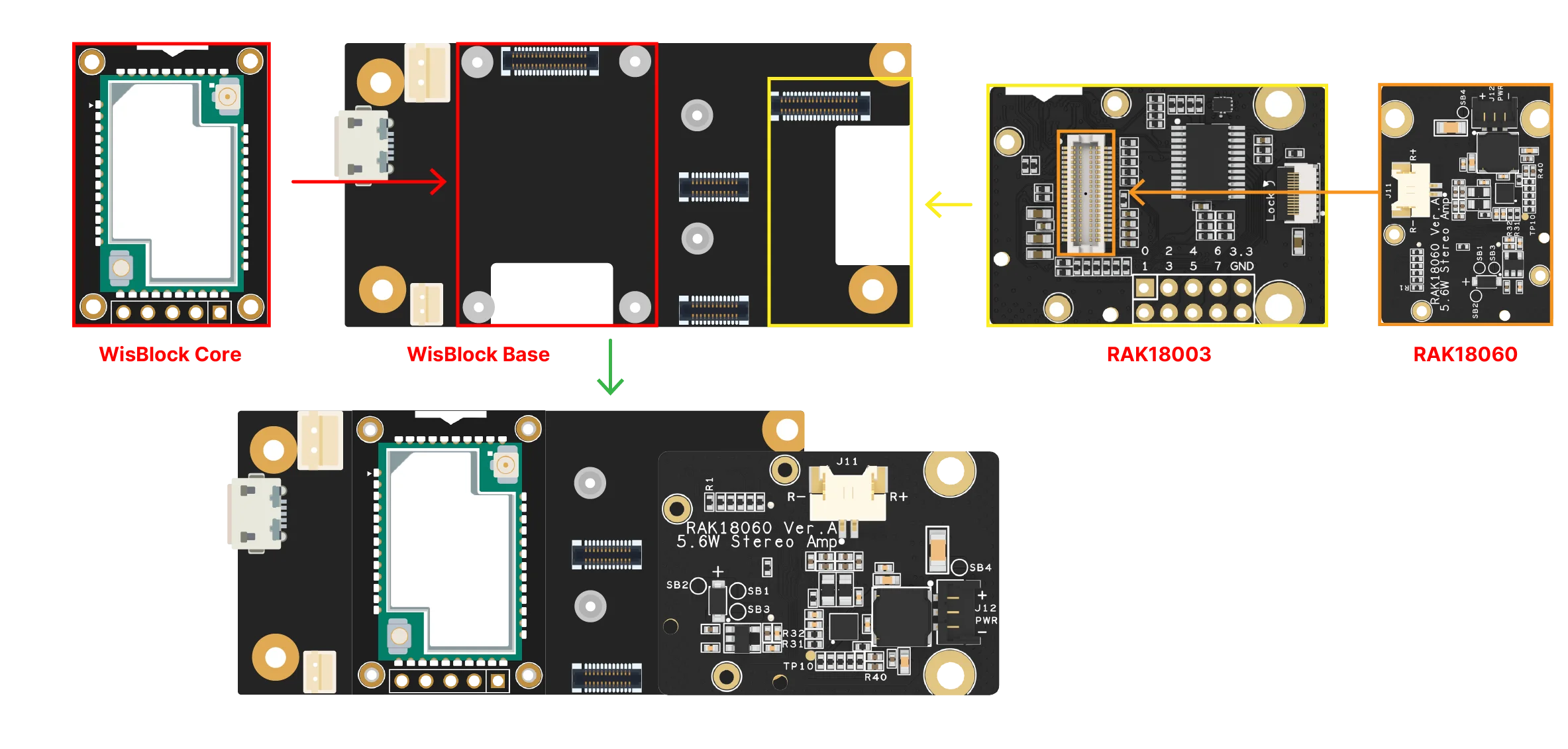 Figure 1: Assembling together the RAK4631, RAK18060, and RAK18003
- The RAK18060 module is powered via SB2 (battery) by default. If you wish to use another DC power source.
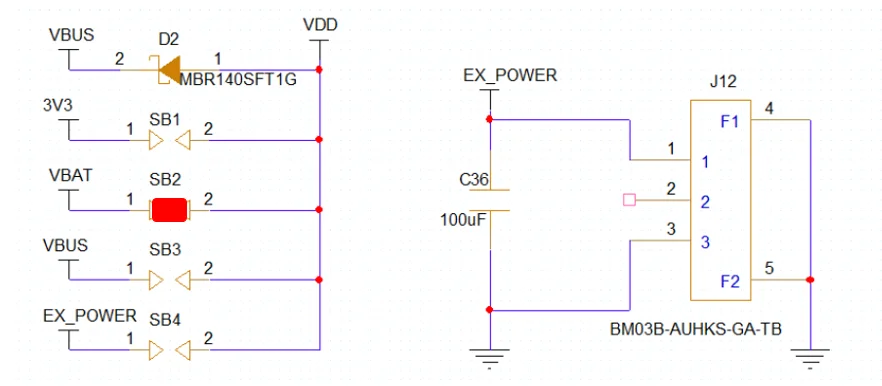 Figure 1: Power Select Diagram for RAK18060 with SB2 as default
3V3
If you want to use 3V3, desolder SB2 and solder SB1.
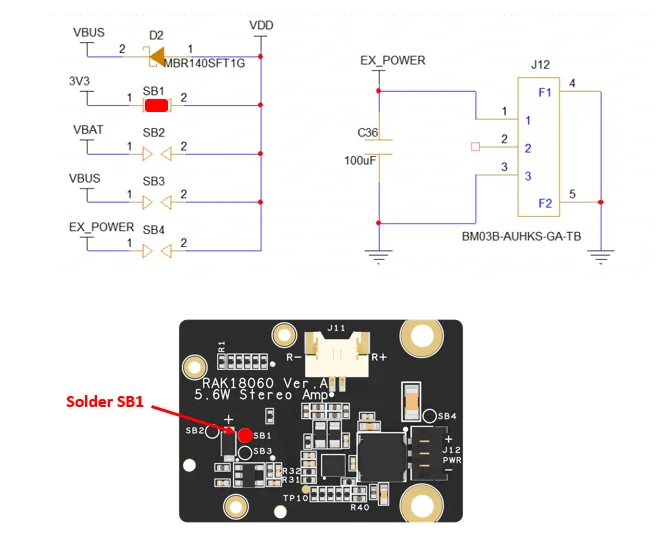 Figure 1: Solder portion for SB1
VBUS
If you want to use VBUS, desolder SB2 and solder SB3.
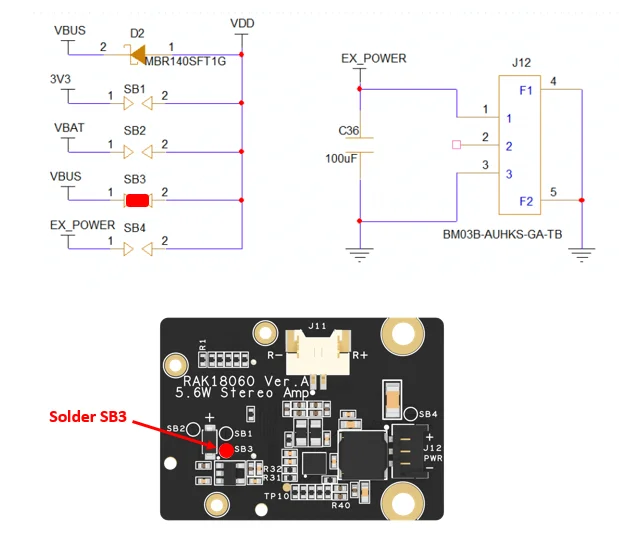 Figure 1: Solder portion for SB3
EX_POWER
If you want to use EX_POWER, desolder SB2, and solder SB4.
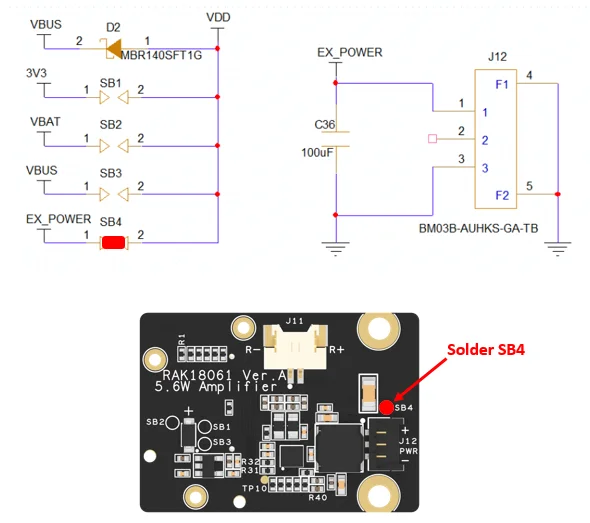 Figure 1: Solder portion for SB4
- You can now connect the speaker on either output of the RAK18060 module.
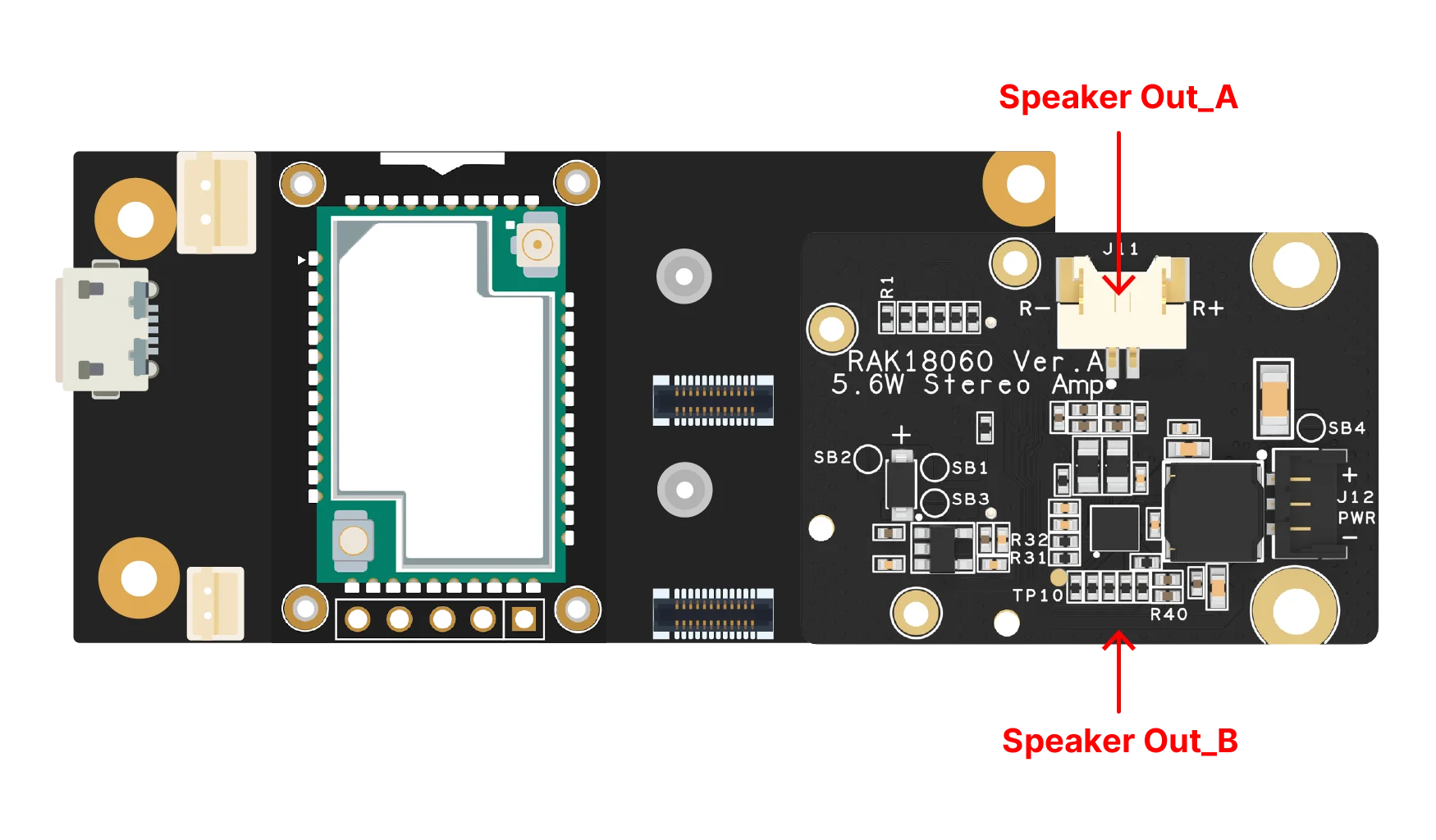 Figure 1: Speaker output portions of RAK18060 module
-
Install the RAKwireless Arduino BSP for WisBlock by using the
package_rakwireless_index.jsonboard installation package. The WisBlock Core should now be available on the Arduino IDE. -
Then install the latest RAKwireless Audio Library using the Library Manager of Arduino IDE.
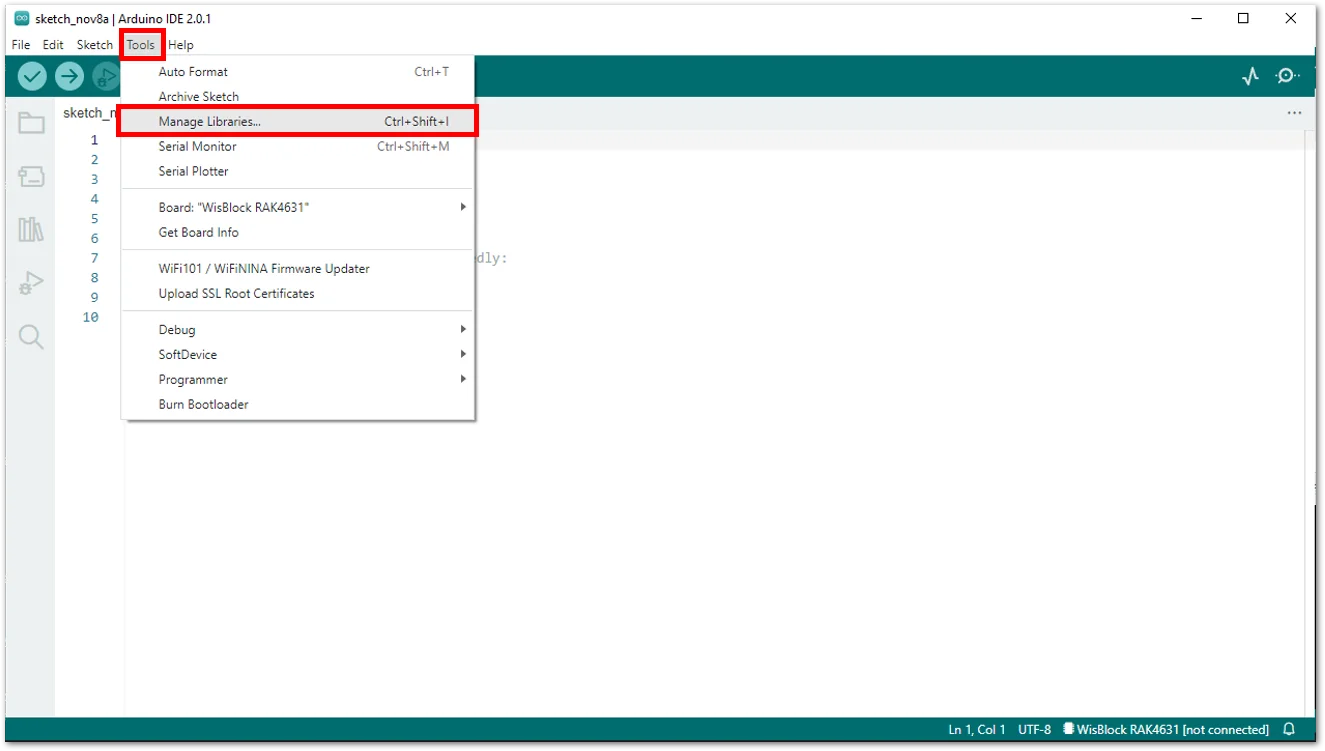 Figure 1: RAKwireless Audio Library
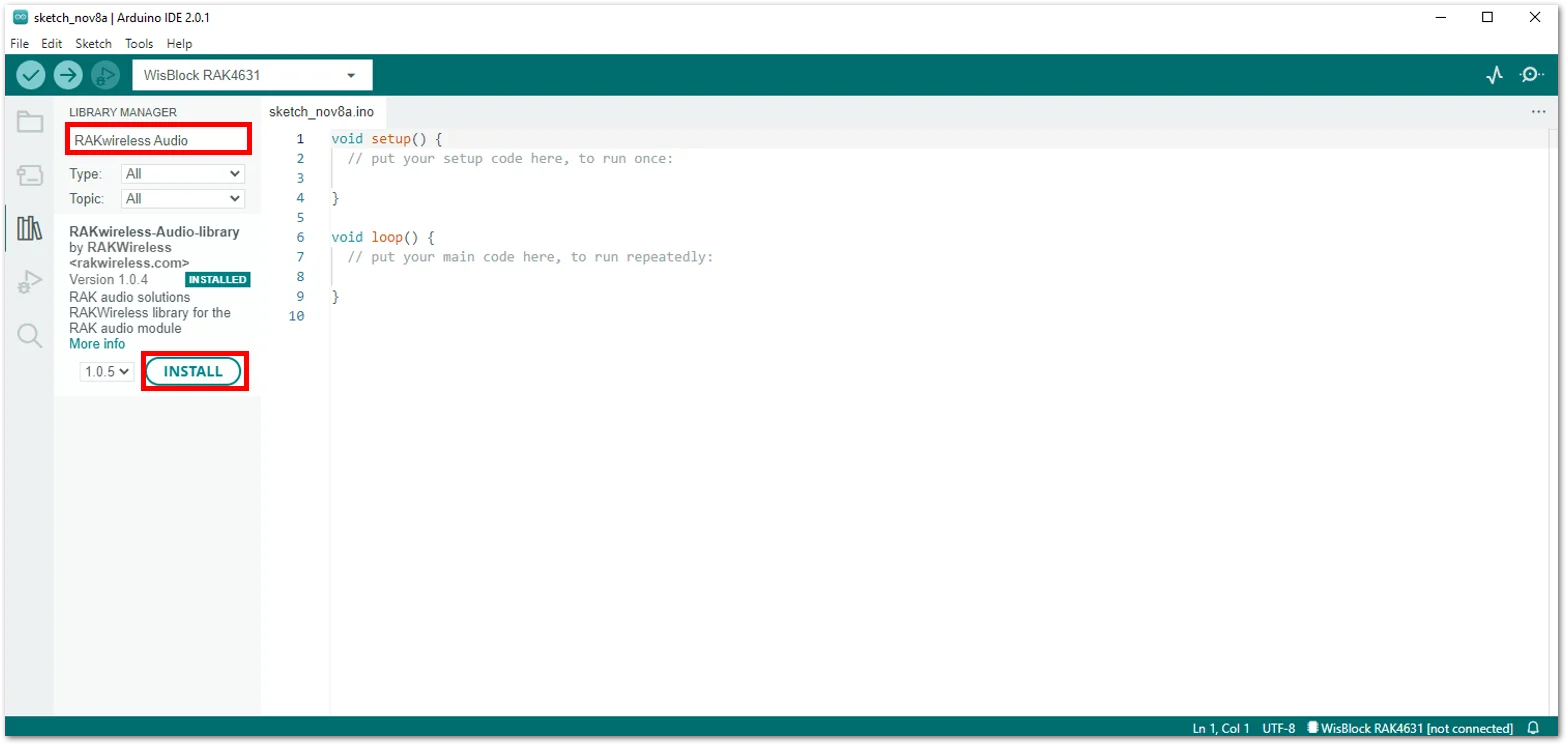 Figure 1: RAKwireless Audio Library
-
Plug in your integrated module RAK4631 + RAK18003 + RAK18060 into your PC through the USB cable.
-
Then open your Arduino IDE and open the PlayBack48K sample code for RAK18060.
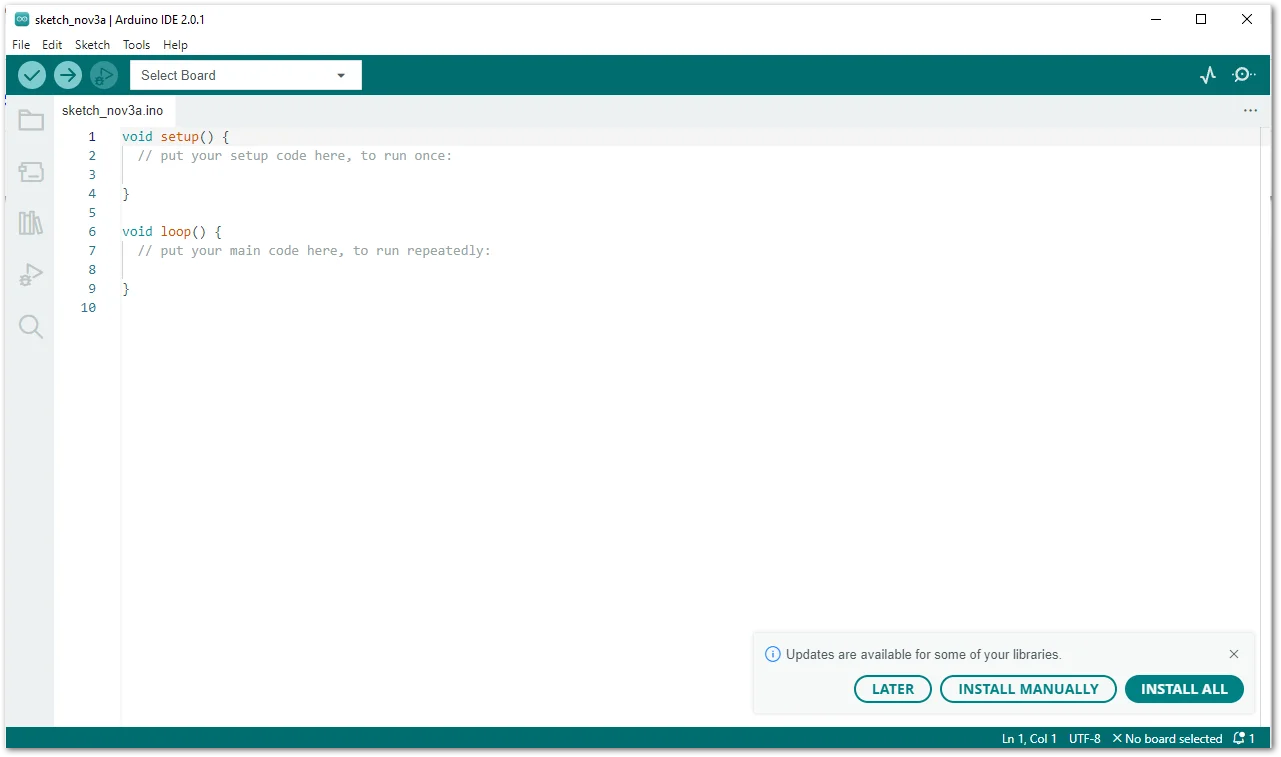 Figure 1: Arduino IDE
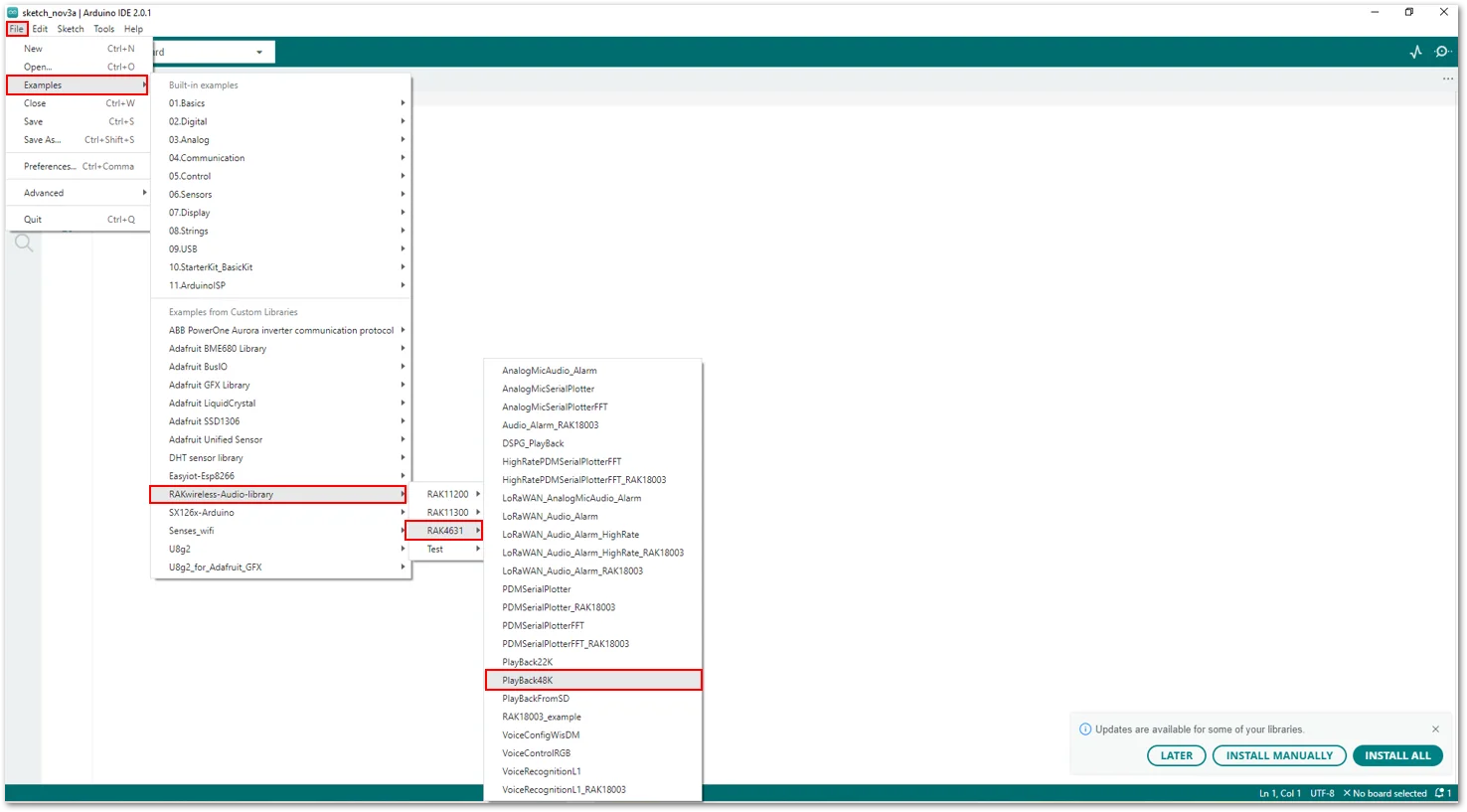 Figure 1: Selecting the PlayBack48K Sample Code
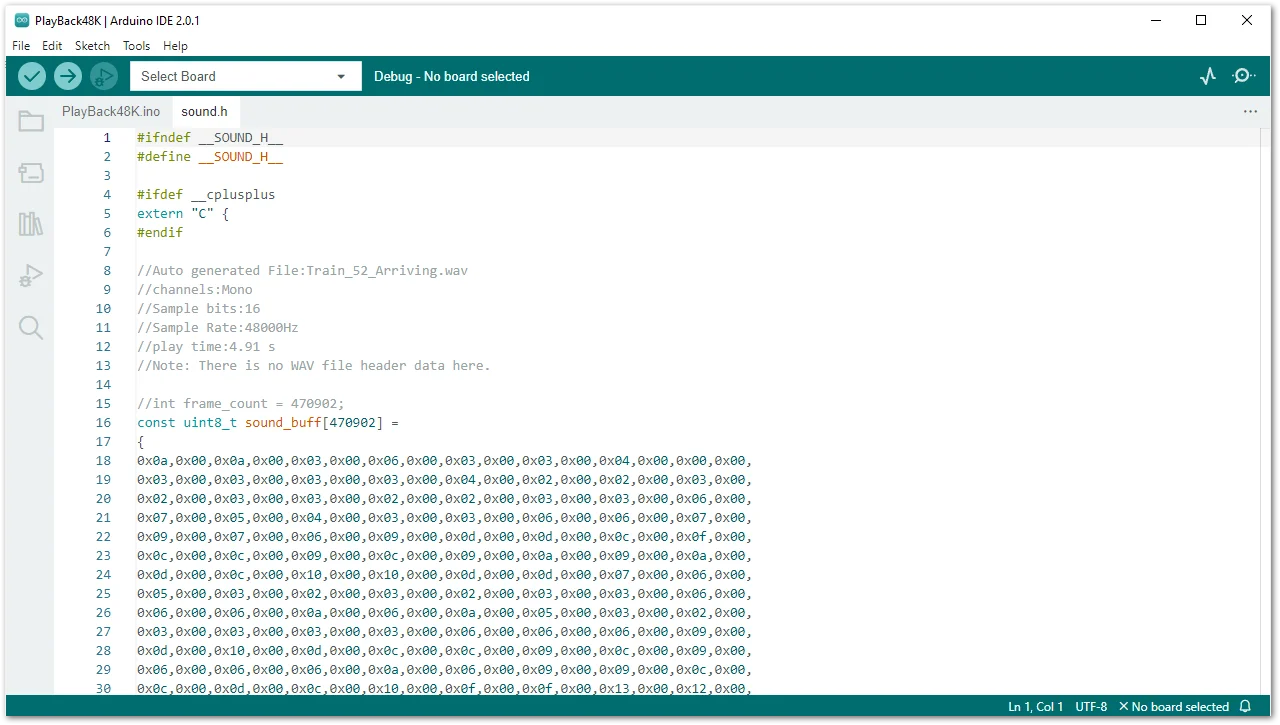 Figure 1: PlayBack48K Sample Code
The example codes of RAKwireless Audio Library are compatible with specific WisBlock Core. You have to select the correct WisBlock Core based on what core you used in your application.
- Select your WisBlock Core RAK4631.
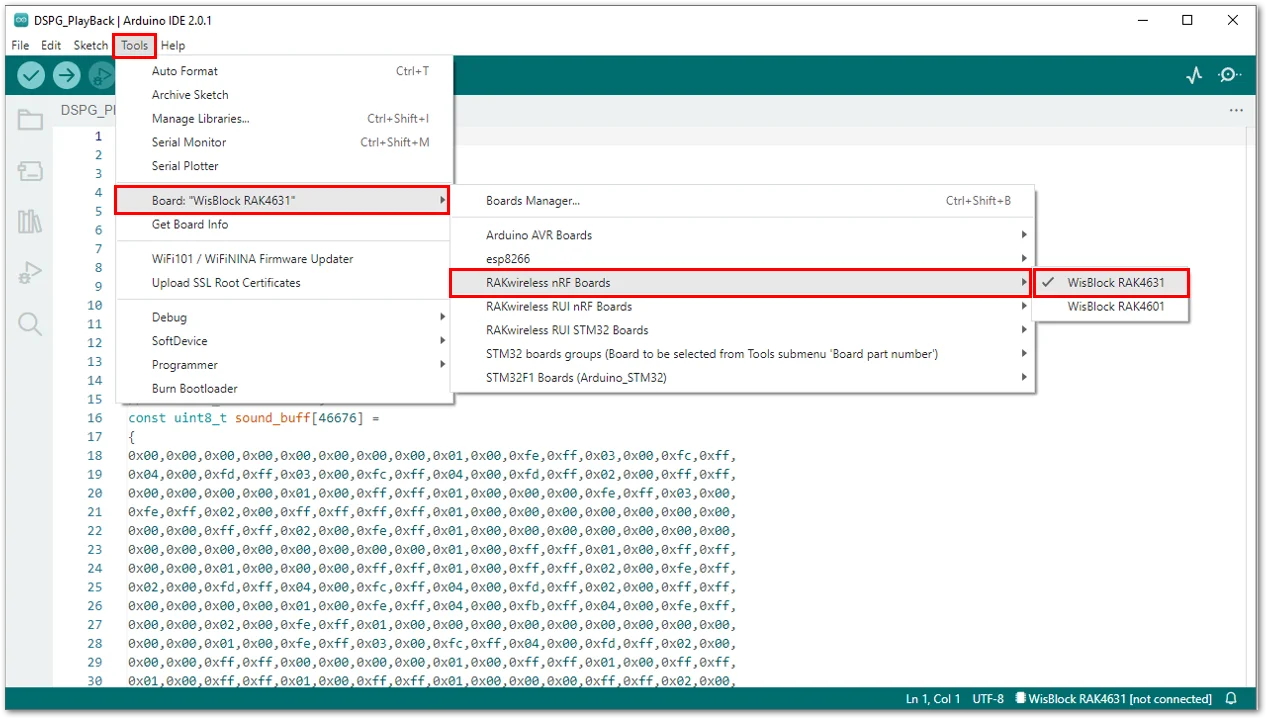 Figure 1: Selecting the RAK4631 WisBlock Core board
- Then select the corresponding port of your WisBlock Core RAK4631.
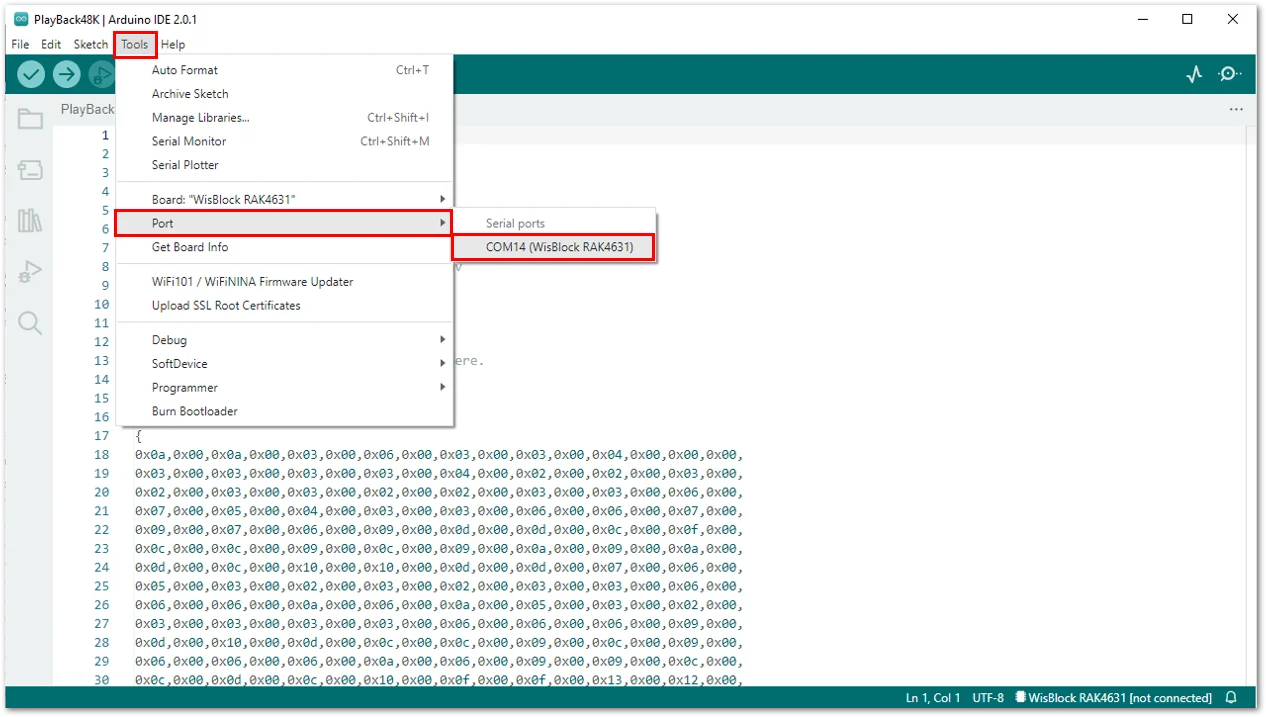 Figure 1: Selecting the serial port of RAK4631 WisBlock Core
- Verify that WisBlock RAK4631 and the correct serial port are selected in the Tools menu..
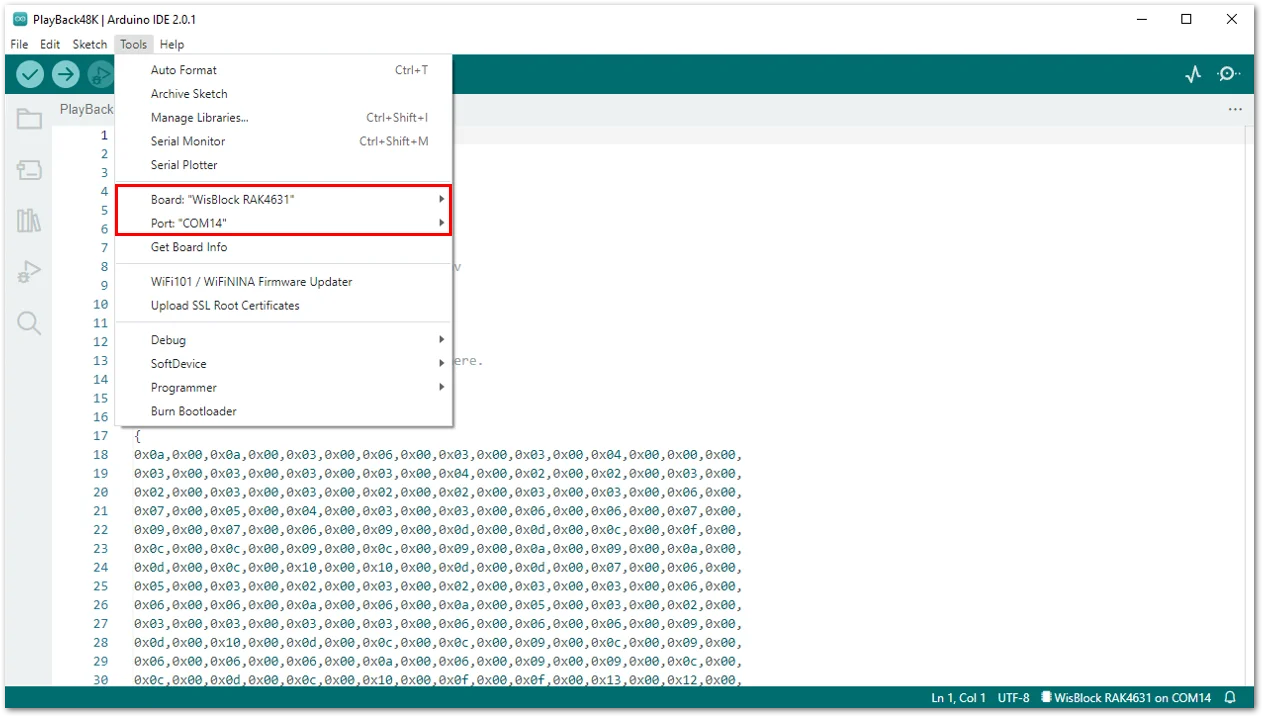 Figure 1: Selected board and port of RAK4631
- Then tick the right arrow at the top leftmost part of the Arduino IDE to upload the sample code to your RAK4631 module.
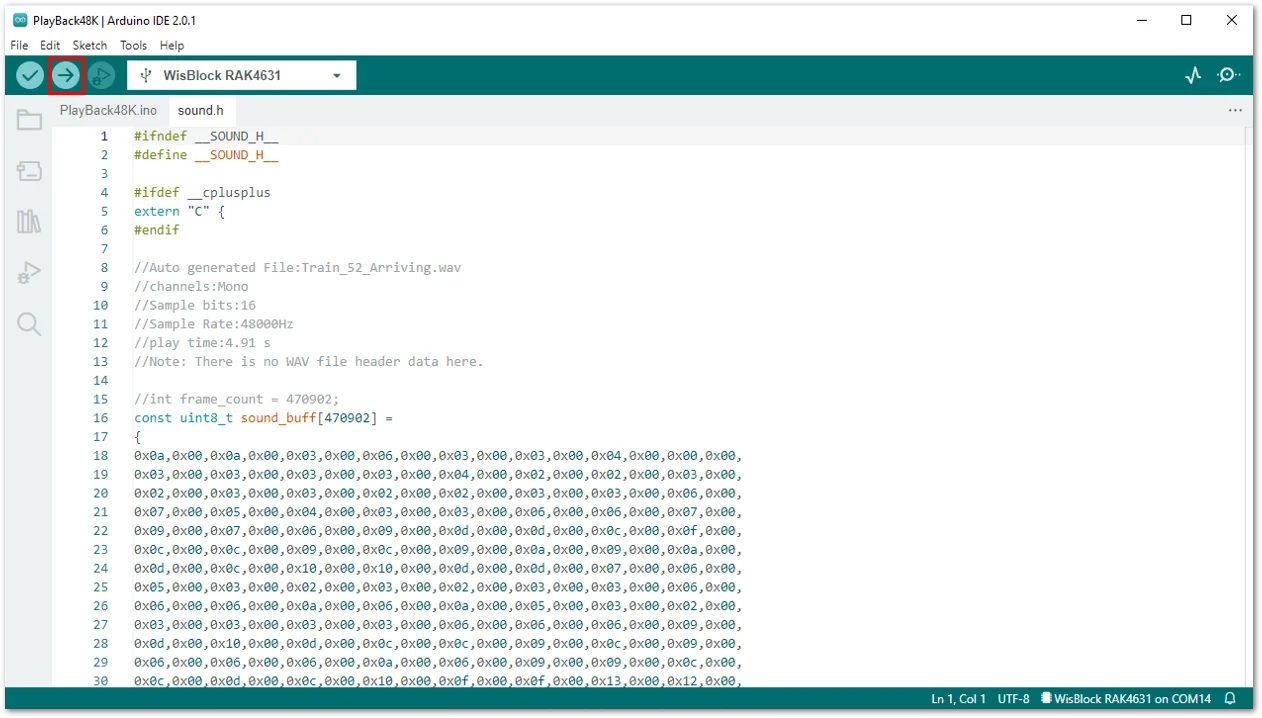 Figure 1: Uploading the PlayBack48K sample code to your RAK4631
If you experience any error in compiling the example sketch, check the updated example code for your WisBlock Core Module that can be found on the RAKwireless Audio Library.
- Once done uploading, you will hear "Train 52 from Amsterdam is now arriving" from your speaker playing repetitively.
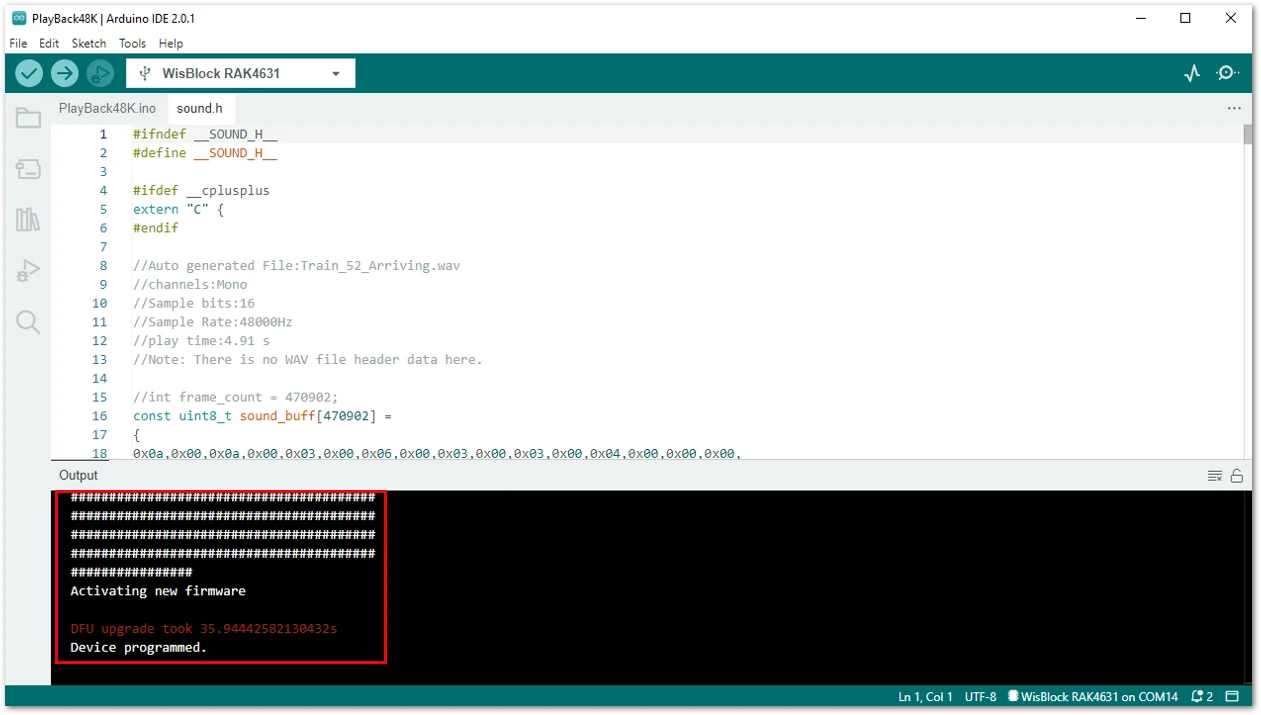 Figure 1: Programmed RAK4631


