RAK19005 WisBlock Sensor Extension Cable Quick Start Guide
Prerequisite
Before going through each and every step on using RAK19005 WisBlock Sensor Extension Cable, make sure to prepare the necessary items listed below:
Hardware
- RAK19005 WisBlock Sensor Extension Cable
- Your choice of WisBlock Base
- Your choice of WisBlock Sensor
- Your choice of WisBlock Core (required for sensor communication and control)
Product Configuration
Connector Orientation and Safety Clips
The two ends of the sensor extension cables have different connectors. One is matching with any the sensor slot connectors on the WisBlock Base Board, the other is matching with the connector on the sensor modules. Double check which connector should be on which side. See Mechanical Characteristics as reference.
There is no directional requirement when plugging in the extension cable, the connectors are symmetrical and can be used in both directions. But when using the safety clips, the extension cable has to be used going towards the edge of the Base Board.
The included safety clips are used to secure the extension cable on the Base Board and on the sensor module. They work only with the Base Boards and slots listed below:
- RAK19007 and RAK19010 can only be used in Slot A or Slot C.
- RAK19001 and RAK19011 can only be used in Slot A, C, E, or F.
- The safety clips cannot be used with RAK19003 or RAK19009.
Hardware Setup
RAK19005 to WisBlock Base
To use the extension cable, plug one side on a sensor slot on the WisBlock Base Board as shown in Figure 1. Using the safety clip to secure the connector is optional but recommended.
- Plug the extension cable on a matching Sensor Slot connector on the Base Board
- Slide the safety clip over the FPC cable and push it toward the Base Board until it covers the sensor slot.
Note
Ensure that the screw hole of the safety clip is aligned with the threaded hole on the Base Board.
- Secure the safety clip with an M1.2 screw (included with the sensor modules).
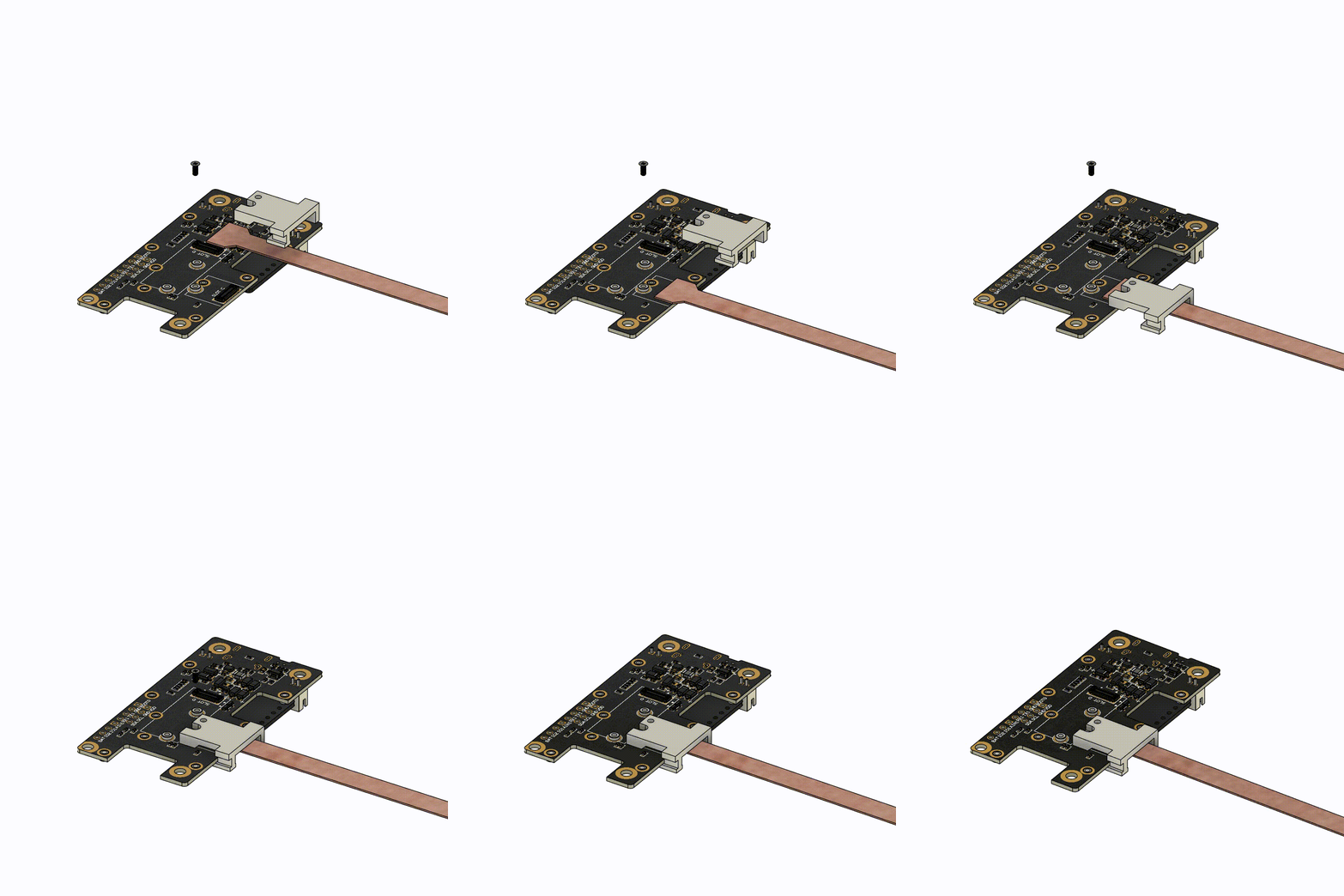 Figure 1: RAK19005 Connected to a WisBlock Base Board
RAK19005 to WisBlock Sensor Module
Connect the sensor module to the other end of the extension cable. The included safety clip helps secure the connector on the sensor module and provides an option for mounting the sensor module to an enclosure wall.
- Plug the extension cable to the sensor module.
- Squeeze the clip as shown in Figure 2 to allow the module and extension cable to be pushed into the safety clip.
Note
Ensure that the screw hole on the sensor module is aligned with the threaded hole on the safety clip.
- Secure the safety clip with an M1.2 screw (included with the sensor modules).
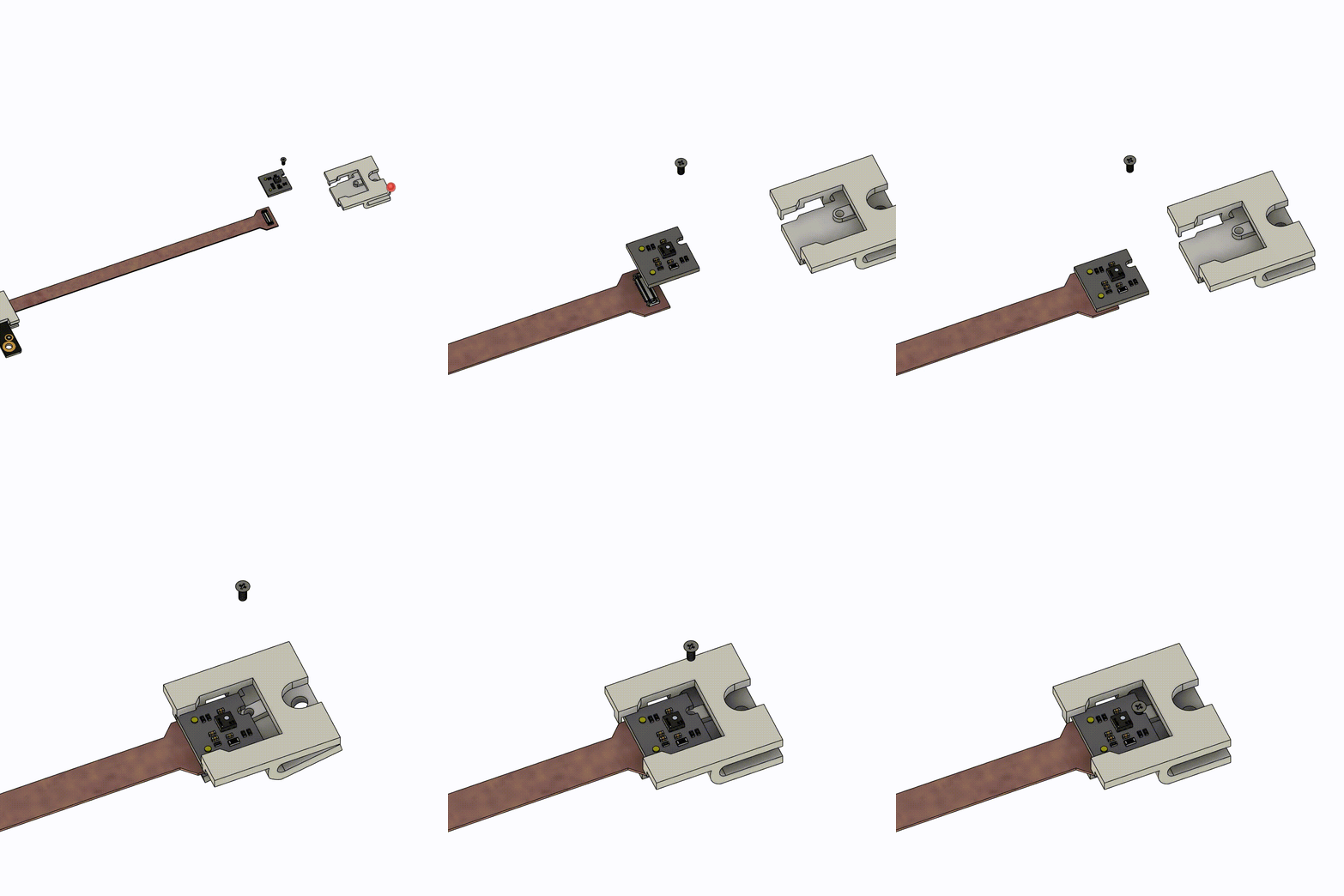 Figure 1: RAK19005 Connected to a WisBlock Sensor Module


