RAK9150 PSU Quick Start Guide
RAK9150 PSU and RAK7267 Connection
The RAK9150 is an AC/DC power supply unit that converts AC mains voltage into a 12 VDC output for powering compatible RAK gateways, including the RAK7267 and RAK7240V2/RAK7240CV2.
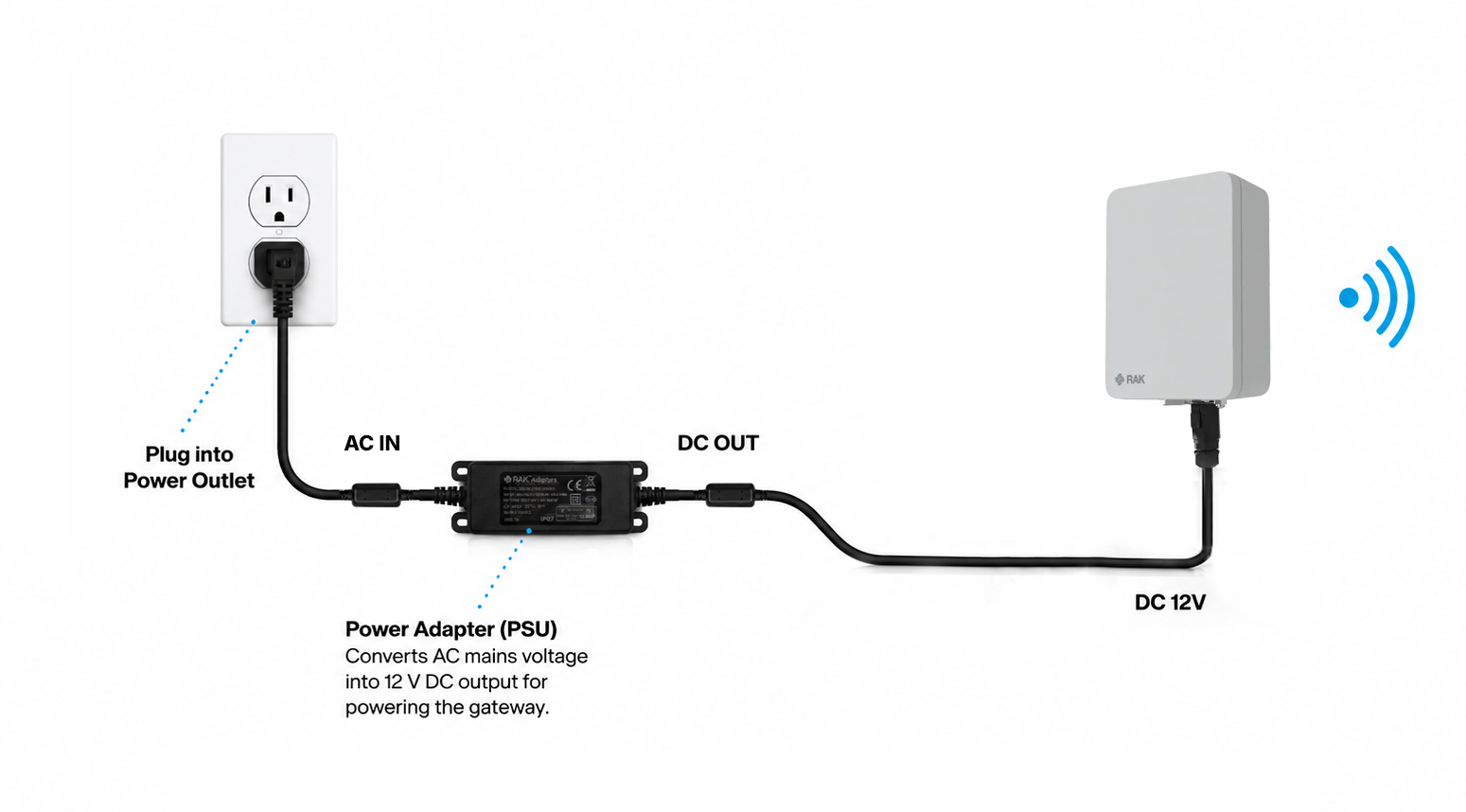 Figure 1: RAK9150 and RAK7267 Connection
- Connect the AC plug side of the PSU to the AC mains power outlet.
- Connect the DC output connector of the PSU to the 12 VDC input port of the RAK7267 gateway.
- Verify the gateway status indicator to confirm that the RAK7267 is powered on properly.
The PSU converts the AC input voltage into a regulated 12 VDC / 1.5 A output for the gateway.
NOTE
- The connection example in this guide uses the Type G AC plug. You can also select other AC plug types based on your regional or installation requirements, including Type A, Type I, and Type C.
- The PSU includes standard 2 m AC input and 5 m DC output cables for flexible installation.
- If your region is not covered by the standard Type A, Type I, Type C, or Type G plug options, or if the provided cable length does not meet your requirements, contact RAKwireless for a customized solution.
Installation Notes
- The PSU has integrated flanges that feature screw holes.
- The flanges support convenient wall mounting and can also be used with cable ties or straps for pole mounting.
- The flanges can also be used to support custom mounting solutions for specific deployment requirements.
Safety Warning
warning
- Do not use the PSU with a device that does not support 12 VDC input.
- Do not exceed the rated output power of the PSU.
- Do not use the PSU if the cable, plug, connector, or housing is damaged.
- Disconnect the AC mains power before wiring or rewiring any stripped and tinned leads.
- Keep the PSU and cables away from children.
- Ensure the final installation complies with local electrical and safety requirements.


