Battery Prime RAK9156 Pre-Deployment Guide
The Battery Prime RAK9156 is designed to provide reliable power for remote and off-grid LoRaWAN® gateway deployments. Before field installation, check the battery charge level and prepare the Battery Plus to ensure stable operation in the field.
Battery Charge Level Upon Delivery
For safety and regulatory compliance, the Battery Prime RAK9156 is shipped with 30% or less charge.
Depending on shipping duration and storage conditions, the battery may arrive fully depleted. Check the battery charge level before deployment and charge the unit if required.
Check the Battery Charge Level
Before deployment, verify the current charge level of the Battery Plus.
- Connect the Battery Prime to a compatible RAK Gateway using the provided power cable.
- Log in to the WisGateOS 2 Web UI.
- Navigate to Extensions > Extension Gallery.
- Install the Battery Prime Extension. For more information, refer to the WisGateOS 2 Extensions User Manual.
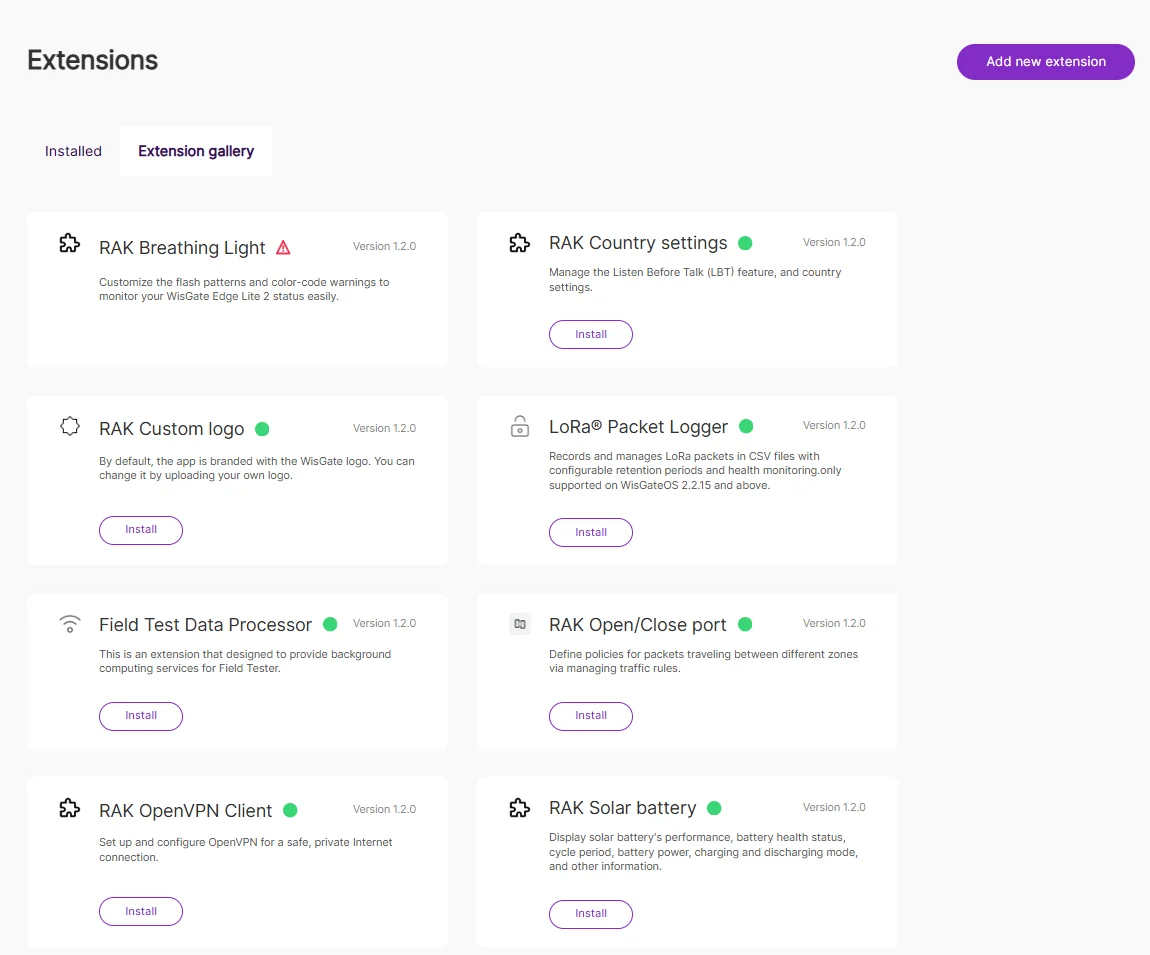 Figure 1: Install Solar Battery
- Open the Installed tab, click Launch, and check the State of Charge.
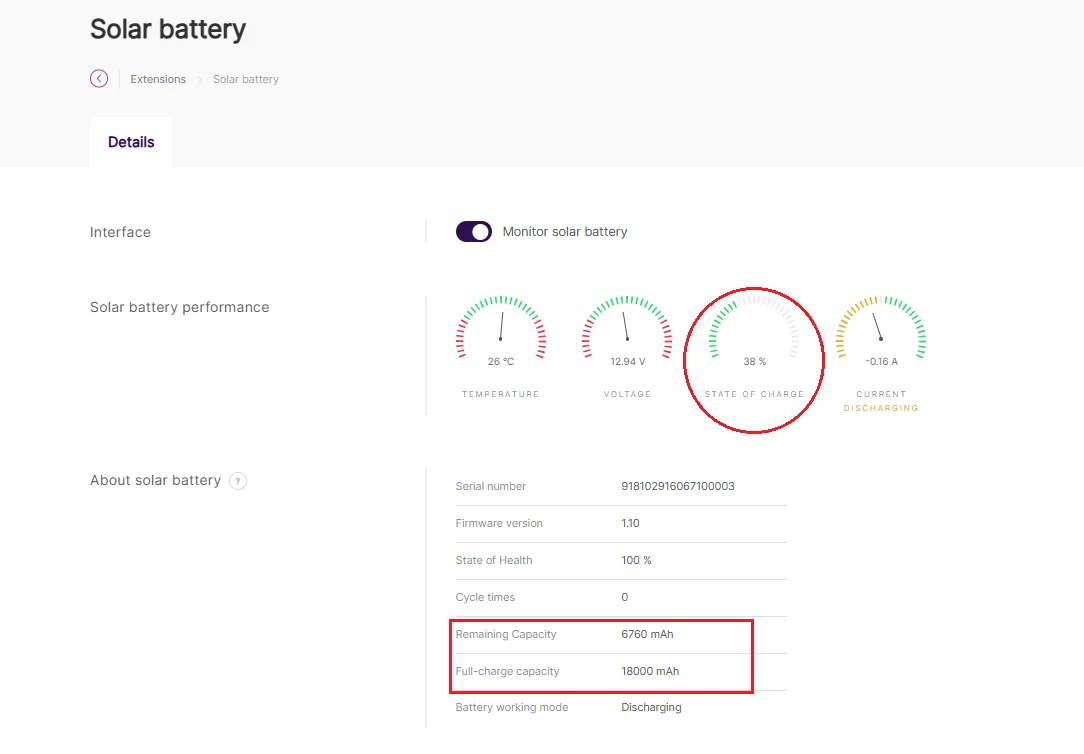 Figure 1: Solar Battery Details
- If the charge level is above 30-50%, the Battery Prime is ready for deployment.
- If the charge level is below 30%, charge the battery before use.
Charge the Battery Prime
To charge the Battery Prime RAK9156 before deployment, use the Service Power Adapter for Battery Prime.
The Service Power Adapter is not included by default and must be purchased separately. For the purchase link, refer to Service Power Adapter for Battery Plus.
- Connect the service power adapter to the solar panel input port on the Battery Prime RAK9156.
- Connect the adapter to an AC power outlet.
- Press the power button on the Battery Prime RAK9156 to start charging.
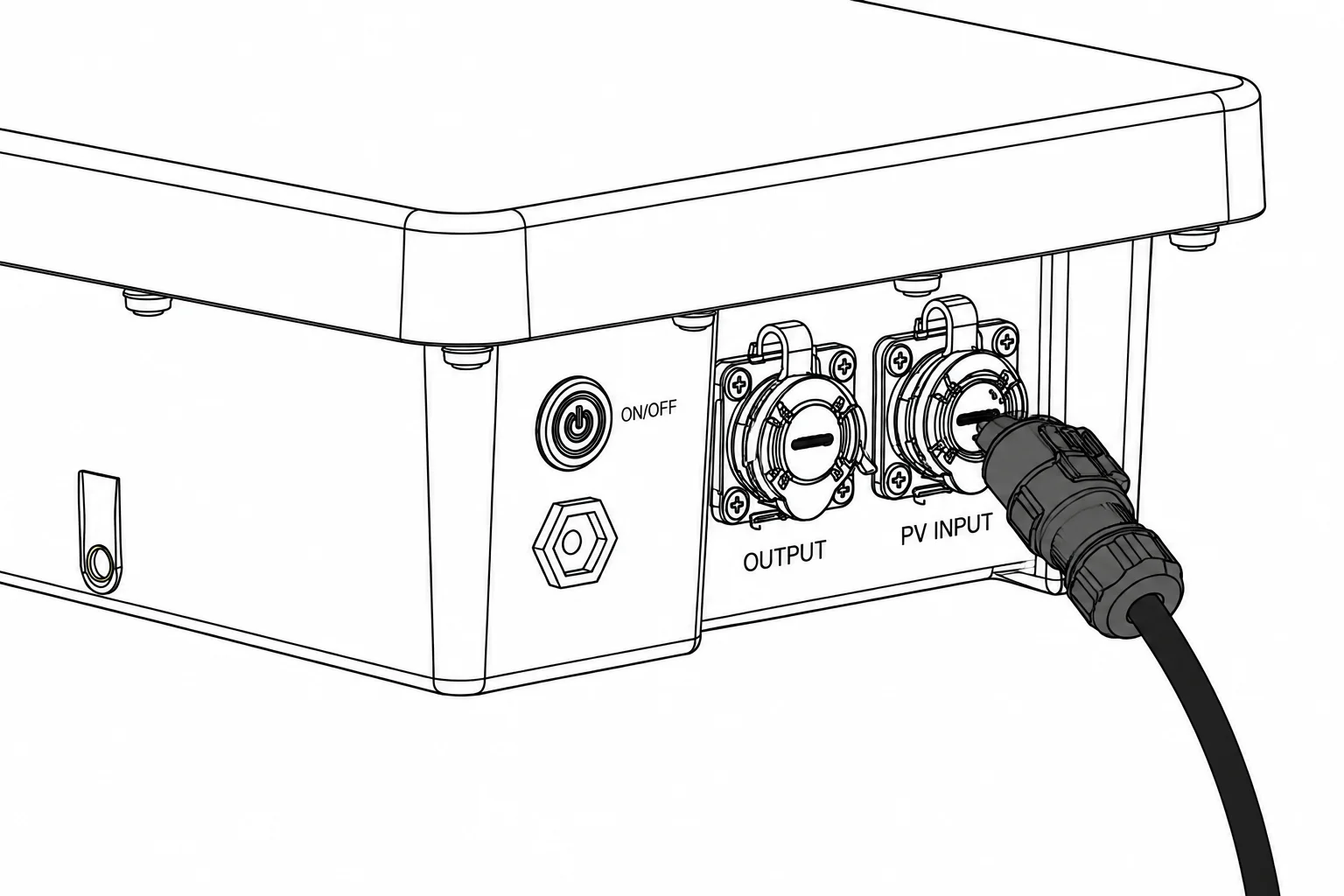 Figure 1: Charge
If the power button is not pressed, the Battery Prime RAK9156 only passes power from the PV input to the output. The internal battery will not charge.
Monitor Charging Progress
While the battery is connected to a RAK Gateway, you can continue to monitor the charge level using the Battery Plus Extension in WisGateOS 2.
- A full charge typically takes several hours.
- For optimal performance, fully charge the Battery Plus to 100% before its first field deployment.
Deployment Preparation Checklist
Before deploying the Battery Prime RAK9156 in the field, make sure to:
- Verify the battery charge level and fully charge the Battery Prime RAK9156 before the first deployment.
- Ensure solar panels are properly angled and positioned for optimal sunlight exposure and charging. For detailed solar panel installation instructions, refer to the 40w Solar Panel Installation Guide.
- Check the Battery Prime transportation and storage requirements before installation. For electrical specifications and environmental requirements, refer to the Battery Prime RAK9156.


