RAK13005 With RAK4631 WisBlock Core Guide
- Select the RAK4631 WisBlock Core.
- Install the RAKwireless Arduino BSP to find the RAK4631 in the Arduino Boards Manager.
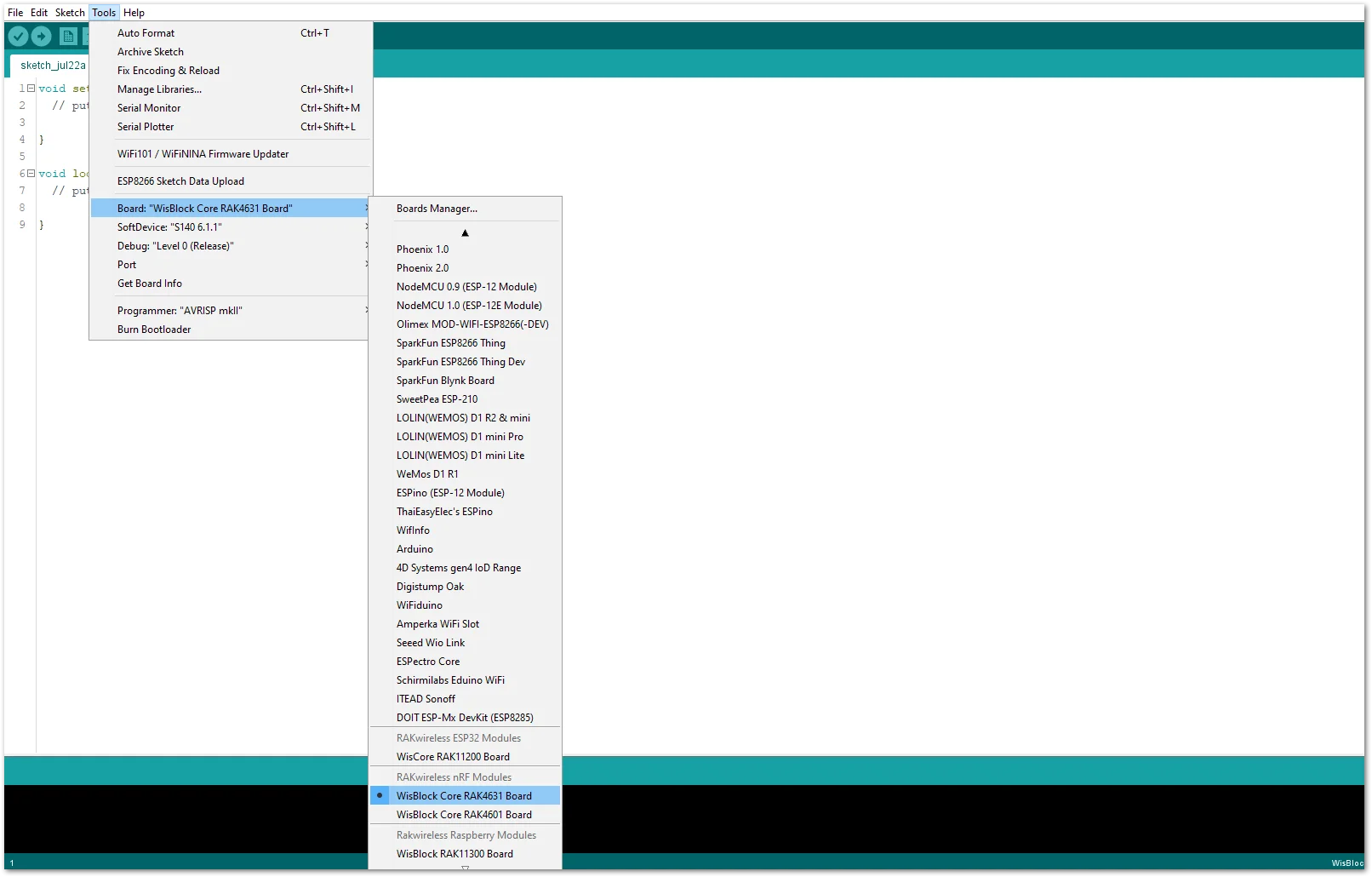 Figure 1: Selecting RAK4631 as WisBlock Core
- Next, install the RAKwireless TLE7259 library using the Arduino Library manager.
- Select
Sketchfollowed byInclude LibrarythenManage Libraries.
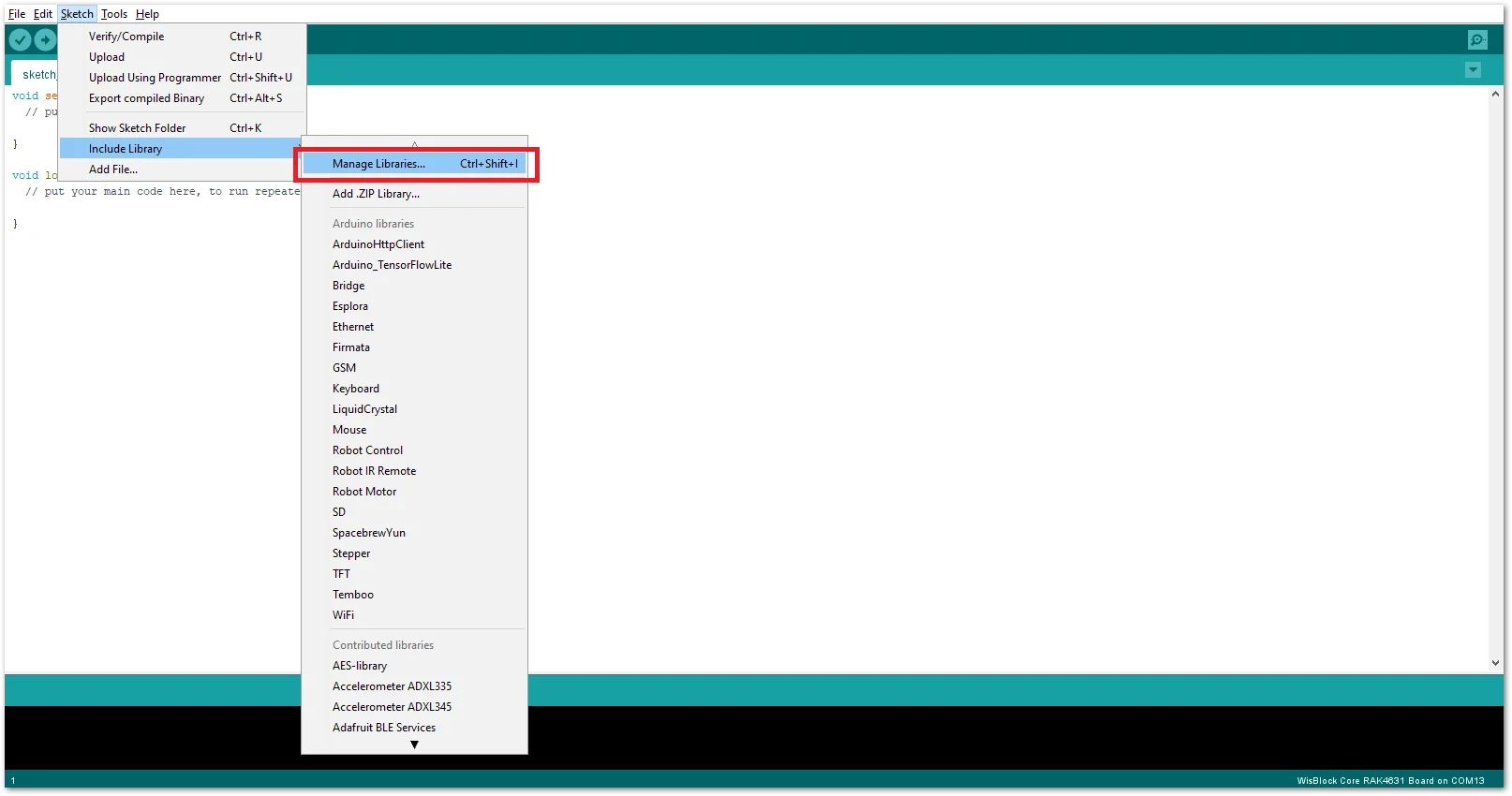 Figure 1: Open Arduino Library Manager
- Search for RAKwireless TLE7259 on the Library Manager text box.
- Select the latest version of the library then click Install button.
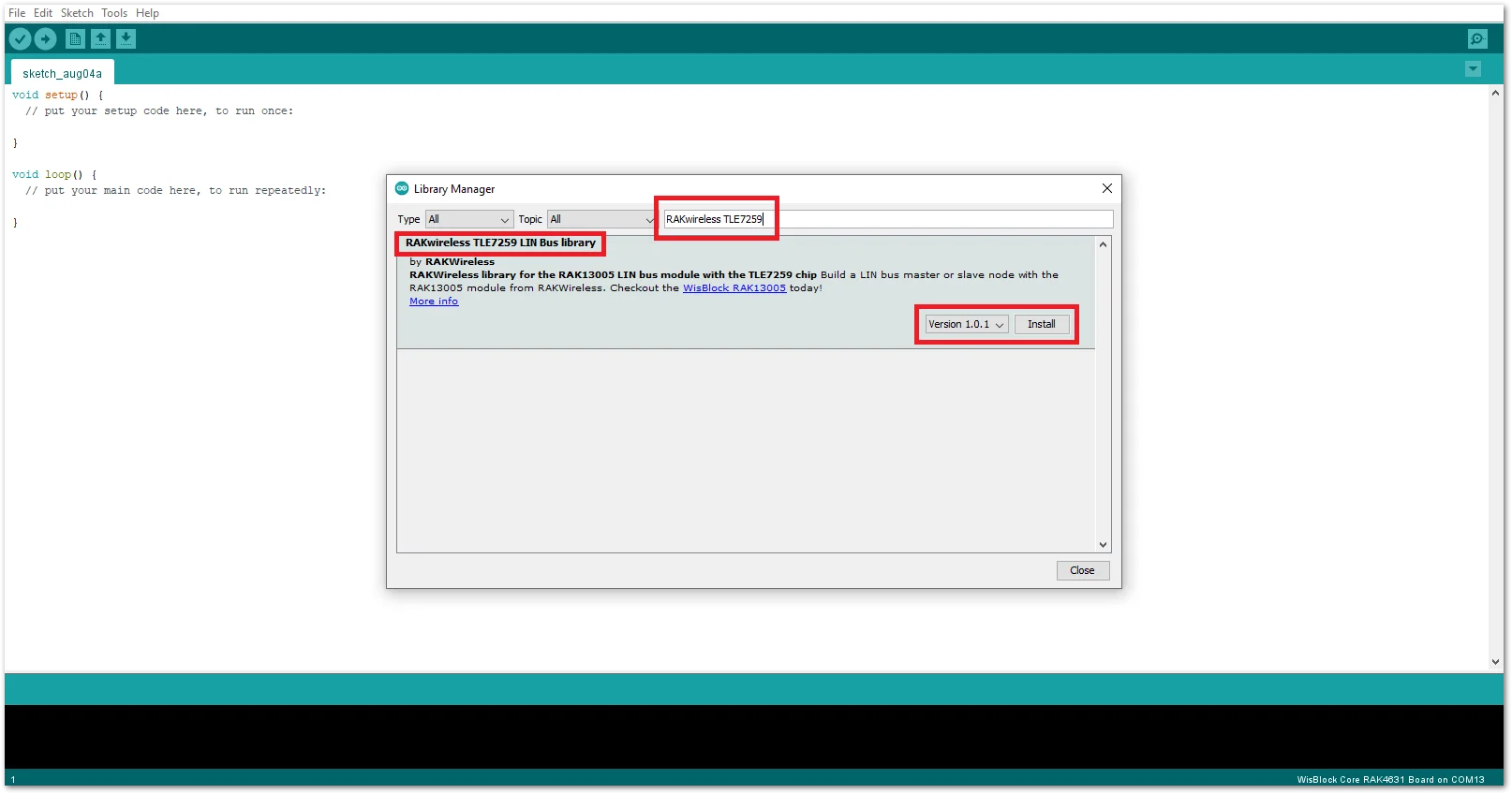 Figure 1: Look for RAKwireless TLE7259 LIN Bus Library
- After successful installation, close the Arduino Library window.
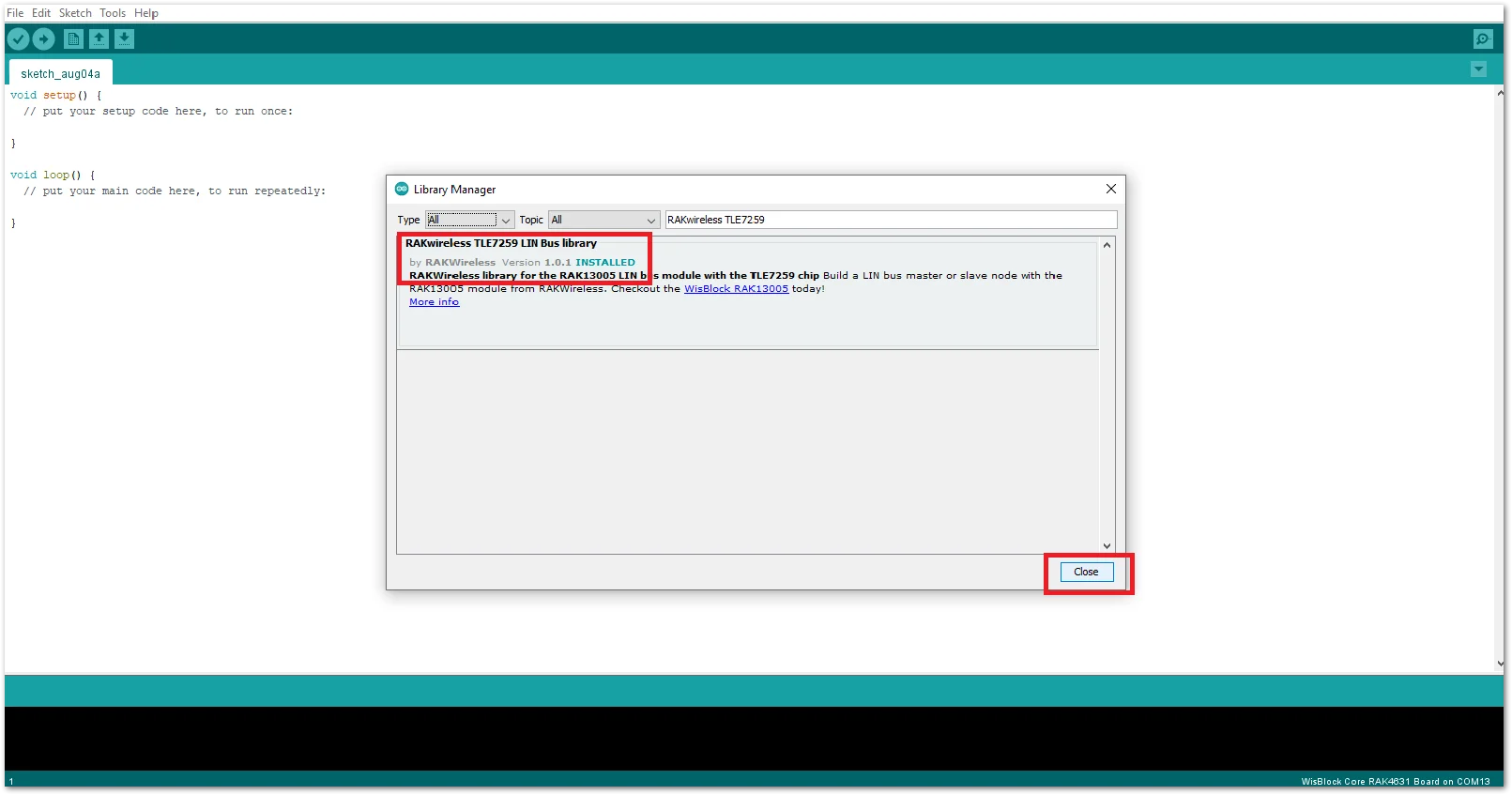 Figure 1: RAKwireless TLE7259 LIN Bus Library Successfully Installed
- Upload the
RAK13005_linbus_masterController sketch.
- Connect the first WisBlock with the RAK13005 module in Controller mode and select the
RAK13005_linbus_master.
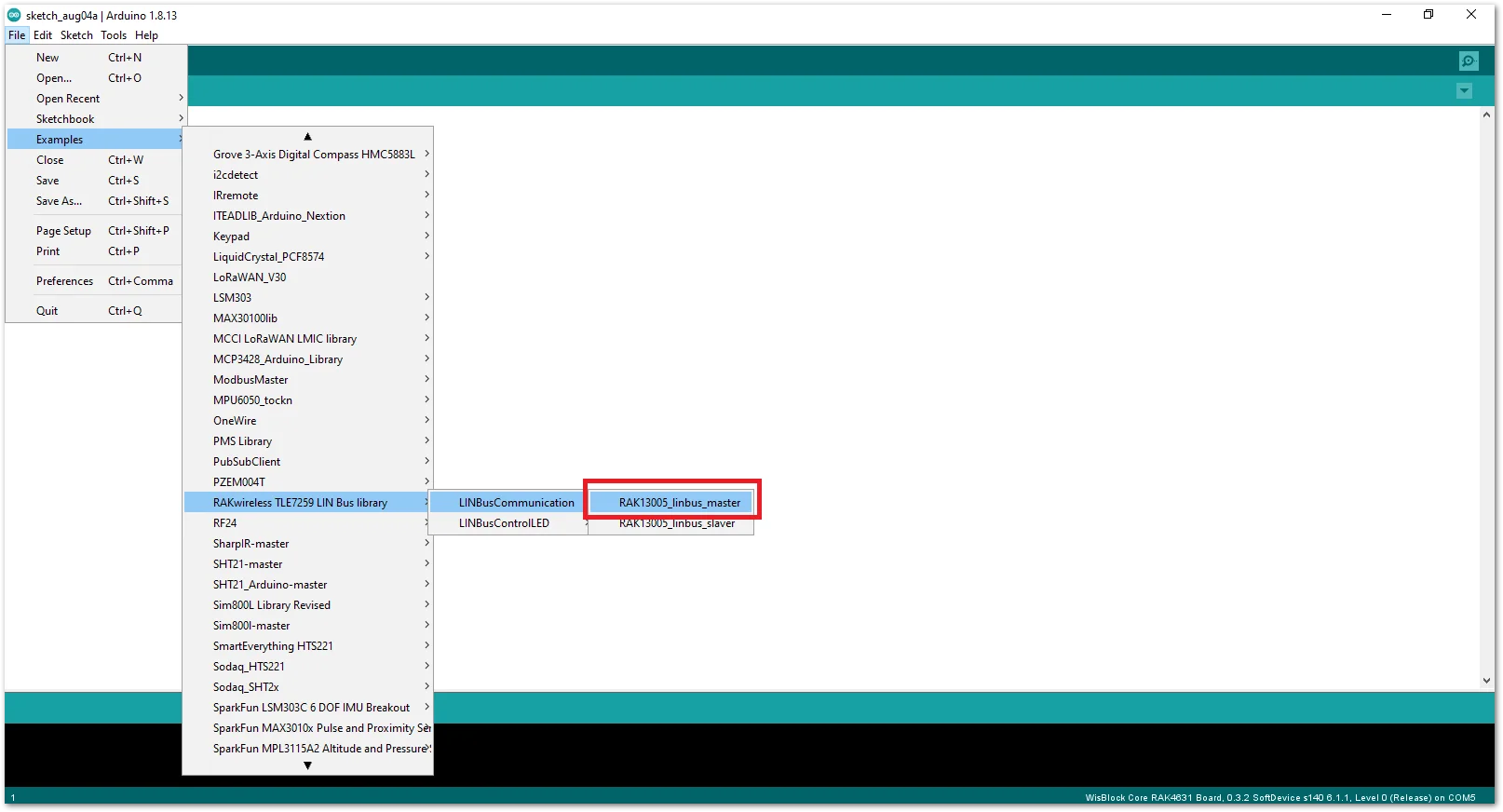 Figure 1: Open the code for the RAK13005 Controller
- Select the port where RAK4631 WisBlock Core is connected.
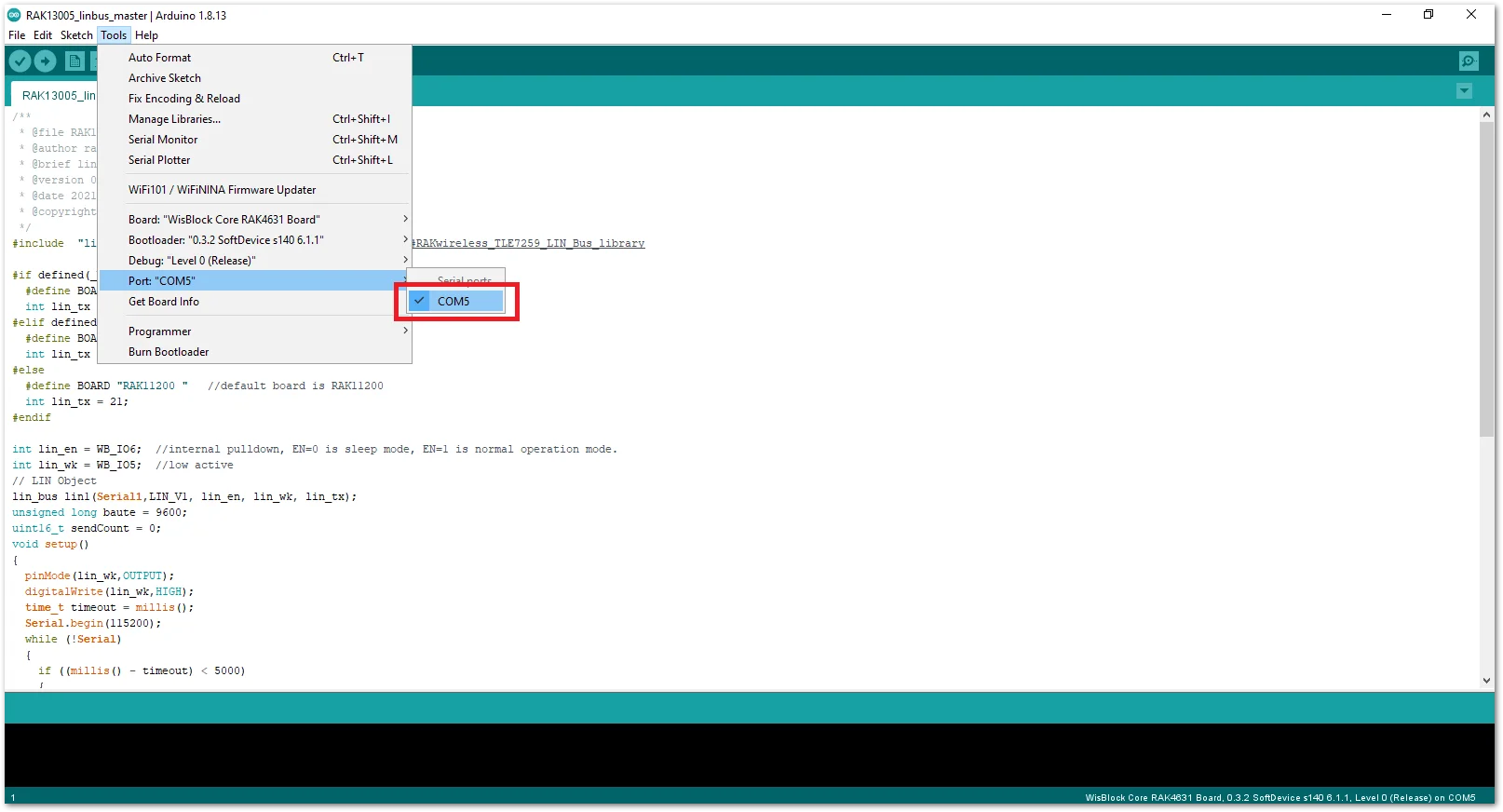 Figure 1: Select the Serial Port of RAK4631 for the RAK13005 LIN module in controller mode.
- Now, upload the
RAK13005_linbus_mastercode to the WisBlock Core.
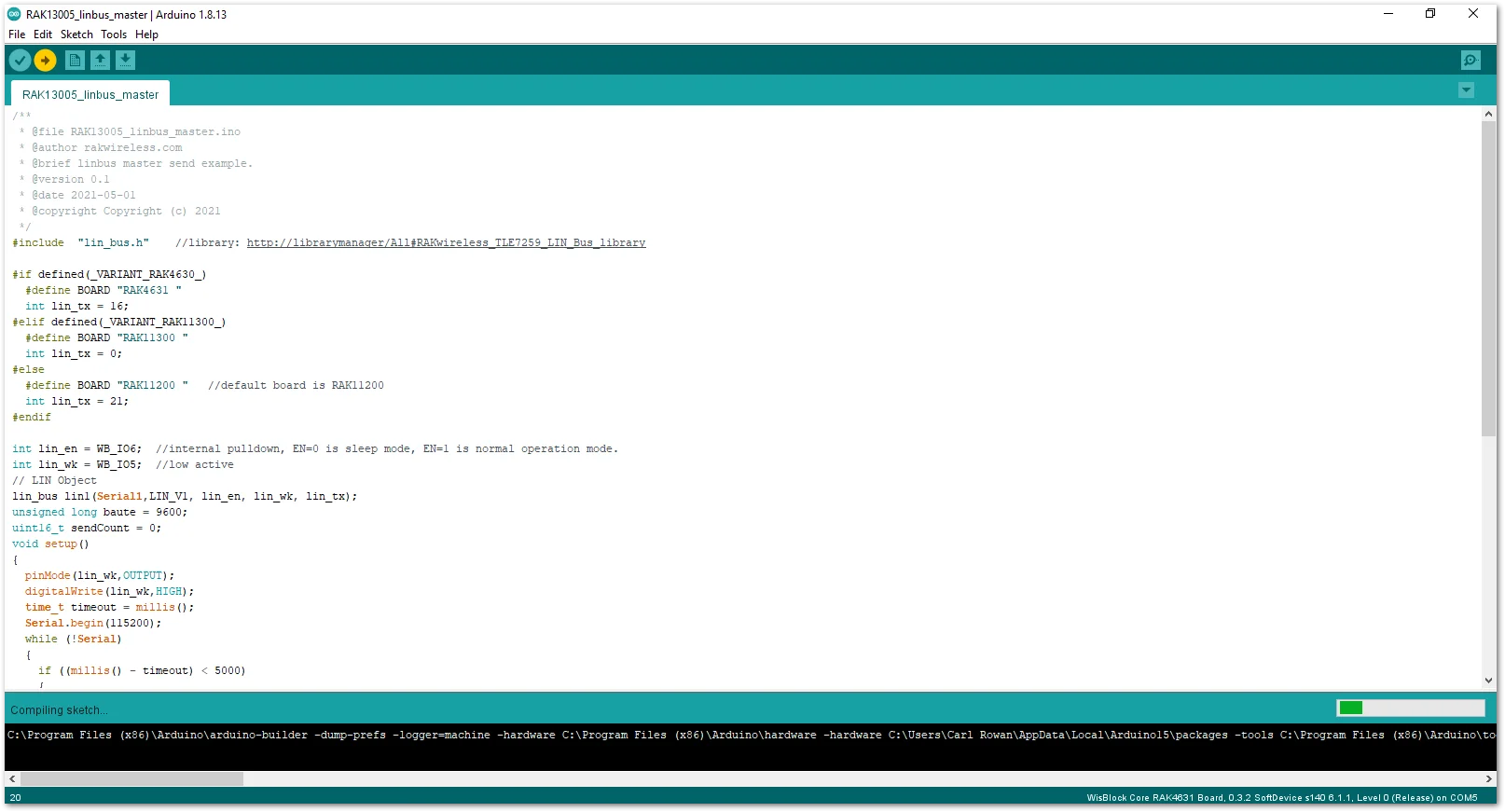 Figure 1: Uploading RAK13005_linbus_master code
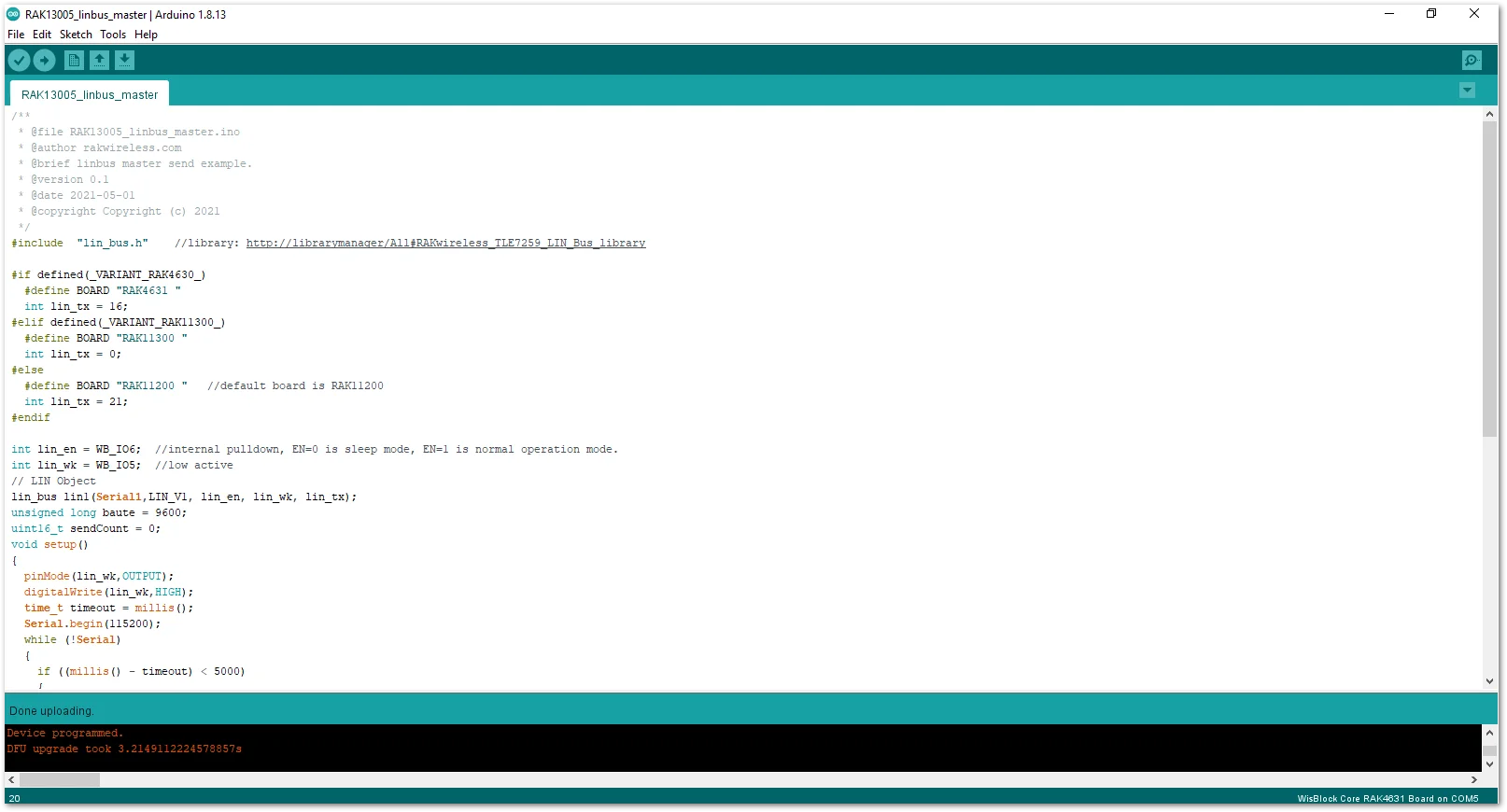 Figure 1: Successful code Upload
- After the successful code upload, you can now open the Serial Monitor and see the Serial output.
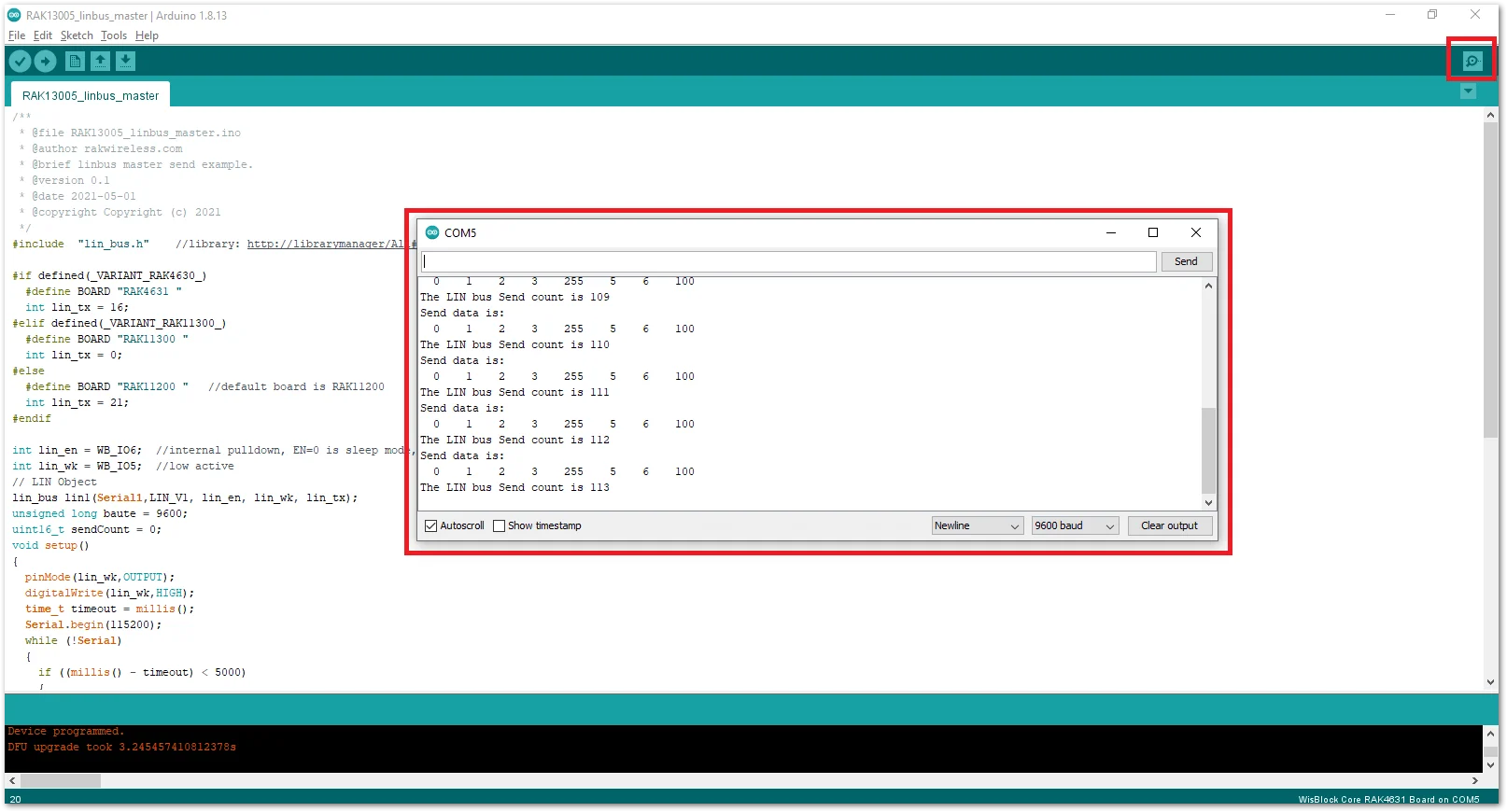 Figure 1: Serial Output of the RAK13005 Controller Mode
- Upload the
RAK13005_linbus_slaverPeripheral sketch.
- Connect the second WisBlock with the RAK13005 in Peripheral mode, then select
RAK13005_linbus_slaver.
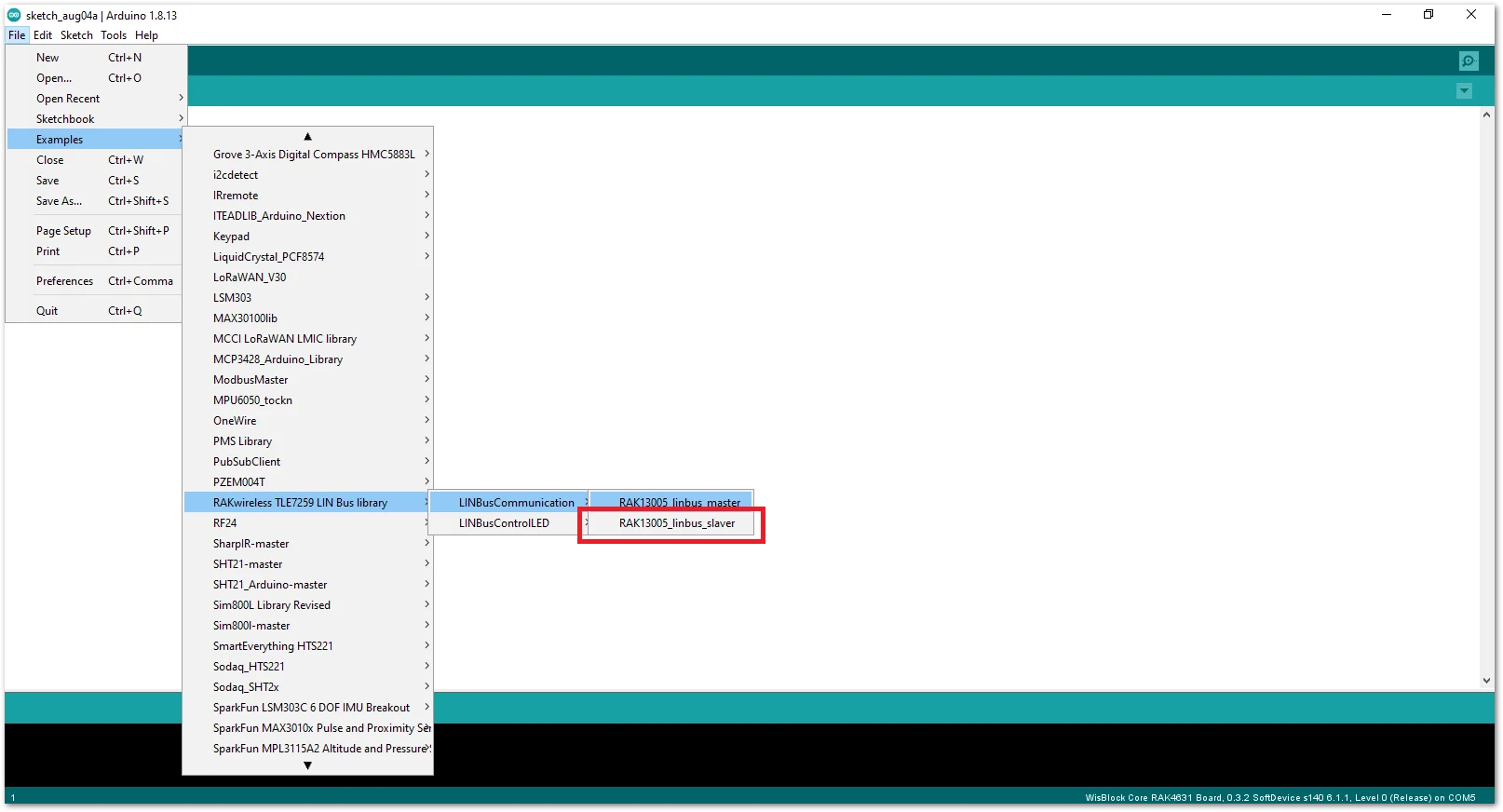 Figure 1: Open the code for the RAK13005 Peripheral
- Select the port, which is the additional port from the previous port for the controller. You should see two ports in your Arduino IDE.
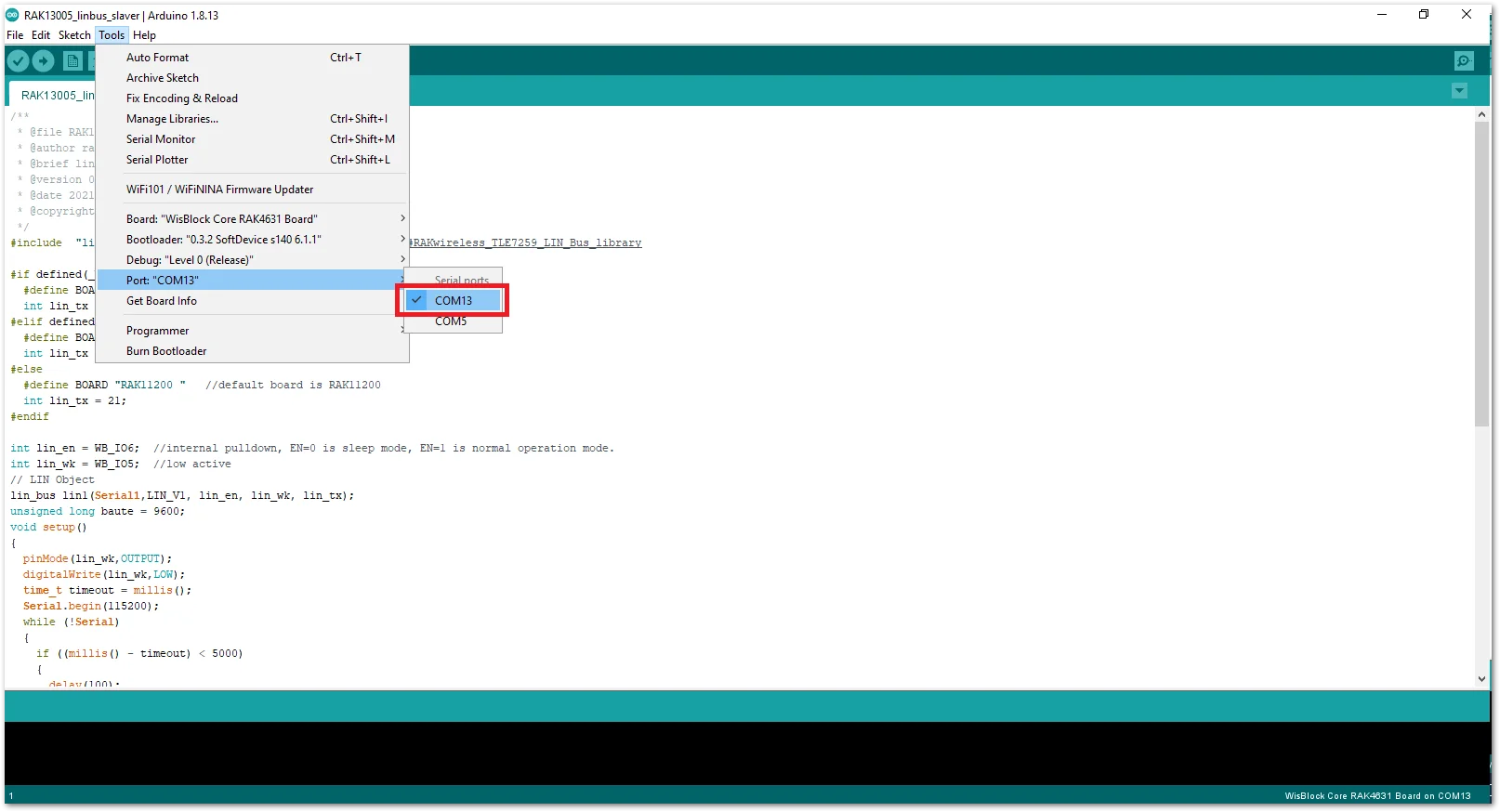 Figure 1: Select the Serial Port of RAK4631 for the RAK13005 LIN module in peripheral mode.
- After ensuring the port matching the RAK13005 LIN Peripheral, you can now upload the
RAK13005_linbus_slavercode.
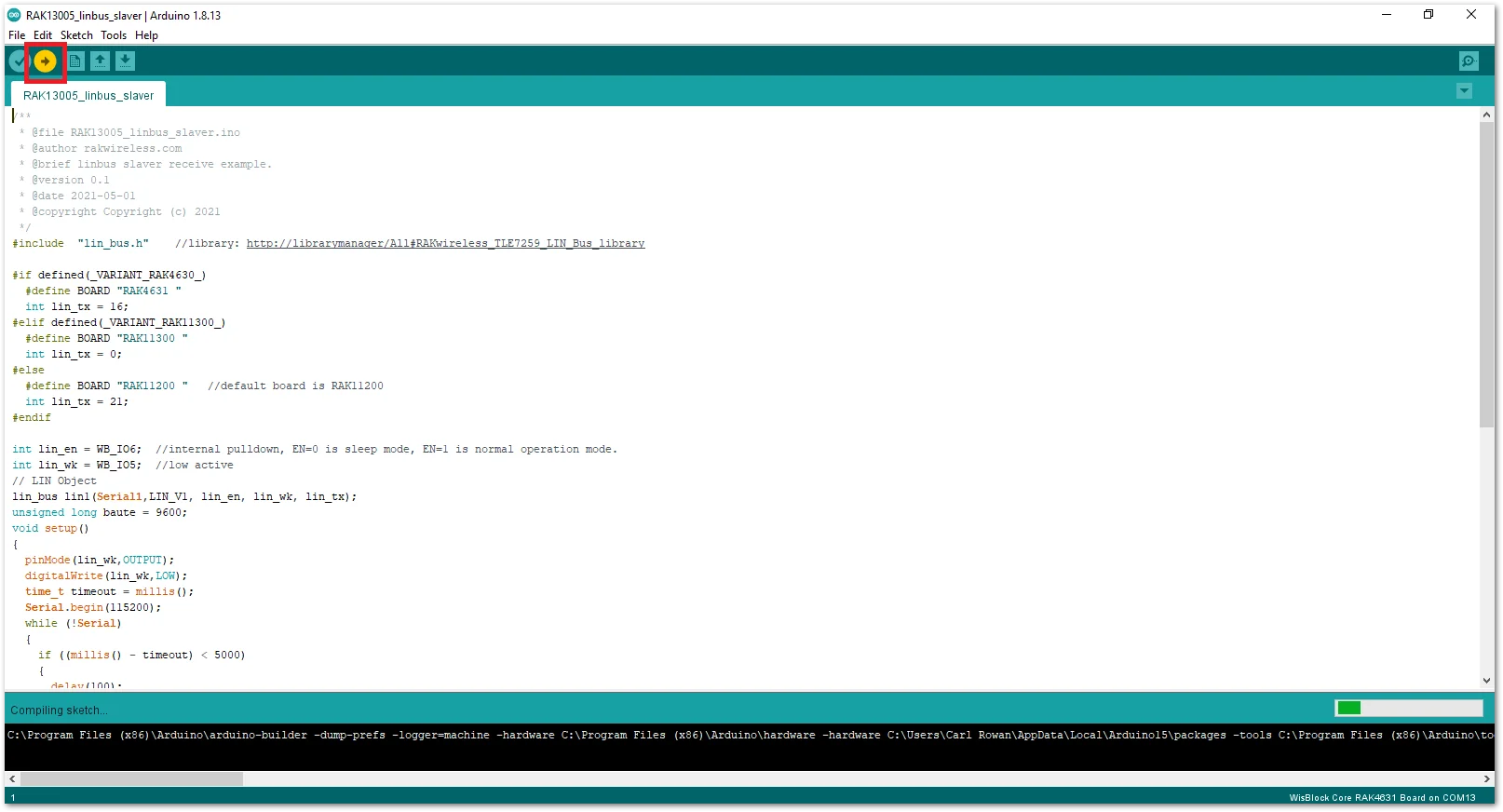 Figure 1: Uploading the RAK13005_linbus_slaver code
NOTE
If you experience any error in compiling an example sketch, check the updated code for the RAK13005 WisBlock Core Module that can be found on the RAK13005 WisBlock Example Code Repository.
- Check Serial Monitor output.
- Check the Serial Monitor on the RAK13005 Peripheral device receiving the data coming from the RAK13005 Controller device. You must have the external power supply connected to have successful transmissions.
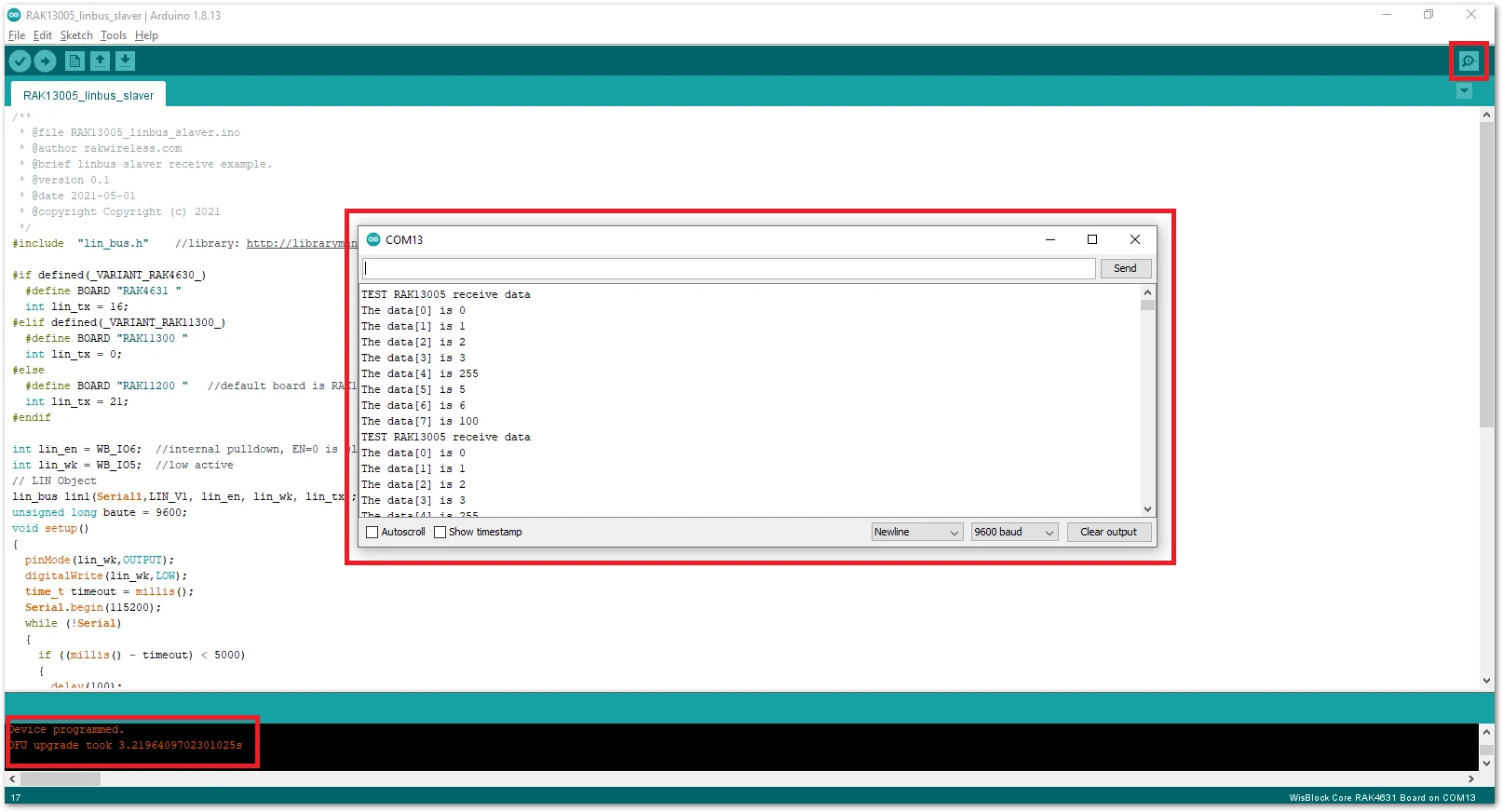 Figure 1: Serial Output of the RAK13005 Peripheral Mode


