Analog Input (ADC) Connection on RAK13002
This is just an example and illustration on how to use the ADC pin of RAK13002 for external sensors, modules, or devices. There are two (2) ADC pins available on the RAK13002 that you can use as long as your modules, sensors, or devices operate at 3.3 V.
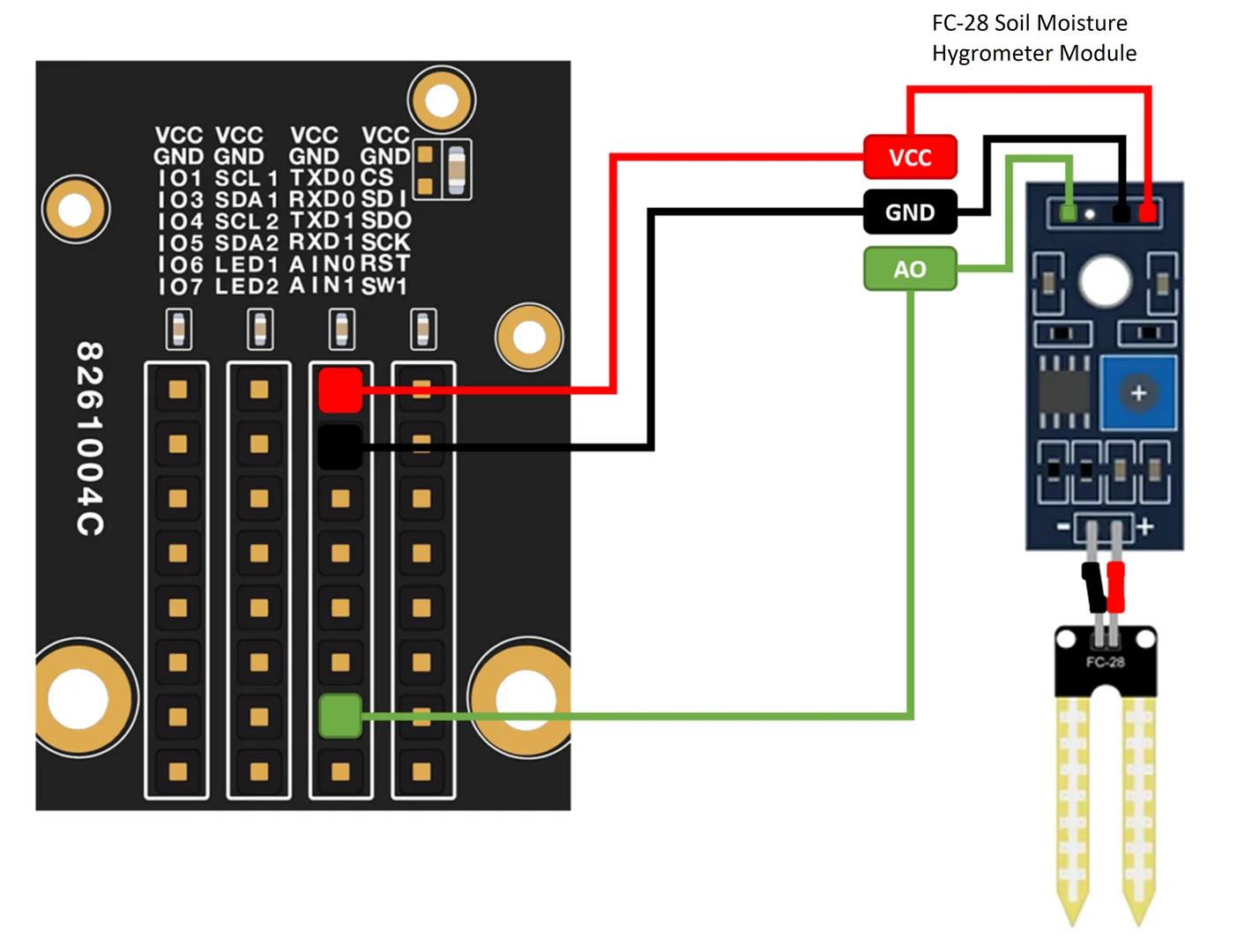 Figure 1: Connecting the RAK13002 to the ADC pin of the sensor module
- You need to select first the WisBlock Core you have.
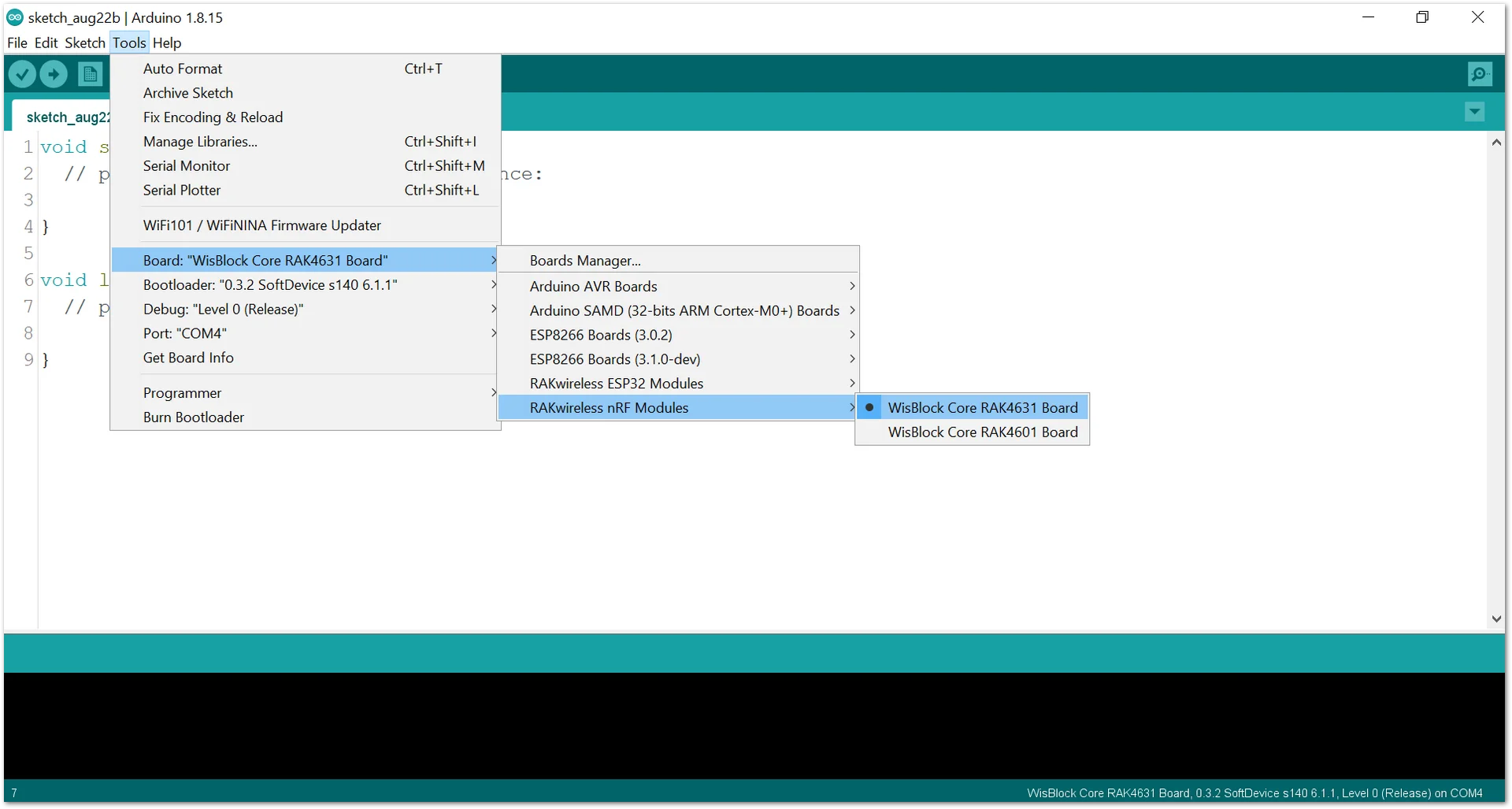 Figure 1: Selecting RAK4631 as WisBlock Core
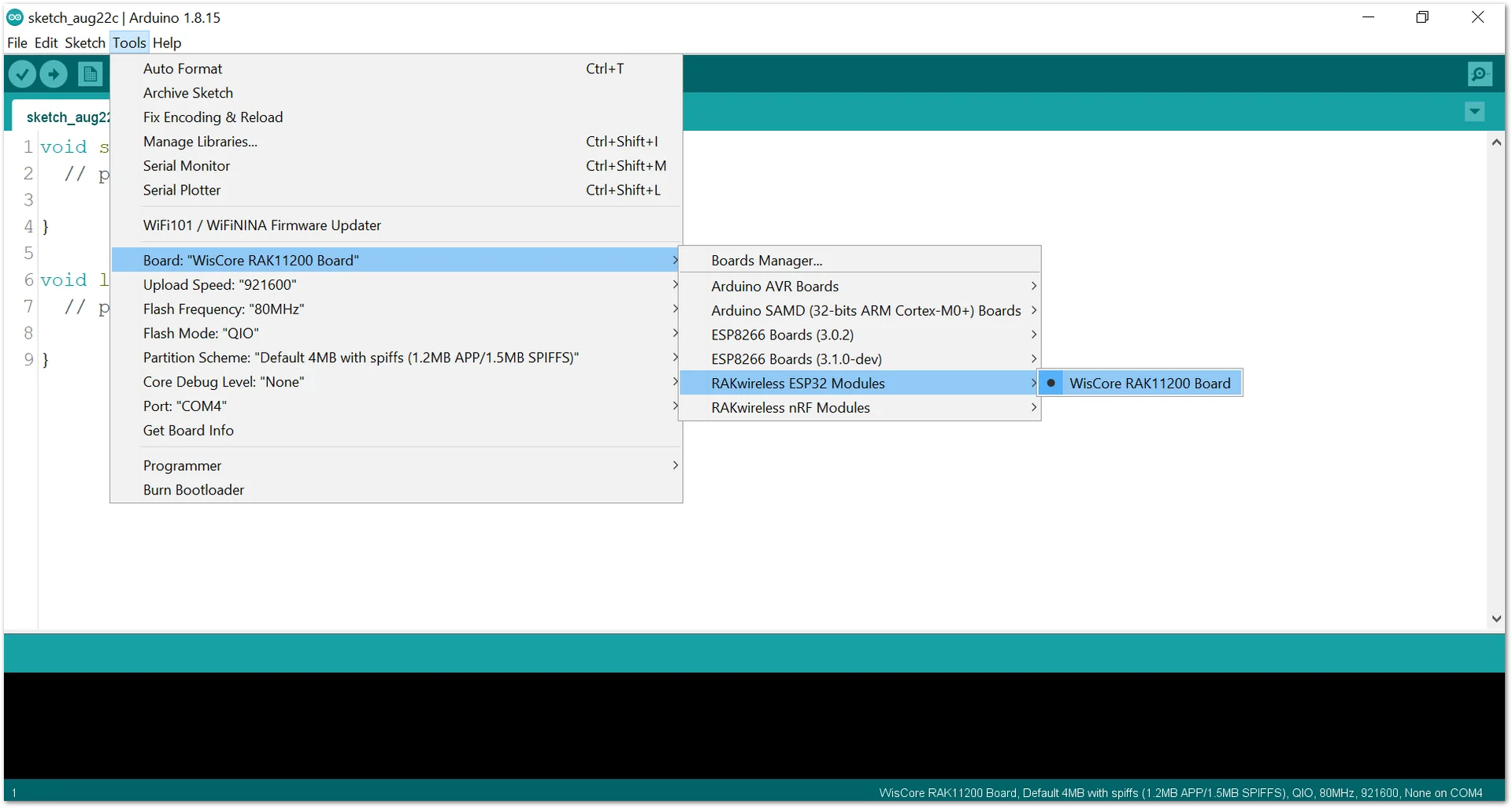 Figure 1: Selecting RAK11200 as WisBlock Core
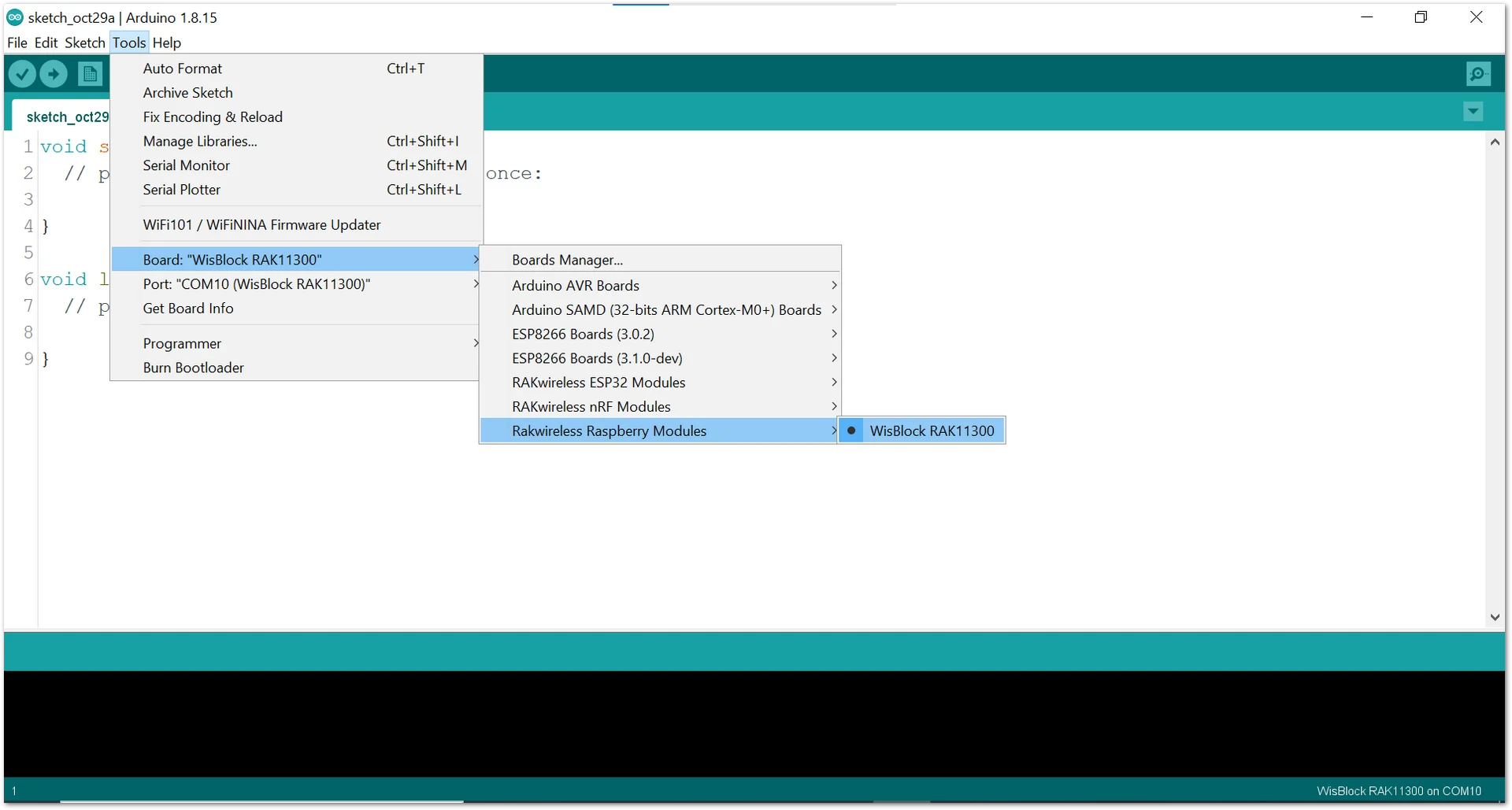 Figure 1: Selecting RAK11300 as WisBlock Core
- Copy the following sample code into your Arduino IDE:
Click to view the code
/*
* Reading ADC pin on RAK13002
* using Soil Moisture Sensor
*
*/

#define SS WB_A0 //Soil Moisture Sensor A0 to AIN0 of RAK13002

int sensor_value;

void setup() {
  Serial.begin(9600); // Setting up Serial Monitor to read in 9600 baudrate

}
void loop() {
  readSensor();
  delay(1000); //Read sensor value and print every 1 second.
}

void readSensor(){
  sensor_value = analogRead(SS);
  Serial.println(sensor_value);
}
- Then select the right Serial Port and upload the code.
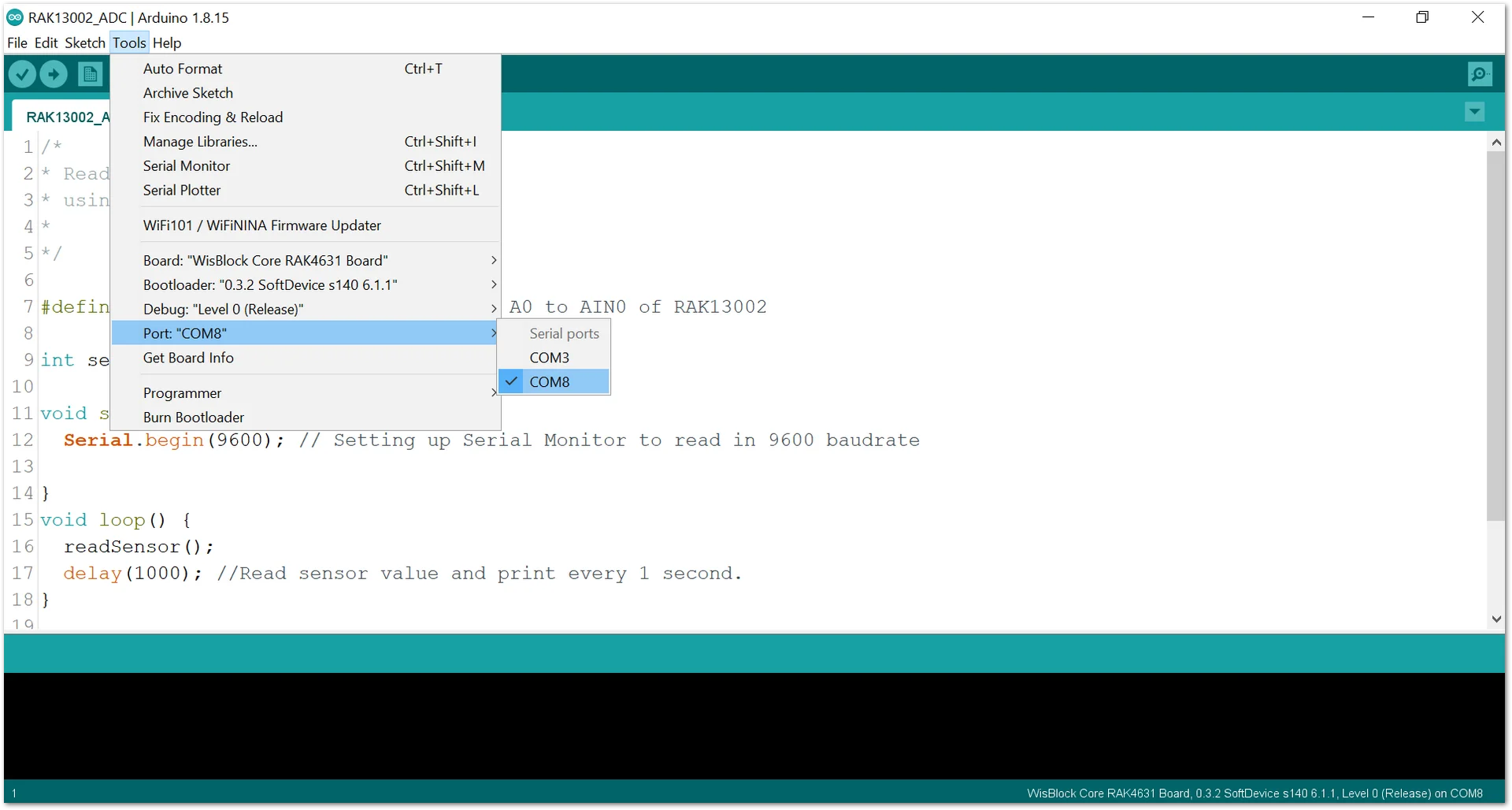 Figure 1: Selecting the correct Serial Port
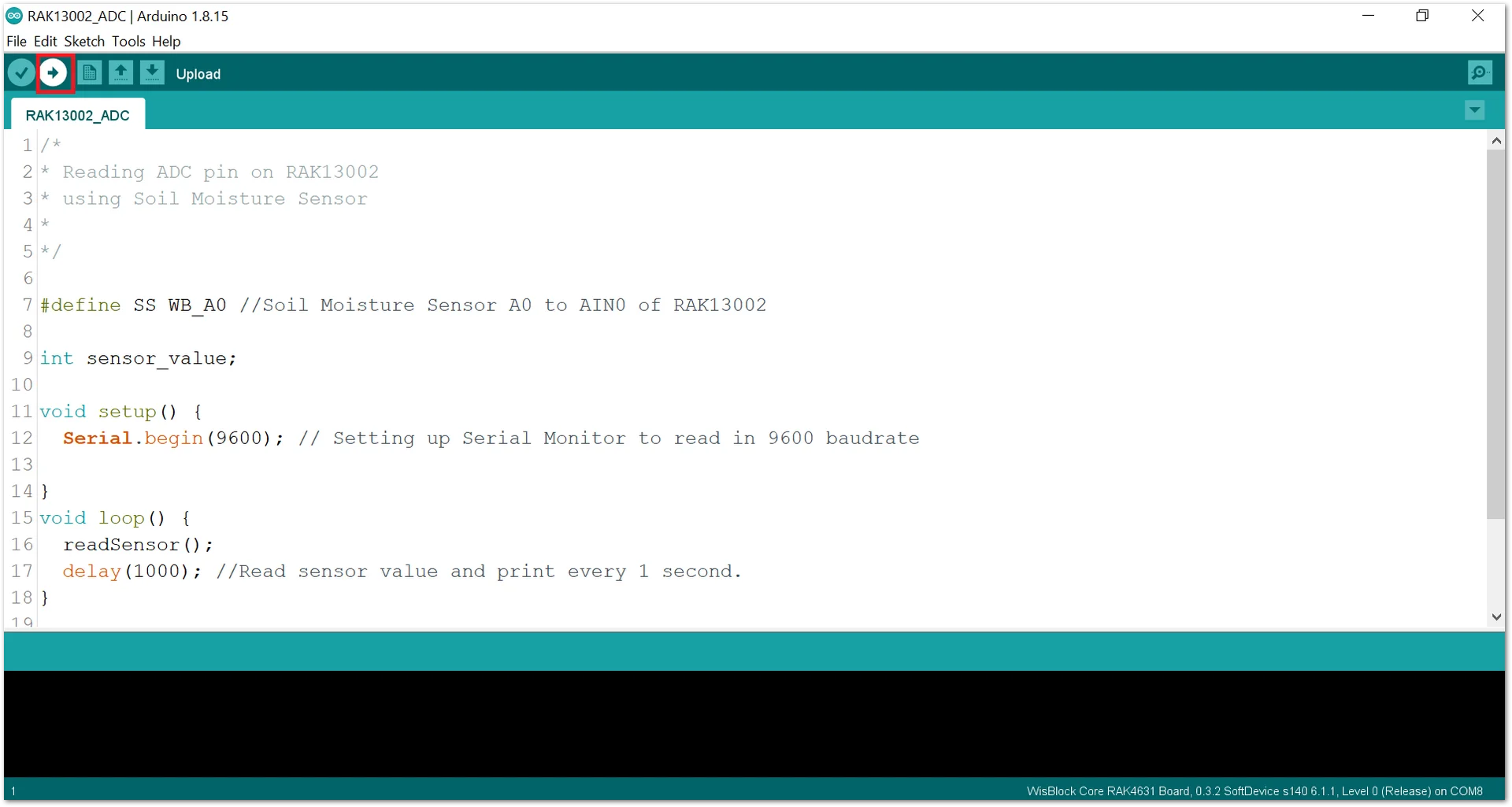 Figure 1: Uploading the sample code
- When you successfully uploaded the sample code, open the Serial Monitor of the Arduino IDE to see the module's reading logs. If you see the logs, then your module or sensor is properly communicating to the WisBlock core using the Analog Interface.
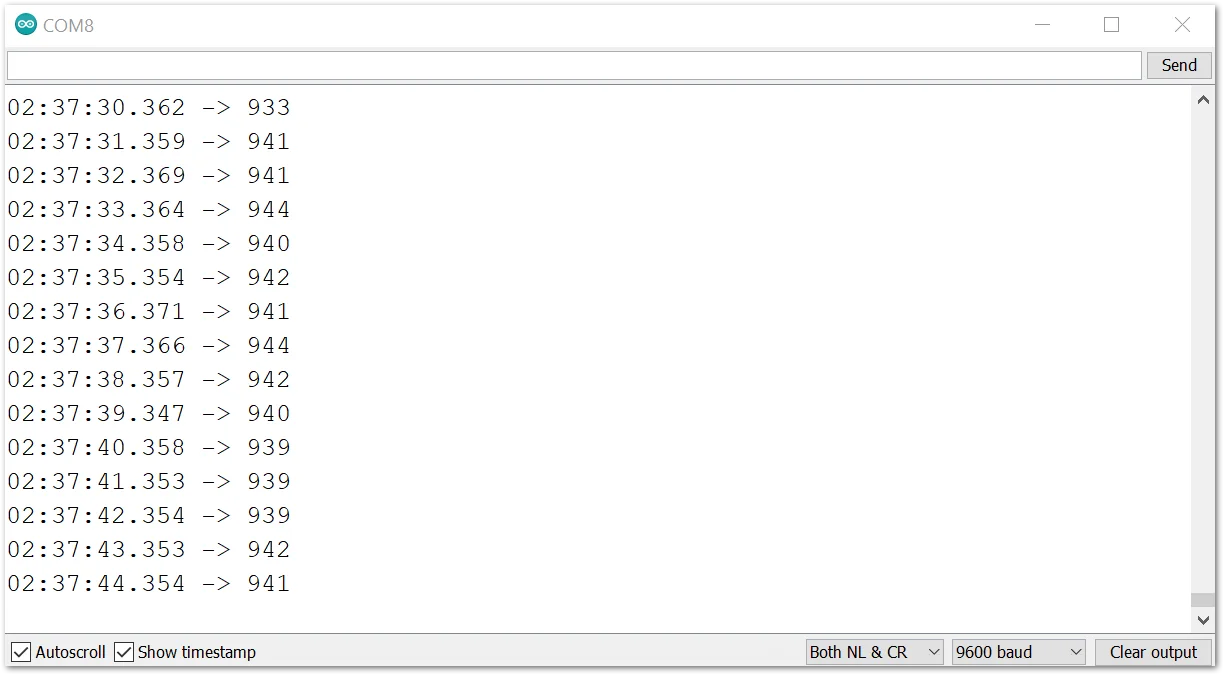 Figure 1: FC-28 Soil Moisture Hygrometer data logs


