GPIO Connection on RAK13002
This is just an example and illustration on how to use the GPIO pins of RAK13002 for external sensors, modules, or devices. There are six (6) GPIO pins available on the RAK13002. You can use any of the GPIO pins as long as your modules, sensors, or devices operate at 3.3 V.
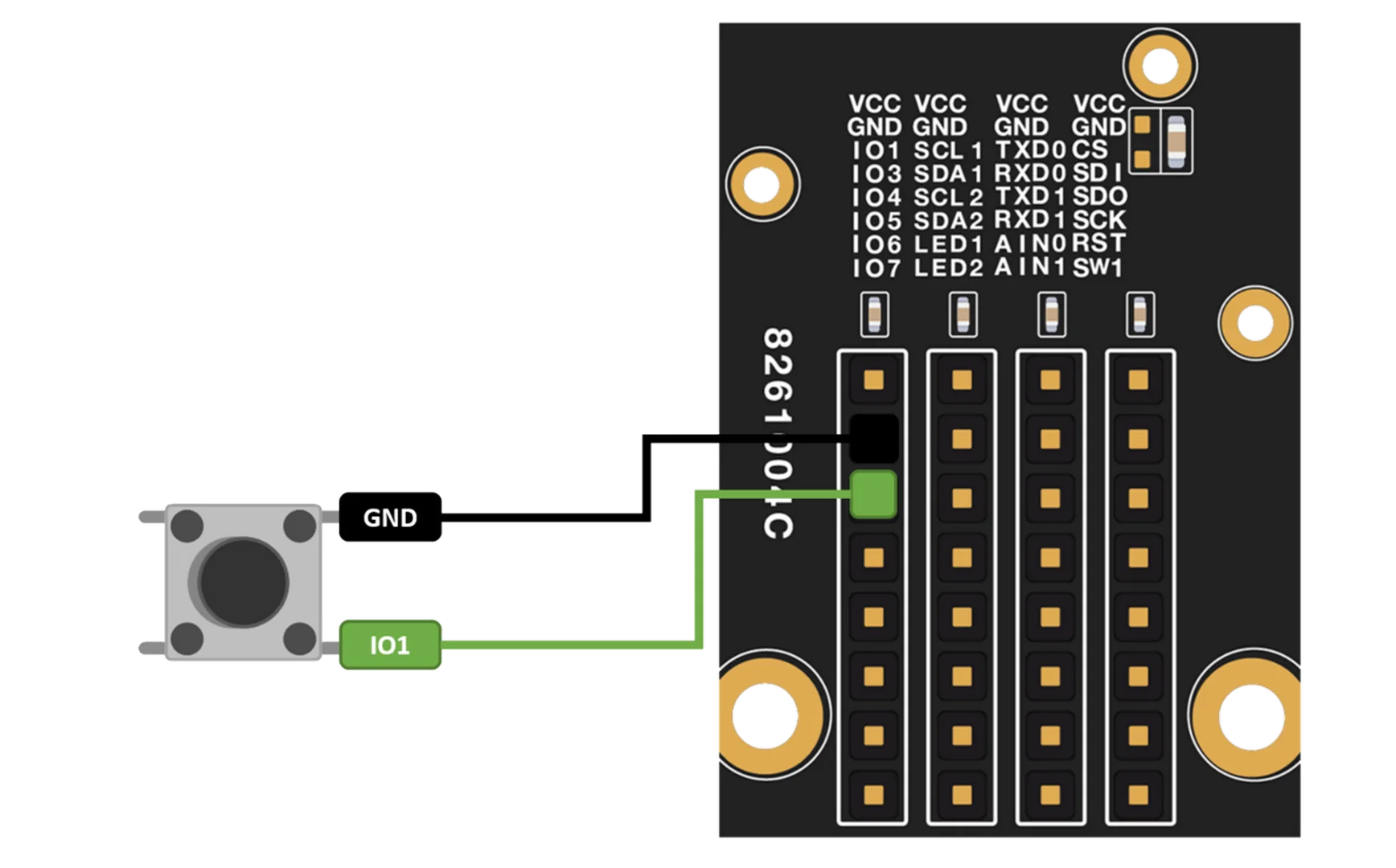 Figure 1: Connecting Button as your GPIO component
- You need to select first the WisBlock Core you have.
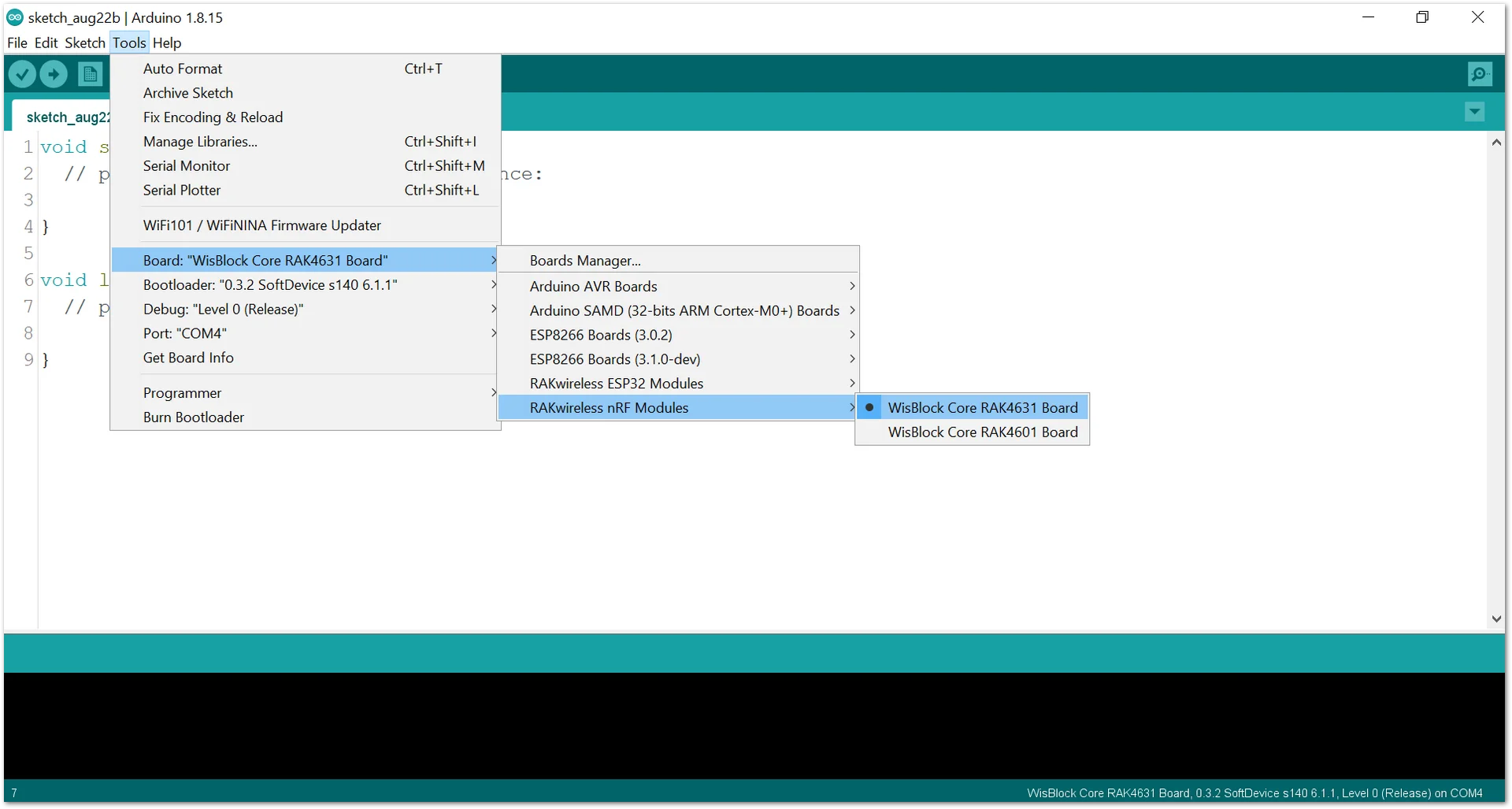 Figure 1: Selecting RAK4631 as WisBlock Core
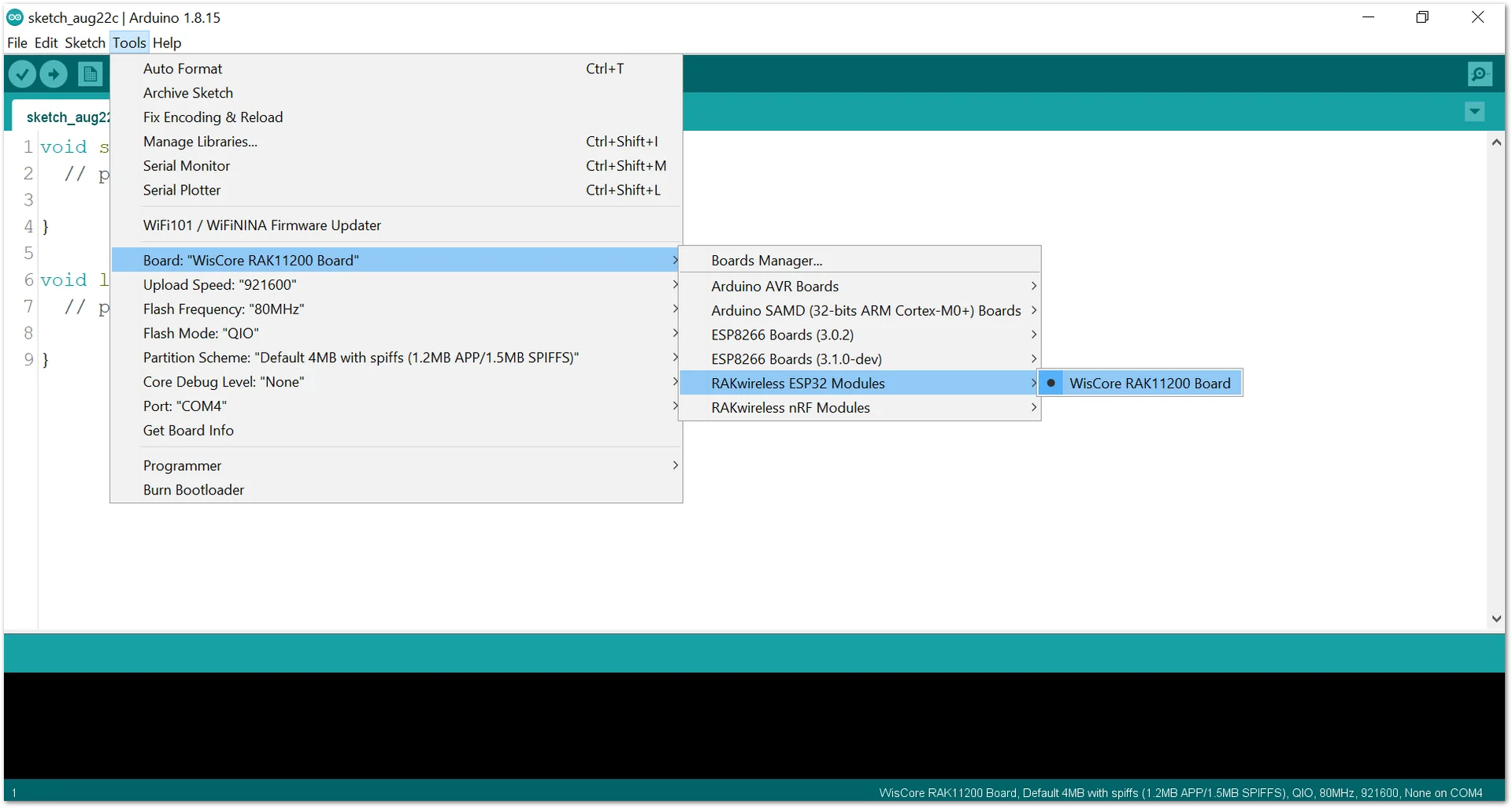 Figure 1: Selecting RAK11200 as WisBlock Core
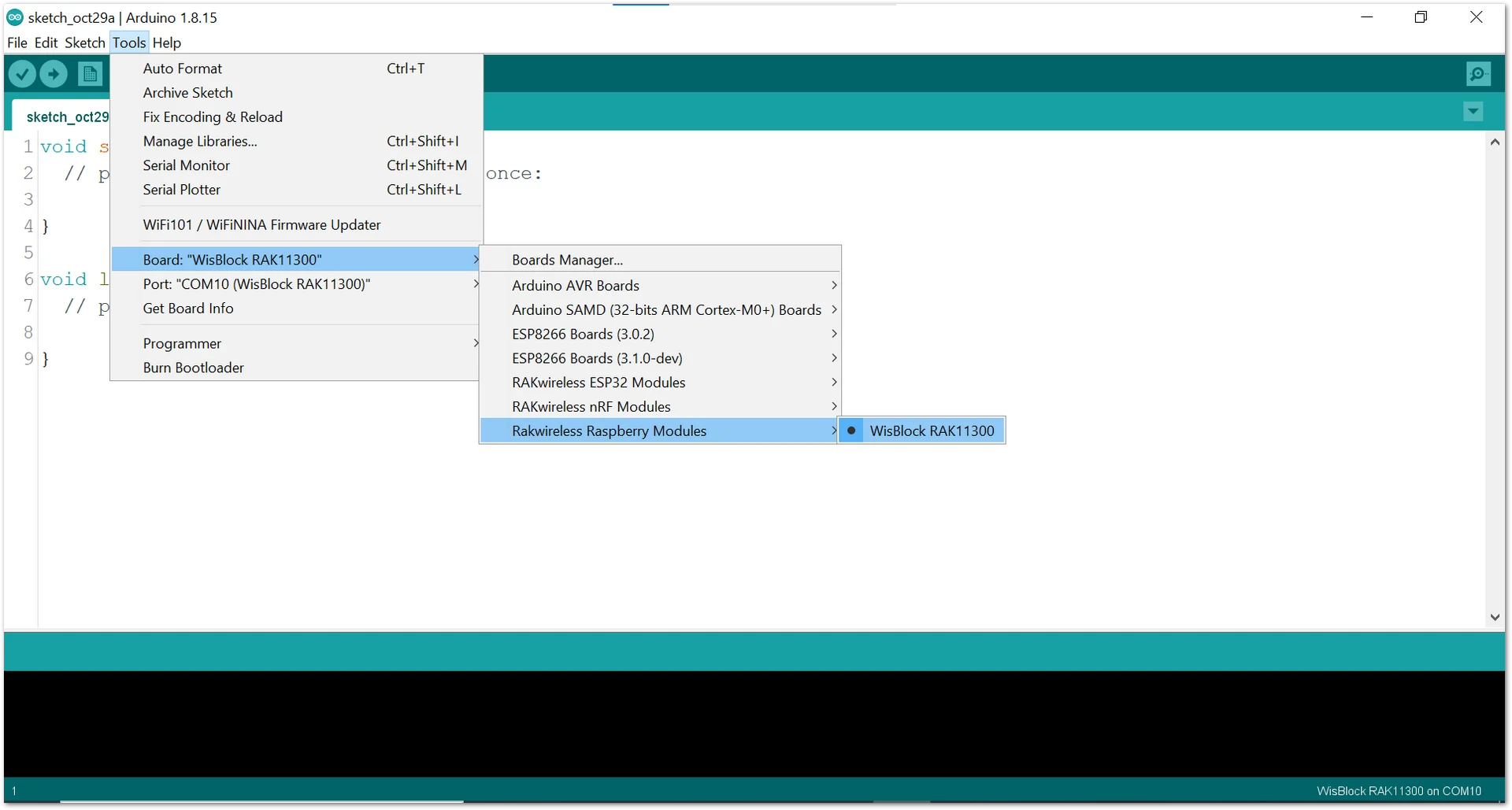 Figure 1: Selecting RAK11300 as WisBlock Core
- Copy the following sample code into your Arduino IDE:
Click to view the code
/*
 * Reading Long Press and Short Press on a Button using RAK13002
 *
 */

// constants won't change. They're used here to set pin numbers:
const int BUTTON_PIN = WB_IO1; // the number of the pushbutton pin
const int SHORT_PRESS_TIME = 500; // 500 milliseconds

// Variables will change:
int lastState = LOW;  // the previous state from the input pin
int currentState;     // the current reading from the input pin
unsigned long pressedTime  = 0;
unsigned long releasedTime = 0;

void setup() {
  Serial.begin(9600);
  pinMode(BUTTON_PIN, INPUT_PULLUP);
}

void loop() {
  // read the state of the switch/button:
  currentState = digitalRead(BUTTON_PIN);

  if(lastState == HIGH && currentState == LOW)        // button is pressed
    pressedTime = millis();
  else if(lastState == LOW && currentState == HIGH) { // button is released
    releasedTime = millis();

    long pressDuration = releasedTime - pressedTime;

    if( pressDuration < SHORT_PRESS_TIME )
      Serial.println("A short press is detected");
  }

  // save the the last state
  lastState = currentState;
}
- Then select the right Serial Port and upload the code.
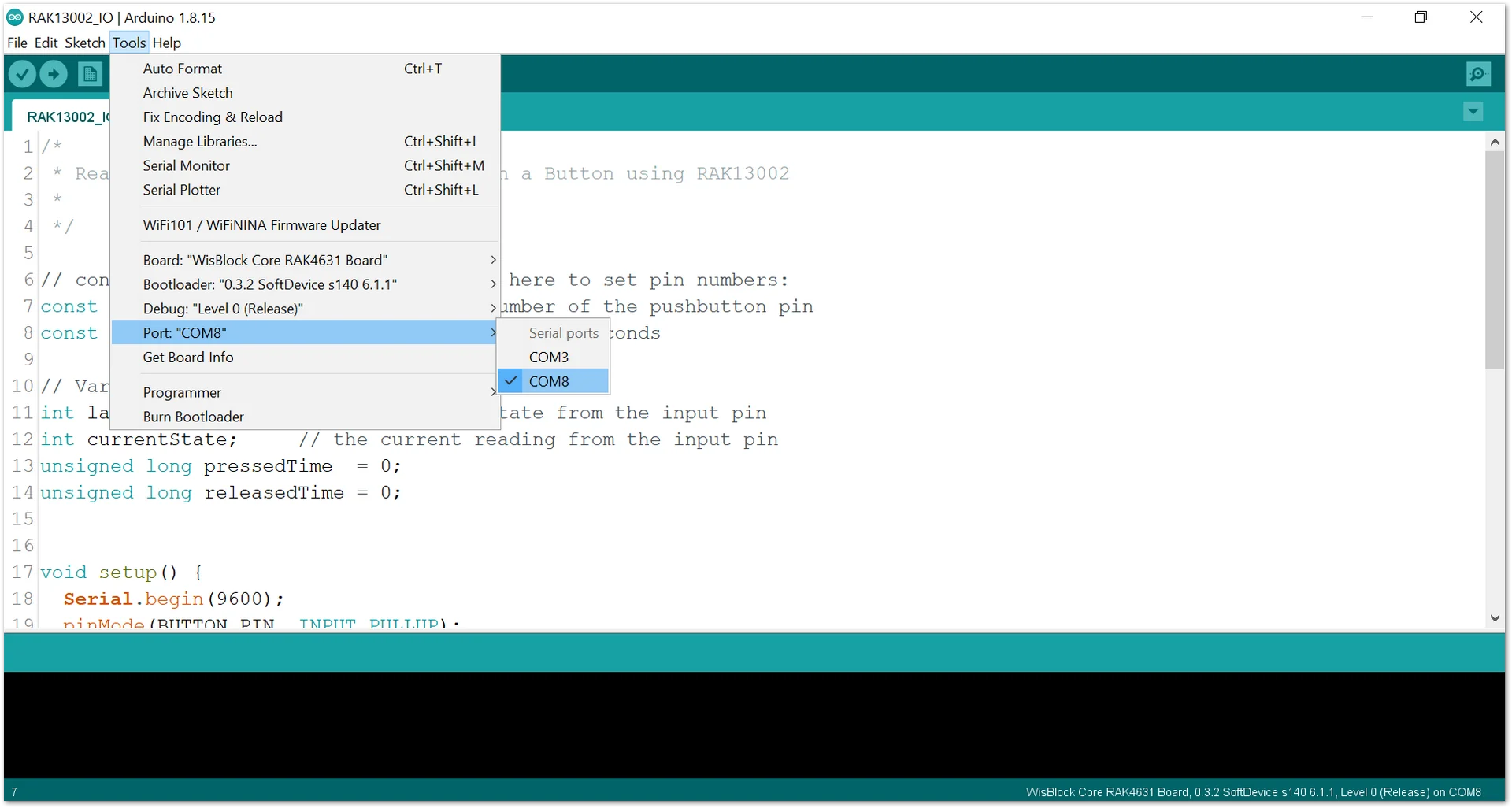 Figure 1: Selecting the correct port
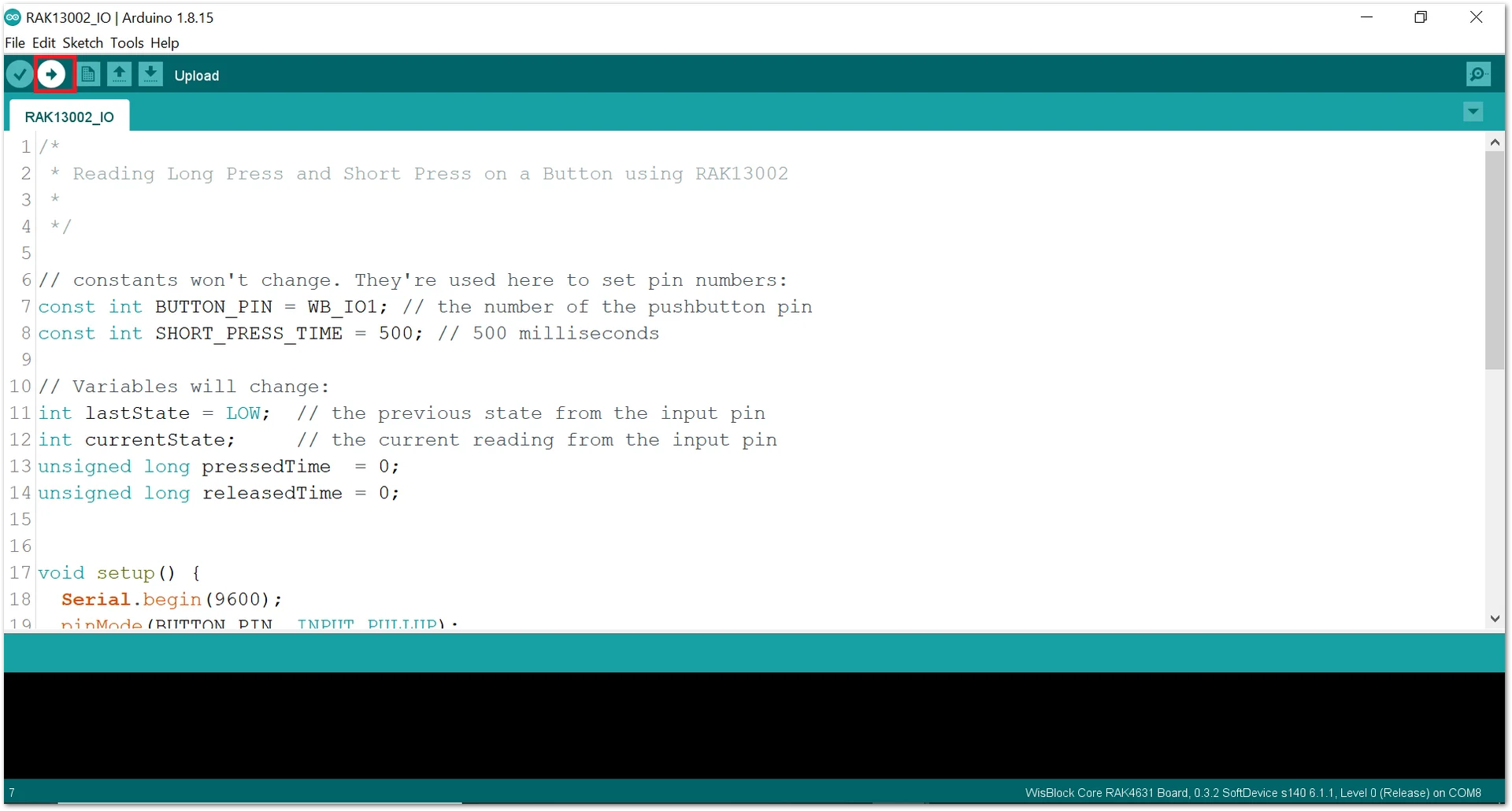 Figure 1: Uploading your code
- When you successfully uploaded the sample code, open the Serial Monitor of the Arduino IDE to see the button's reading logs. Try pressing the button, and if you see the logs, then your module or sensor is properly communicating to the WisBlock core using the Digital Interface.
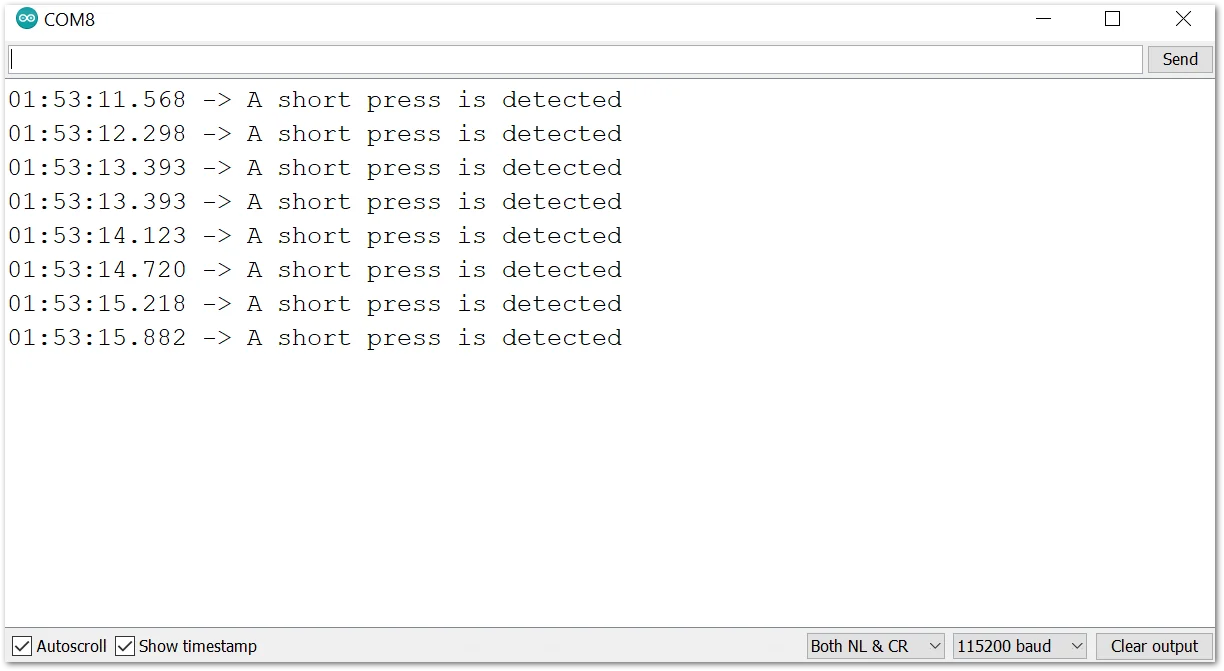 Figure 1: Serial Monitor Output


