RAK10701-Plus Field Tester for LoRaWAN Hardware Setup
This guide shows the steps to assemble and power on your RAK10701-Plus Field Tester for LoRaWAN.
Package Inclusions
The package includes the following items:
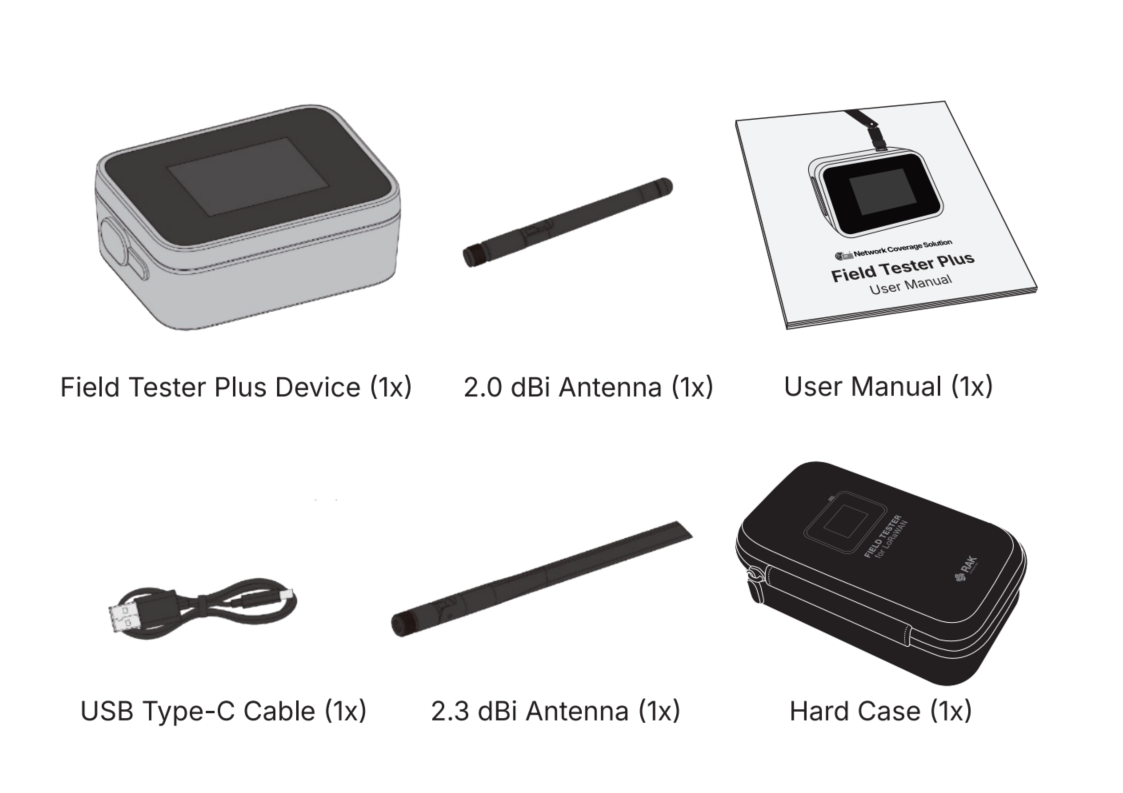 Figure 1: Package contents of the RAK10701-Plus LoRaWAN Field Tester
- 1 × RAK10701-Plus LoRaWAN Field Tester
- 2 × LoRa antennas
- 1 × USB cable
- 1 × Hard Case
NOTE
The included LoRa antenna specifications may vary depending on the selected frequency band. Refer to the antenna labels in the actual package contents for the antenna gain values included with your device.
Install the LoRa Antenna
- Locate the antenna connector on top of the device.
- Align the LoRa antenna with the connector.
- Rotate clockwise to tighten.
Power On the Device
Before turning on the device for the first time, fully charge it to ensure optimal performance.
To power on the device, press and hold the Side Button for 5 seconds until the screen turns on.
 Figure 1: Power On Screen


