Water Conductivity Monitoring Solution Quick Start Guide
Prerequisites
Before proceeding with each step for using the Water Conductivity Solution, ensure that you have the necessary items.
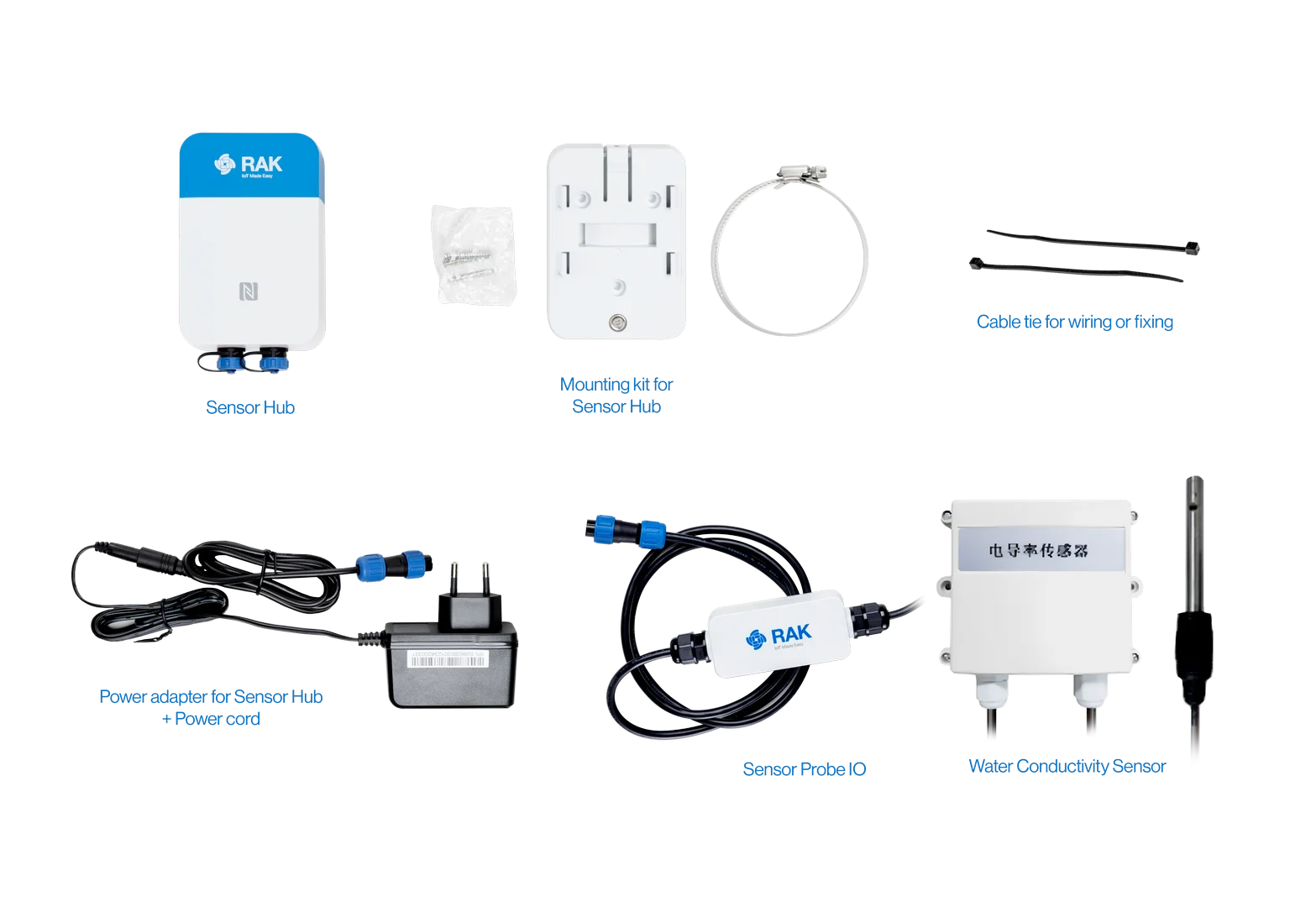 Figure 1: Water Conductivity Solution Package Inclusion
Hardware Tools
- Sensor Hub Water Conductivity Monitoring Solution
- Solar Battery Lite for Sensor Hub (optional)
- Additional accessories: Probe Cable, Probe Splitter, Power Supply, and others (numbers and variations depending on the use case)
- An Android or iOS mobile device with Bluetooth and NFC
Software
WisToolBoxSolution Configuration
Sensor Hub Setup
SIM Card Installation
If the selected solution uses the NB-IoT/LTE CAT-M wireless communication, follow these steps to insert a SIM card. If you choose the LoRaWAN wireless communication mode, skip this section, as a SIM card is not required.
- Remove the back cover by unscrewing the four screws with a cross screwdriver.
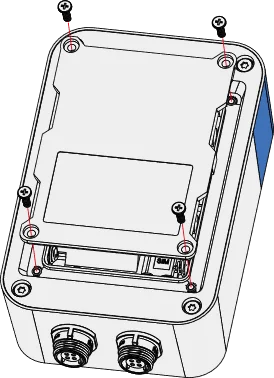 Figure 1: Remove the back cover
- Insert the SIM card in the groove, then gently push it into the card slot.
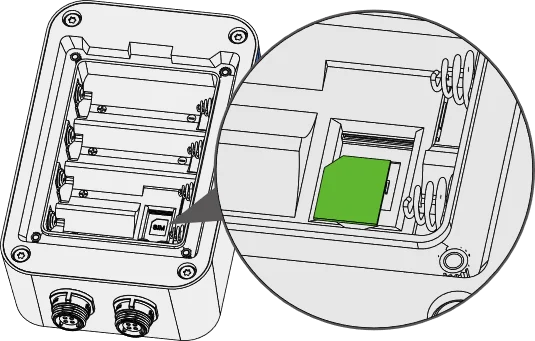 Figure 1: Insert the SIM card
Sensor Hub Mounting
Wall Mounting
- Use a 5 mm drill bit to drill holes in the wall, then insert the screw anchors into the holes.
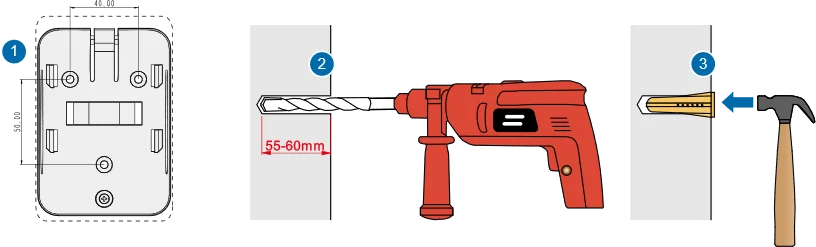 Figure 1: Installation preparation
- Secure the mounting bracket to the wall by using self-tapping screws.
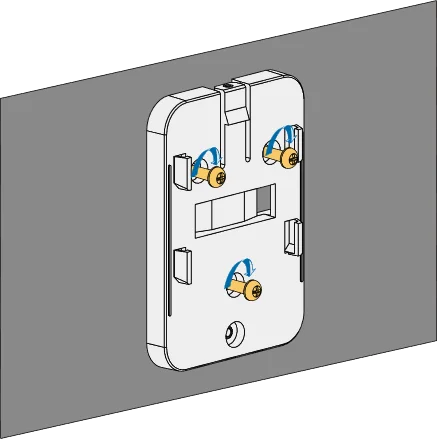 Figure 1: Secure the mounting bracket
- Align the device's hanging tab with the slots on the bracket, then insert the tab into the slots. Pull the device downwards until it snaps into place.
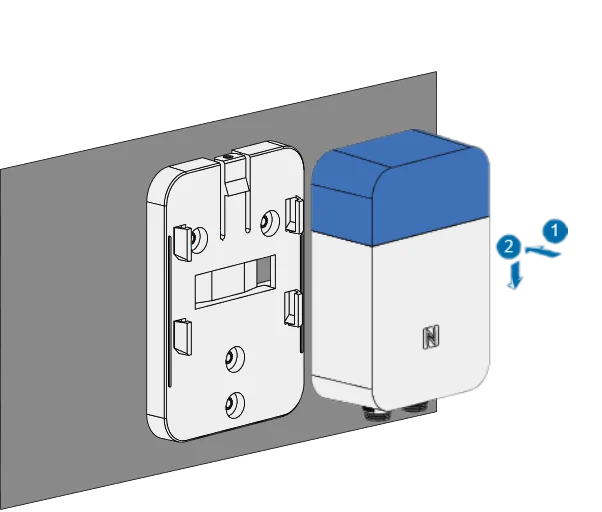 Figure 1: Align the device with the hanging tabs
Pole Mounting
- Fix the mounting bracket to the pole using a steel strip.
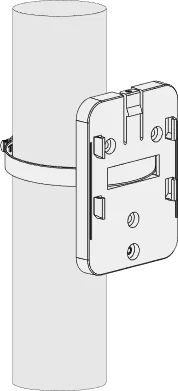 Figure 1: Fix the mounting bracket
Mount the bracket on a pole with a 50-80 mm diameter. For larger poles, use a bigger steel strap. The standard kit does not include a larger steel strap. Purchase separately if needed.
- Align the hanging tab of the device with the slots on the bracket, then insert the tab into the slots. Gently pull the device downwards until it securely snaps in place.
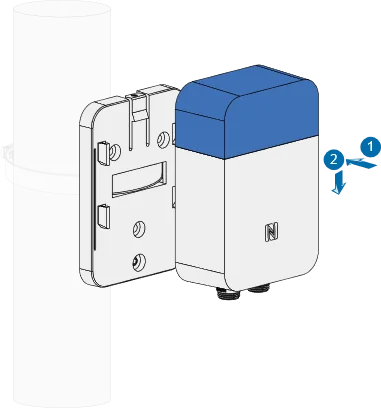 Figure 1: Device installation
- Insert a security screw at the top to fasten the device and the bracket together.
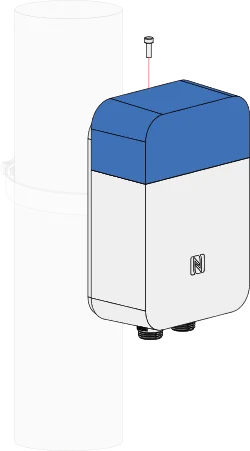 Figure 1: Fasten the device and the bracket
RAK2560 WisNode Sensor Hub + Water Conductivity Sensor Setup
Sensor Probe IO + Water Conductivity Sensor Installation
The Water Conductivity Sensor comes pre-assembled with the Sensor Probe IO by default at the factory. Therefore, no additional assembly is necessary.
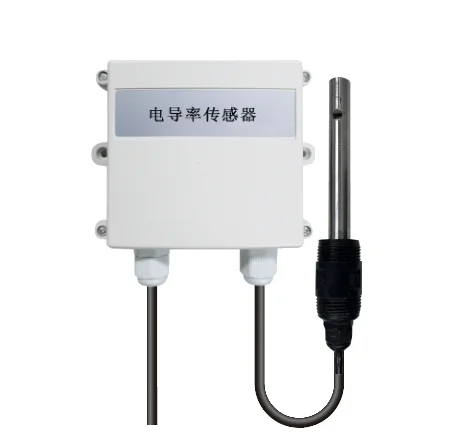 Figure 1: Insert the Cable Connector into the Sensor Connector
Sensor Hub + Sensor Probe IO + Water Conductivity Sensor Installation.
-
Connect the Sensor Probe IO to the SensorHub using the SP11 connector.
-
Align the white dot mark on the Sensor Probe IO SP11 connector plug with the white dot mark on the Sensor Hub SP11 connector socket and push the plug firmly into the socket.
-
Once connected, tighten the locking nut to secure the SP11 connector. The Sensor Probe IO can be linked to any Sensor Hub SP11 connector port. Refer to the actual use and connect to the appropriate port as illustrated in Figure 11.
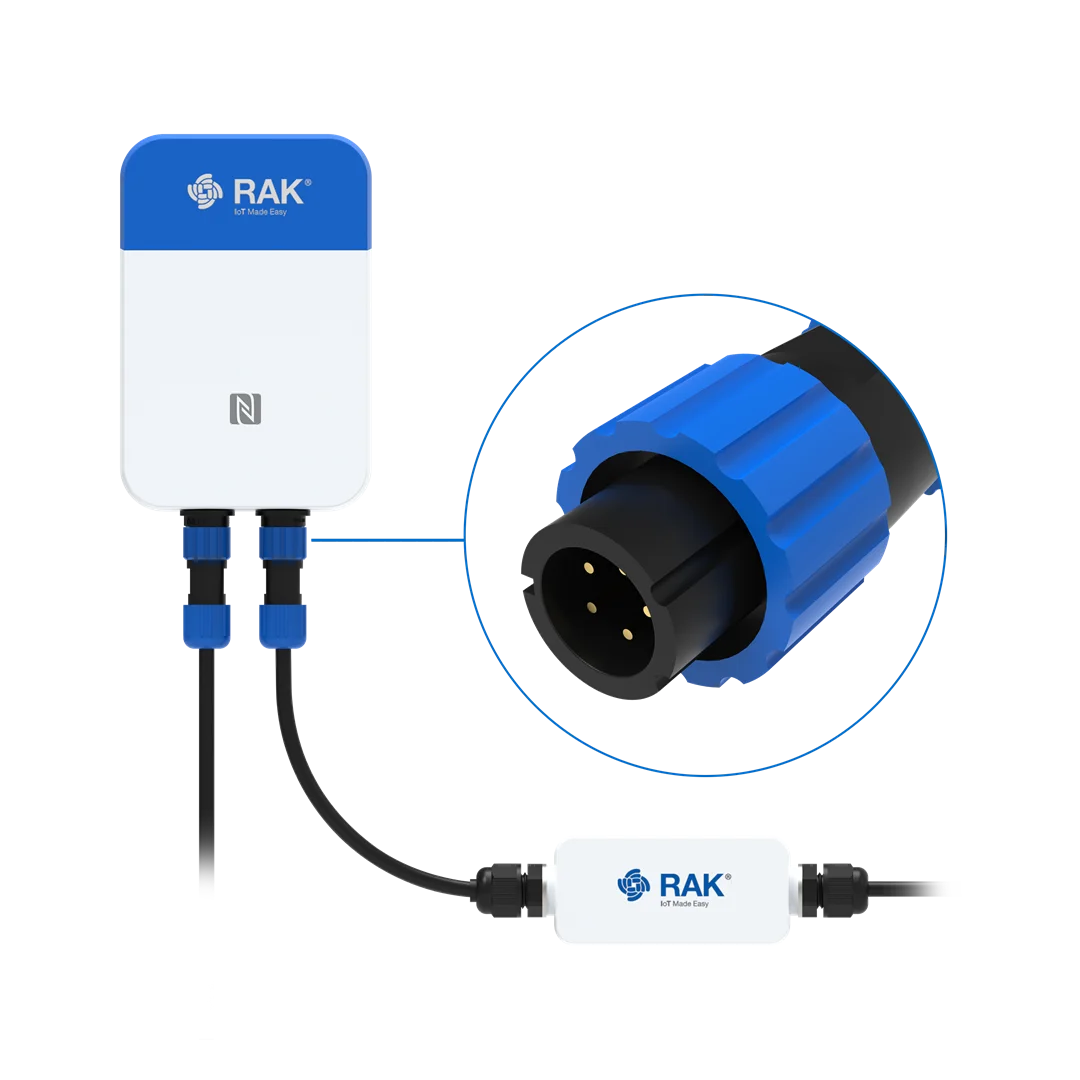 Figure 1: Connect the Sensor Probe IO
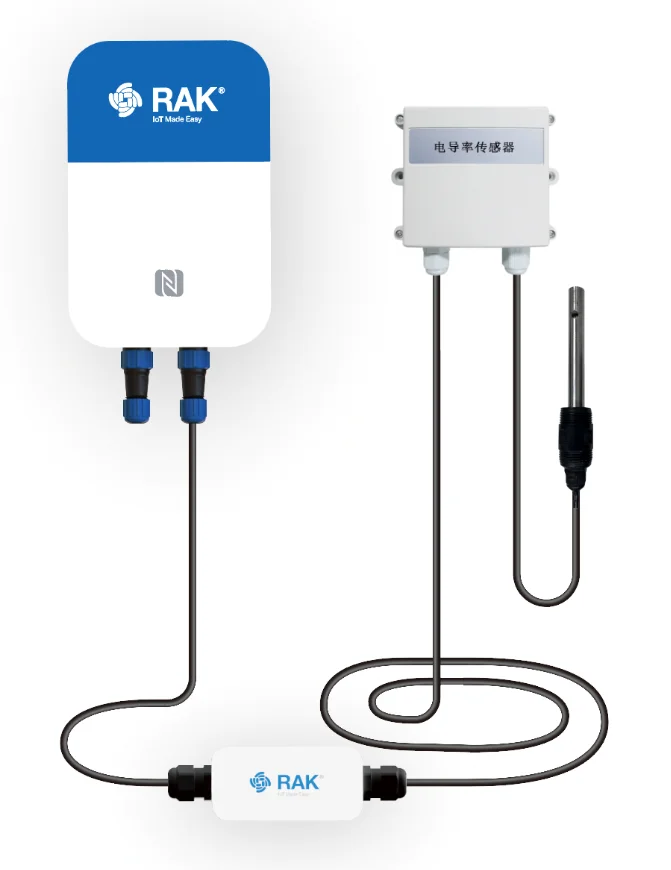 Figure 1: Installation completed
Power Supply Setup
The Sensor Hub relies on the Sensor Probe IO for connectivity to the water conductivity monitoring sensors. Consequently, it cannot be powered by batteries alone and requires a connection to either a solar panel or a 12 VDC power supply for operation.
RAK9154 Solar Battery Installation
Mount the bracket on a pole with a 50-80 mm diameter. For larger poles, use a bigger steel strap. The standard kit does not include a larger steel strap. Purchase separately if needed.
- Secure the mounting bracket to the pole using two steel straps.
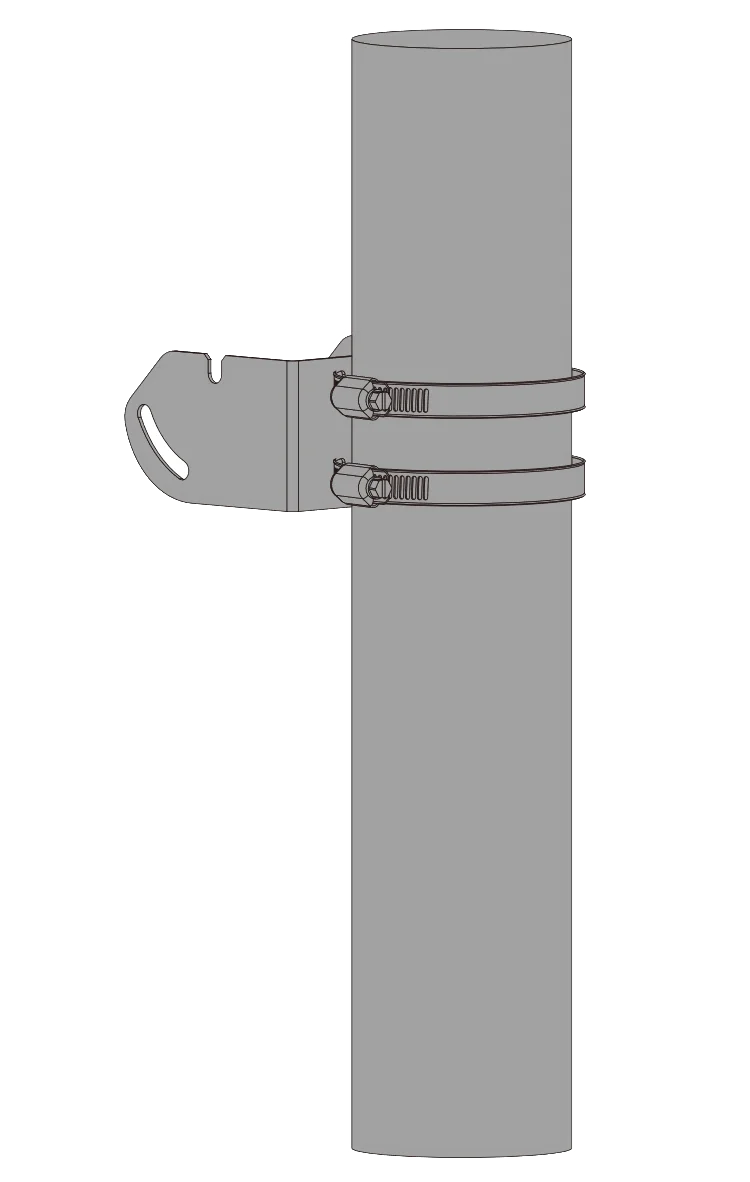 Figure 1: Secure the mounting bracket
- Attach the mounting plate to RAK9154 using two (2) M3 screws.
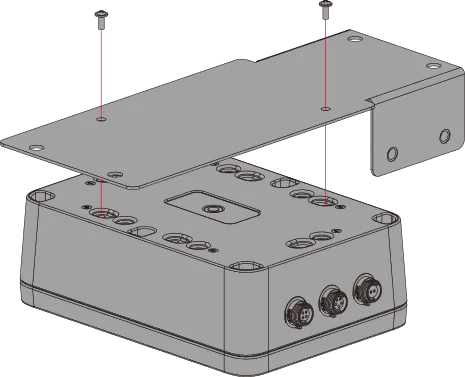 Figure 1: Attach the mounting plate
- Secure RAK9154 onto the back of the solar panel using four (4) screws and nuts..
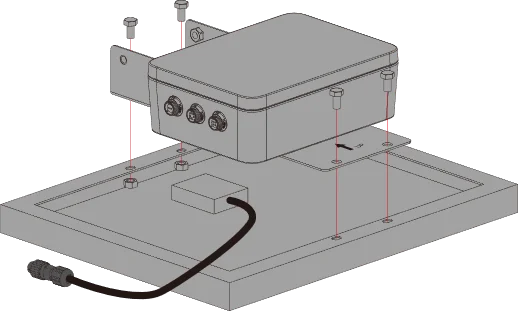 Figure 1: Attach RAK9154 to solar panel
- Connect the cable of the solar panel to the PV Input connector of RAK9154. Install two (2) M6 screws to the mounting plate and leave a gap of about 3 mm.
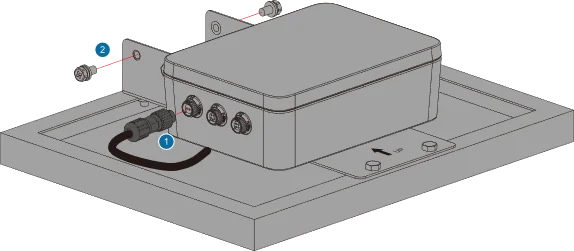 Figure 1: Connector the RAK9154
- Suspend the solar panel on the mounting bracket, adjust its angle and direction, and then tighten the two (2) M6 screws along with the remaining two screws.
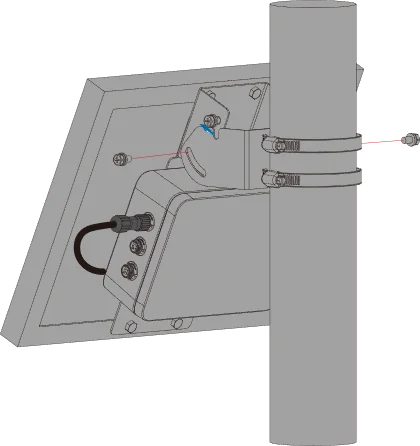 Figure 1: Install the solar panel combination
- Connect the Sensor Hub to the RAK9154. Use a cable to link the remaining connection ports of the Sensor Hub to the lithium battery Output 1 SP11 connection port of the RAK9154.
When connecting to RAK9154, ensure that the Sensor Hub is connected to the Output 1 connection port.
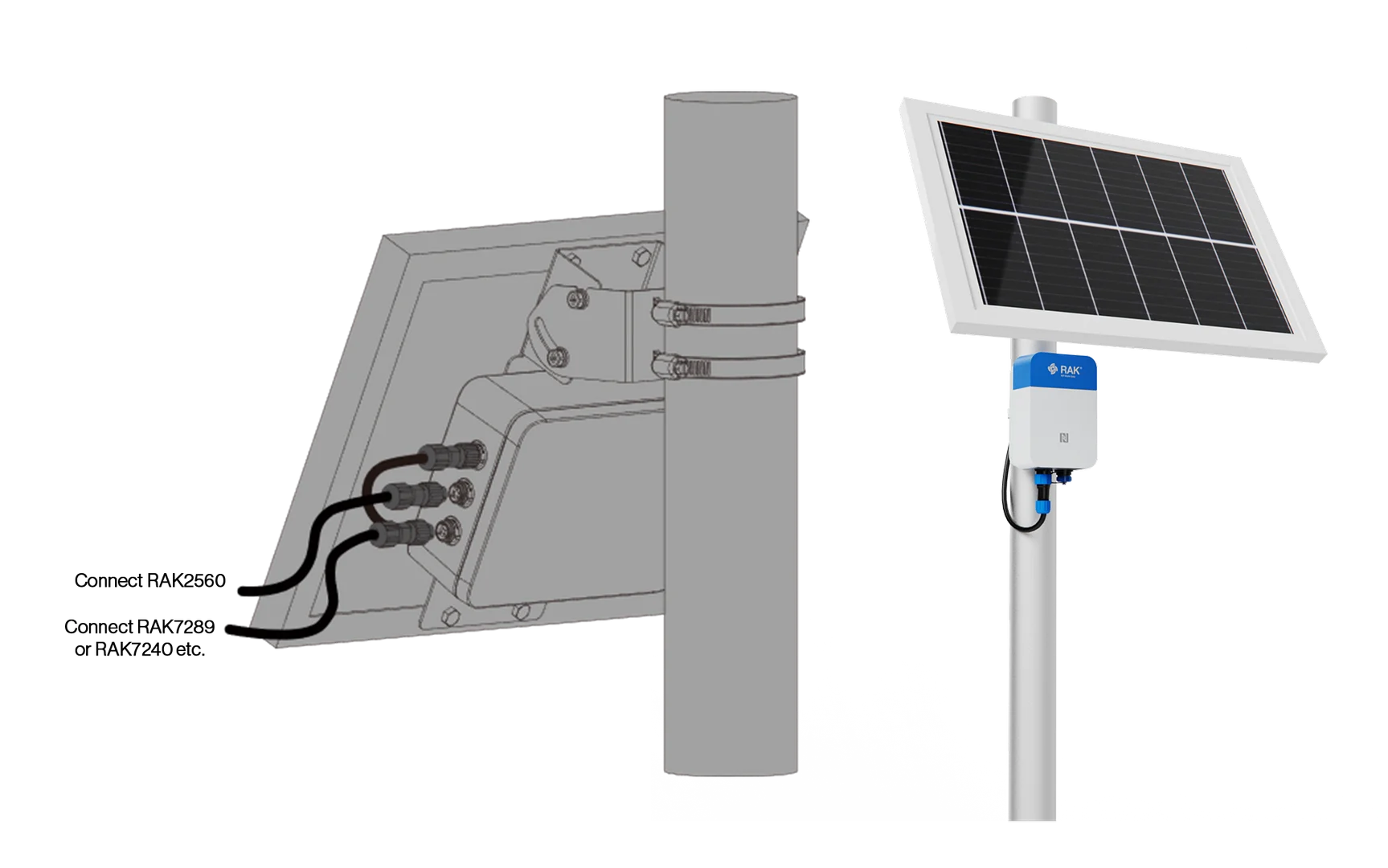 Figure 1: Connect the Sensor Hub and RAK9154
- Once the connection is complete, Sensor Hub is ready to be powered up.
12 VDC Power Supply Installation
- Connect the power adapter and the external power cable of the Sensor Hub through the circular DC interface.
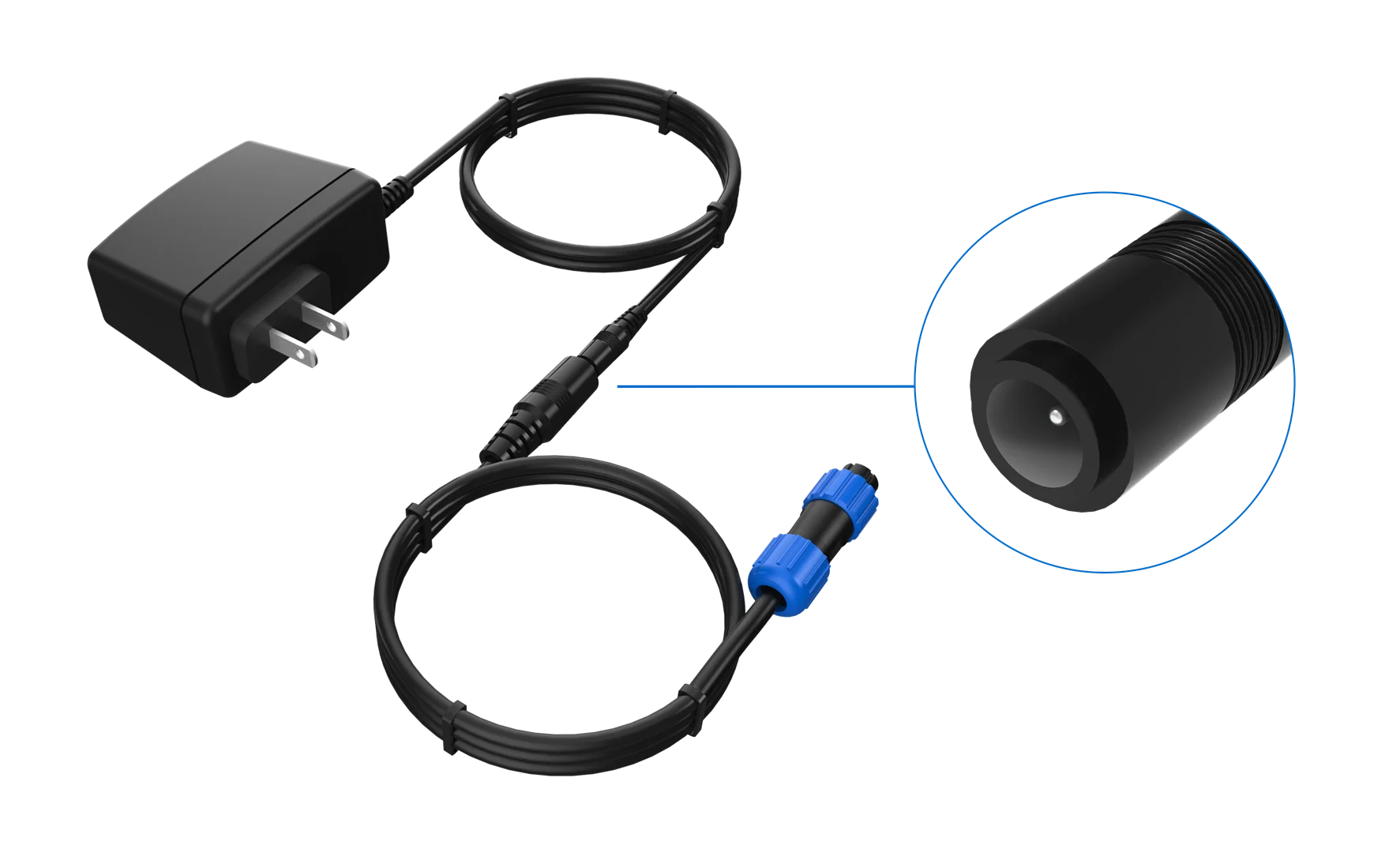 Figure 1: Power Adapter Connection
-
Connect the external power cable to the Sensor Hub through the SP11 connector.
-
Align the white dot symbol on the SP11 connector plug of the external power cable with the white dot mark on the Sensor Hub SP11 connector socket and push the plug firmly into the socket.
-
After the plug and socket are connected, tighten the locking nut to secure the SP11 connector. The external power cable can connect to any Sensor Hub connection port.
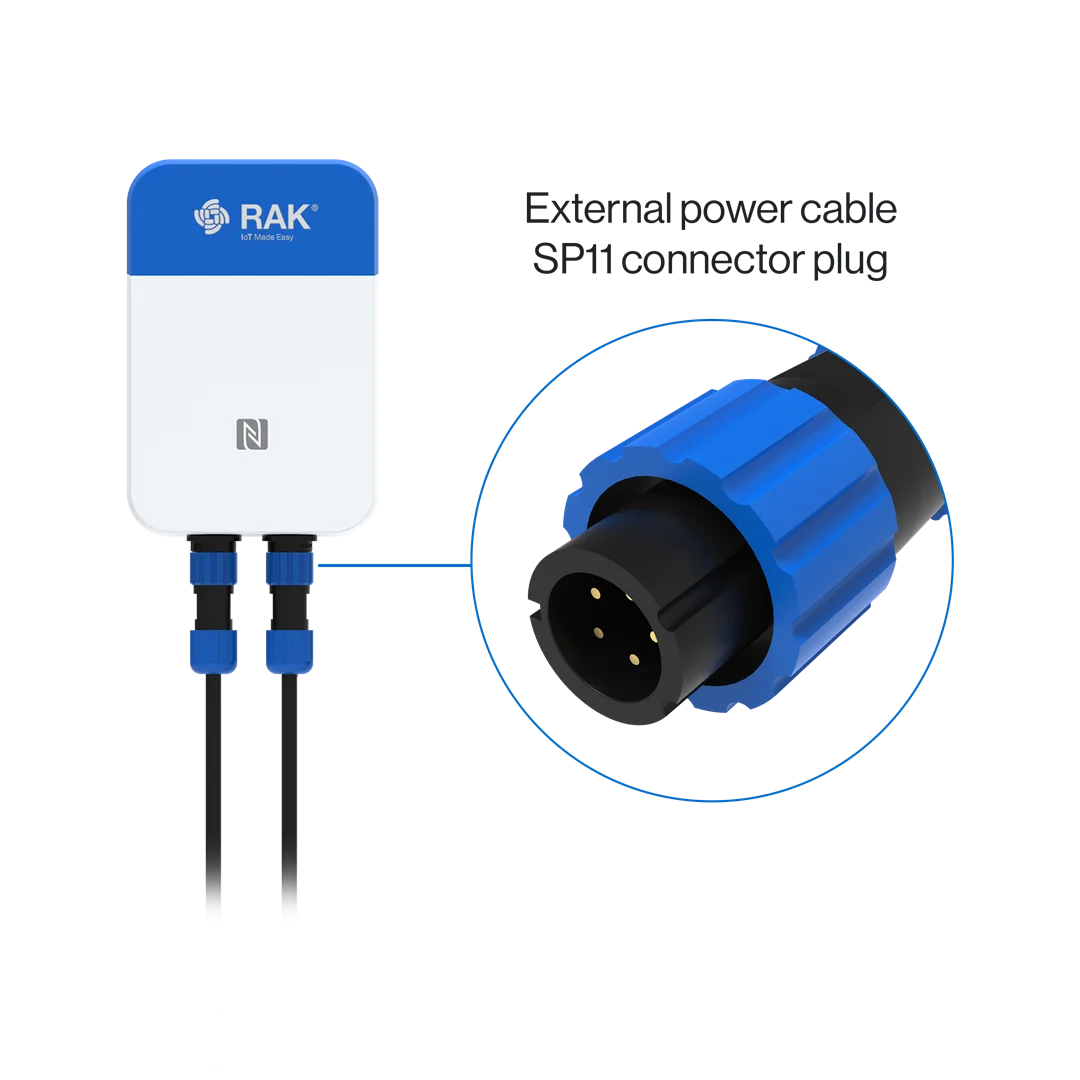 Figure 1: Connect the external power cable
Software Configuration Guide
Sensor Hub Configuration
Power Up Sensor Hub
After installing all hardware, connect the power supply. If the power supply consists of a solar panel and a battery, the device will power on automatically once all hardware has been installed.
To prevent damage to the device, avoid powering up the Sensor Hub before connecting it to the sensor. For optimal performance, use the 12 VDC adapter provided with the Sensor Hub.
Connect Sensor Hub to WisToolBox
-
Download and install the WisToolBox app on your smart mobile device. The WisToolBox app is available for download from the Apple App Store and the Android Google Play Store.
-
Initiate the app and confirm that NFC and Bluetooth are enabled on your mobile device. Click on START.
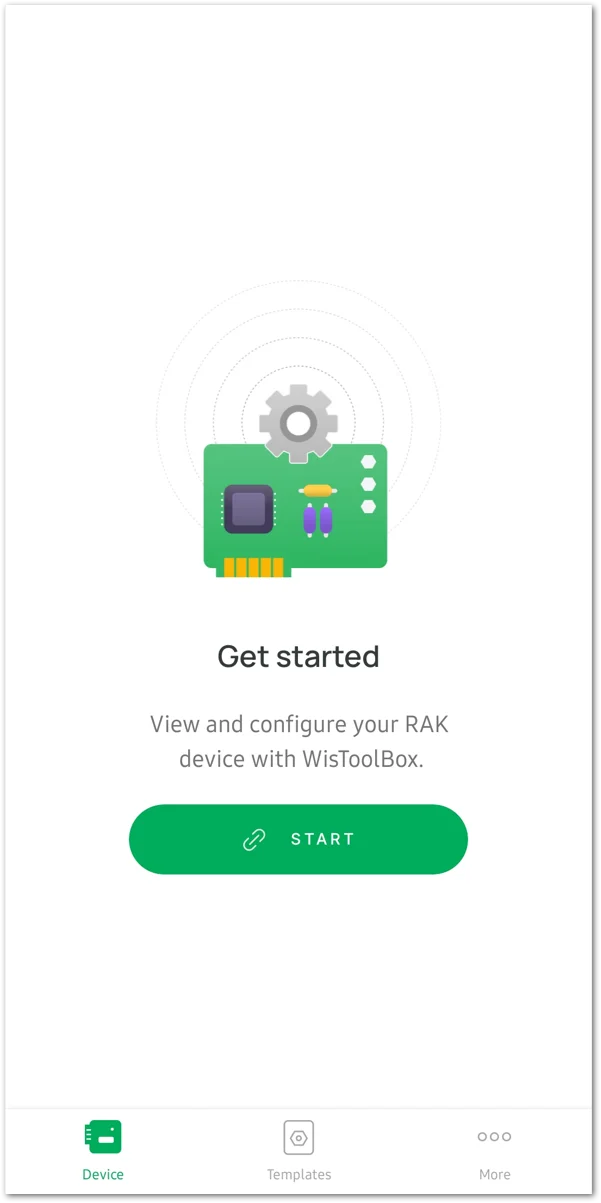 Figure 1: Start App
- On the Select connection mode menu, choose NFC Activation.
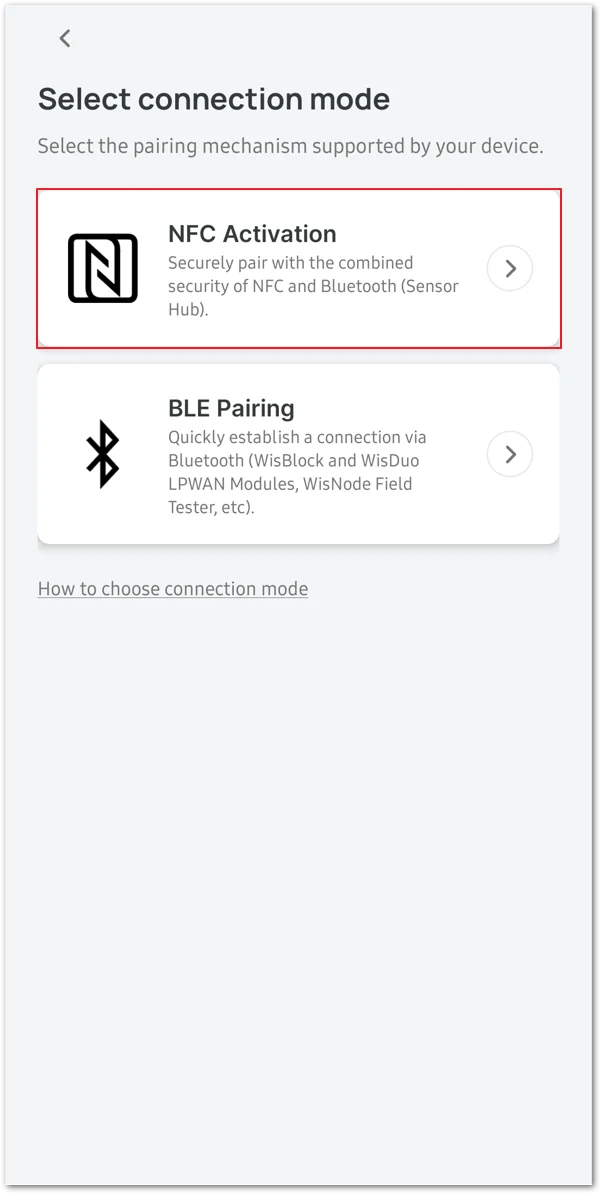 Figure 1: Select NFC Activation
- Select the Sensor HUB option in the device selection interface to establish a connection.
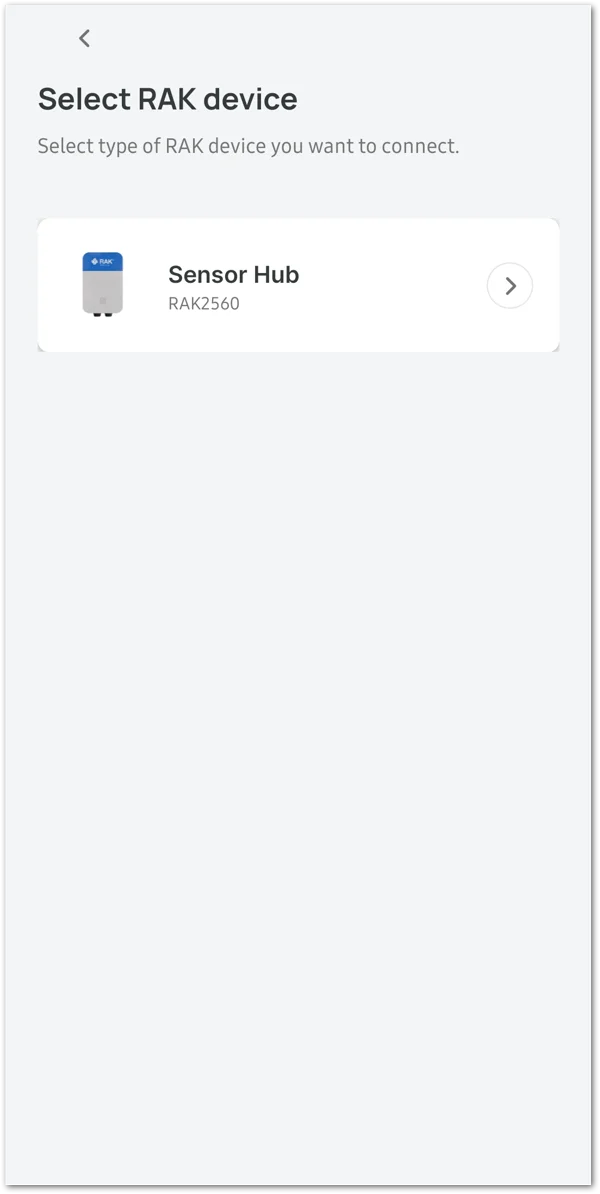 Figure 1: Select Sensor Hub
- Click the CONNECT button to initiate the scanning process for devices.
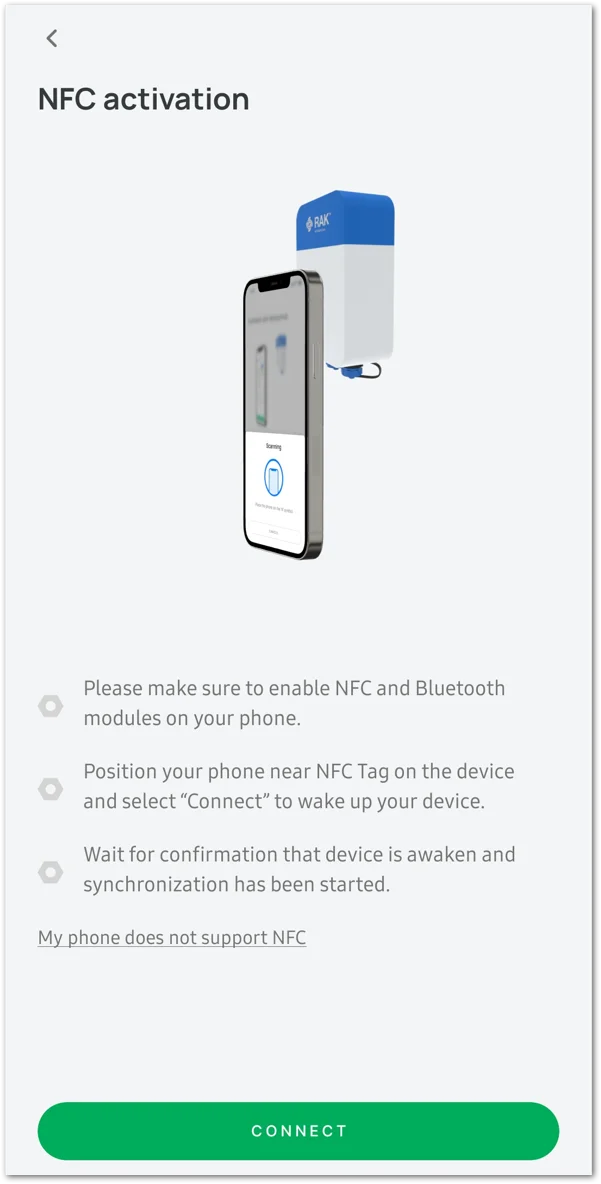 Figure 1: Click on the CONNECT button
- Hold your mobile device close to the N symbol on the Sensor Hub device.
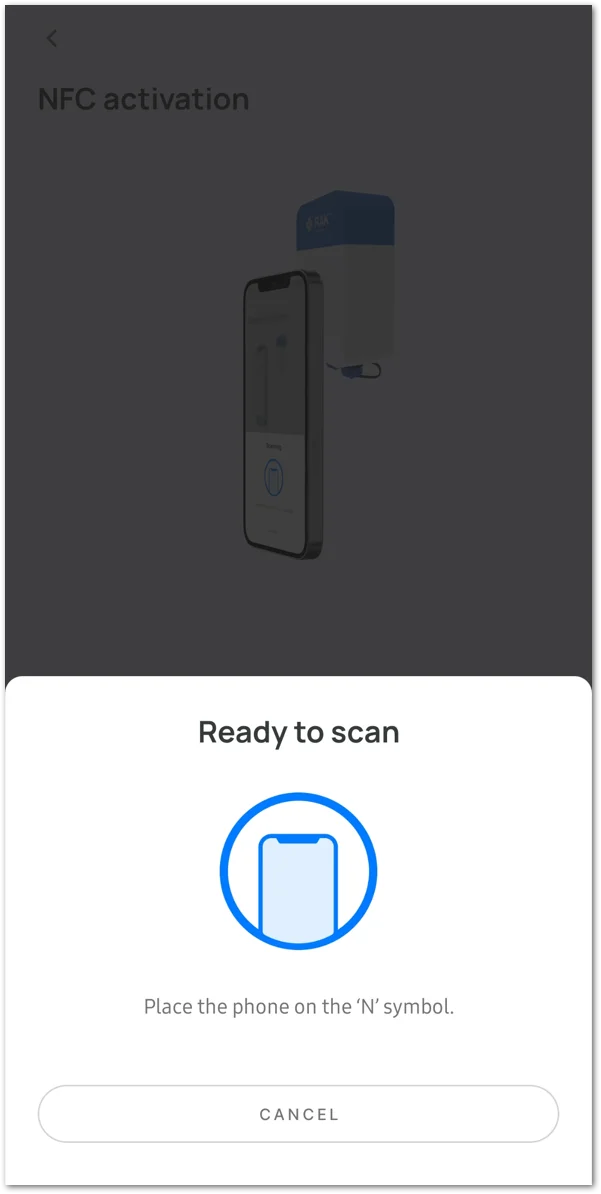 Figure 1: Scanning in progress
The detection of the Sensor Hub device indicates that the device has been successfully powered up.
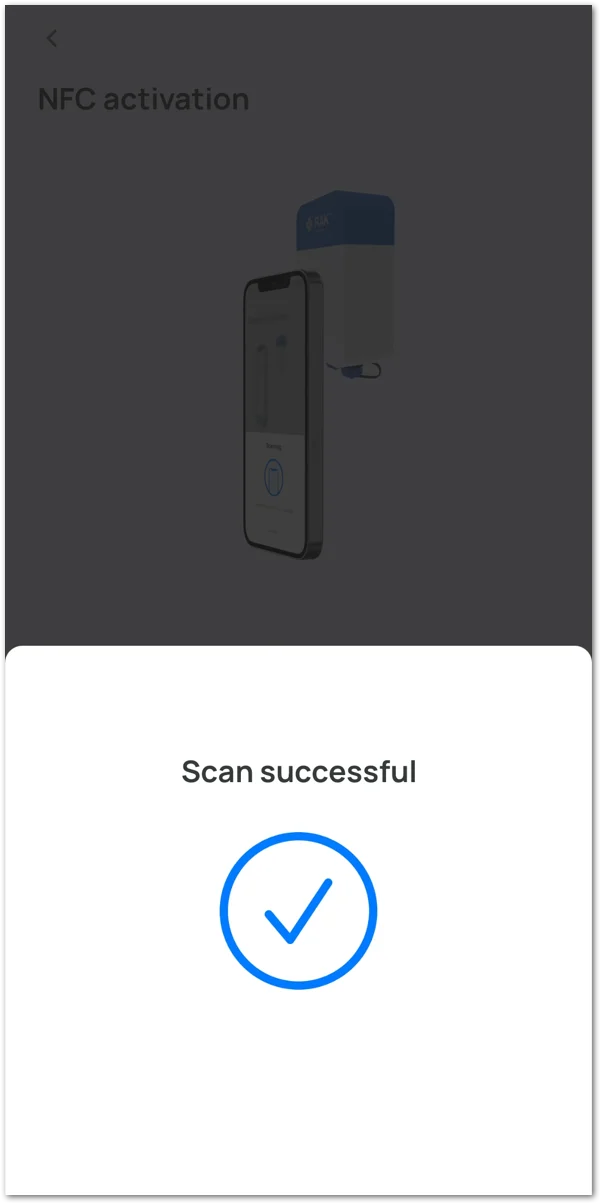 Figure 1: Scan Successful
- After the connection is established, there will be a synchronization of device data. This process may take some time.
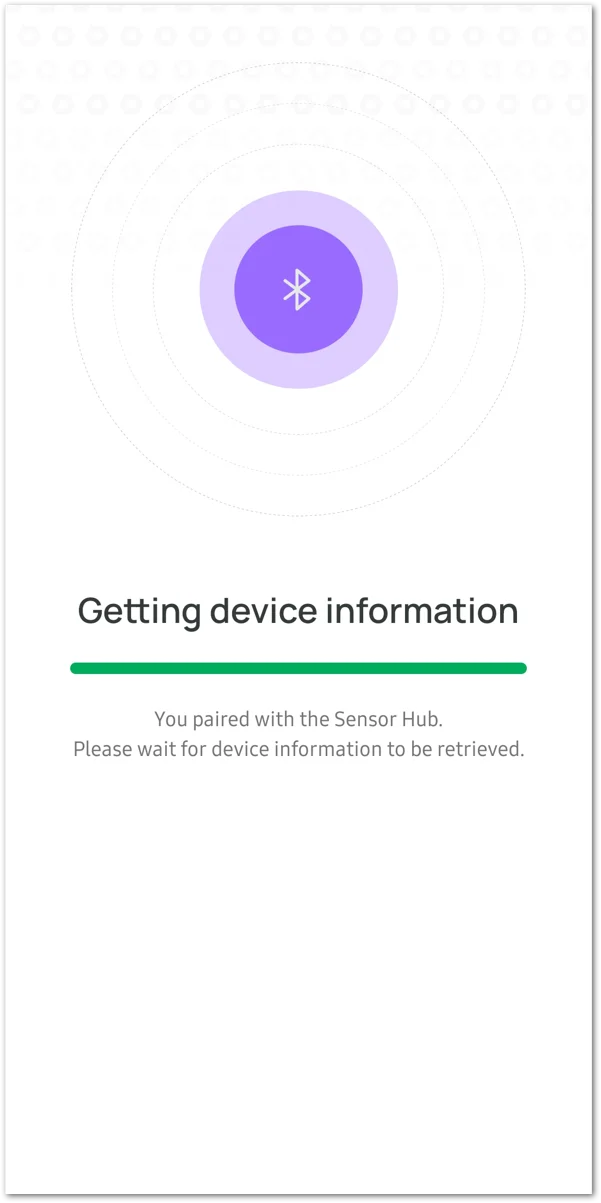 Figure 1: Sync Device
-
By default, if no connection is established within 30 seconds, the BLE broadcast of the Sensor Hub will automatically shut down. To establish a connection, connect the RAK device immediately after turning on the power or restart the power.
-
Certain Android smartphones may necessitate enabling GPS to connect to BLE. Enabling GPS does not involve the use or sharing of sensitive information with the app.
- Upon completion of data synchronization, the app will automatically transition to the SENSOR HUB INFO page.
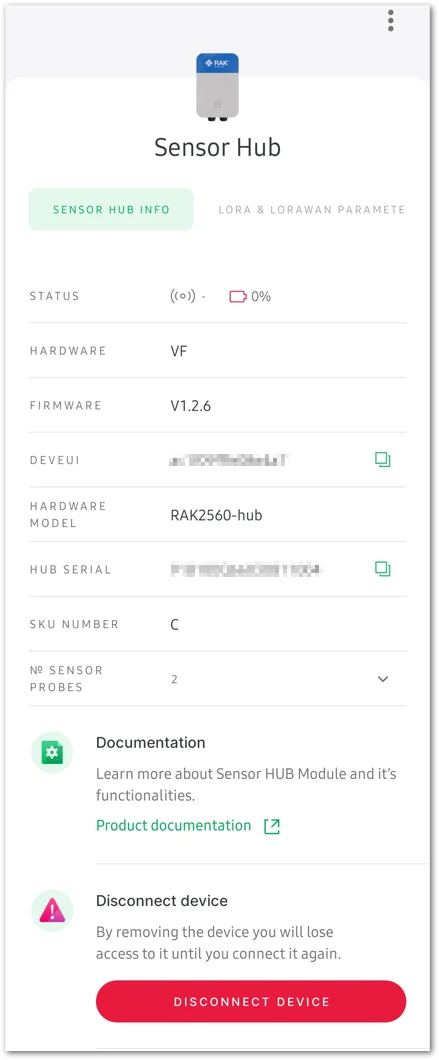 Figure 1: SENSOR HUB INFO page
- While on the SENSOR HUB INFO page, configure the Uplink Settings according to the selected network.
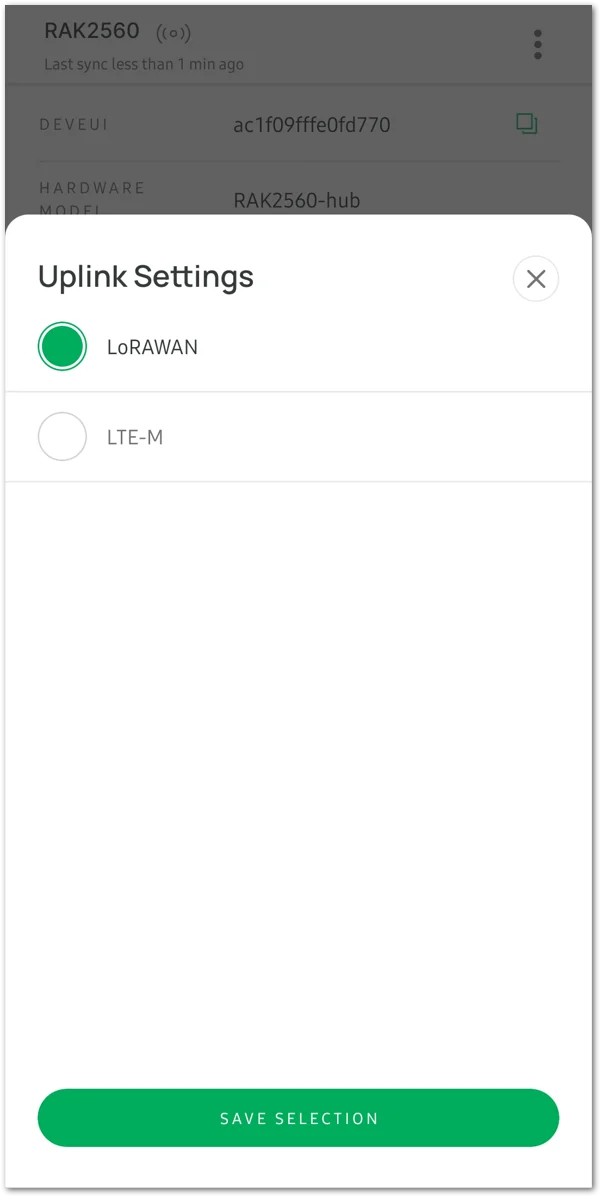 Figure 1: Uplink Settings option
- Once configured, click SAVE SELECTION, and then the APPLY to implement the configuration options.
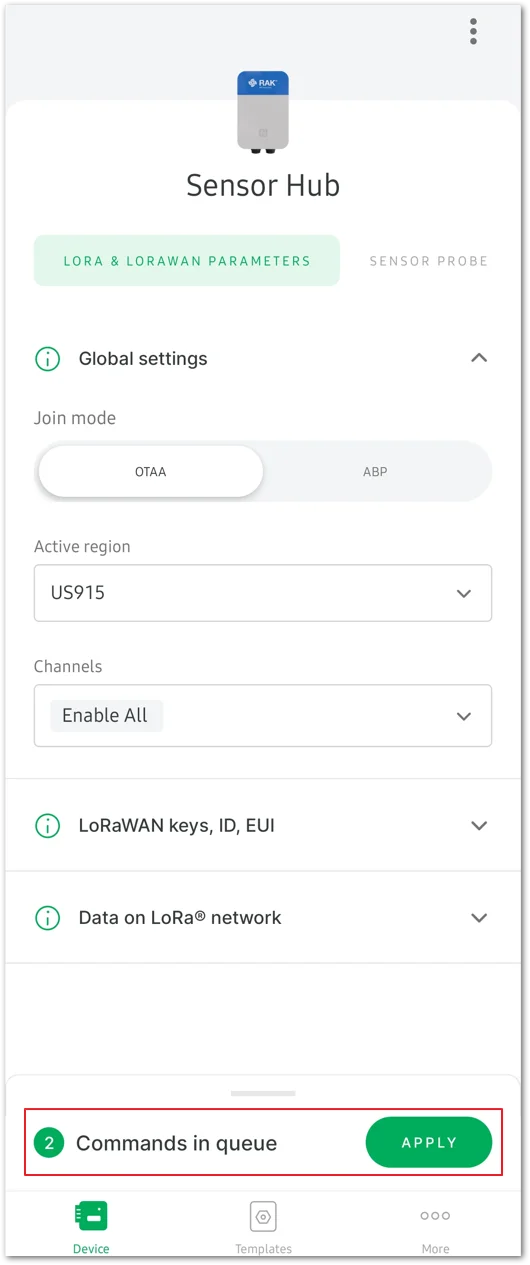 Figure 1: Apply the configuration options
After a few seconds, the synchronization progress will be completed, concluding this process.
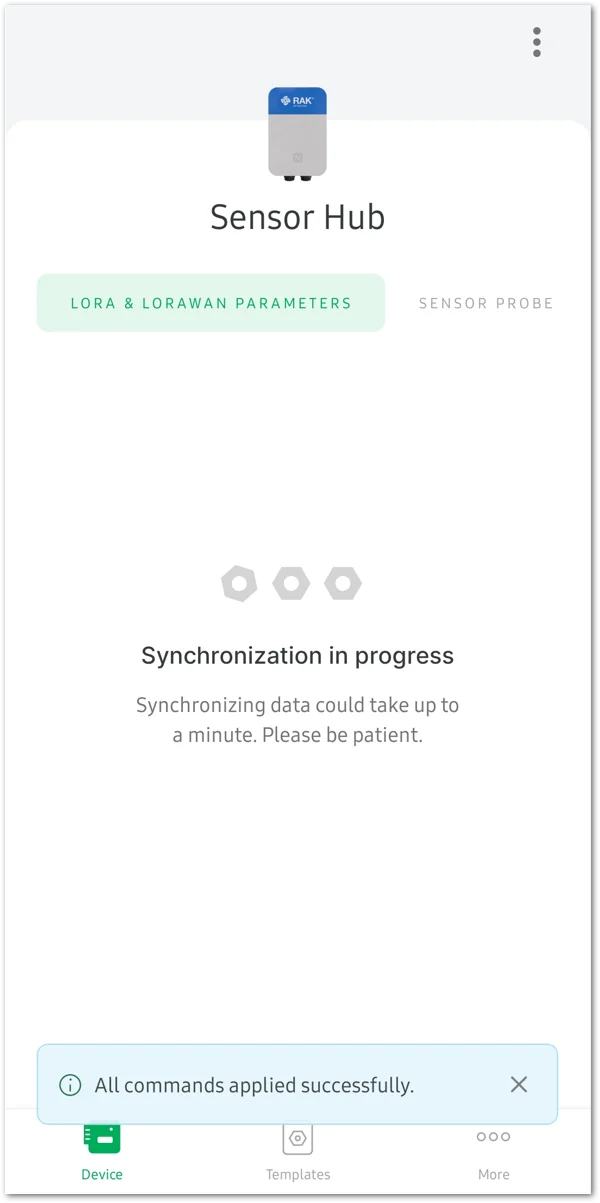 Figure 1: Commands applied successfully
Sensor Hub Network Configuration
LoRaWAN Configuration
This section focuses on configuring the LoRaWAN parameters and joining the network. Before proceeding with the following steps, ensure that the gateway and Sensor Hub are connected to the server.
Refer to the Connect Gateway to TTN and Connect Sensor Hub to TTN sections for detailed instructions.
- Click the LORA & LORAWAN PARAMETERS tab. Configure the following parameters:
- Global settings
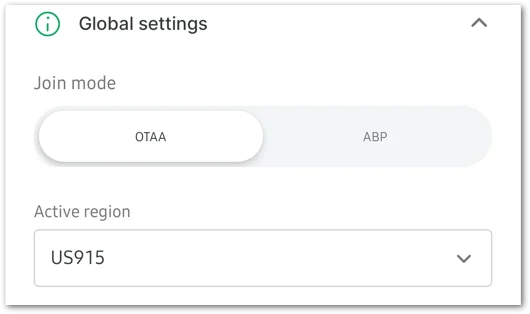 Figure 1: Global Settings
-
Join mode: Configure the Join mode based on the device's network access mode: Over-The-Air Activation (OTAA) or Activation By Personalization (ABP). Make sure it matches the join mode registered on the network server.
-
Active region: Set the Active region to the device's frequency plan. Ensure that it is consistent with the gateway and device frequency plan registered on the network server.
Supported frequency bands: CN470, RU864, IN865, EU868, US915, AU915, KR920, AS923-1/2/3/4.
-
For the OTAA join mode, configure the following parameters: Application EUI, Application key, and Device EUI.
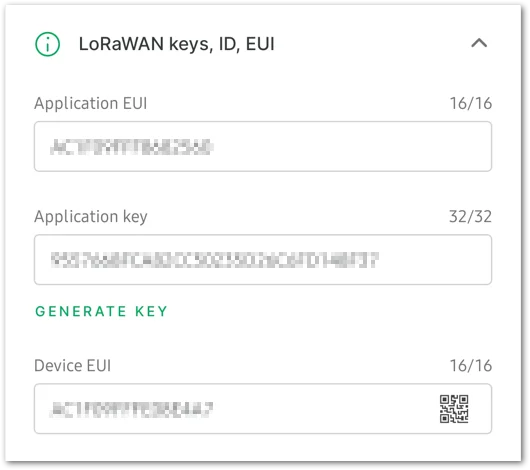 Figure 1: OTAA join mode configuration
- Application EUI: Confirm that it matches the device's Application EUI as registered in the network server.
- Application key: Verify its alignment with the device's Application key registered in the network server. Click GENERATE KEY to create a new key if needed.
- Device EUI: Confirm that it matches the Device EUI registered in the network server.
-
For the ABP join mode, configure the required parameters: Application session key, Device address, and Network session key.
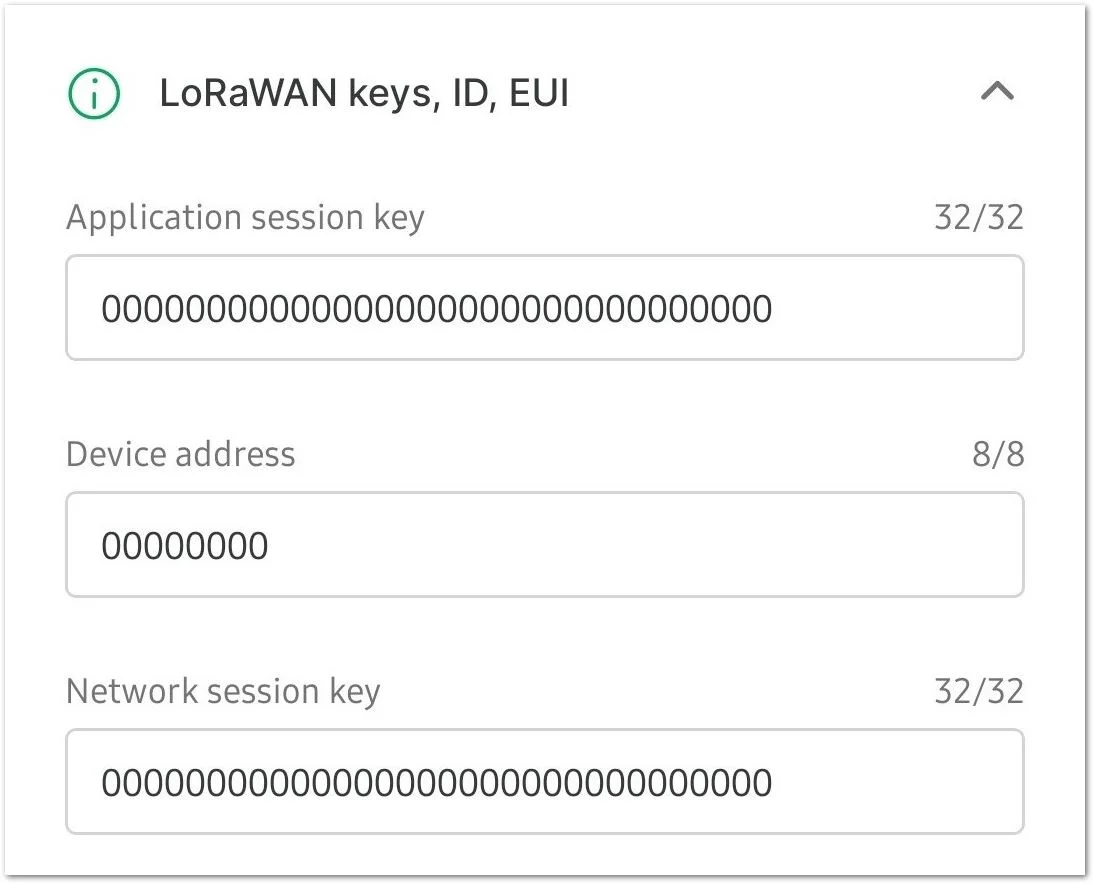 Figure 1: ABP join mode
- Data on LoRa® network
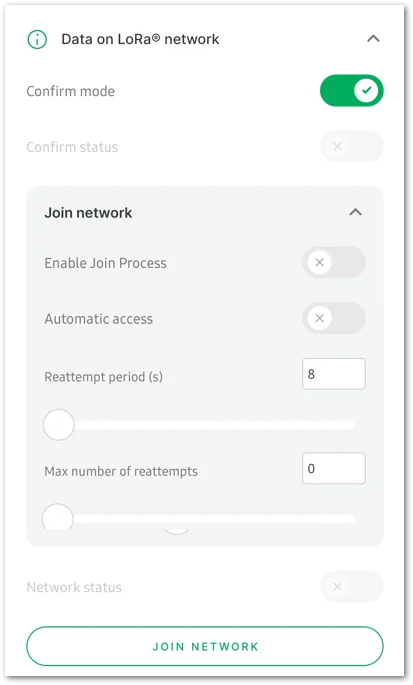 Figure 1: Data on LoRa network
- Confirm mode: Message confirmation mode.
- Enable auto join: Determine whether to activate automatic network access. When enabled, the device will join the network automatically upon powering up.
- Network status: Indicates the status of the network connection. It will activate automatically once connected to the network.
- ADR: The Adaptive Data Rate optimizes the data rates in the network. Toggle the button to enable and disable it.
- JOIN NETWORK: After completing the network parameter configuration, click the JOIN NETWORK button to run the join network command.
- After clicking JOIN NETWORK, a Message sent message will appear, indicating that the join network command has been sent.
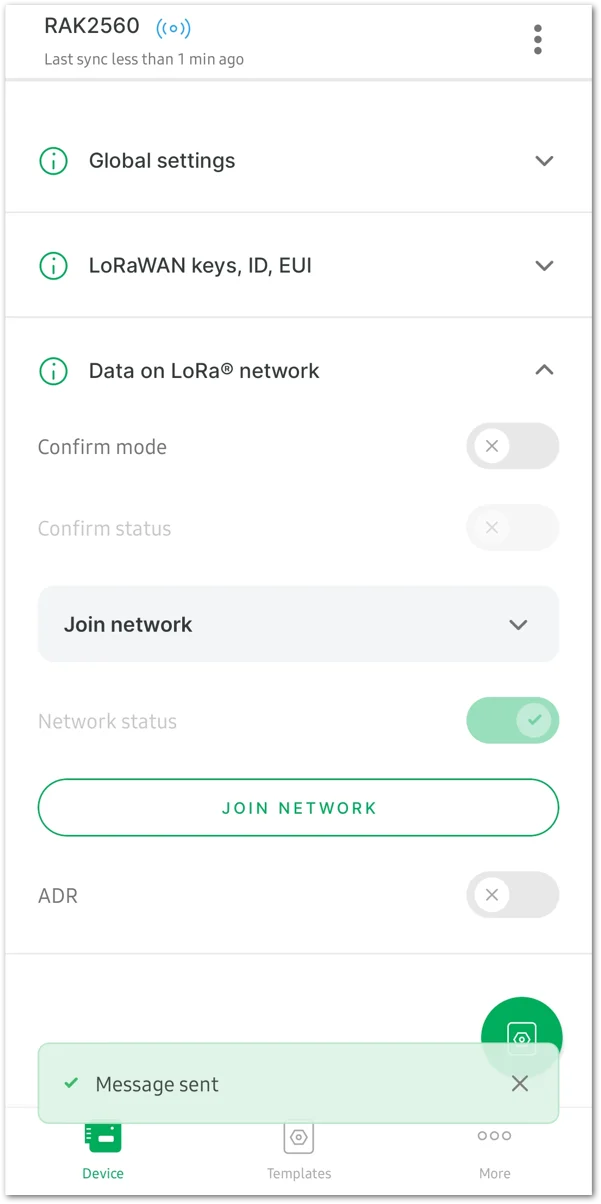 Figure 1: Join the Network
NB-IoT/LTE CAT-M1 Configuration
This section primarily introduces the configuration of LTE-M network parameters. If you are using the NB-IoT/LTE CAT-M1 network, after connecting the device, select LTE-M in the Uplink Settings options on the SENSOR HUB INFO interface to display the LTE-M PARAMETERS configuration tab.
- Click the LTE-M PARAMETERS tab and check the following parameters to ensure that the network is working properly.
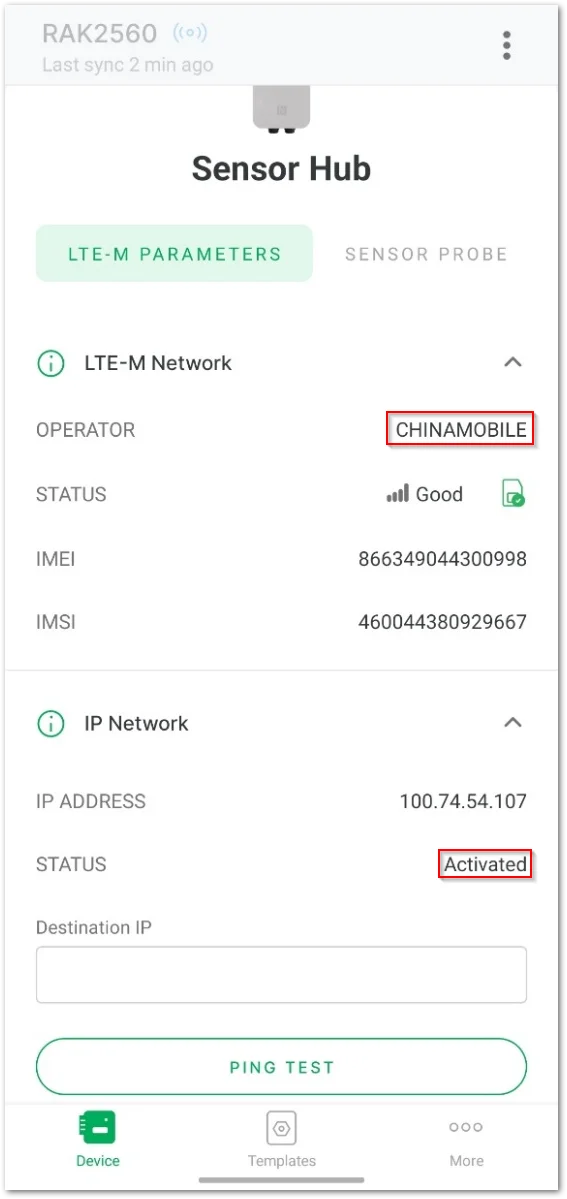 Figure 1: View the LTE-M Parameters tab
- OPERATOR: shows the Network operator. If the operator's name is displayed (for example, CHINAMOBILE), it indicates that the device has recognized the SIM card.
- STATUS: if the status is Activated, it signifies that the network of the SIM card is functioning normally.
- Select the Application option to configure the cellular network parameters.
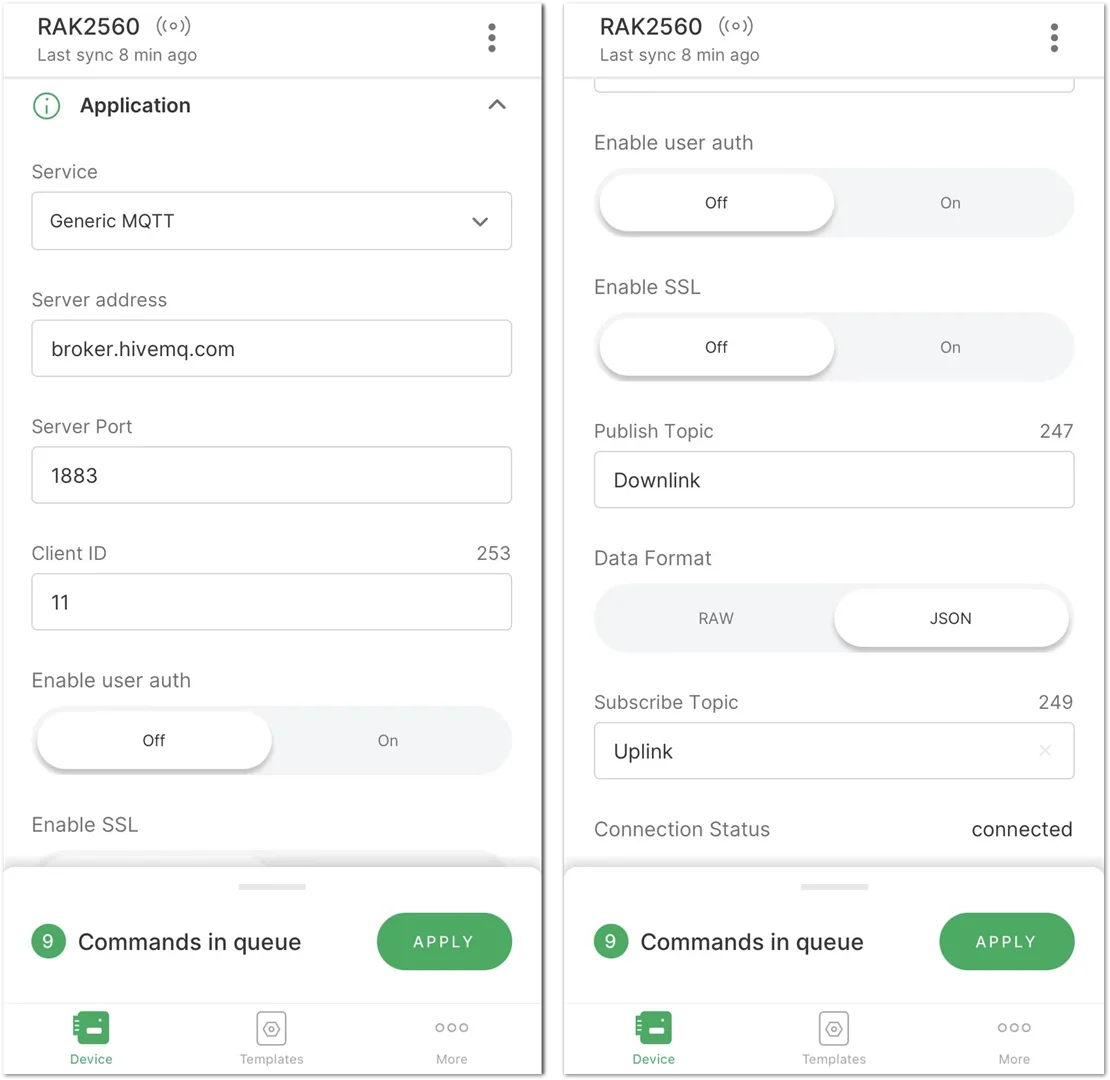 Figure 1: Configure the cellular network parameters
- Service: Choose a service, either AWS IoT Core or Generic MQTT. For this guide, use Generic MQTT as an example.
- Server address: Input the server address. Using the external MQTT broker as an example, enter
broker.hivemq.com. Enter the address based on your specific use case. - Server Port: Specify the server port according to your configuration.
- Client ID: Set the client ID for your device.
- Enable user auth: Decide whether to activate user authentication for your device.
- Enable SSL: Decide whether to activate SSL (Secure Sockets Layer) for secure communication.
- Publish Topic: Specify the topic for publishing messages.
- Data Format: Select JSON as the preferred format for data transmission.
- Subscribe Topic: Subscribe to the topic for receiving incoming messages, as illustrated in this example.
- Following the configuration, click APPLY in the command list at the bottom of the interface to implement the changes. If the message All commands applied successfully appears, it indicates a successful configuration modification.
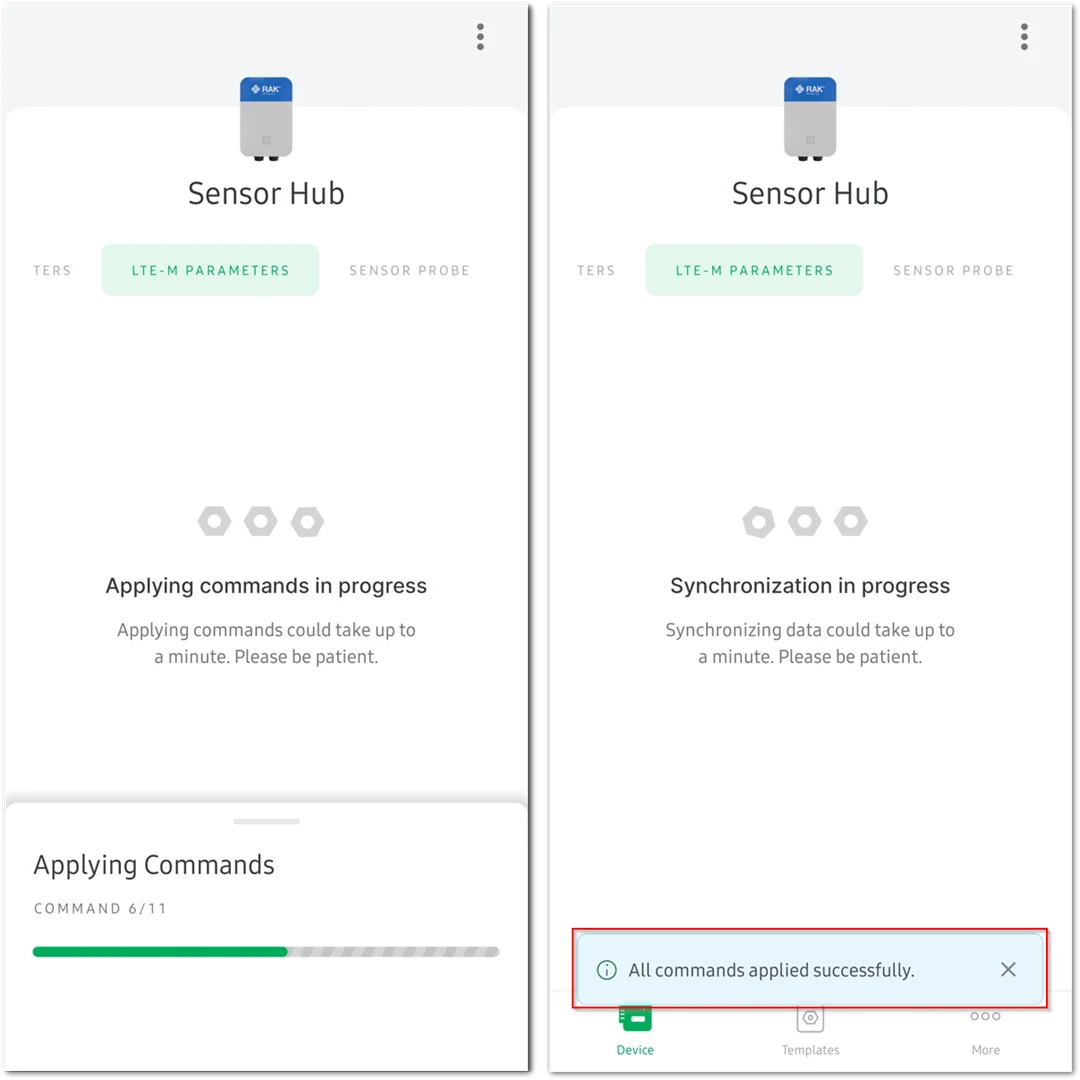 Figure 1: Apply the modified configuration
- When configured correctly and successfully connected to the server, the Connection Status will display as connected.
 Figure 1: Successfully connected to the server
Sensor Configuration
This section details the configuration process of the water conductivity sensor. It shows how to access the monitoring data and device details of the water conductivity sensor. Additionally, there’s an option to configure other information for each monitoring parameter, such as the uplink data sending period and threshold.
- To start with, click the SENSOR PROBE tab to display the connected water conductivity sensor.
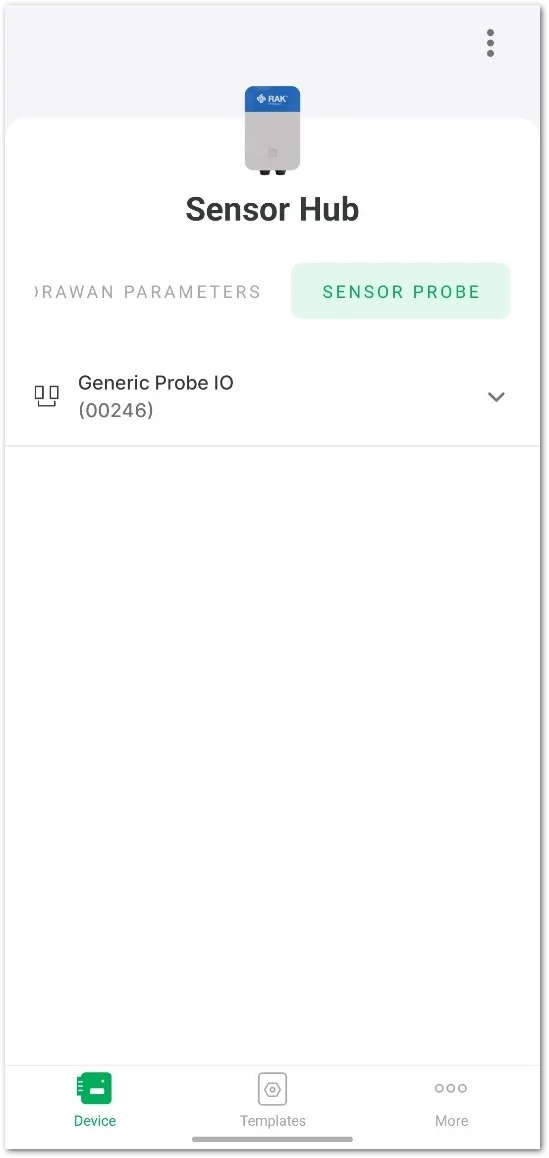 Figure 1: Water Conductivity sensor
- Click the dropdown to expand the details of the water conductivity sensor.
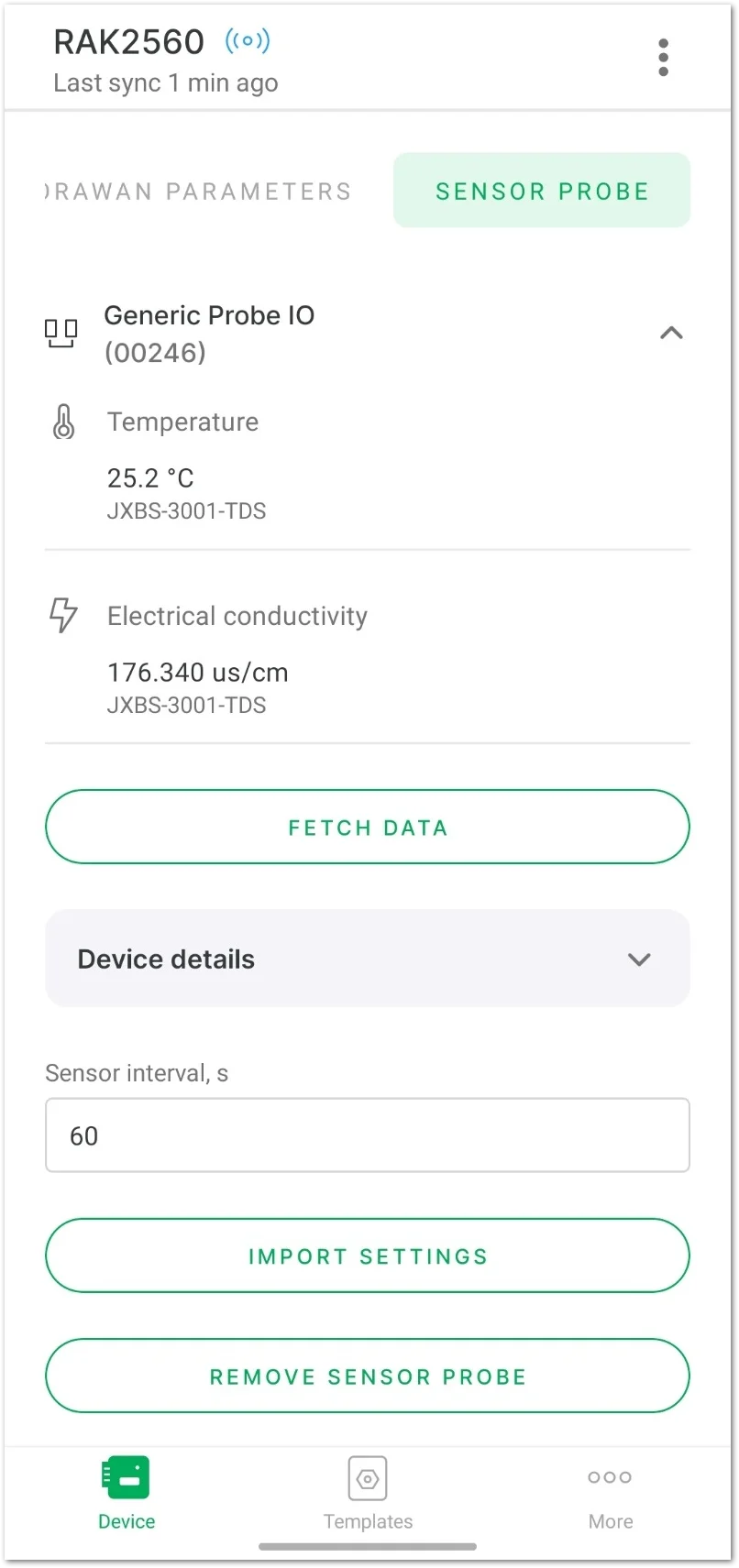 Figure 1: Sensor details
- Temperature
- Electrical Conductivity
- FETCH DATA: Update the monitoring data from the sensor.
- Device details
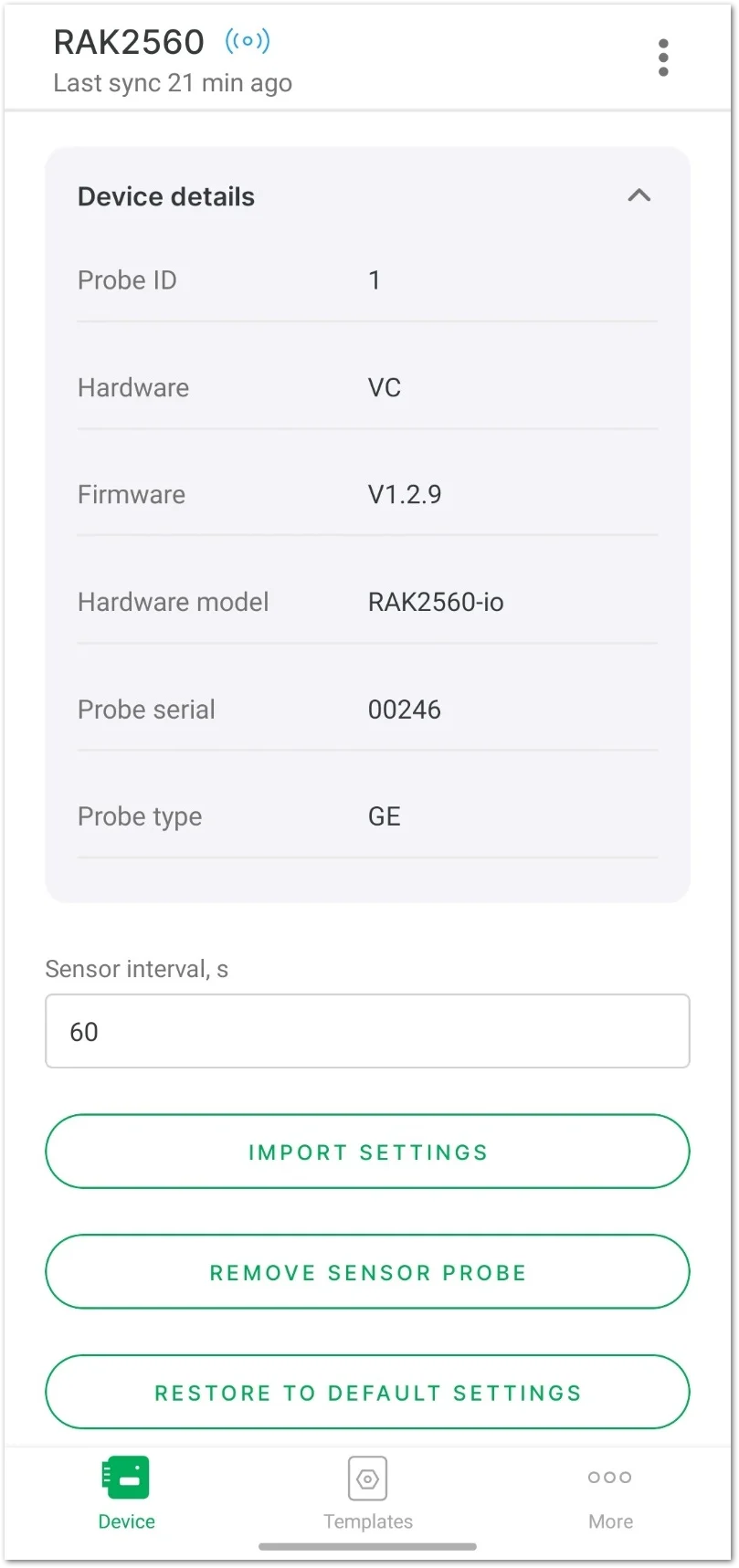 Figure 1: Sensor details
- Set the payload sensing interval of the water conductivity sensor.
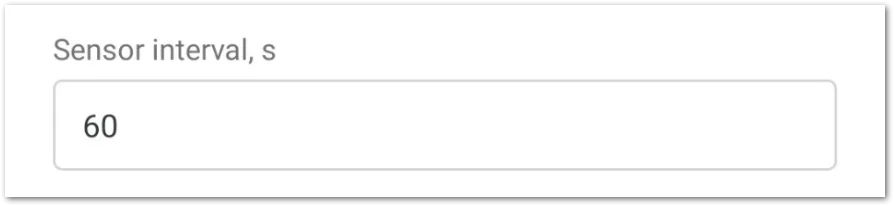 Figure 1: Set the payload sensing interval
- Sensor interval(s): The payload sending interval in seconds. It determines how often the sensor sends uplink data to the server, with a range interval from 60 ~ 86,400 seconds.
-
After completing the modifications, a message Commands in queue will appear at the bottom of the interface. Click APPLY to send the parameter update commands.
-
When the message All commands applied successfully appears on the interface, it indicates that the parameter update commands have been successfully sent.
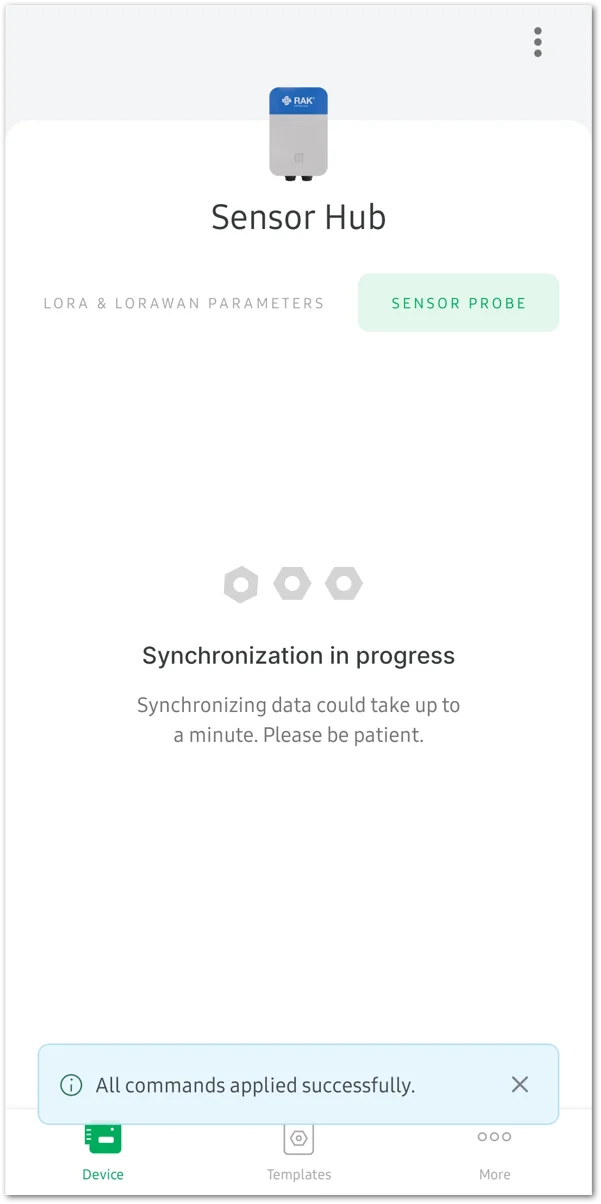 Figure 1: Commands applied successfully
- IMPORT SETTINGS
- REMOVE SENSOR PROBE: Detach the sensor.
- RESTORE TO DEFAULT SETTINGS: Reset the Sensor Probe to its default settings.
- UPGRADE SENSOR PROBE: Update the firmware of the Sensor Probe.


