Remove an Extension
Overview
This guide explains how to remove the extension from RAK7437/RAK7437C gateways through the WisGateOS 2 Web UI.
Remove the extension only when you are sure it is no longer needed or when instructed by technical support.
Before You Start
Before removing the extension, review the following carefully:
- Extension-related data and configuration may be permanently removed.
- This action cannot be undone from the Web UI.
- To use the BACnet Gateway extension again after removal, you must add it again using the appropriate extension package.
warning
Removing the extension is irreversible. Make sure you have backed up or recorded any required configuration before proceeding.
Remove the Extension
-
Navigate to Extensions > Installed and locate the extension you want to remove.
-
Click Remove.
-
A confirmation dialog will appear. In the input field, type Confirm Delete to confirm the action.
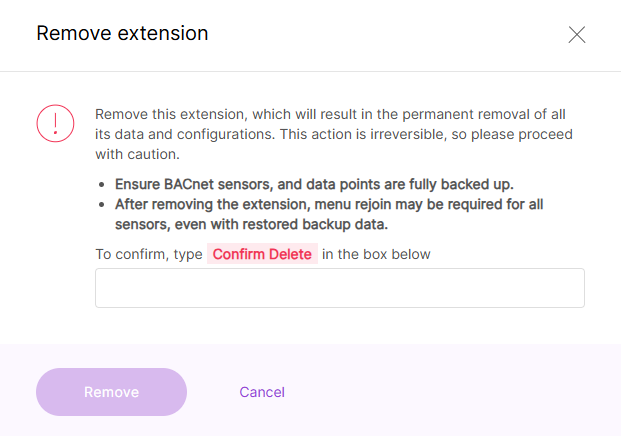 Figure 1: Remove an Extension
- Click Remove to permanently delete the extension and all associated data.


