Breathing Light
The breathing light LED is located on the top cover of the WisGate Edge Lite 2 gateways, making it easy to visually identify the gateway's status. This extension allows you to enable or disable the breathing light, which operates by default with a slowly blinking blue light.
The Breathing Light extension is available only for the WisGate Edge Lite 2 version 2 gateways.
Working Mode
By using the Breathing Light extension, the working mode, frequency, and color of the LED light are now customizable. This extension has two working modes: All and Warning Only.
- Choosing the All mode can:
- Change the Normal light color, that is the light you see when the gateway is working properly.
- Set the blinking frequency from slow, fast, and steady.
- Configure the color of the Warning light.
NOTE
The colors for the Normal and the Warning Light should not be the same.
- If you choose Warning only mode:
- The LED light will only work in case of abnormal activities like internet connection loss.
- Light's color can be modified, but not its frequency.
Install the Breathing Light Extension
To install the extension, follow the steps in Add an Extension section.
Configure the Breathing Light Extension
- To access the Breathing Light extension, click Launch.
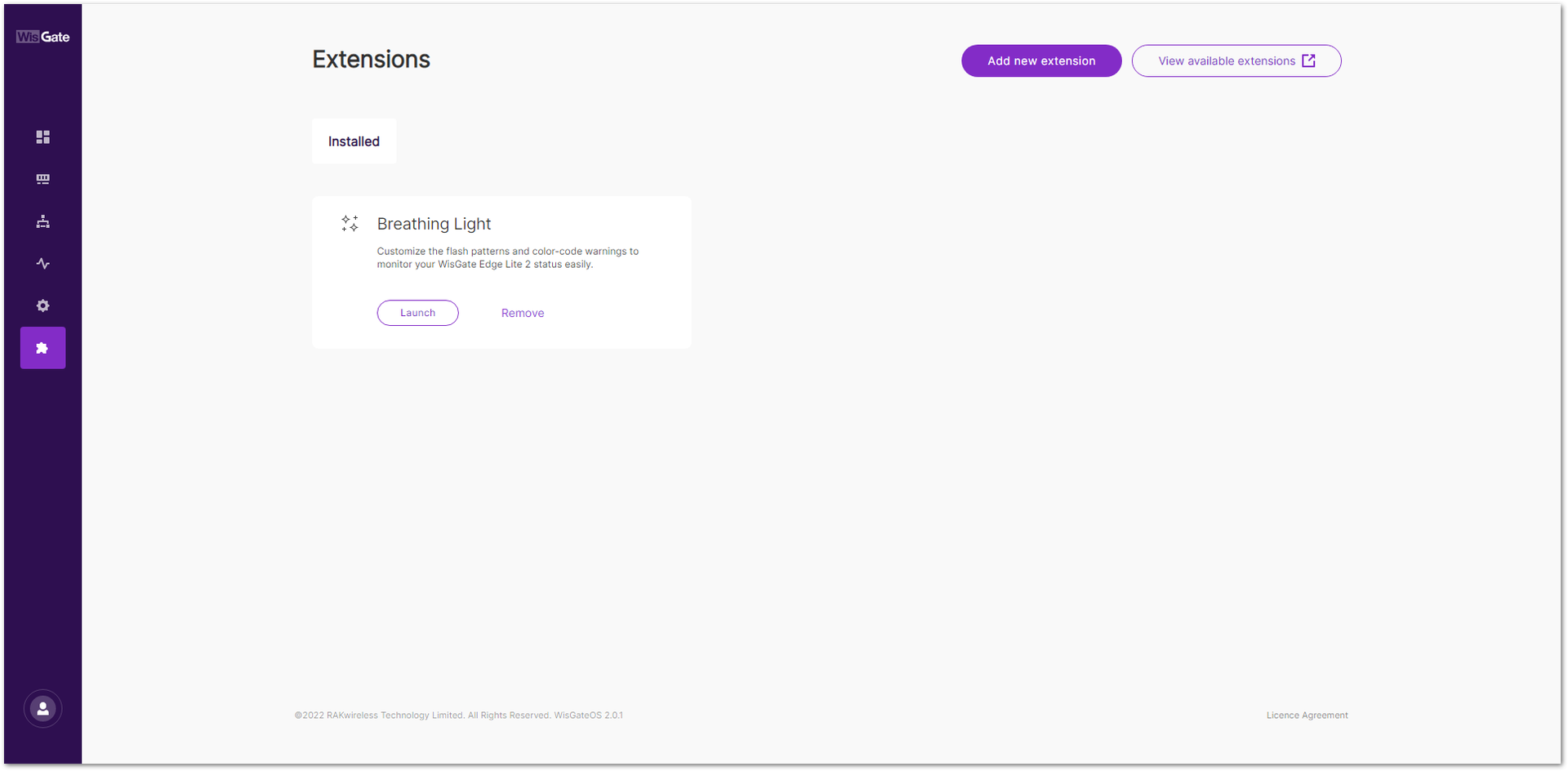 Figure 1: Launch the Breathing Light Extension
- In the Configuration page, configure the mode, color, and blinking frequency of the LED.
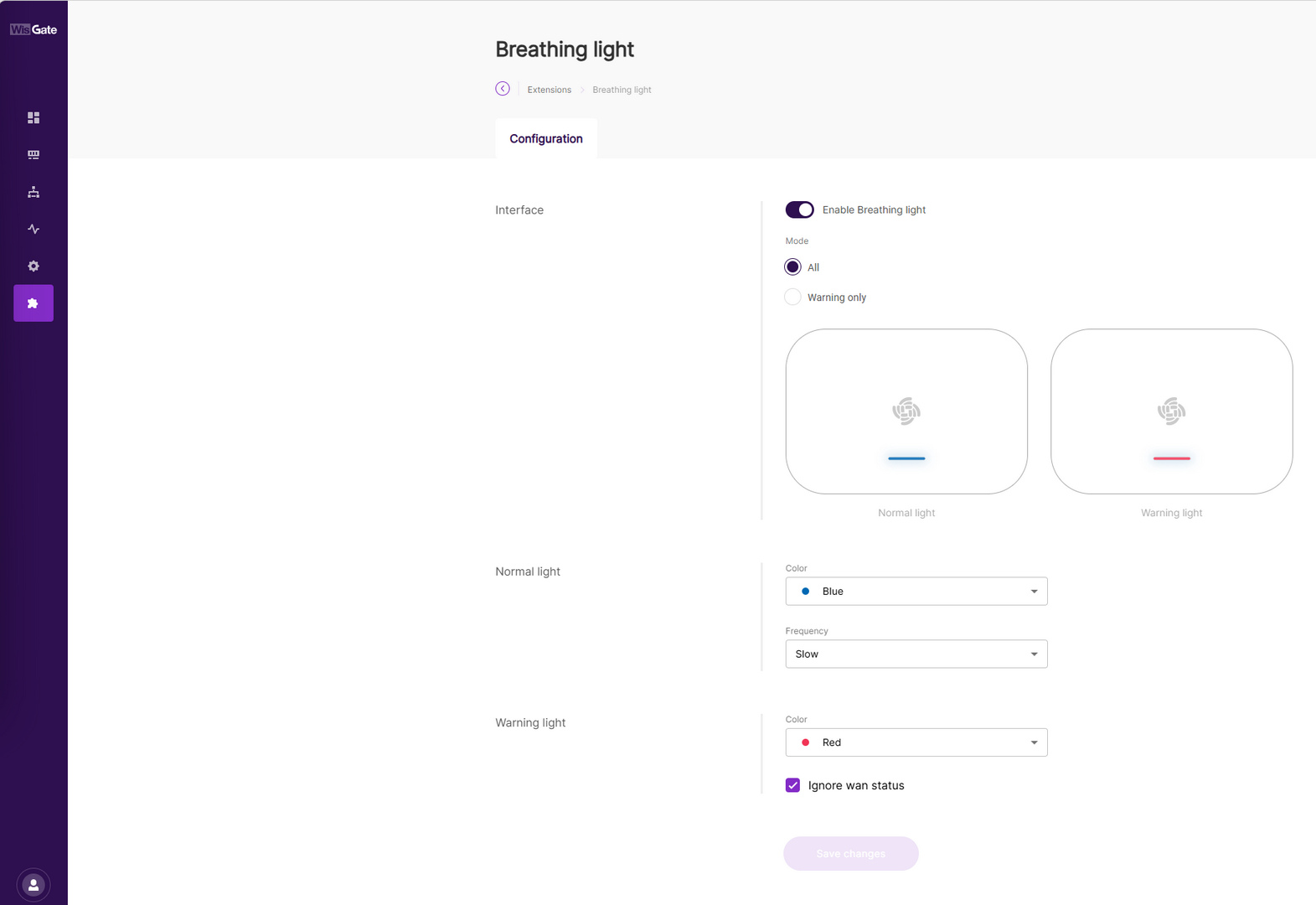 Figure 1: Configuration Page
-
Interface
- Enable Breathing Light: Enables or disables the breathing light extension.
- Mode: Sets the mode of the extension.
- All: The Normal light is enabled.
- Warning only: Disables the Normal light settings and only Warning light will glow.
-
Normal light: The settings for the normal light.
- Color: The color of the light (red, green, blue).
- Frequency: Blink frequency of the led (slow, fast, steady).
NOTE
The Normal light settings are disabled if Warning only mode is selected.
-
Warning Light: The color of the warning light.
-
Ignore wan status: When this option is enabled, the breathing light no longer monitors the WAN interface status.
In this mode, WAN connectivity changes (such as Ethernet hot-plug events or Cellular/Wi-Fi disconnections and reconnections) do not trigger a breathing light color change. The breathing light only reflects system states unrelated to the WAN interface.
If the WAN status changes while the breathing light remains unchanged, this behavior is expected and does not indicate a malfunction.
- Once done with the configuration, click Save changes. You can check the status of the LED on the gateway itself.


