Custom Logo
The Custom Logo extension allows you to upload your logo in the Web UI. This extension is universally compatible with all gateways running WisGateOS 2. It was developed with both small or bigger enterprises in mind, allowing them to have their logo recognized and used in their daily operations.
Having the capability to rebrand your Web UI is essential for companies that need to effectively promote and visualize their brand or product. This necessity is met by RAKWireless' white label feature, which allows clients to customize the user interface to reflect their branding elements seamlessly.
Size and Format Requirements
The uploaded logo image must be in .svg format and cannot exceed 300 kb. You can preview the Web UI page before finally switching RAKWireless' logo with your brand logo.
Install the Custom Logo Extension
To install the extension, follow the steps in Add an Extension section.
Configure the Custom Logo Extension
- To access the Custom Logo extension, click Launch.
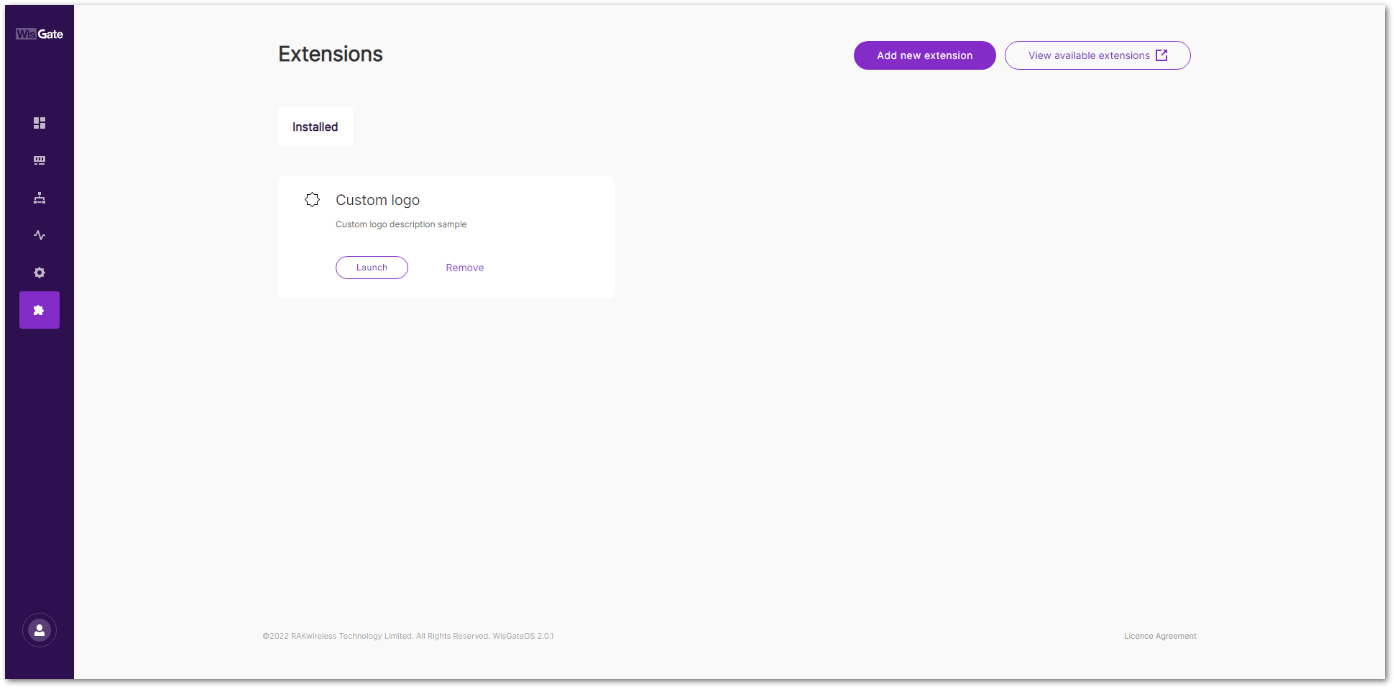 Figure 1: Launch the Custom Logo Extension
- In the Configuration page, you can set a custom logo on the login page and on the sidebar menu.
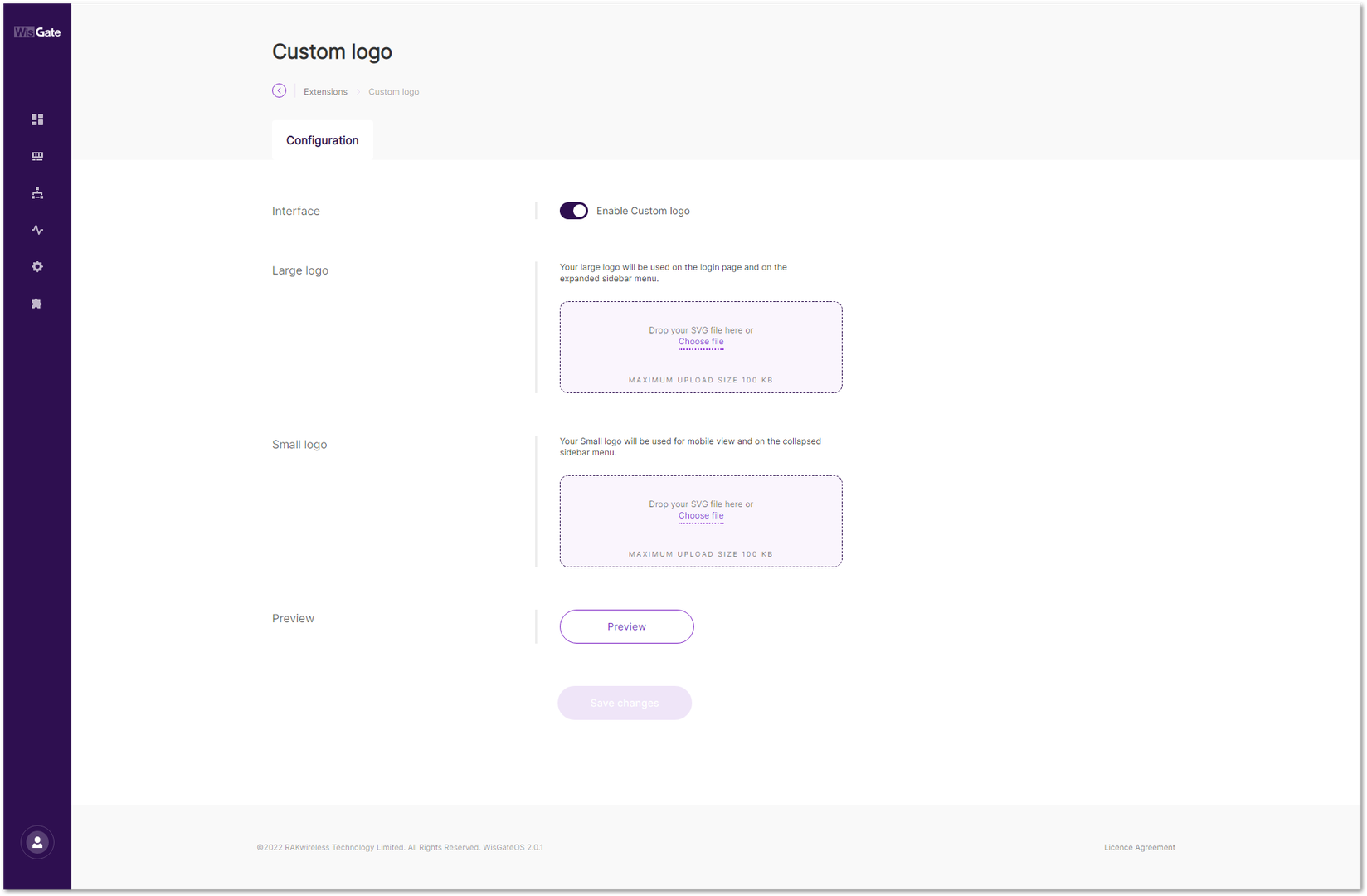 Figure 1: Configuration Page
- Interface: Enables/disables custom logo extension.
- Large logo: This logo will be used on the login page and the expanded sidebar menu. Upload a logo by dragging and dropping it, or by clicking Choose File to browse manually.
- Small logo: This logo will be used for mobile view and the collapsed sidebar menu. Upload the logo by dragging and dropping it, or by clicking Choose File to browse manually.
- Preview: After selecting the images, click Preview to see how the logo appears on the login page and sidebars in both desktop and mobile views.
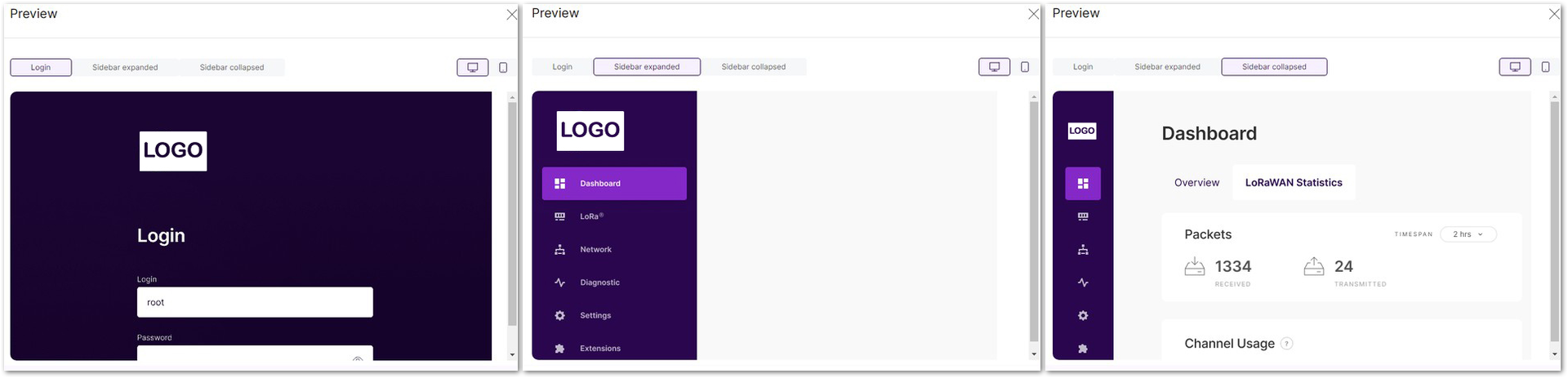 Figure 1: Logo Preview for Desktop Users
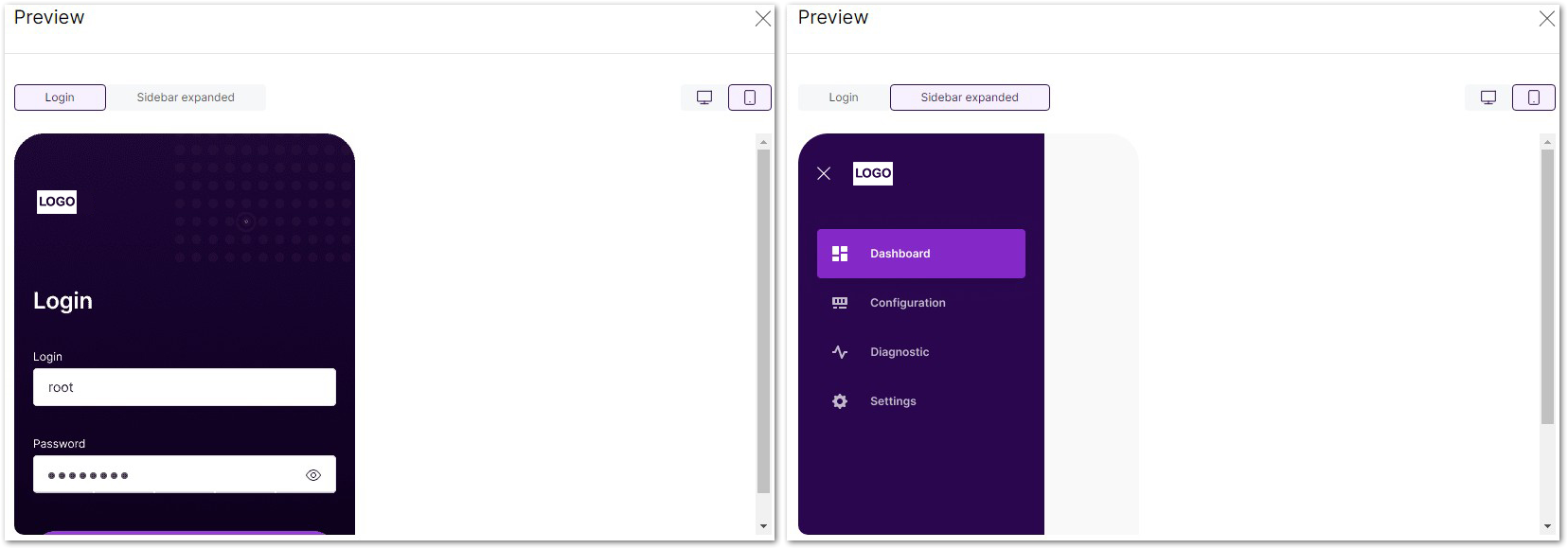 Figure 1: Logo Preview for Mobile Users
- To apply the selected logos, click Save changes. The page reloads automatically, applying the selected logos.


