Open/Close Port
This extension allows you to add or delete packet traffic management rules on the gateway, allowing any (or specific) host IP from a designated subnet to communicate with the gateway through specified ports.
Install the Open/Close Port Extension
To install the extension, follow the steps in Add an Extension section.
Configure the Open/Close Port Extension
- To access the Open/Close Port extension, click Launch.
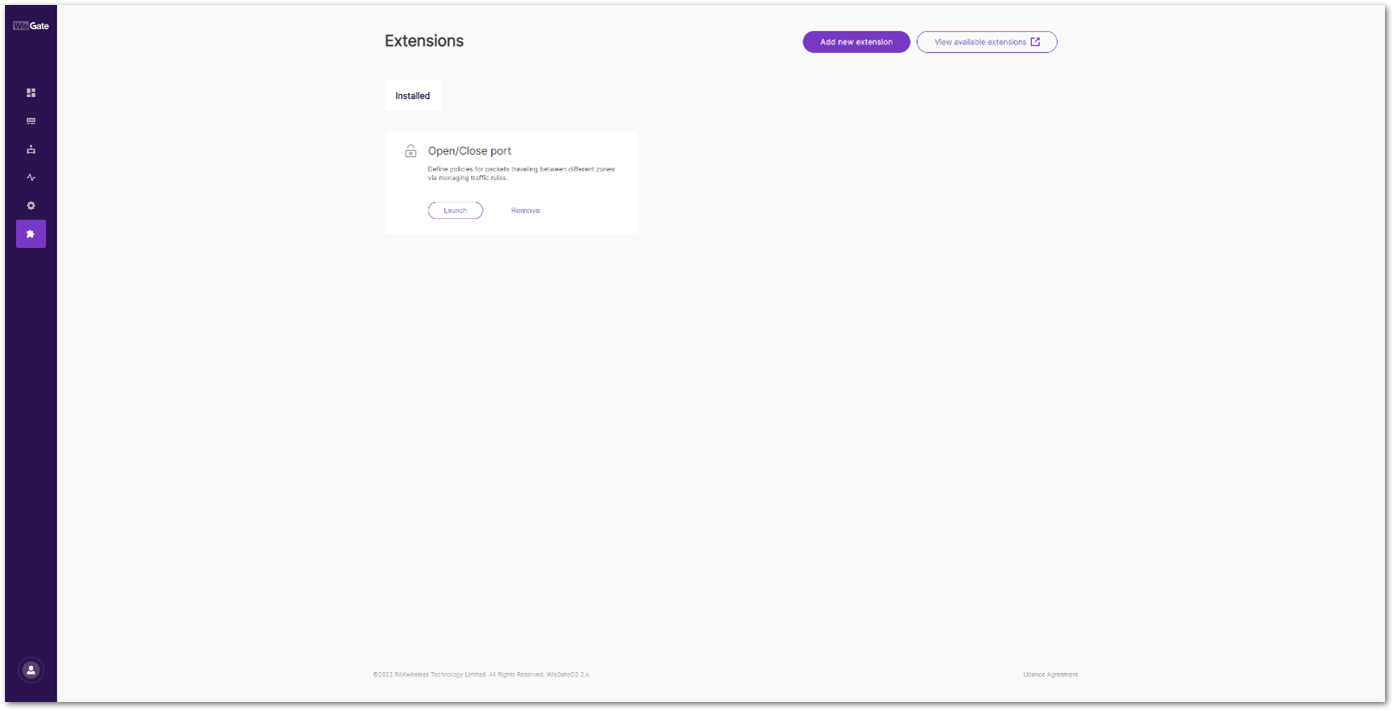 Figure 1: Launch the Open/Close Port Extension
After clicking Launch, the Traffic rules page will be displayed, showing the default rules of the Open/Close port extension with the following parameters:
- Service name: A readable name for the service.
- Protocol: The protocol used.
- Family: The protocol version used for the traffic.
- From: External source
- To: Internal source
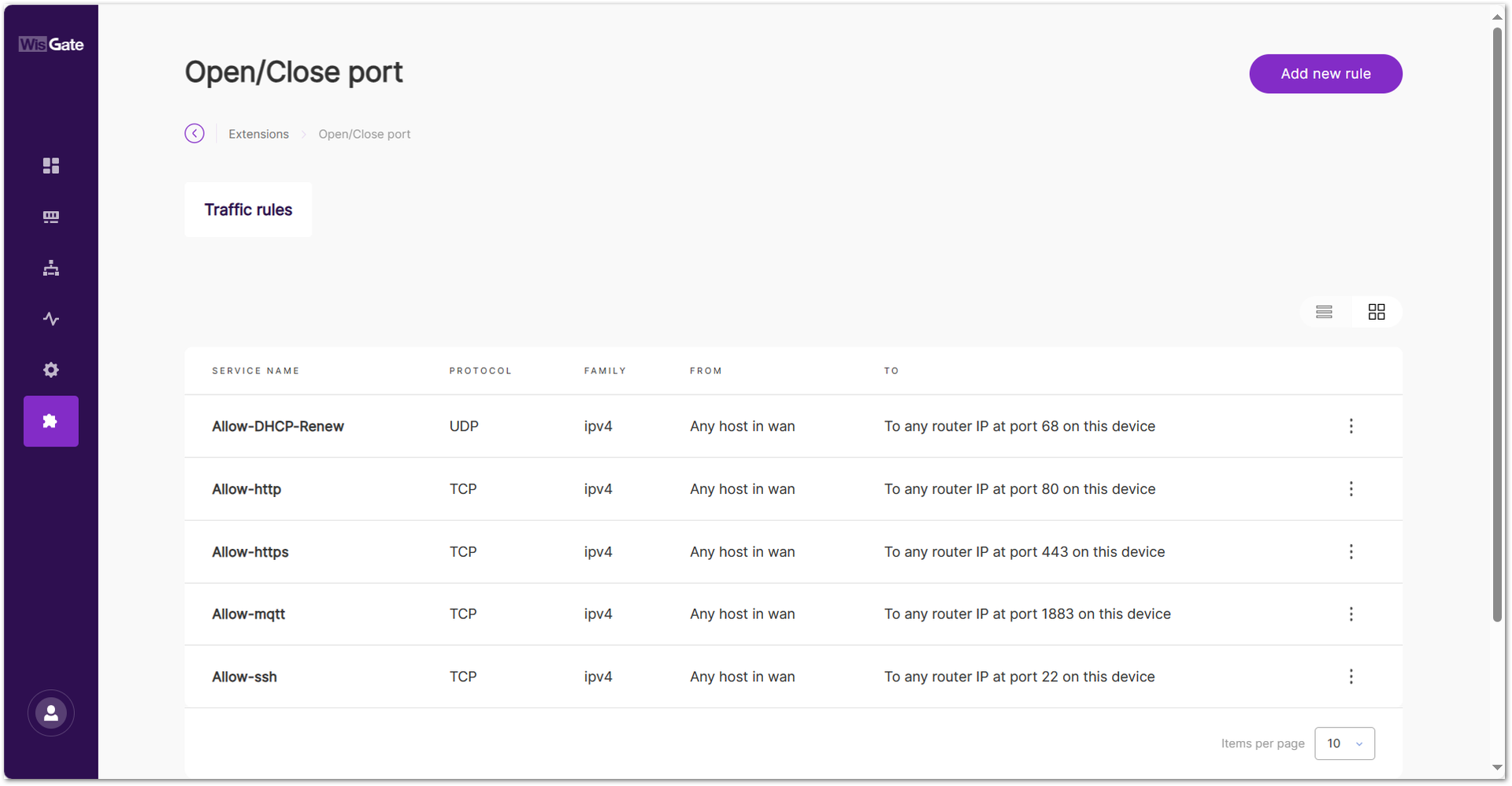 Figure 1: Traffic rules page
For example, the Allow-http service indicates that any host in WAN can communicate with the gateway through port 80 using the TCP protocol type.
Click ⋮ and select Delete to remove the traffic rule. After deletion, the UI may still appear accessible for a short time due to browser caching. Clear the browser cache or wait a few minutes for the firewall changes to take effect.
- To add a new rule, click the Add new rule and configure the following information:
- Service name: Provide a readable name for the rule.
- Protocol: Select the protocol used for the rule:
- TCP
- UDP
- TCP + UDP
- Sources:
- Allow any host: Allows any host to access the rule.
- Source IP address: Specify up to three host IPs.
- Destination port: The destination port for routing.
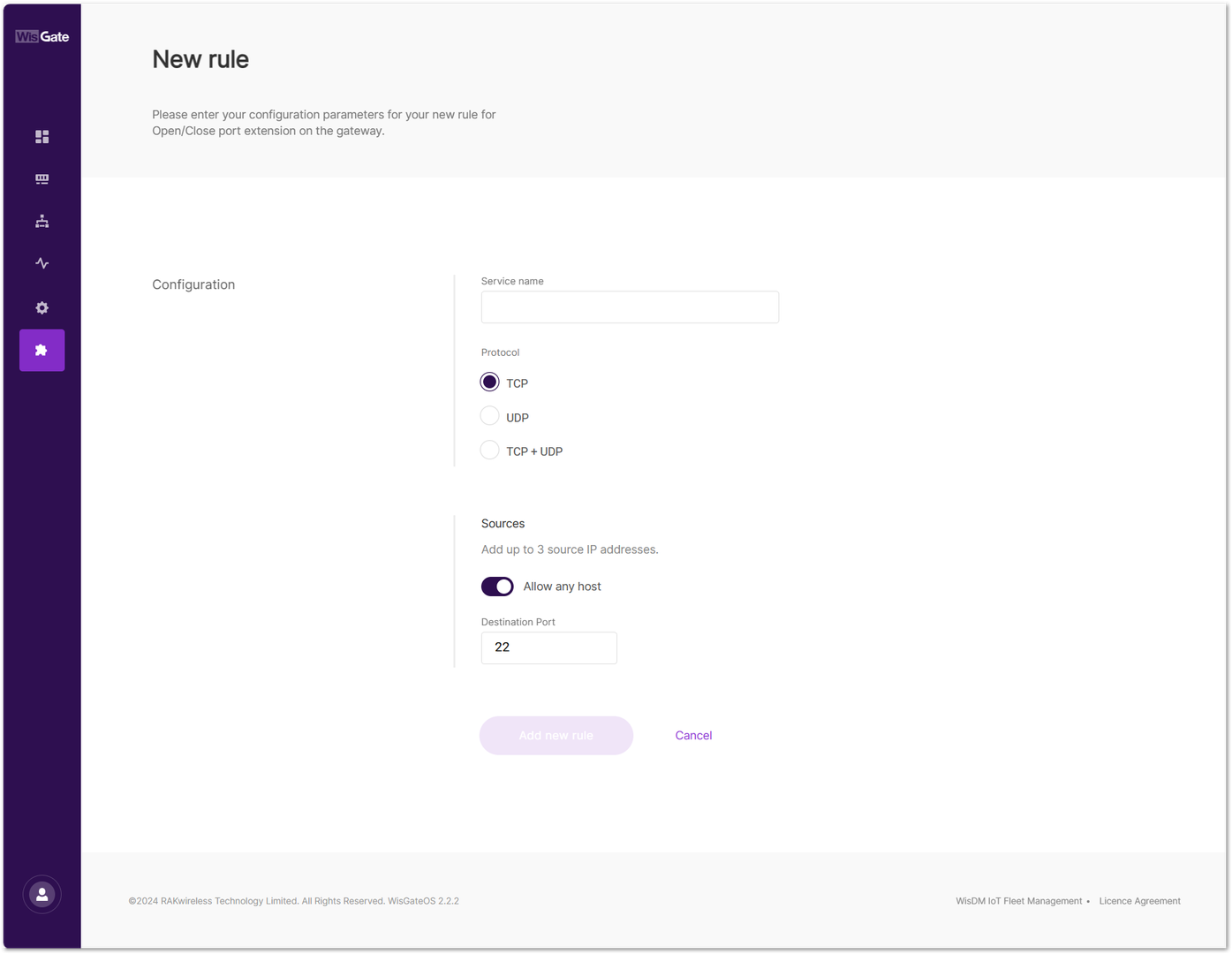 Figure 1: Add a new rule
- To save the changes, click Add new rule. The newly created rule will then appear in the Traffic rules interface.


