RAK5811 With RAK11200 WisBlock Core Guide
Software Configuration and Example
Initial Test of the RAK5811
If you already installed the RAKwireless Arduino BSP, the WisBlock Core and example code should now be available on the Arduino IDE.
- Select the WisBlock Core you have.
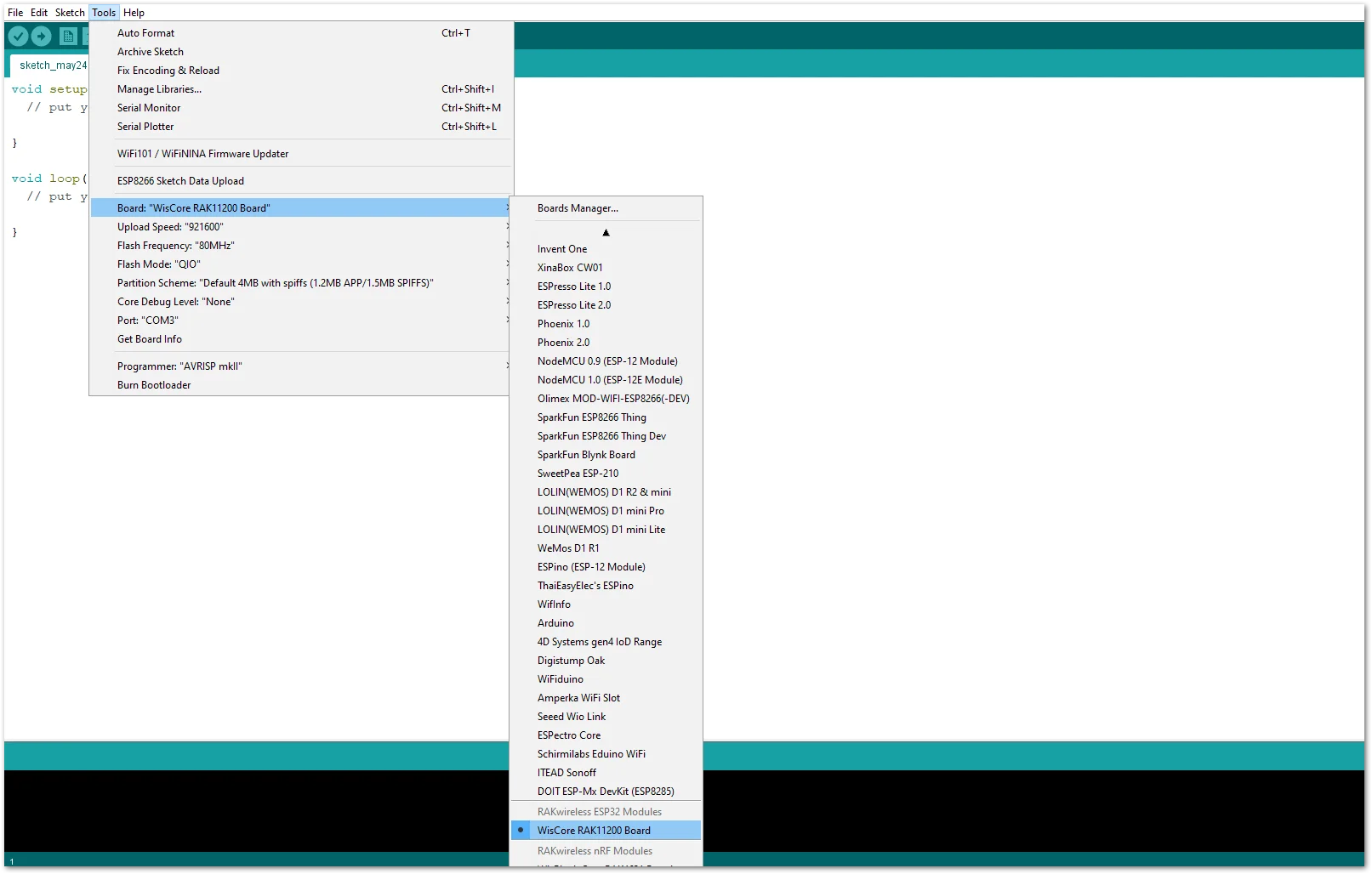 Figure 1: Selecting RAK11200 as WisBlock Core
- You can access the programming guide for the RAK5811 module by opening the example codes depending on your WisBlock Core.
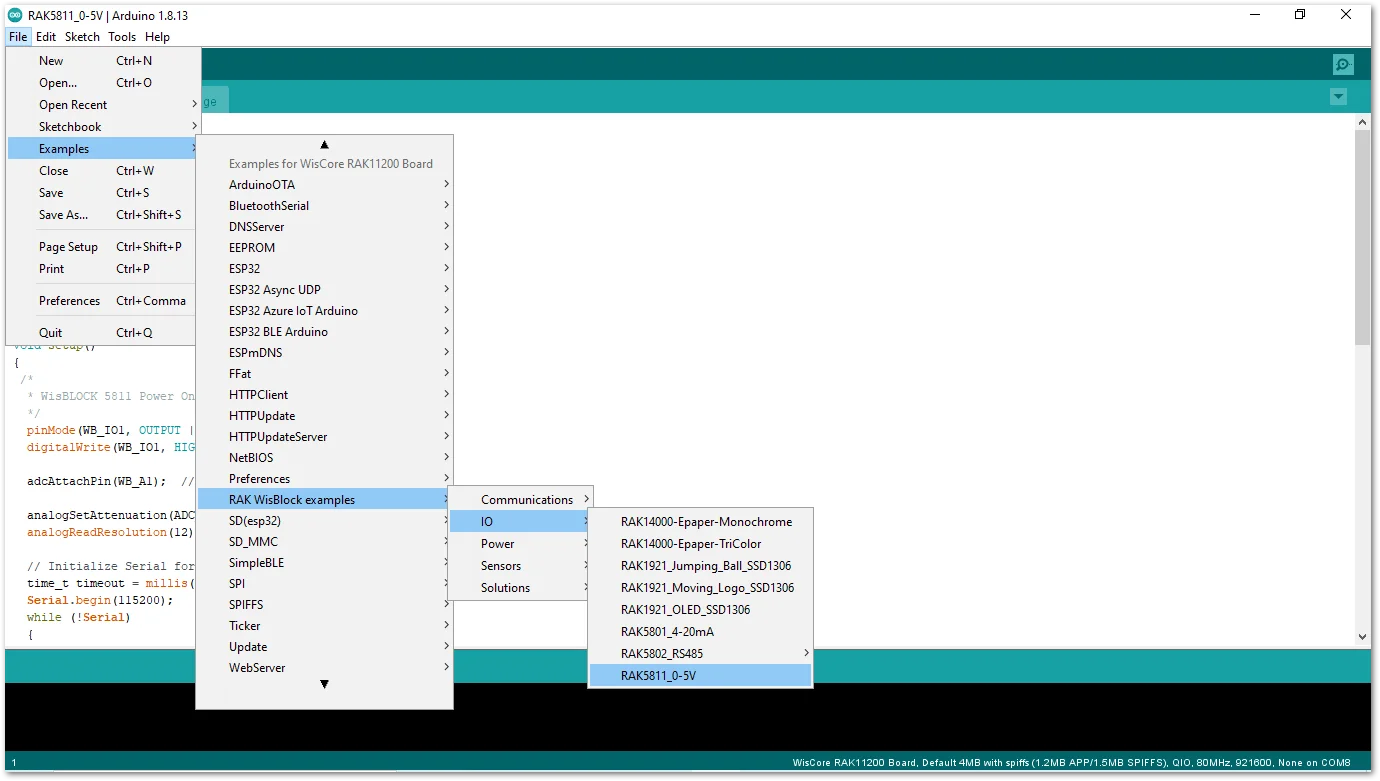 Figure 1: Opening RAK5811 example for RAK11200 WisBlock Core
- After opening the example code, you can now select the right port and upload the code.
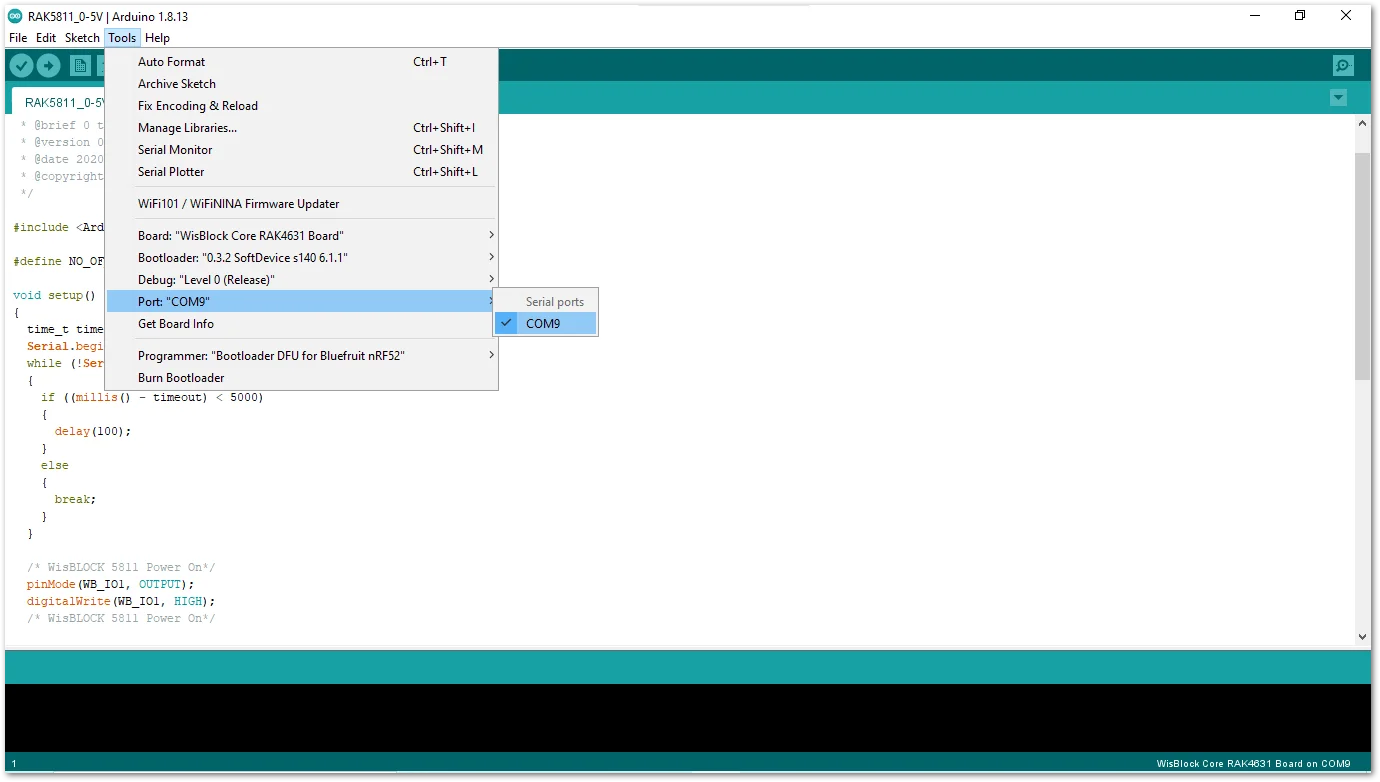 Figure 1: Selecting the correct Serial Port
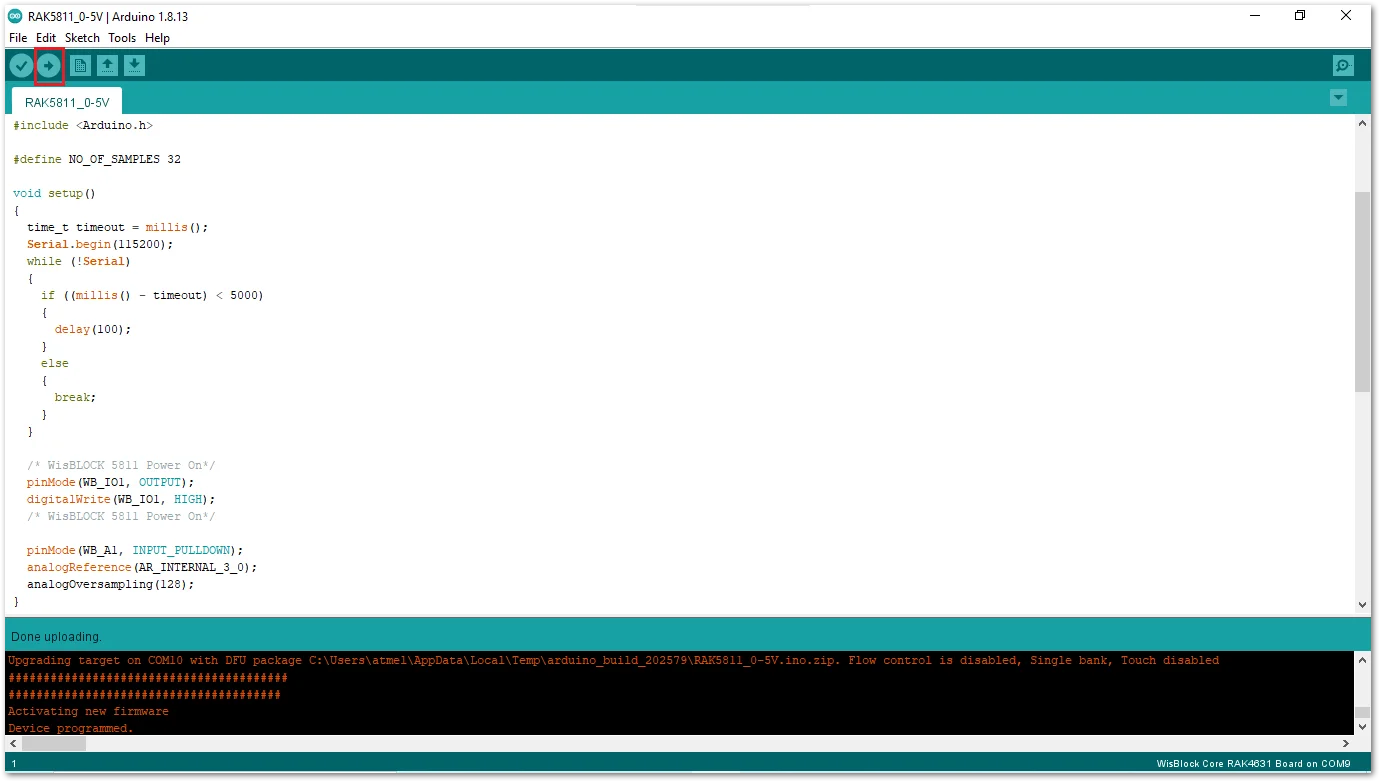 Figure 1: Uploading the RAK5811 example code
- When you successfully uploaded the example sketch, open the Serial Monitor of the Arduino IDE to see the ADC reading logs.
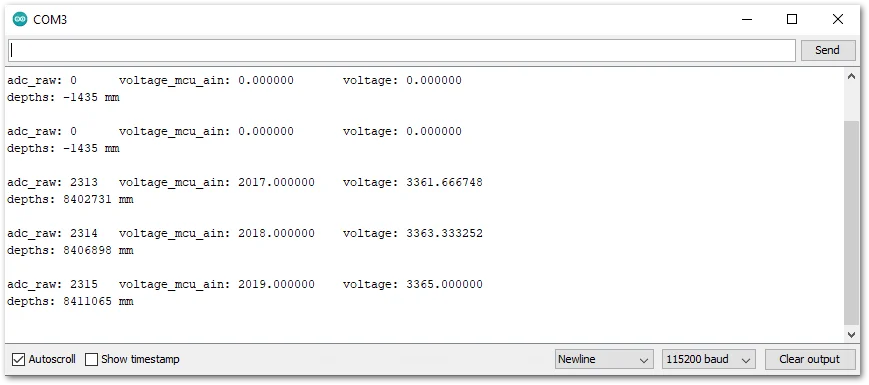 Figure 1: RAK11200 and RAK5811 example log
Code Explanation RAK11200 Example
1.1 Initializes WisBlock RAK5811 Module
- Enable booster
  /* WisBLOCK 5811 Power On*/
pinMode(WB_IO1, OUTPUT | PULLUP);
digitalWrite(WB_IO1, HIGH);
1.2 Initializes Analog Input and Configure ADC
- The function
adcAttachPinattach a GPIO pin to ADC. - The function
analogSetAttenuationsets the input attenuation for all ADC pins. The default value is ADC_11db. - The function
analogReadResolutionset the size (bits) of the ADC. The default value is 12-bit resolution.
adcAttachPin(WB_A1);
analogSetAttenuation(ADC_11db);
analogReadResolution(12);
1.3 Get ADC Samples
-
At the end of sampling, the sketch calculates the average ADC.
for (i = 0; i < NO_OF_SAMPLES; i++)
{
  adc_raw += analogRead(sensor_pin);
}
average_adc_raw = adc_raw / NO_OF_SAMPLES;
1.4 Process ADC Samples
- The function
esp_adc_cal_raw_to_voltage(average_adc_raw)convert adc_raw value to voltage in mV.
voltage_mcu_ain = esp_adc_cal_raw_to_voltage(average_adc_raw);
voltage_sensor = voltage_mcu_ain / 0.6;   //WisBlock RAK5811 (0 ~ 5V). Input signal reduced to 6/10 and output
depths = (voltage_sensor * 1000 - 574) * 2.5; //Convert to millivolt. 574mv is the default V output from sensor
warning
ADC measurements will be noisier while WiFi is on, often due to poor power and/or signal filtering.
1.5 ADC Calibration API
Espressif provides a library (API) for ADC calibration that uses tables for comparison. You can find more details about ESP32 ADC calibration on Espressif ADC API.


