RAK5811 With RAK4631 WisBlock Core Guide
Software Configuration and Example
Initial Test of the RAK5811
If you already installed the RAKwireless Arduino BSP, the WisBlock Core and example code should now be available on the Arduino IDE.
- Select the WisBlock Core you have.
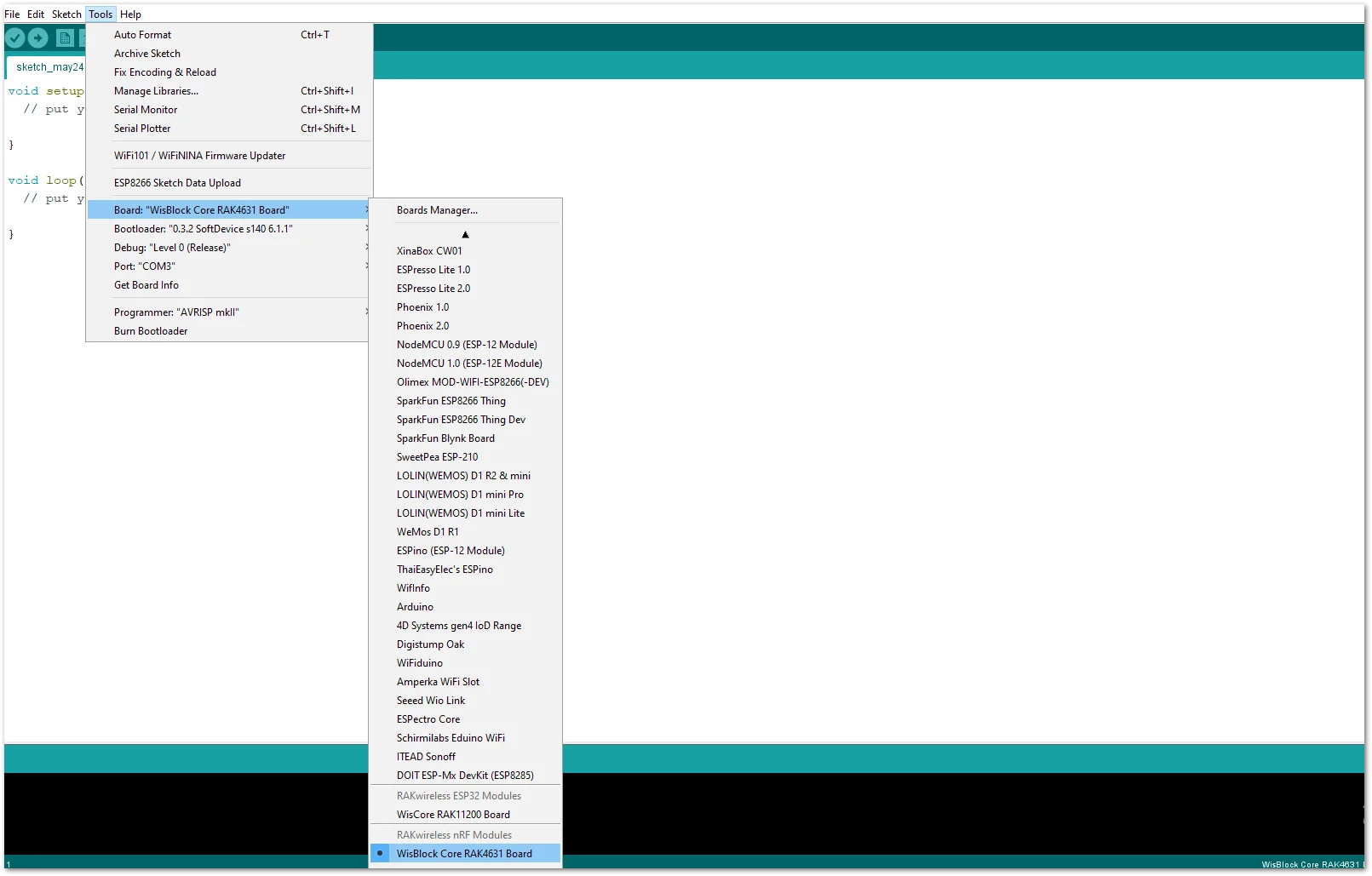 Figure 1: Selecting RAK4631 as WisBlock Core
- You can access the programming guide for the RAK5811 module by opening the example codes depending on your WisBlock Core.
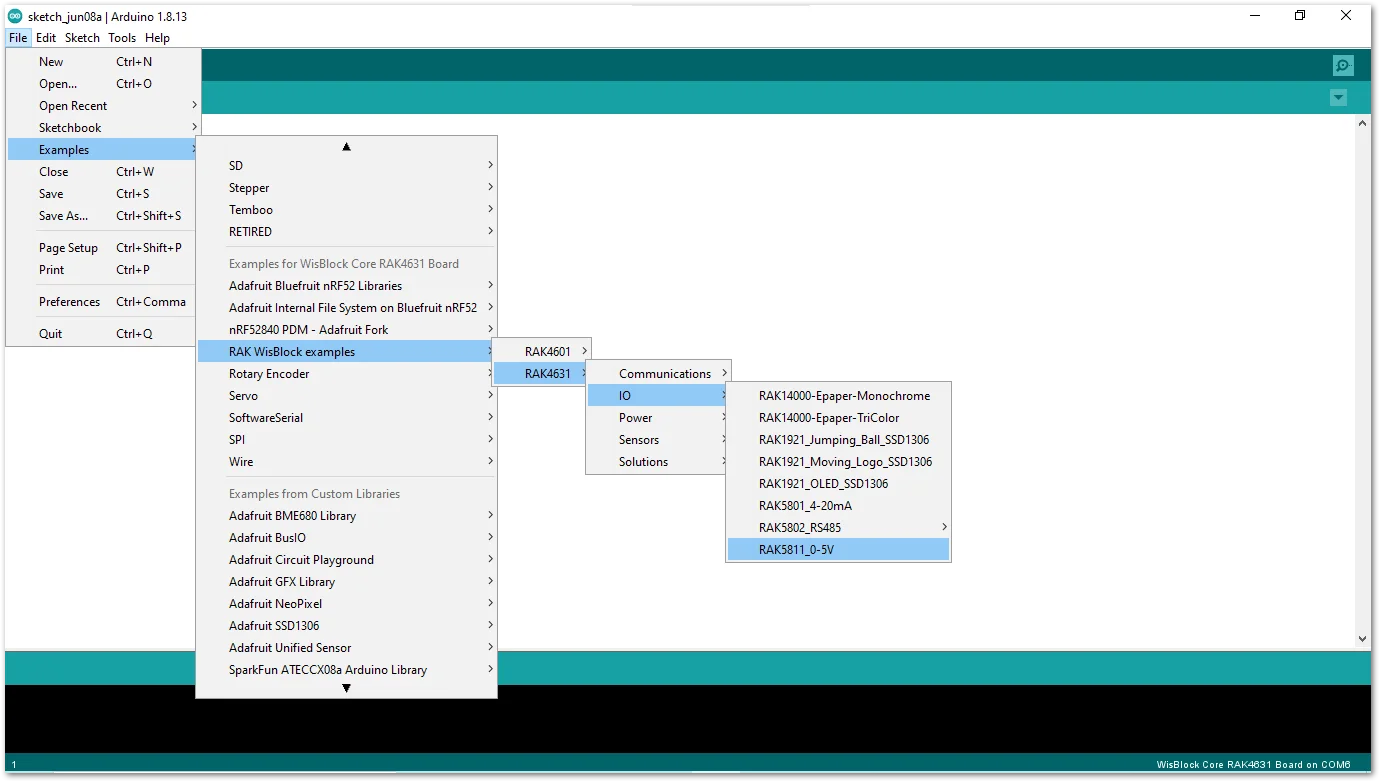 Figure 1: Opening RAK5811 example for RAK4631 WisBlock Core
- After opening the example code, you can now select the right port and upload the code.
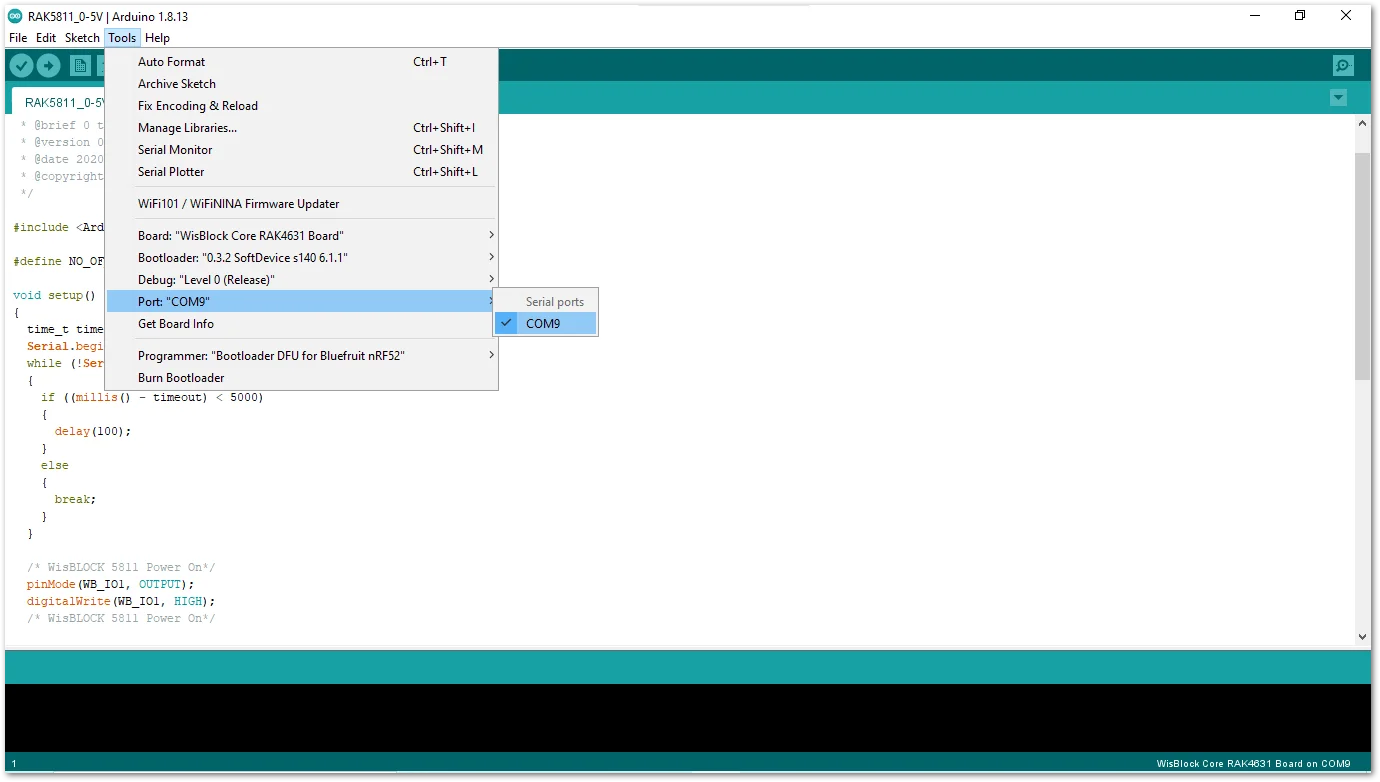 Figure 1: Selecting the correct Serial Port
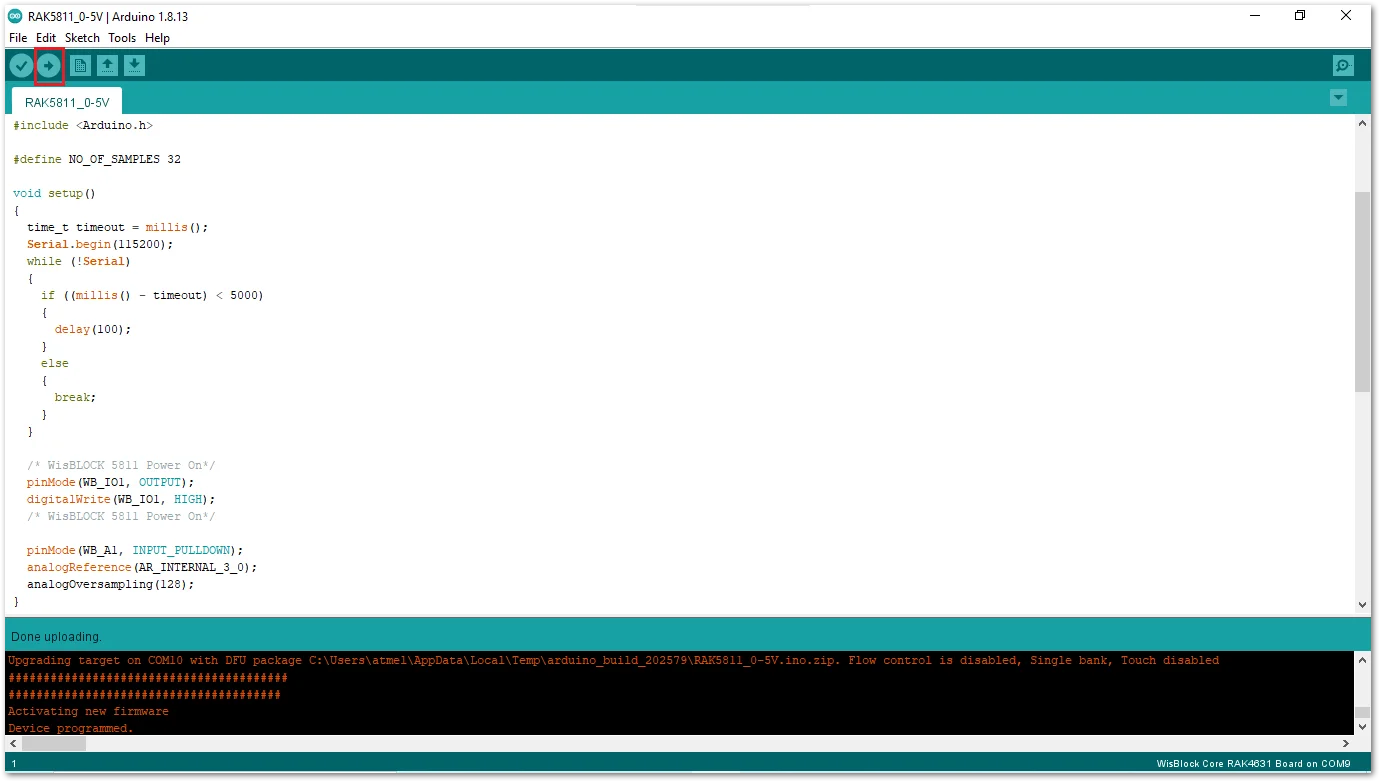 Figure 1: Uploading the RAK5811 example code
- When you successfully uploaded the example sketch, open the Serial Monitor of the Arduino IDE to see the ADC reading logs.
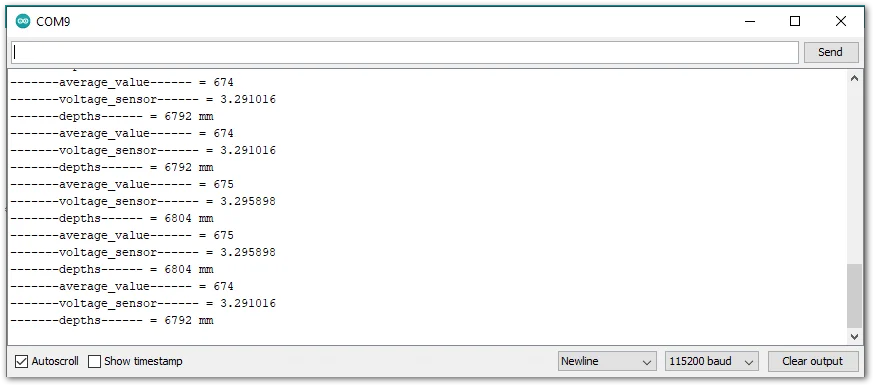 Figure 1: RAK4631 and RAK5811 example log
Code Explanation RAK4631 Example
1.1 Initializes WisBlock RAK5811 Module
- Enable booster
/* WisBLOCK 5811 Power On*/
pinMode(WB_IO1, OUTPUT | PULLUP);
digitalWrite(WB_IO1, HIGH);
1.2 Initializes Analog Input Pin and Configure ADC
- The
analogReferencefunction configure the reference voltage used for analog input. The reference voltage is the value used as the top of the input range. - The
analogOversamplingis a method to achieve a higher resolution without using an external ADC.
pinMode(WB_A1, INPUT_PULLDOWN);
analogReference(AR_INTERNAL_3_0);
analogOversampling(128);
1.3 Get ADC Samples
-
At the end of sampling, the sketch calculates the average ADC.
for (i = 0; i < NO_OF_SAMPLES; i++)
{
  mcu_ain_raw += analogRead(WB_A1);
}
average_raw = mcu_ain_raw / i;
1.4 Process ADC Samples
-
Calculate raw voltage based on ADC reference and resolution
-
Reduce input signal to 6/10
mcu_ain_voltage = average_raw * 3.0 / 1024;   // ref 3.0V / 10bit ADC

voltage_sensor = mcu_ain_voltage / 0.6;     // WisBlock RAK5811 (0 ~ 5V).   Input signal reduced to 6/10 a

depths = (voltage_sensor * 1000 - 574) * 2.5;   //Convert to millivolt. 574mv is the default output from sensor

Serial.printf("-------average_value------ = %d\n", average_raw);
Serial.printf("-------voltage_sensor------ = %f\n", voltage_sensor);
Serial.printf("-------depths------ = %d mm\n", depths);


