RAK14002 With RAK11310 via PlatformIO Quick Start Guide
Prerequisite
- Assemble the RAK14002 with a WisBlock Base and WisBlock Core by following the RAK14002 Installation Guide.
- Install PlatformIO IDE for software configuration and programming. For PlatformIO setup and project import instructions, refer to the RAKwireless WisBlock modules in PlatformIO.
- USB Cable
- Li-Ion/LiPo battery (optional)
- Solar charger (optional)
Software Configuration and Example
NOTE
This procedure was tested only on Windows 10 and Ubuntu.
- First, install Raspberry Pi RP2040 platform.
- Launch Visual Studio Code and select the PIO Home tab (1). Then click on Platforms icon (2) and select the Embedded tab (3).
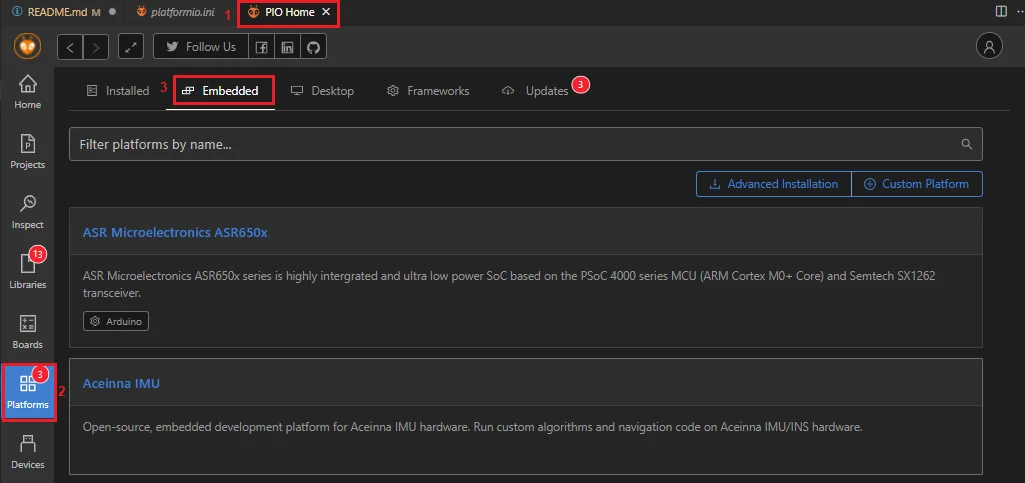 Figure 1: PIO Home PlatformIO platforms
- On Embedded text area, type Raspberry. To install the new platform, click on the new Raspberry PI RP2040 window.
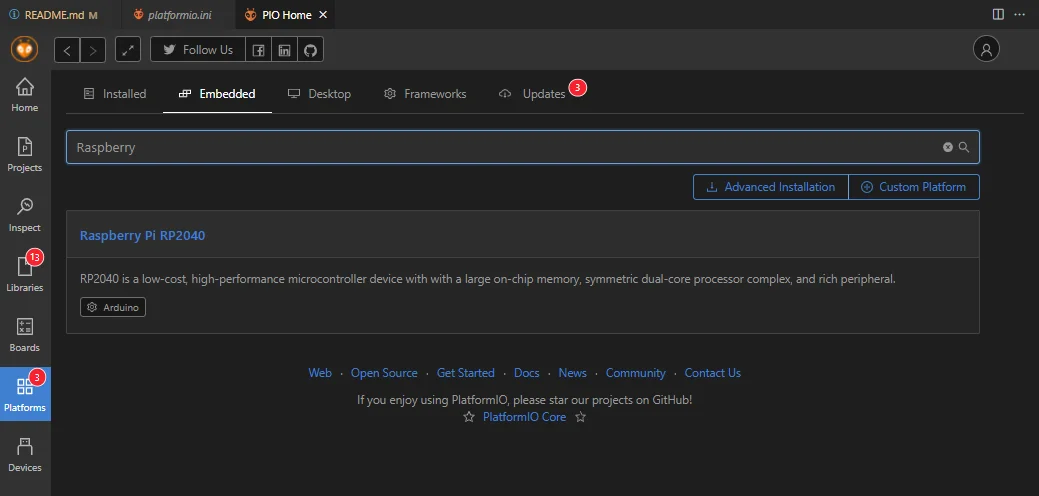 Figure 1: PIO Home Raspberry Pi RP2040
- Now click on Install button.
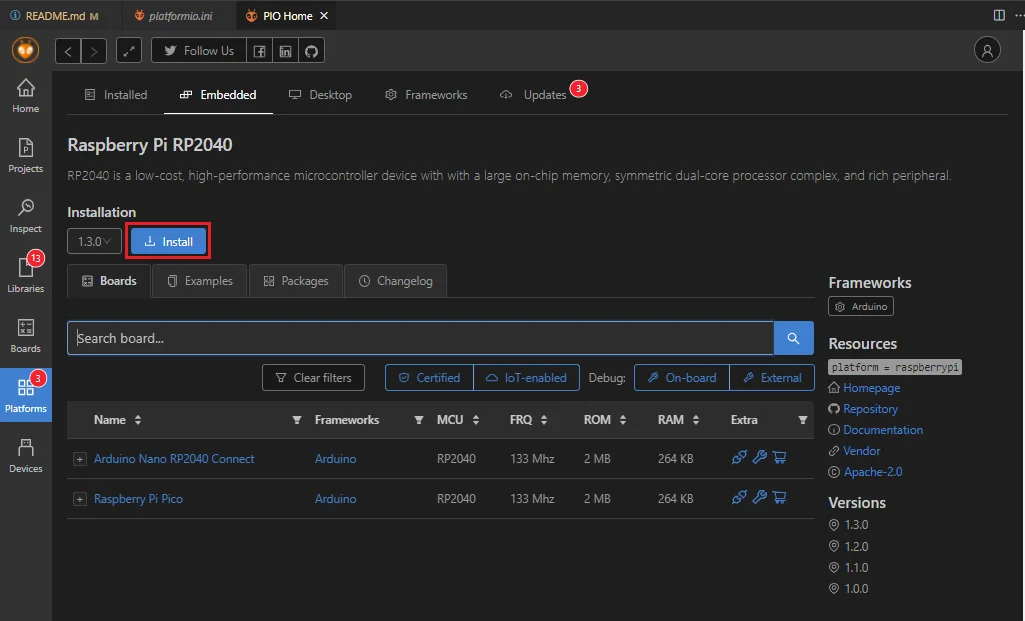 Figure 1: Raspberry PI RP2040 Platform install
- Open a project example that uses the RP2040 Platform.
- On the PIO Home tab, click on Project Examples.
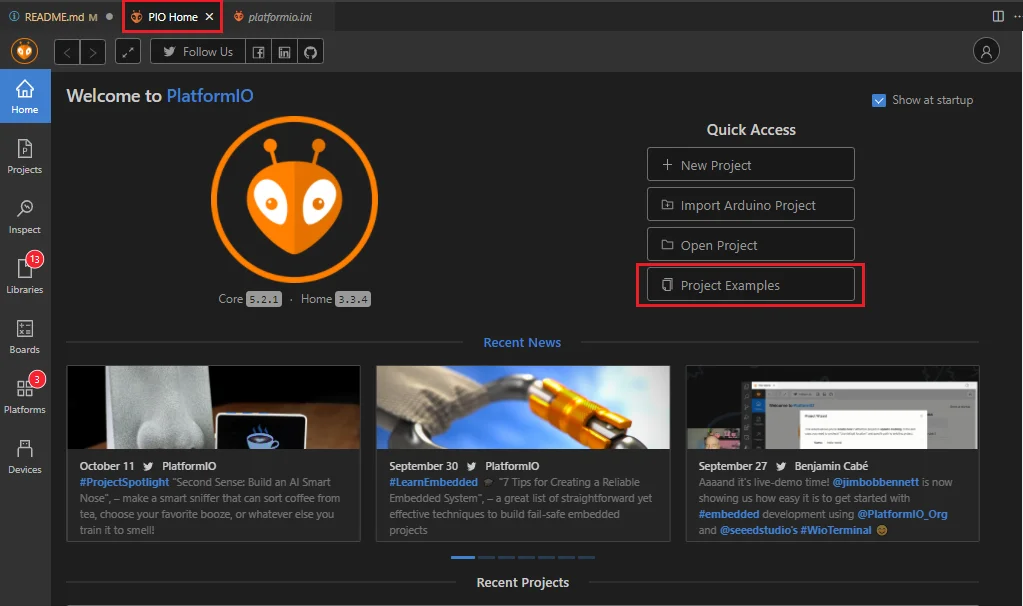 Figure 1: Import RP2040 project
- To find the RP2040 examples, type RP2040 on Import Project Example text area.
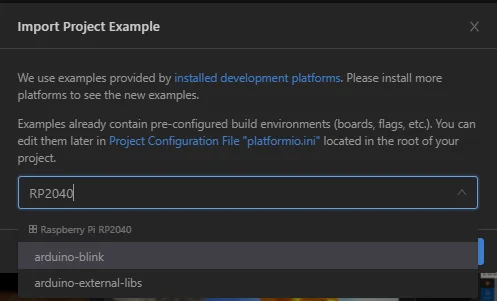 Figure 1: Selecting RP2040 project
- Choose arduino-blink project then click on Import button.
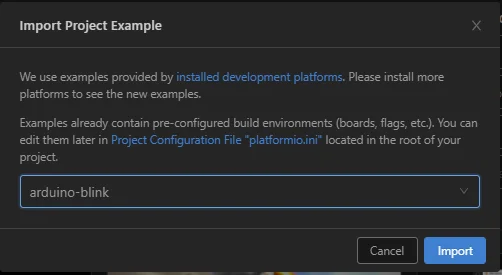 Figure 1: Import arduino-blink project
- Click Yes button on trust window.
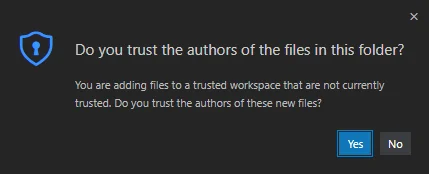 Figure 1: PlatformIO trust authors
- Build the imported project and ignore warnings.
- Install the RAK Patch.
- Download and install the RAK Patch.
- Unzip the contents of RAK_PATCH.zip into folder RAK_PATCH in your PlatformIO installation folder. The table below shows the PlatformIO installation directory for each operating system.
Platform PlatformIO Path Windows 10 %UserProfile%\.platformio\Linux ~/.platformio/MacOS /Users/{Your_User_id}/.platformio/ - PlatformIO installation directory on Windows 10.
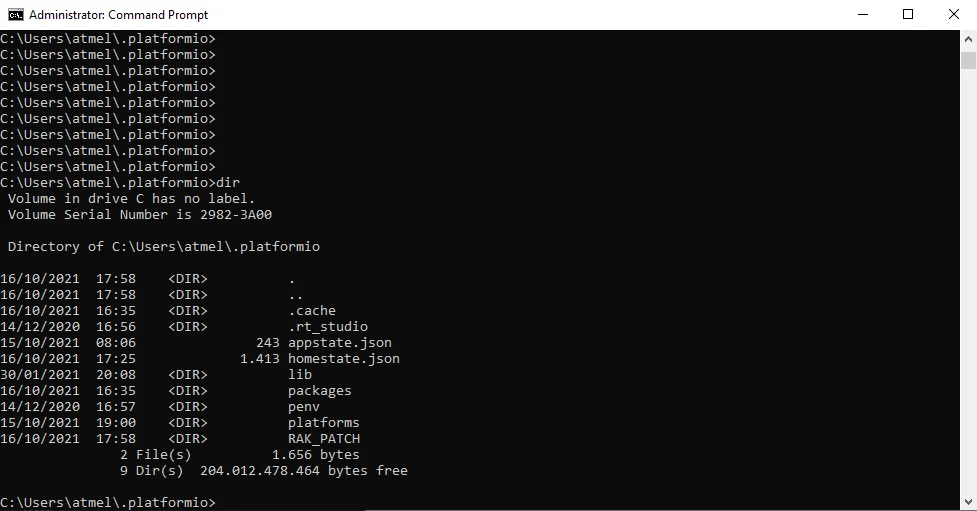 Figure 1: RAK patch folder on Windows
- Open a command prompt in
%UserProfile%.platformio\RAK_PATCHfolder and execute python./rak_patch.py.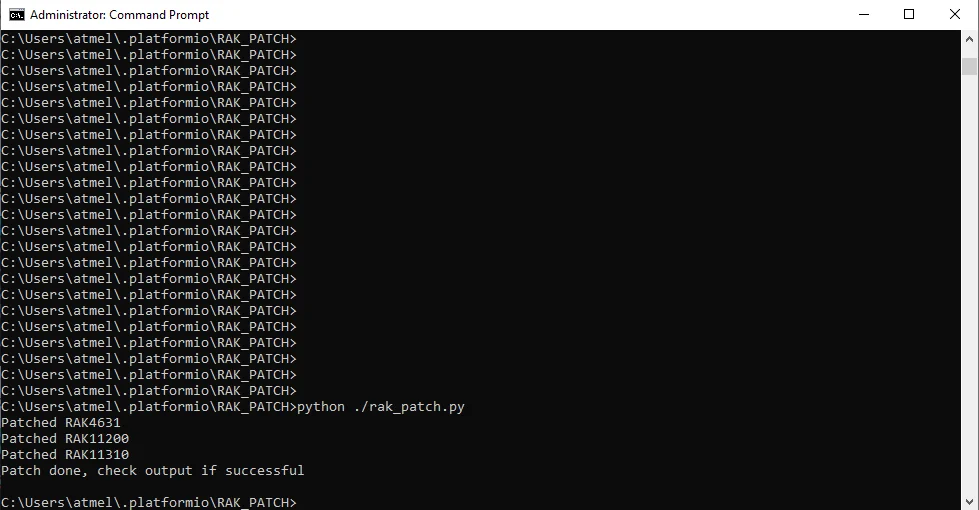 Figure 1: RAK patch installed on Windows
warning
In case of Raspberry PI 2040 platform update on PlatformIO, the RAK_PATH script must be executed again after the platform update.
- Check RAK_PATCH installation.
- Select PIO Home tab, then click on + New Project button.
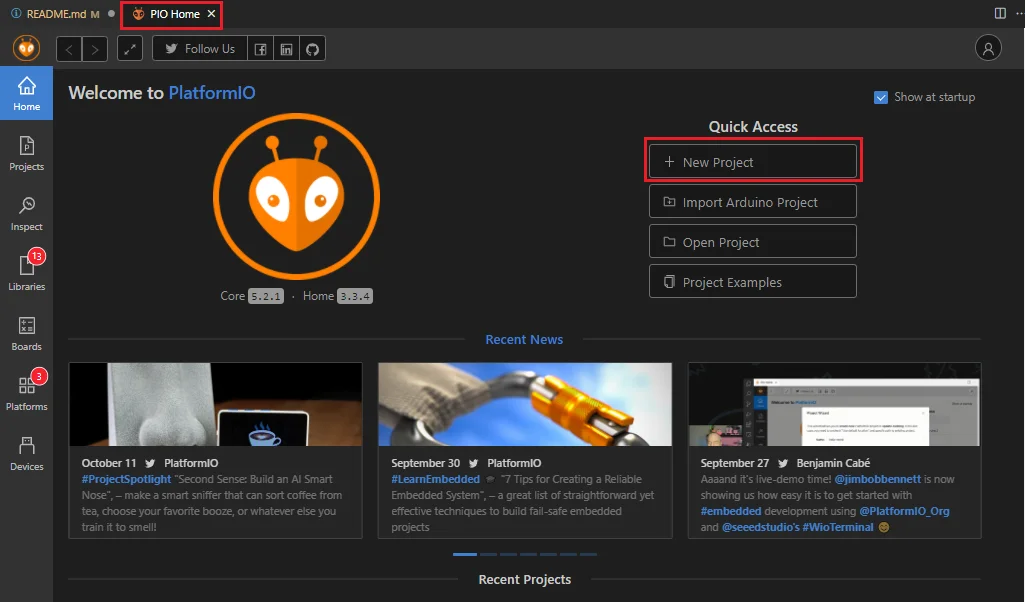 Figure 1: Create new PlatformIO project
- A new Project Wizard window will appear.
- Type RAK11300 on Board.
- On the Name text area, type the name of your project.
- To finish the project creation, click on Finish button.
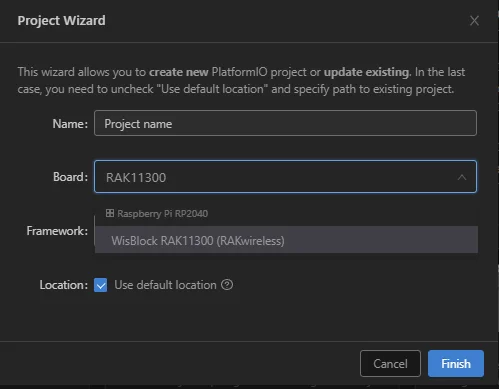 Figure 1: Project Wizard window
NOTE
The board list for Raspberry Pi RP2040 Framework shows the WisBlock RAK11300 (RAKwireless).


