RAK14002 With RAK11200 via Arduino Quick Start Guide
Prerequisite
- Assemble the RAK14002 with a WisBlock Base and WisBlock Core by following the RAK14002 Installation Guide.
- Download and install the Arduino IDE, then add the RAKwireless Core boards by installing the RAKwireless Arduino BSP.
- USB Cable
- Li-Ion/LiPo battery (optional)
- Solar charger (optional)
Software Configuration and Example
- Install the RAKwireless Arduino BSP.
- Select the RAK11200 WisBlock Core.
Arduino programs are usually referred to as sketches. The sketches for this module will be available on the Arduino IDE after Library install.
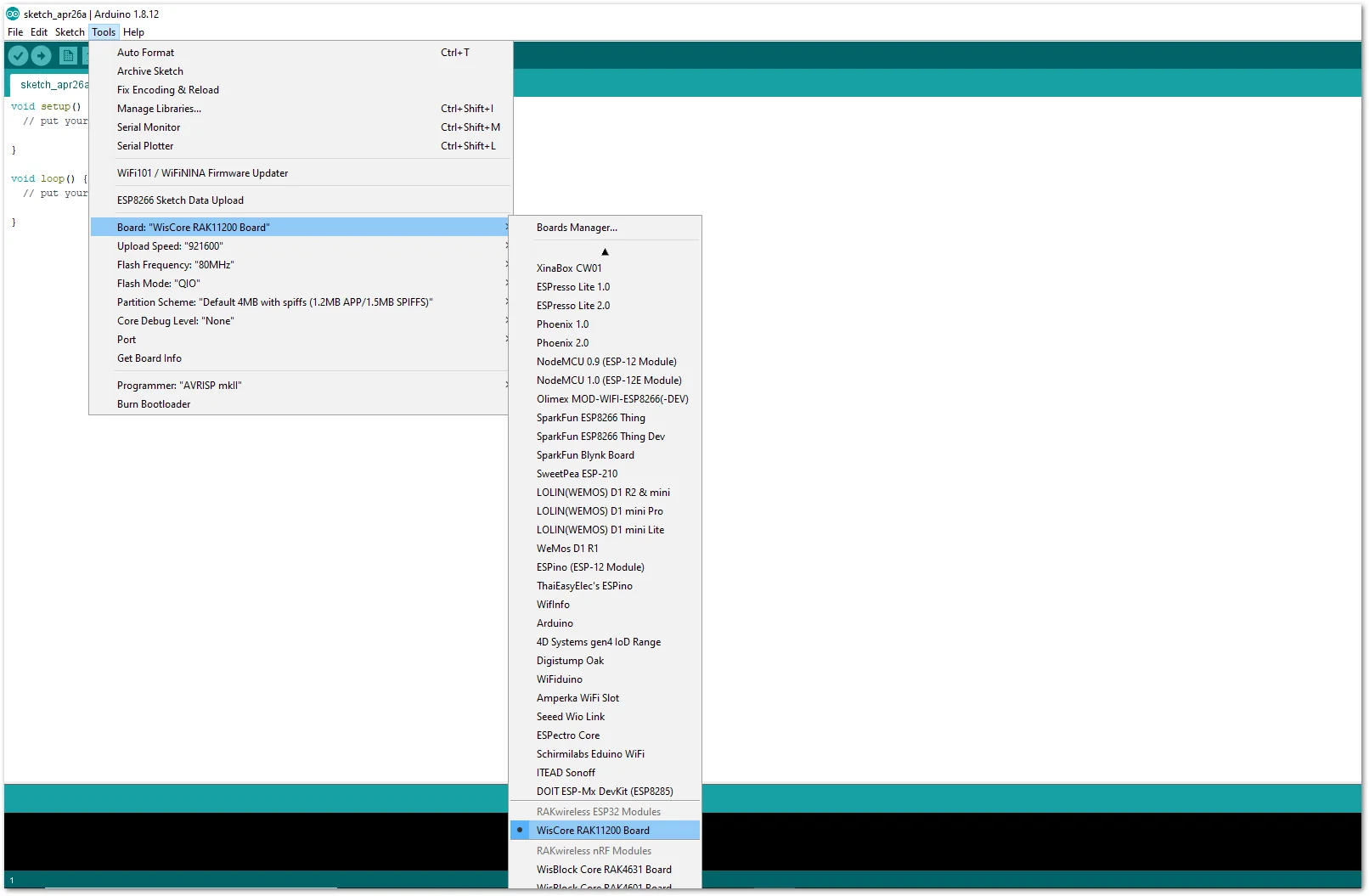 Figure 1: Select RAK11200 as WisBlock Core
- Install the RAKwireless CAP1293 Library using Arduino Library Manager.
- On Arduino IDE select: Sketch-> Include Library -> Manage Libraries.
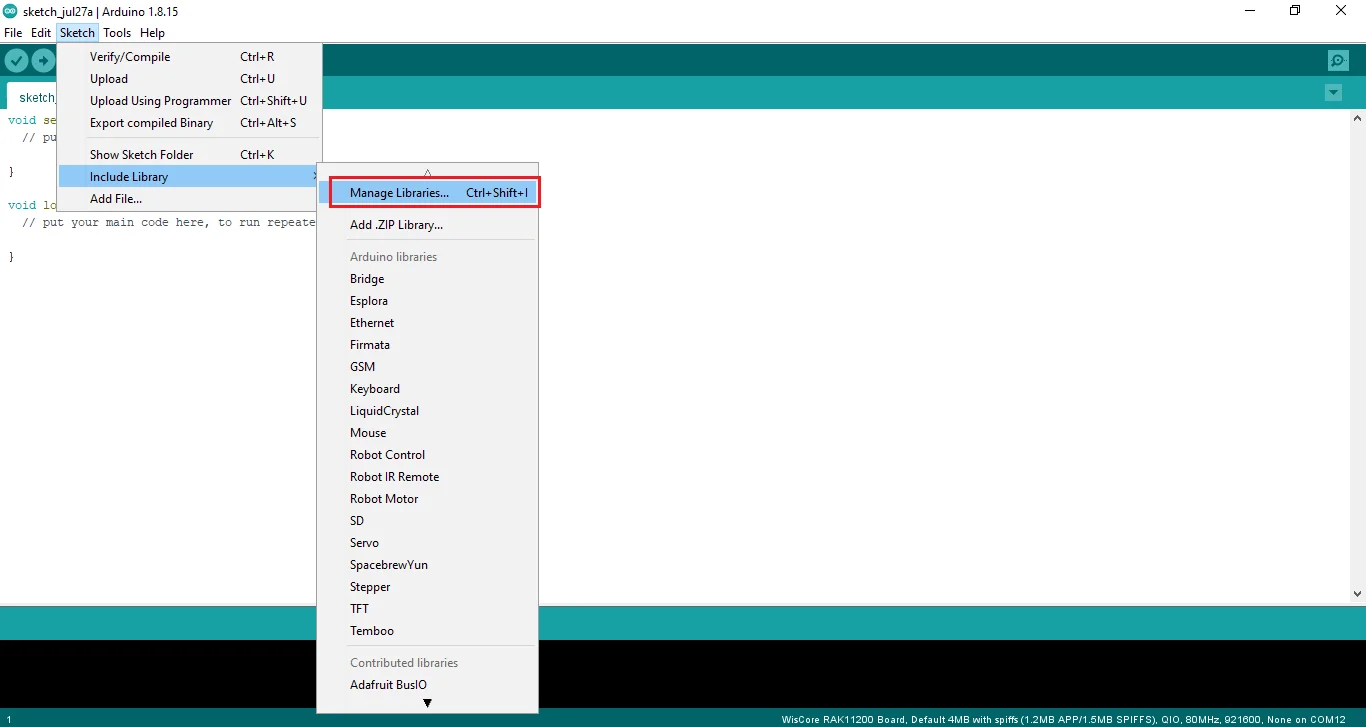 Figure 1: Select Arduino Library Manager
- On Library Manager text area, type RAKwireless CAP1293.
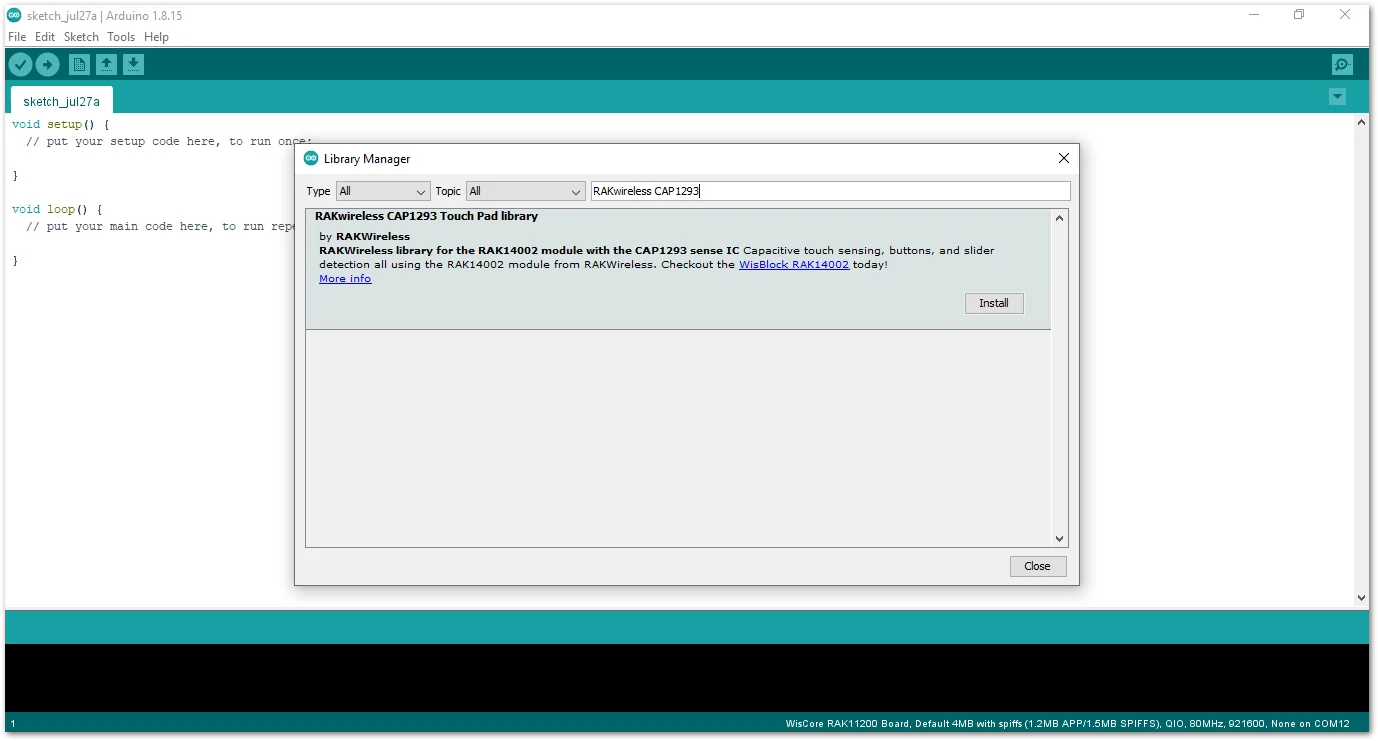 Figure 1: Arduino Library Manager RAKwireless CAP1293
- To finish the installation, click on the Install button.
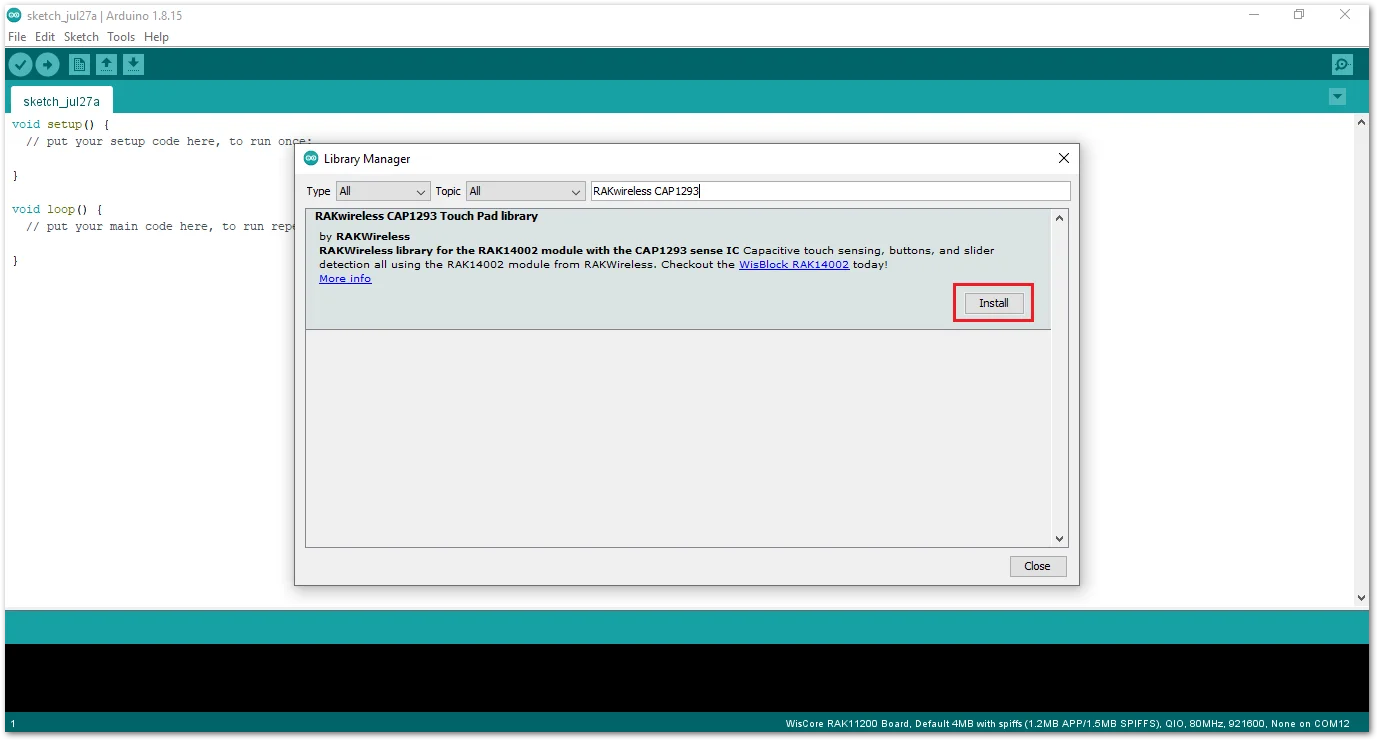 Figure 1: Finish RAKwireless CAP1293 Touch Pad Library Installation
- Once the library is installed, open the Example01_BasicReading example.
- On Arduino IDE select: File -> Examples -> RAK WisBlock Examples -> RAK11200 -> IO -> RAK14002_CAP1903_TouchKey -> Example01_BasicReading.
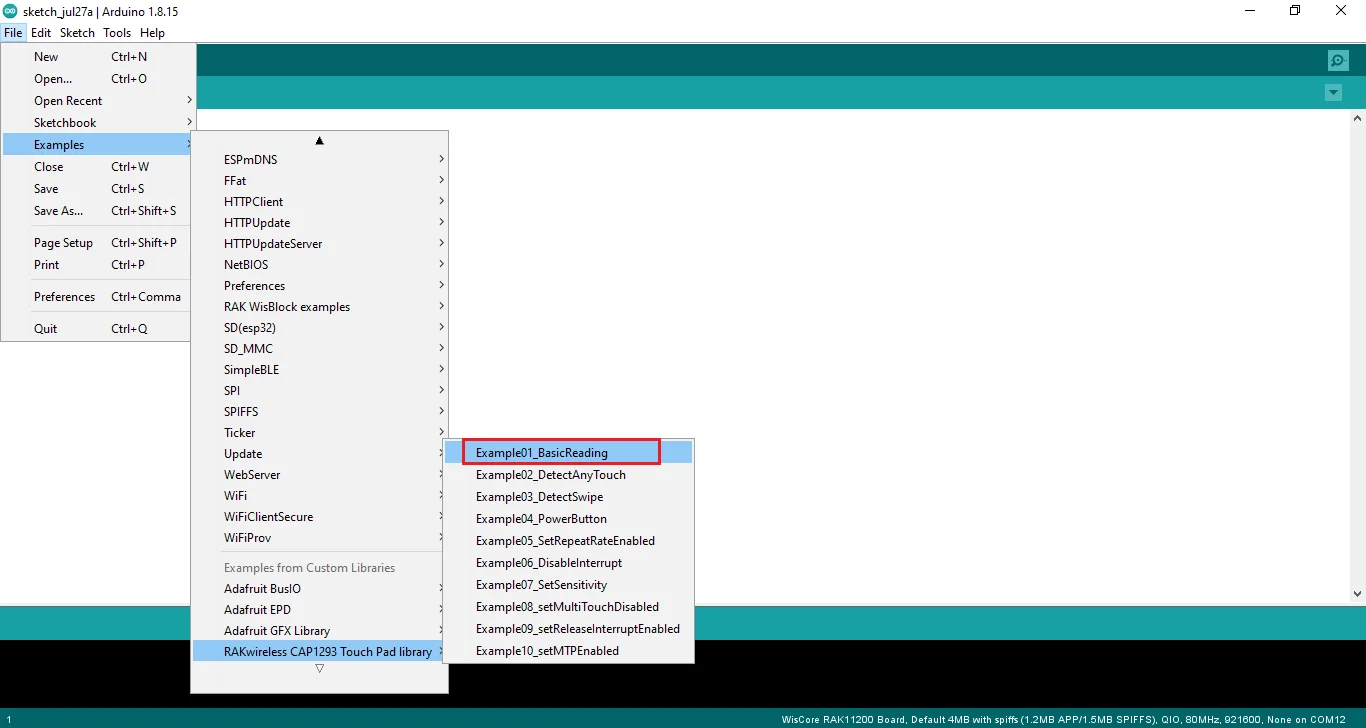 Figure 1: Open RAK14002 Example01_BasicReading Sketch
- You can now select the right serial port and upload the code.
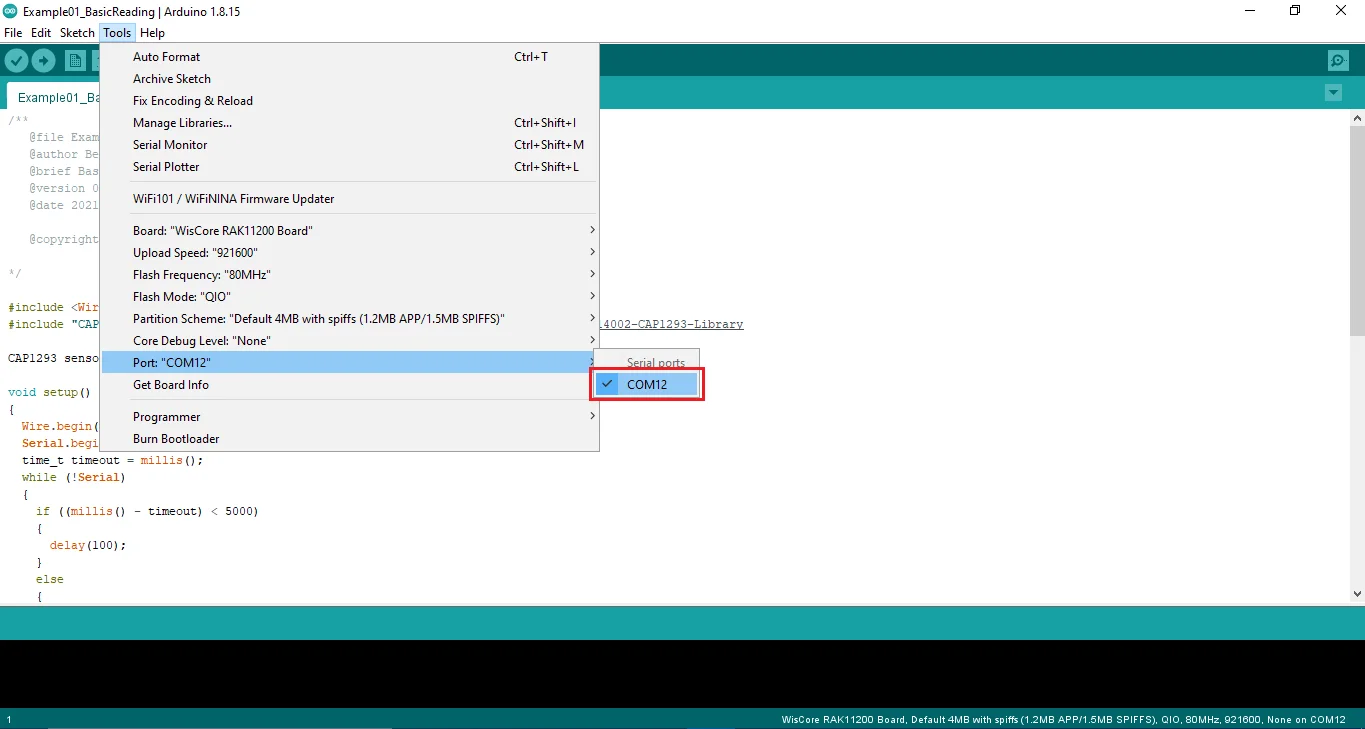 Figure 1: Selecting the correct Serial PortNOTE
RAK11200 requires BOOT0 pin to be configured properly first before uploading. If not done properly, uploading the source code to RAK11200 will fail. Check the full details on the RAK11200 Quick Start Guide.
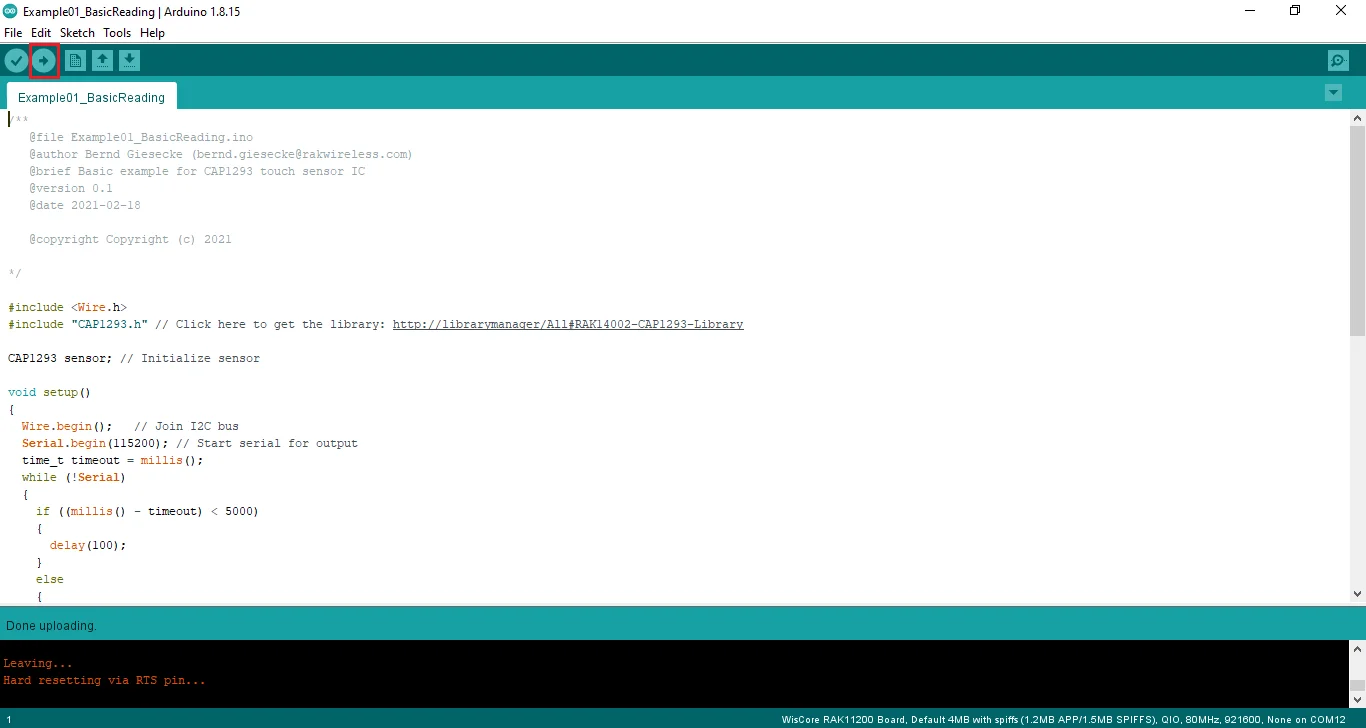 Figure 1: Uploading the RAK14002 example code on RAK11200
- When you successfully uploaded the Example01_BasicReading sketch, open the Serial Monitor of the Arduino IDE to check the sensor's reading logs.
Touch the left pad of the RAK14002 module. If you see the logs, then your RAK14002 is properly communicating to the WisBlock Core. The Connected! message means the I²C bus of RAK11200 WisBlock Core is connected to RAK14002.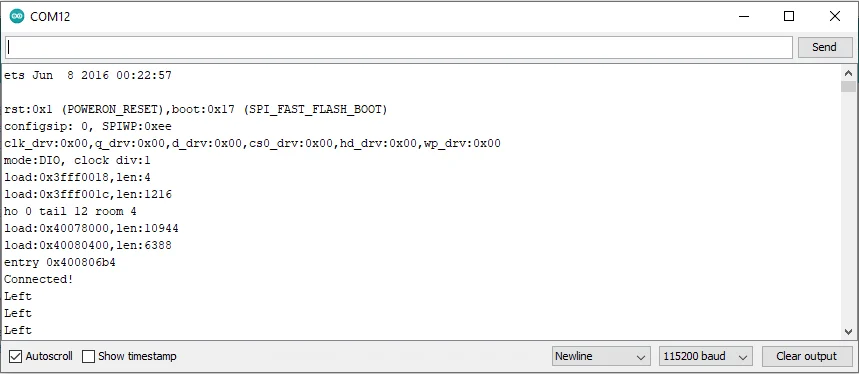 Figure 1: RAK14002 sensor data logs


