RAK14002 With RAK4631 via PlatformIO Quick Start Guide
Prerequisite
- Assemble the RAK14002 with a WisBlock Base and WisBlock Core by following the RAK14002 Installation Guide.
- Install PlatformIO IDE for software configuration and programming. For PlatformIO setup and project import instructions, refer to the RAKwireless WisBlock modules in PlatformIO.
- USB Cable
- Li-Ion/LiPo battery (optional)
- Solar charger (optional)
Software Configuration and Example
- Install the RAK_PATCH.
- After installing your RAK Core board on PlatformIO, import the entire project to PlatformIO.
- Open PlatformIO PIO Home and select Import Arduino Project.
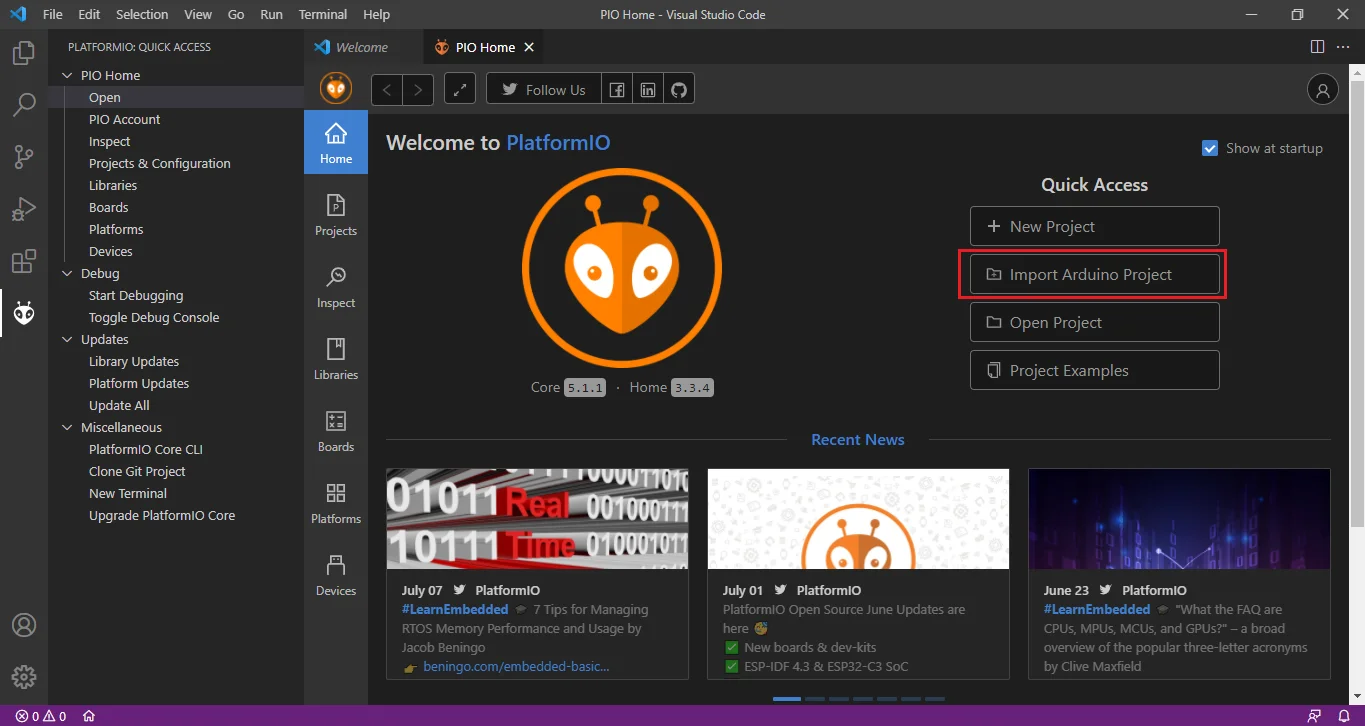 Figure 1: Import RAK14002 Arduino Project
- Select the WisBlock Core Board and check "Use Libraries installed by the Arduino IDE" option. Then choose the directory of the RAK14002 Arduino Project.
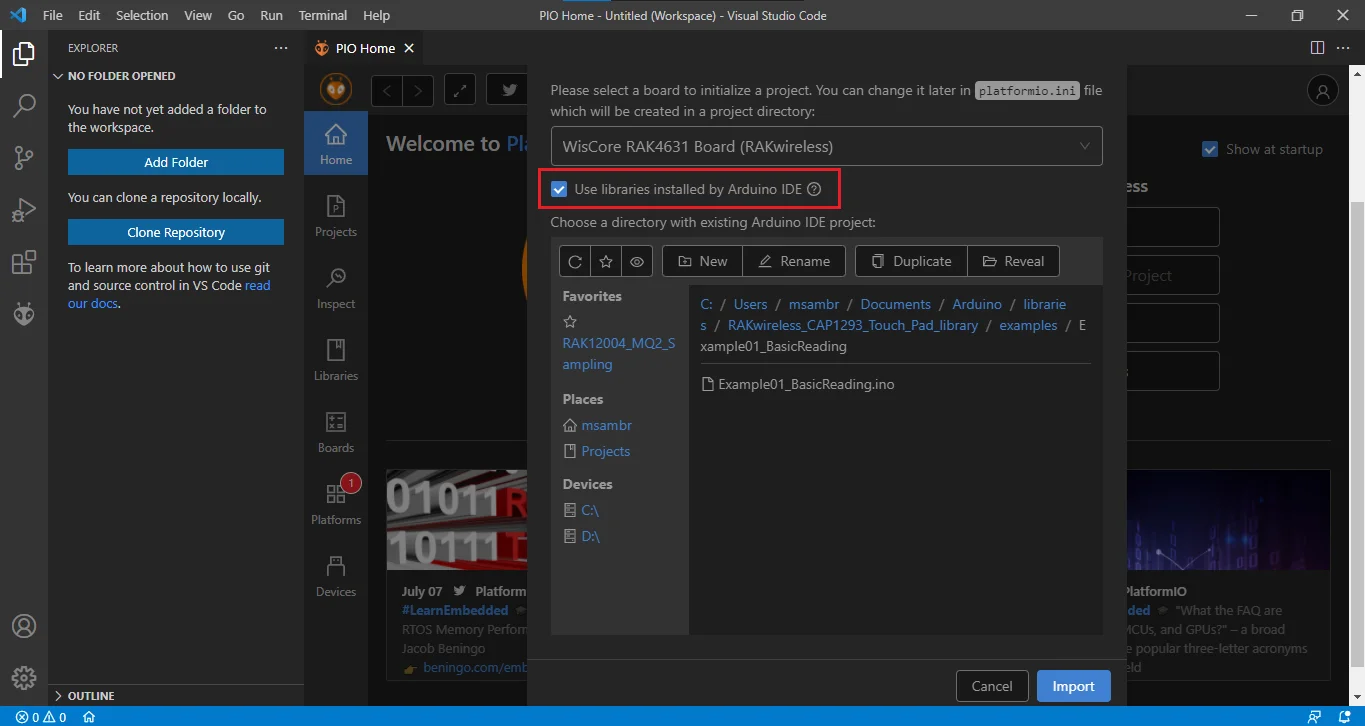 Figure 1: Select Board and check Import Libraries
- To finish import, click on Import button.
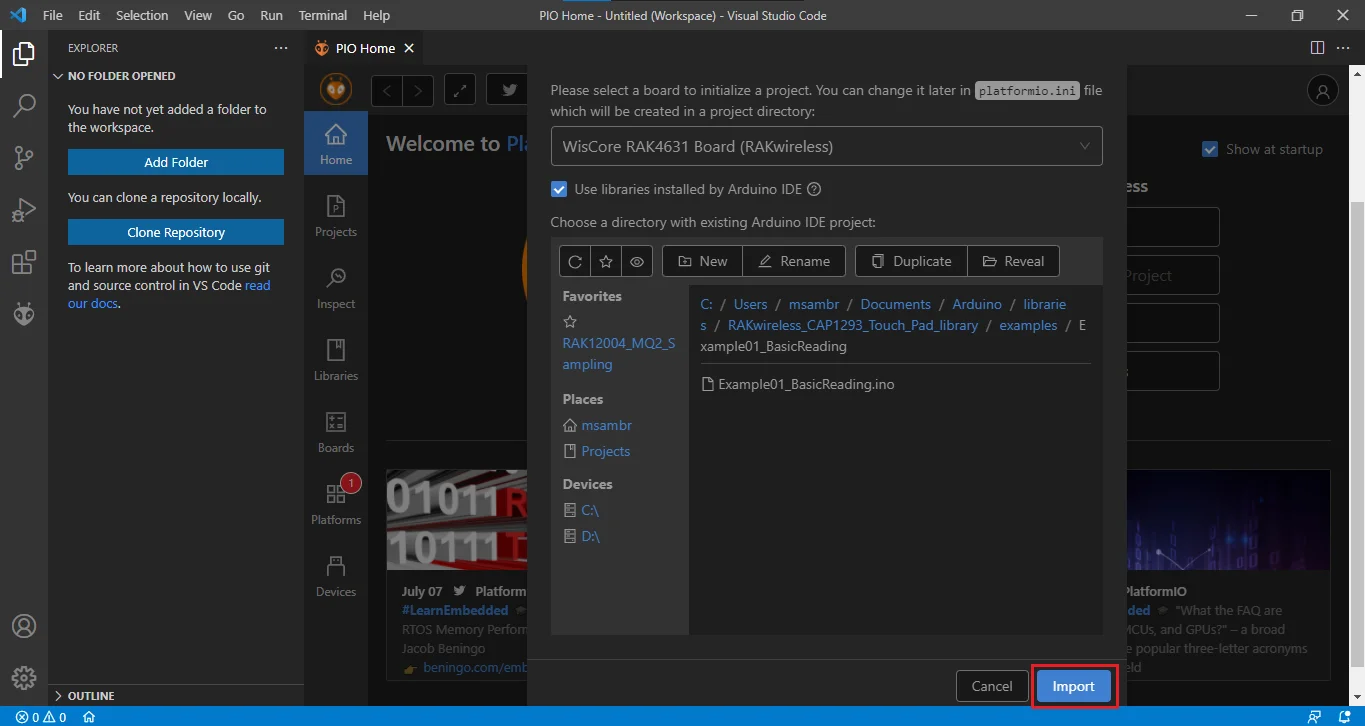 Figure 1: Select Board and check Import libraries
- Build imported project on PlatformIO.
- Now, build the project by clicking on highlighted icon.
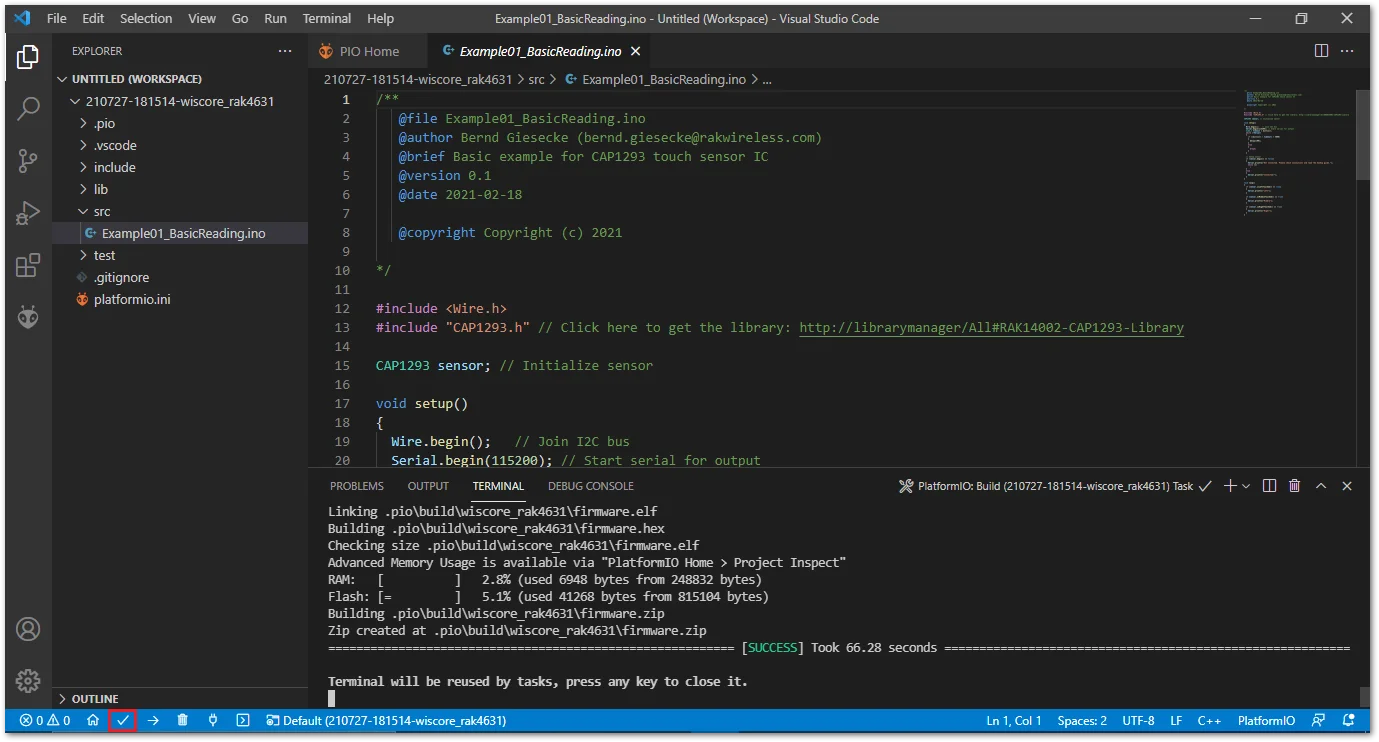 Figure 1: Build Arduino imported project
- Upload imported project on PlatformIO.
- To upload the project on target board, click on the highlighted icon.
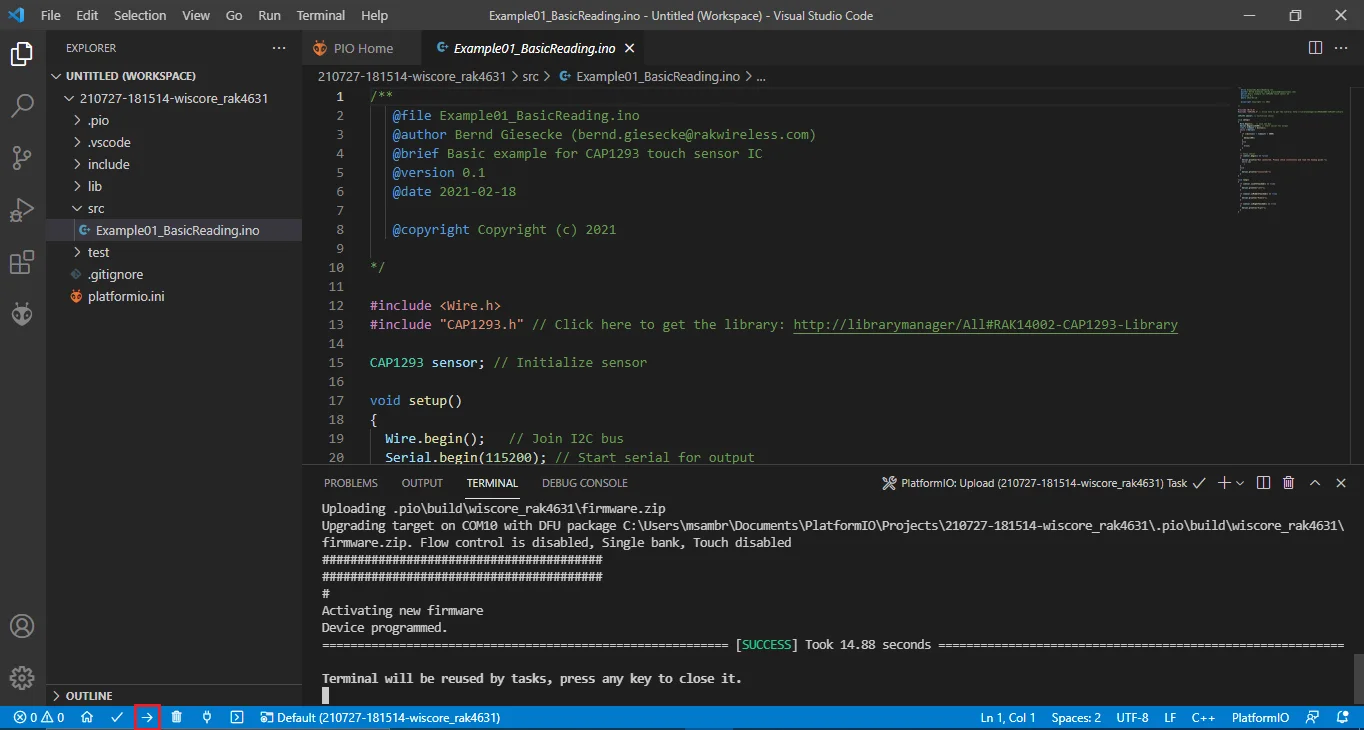 Figure 1: Upload Arduino imported project


