TCP Client Example
- Go to the TCP Client example code from the RAK5860 repository.
- Copy and paste the code to Arduino IDE and click upload.
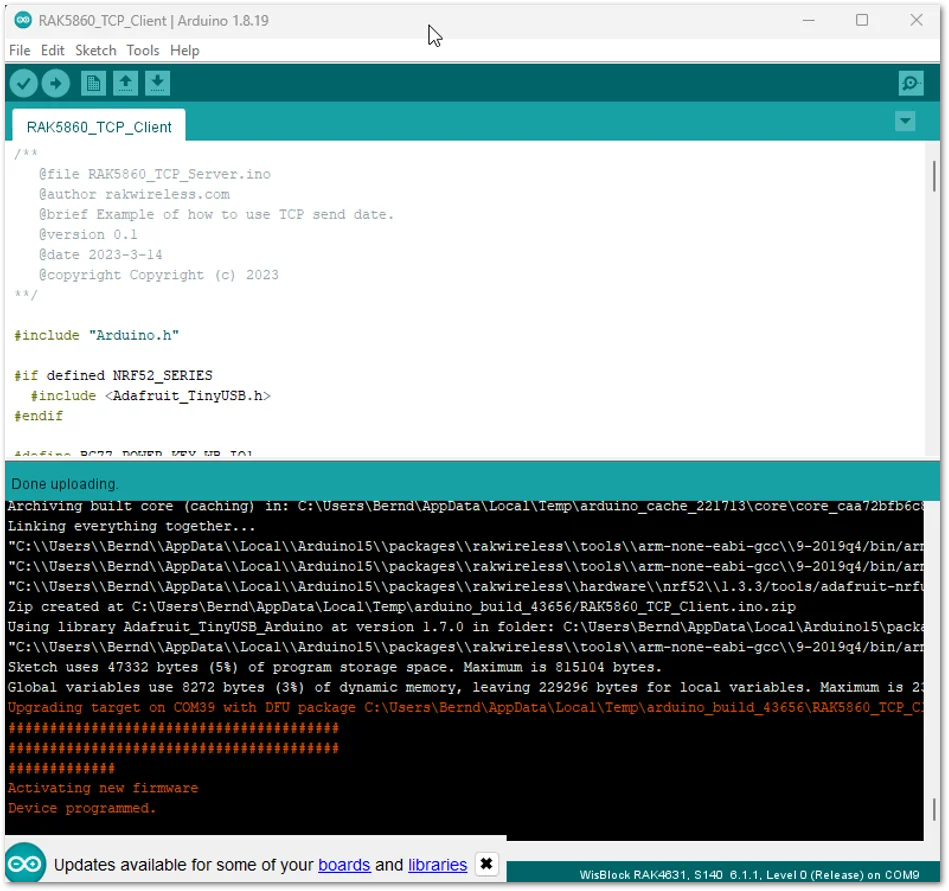 Figure 1: TCP Example Code
- The process will first configure the APN of the cellular network, then create a TCP socket connection and send data to the TCP server. You can see the status if the device has already sent the payload via the Serial Terminal of the Arduino IDE.
NOTE
You need to configure your own TCP server that will receive the transferred data. You have to edit the AT+QIOPEN and put the address of your server.
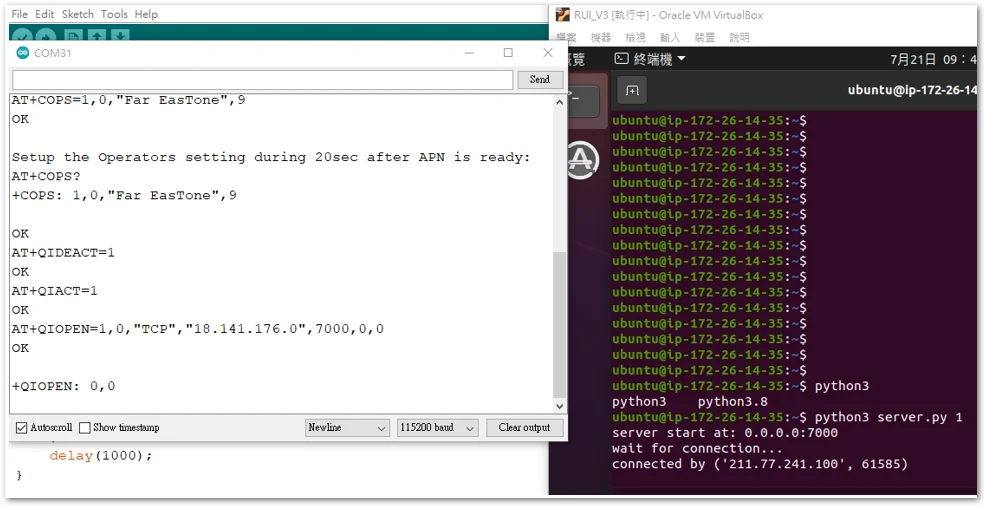 Figure 1: TCP Client connection
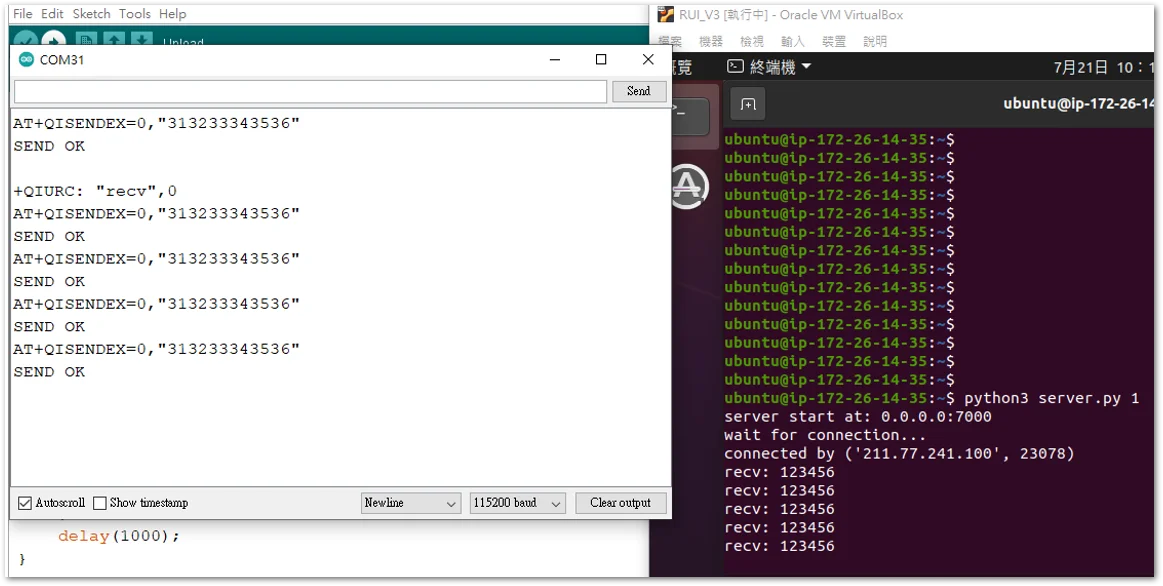 Figure 1: Data transmitted from TCP Client


