DI/DO Configuration for WisNode Bridge on IO.Box
DI/DO interfaces refer to Digital Input and Digital Output interfaces, used for connecting external digital signal devices to enable switch signal acquisition and control. DI/DO interfaces allow users to monitor external equipment switch status (DI) or control actuators such as relays and indicator lights (DO).
Digital Input
The Digital Input interface receives external digital signals, such as switch status and sensor trigger signals.
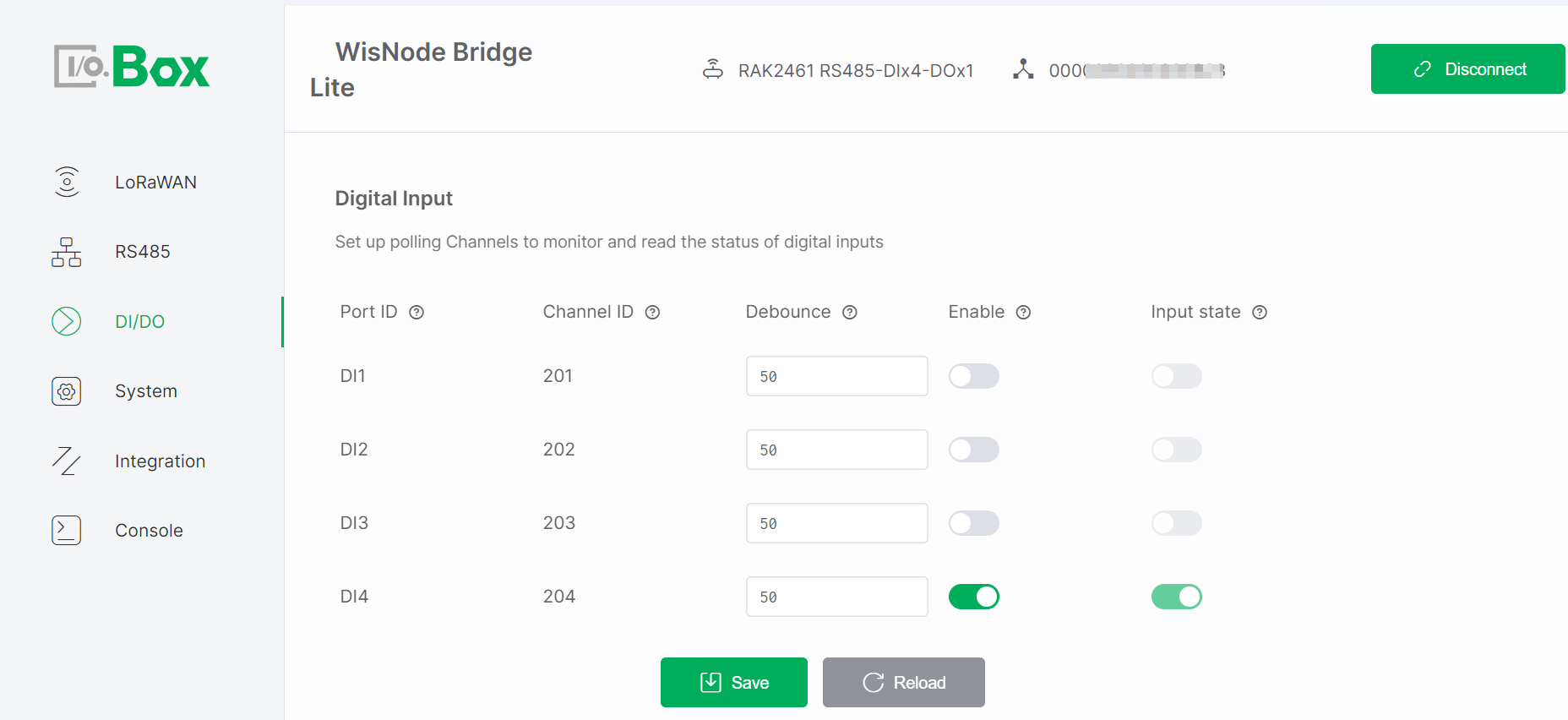 Figure 1: DI/DO tab1
Configuration Steps
-
Navigate to the DI/DO module and select the Digital Input menu.
-
Enable the Enable switch, keep the remaining parameters at default values, then click Save to apply the configuration.
-
Trigger an external input and check if Input State updates.
Parameter Descriptions
-
Port ID: Identifies the physical DI port, corresponding one-to-one with the Bridge I/O hardware interface. Automatically assigned by the system and cannot be modified.
-
Channel ID: Uniquely identifies the input channel within the system for data reporting and logical processing. Automatically assigned by the system and cannot be modified. Used in LoRaWAN or system data frames.
-
Debounce: Prevents false triggering due to mechanical switch bouncing. Sets the signal stabilization time, only signals stable beyond this duration are considered valid inputs. Range: 50 to 2000 ms.
-
Interval (s): Specifies the frequency at which the device polls and reports the digital input state. Range: 5 to 86400 seconds.
-
Enable: Enable/Disable the channel. Controls whether the input channel participates in polling and data reporting. Monitoring occurs only when enabled. Default: disabled.
-
Input State: Shows the real-time input level status (high or low) of the port. The status updates in real-time when a valid signal is input from the external device. Read-only.
NOTEThis parameter is active only when Enable is ON.
Digital Output
The DO interface outputs digital control signals to external devices, such as controlling relay switching or indicator light states.
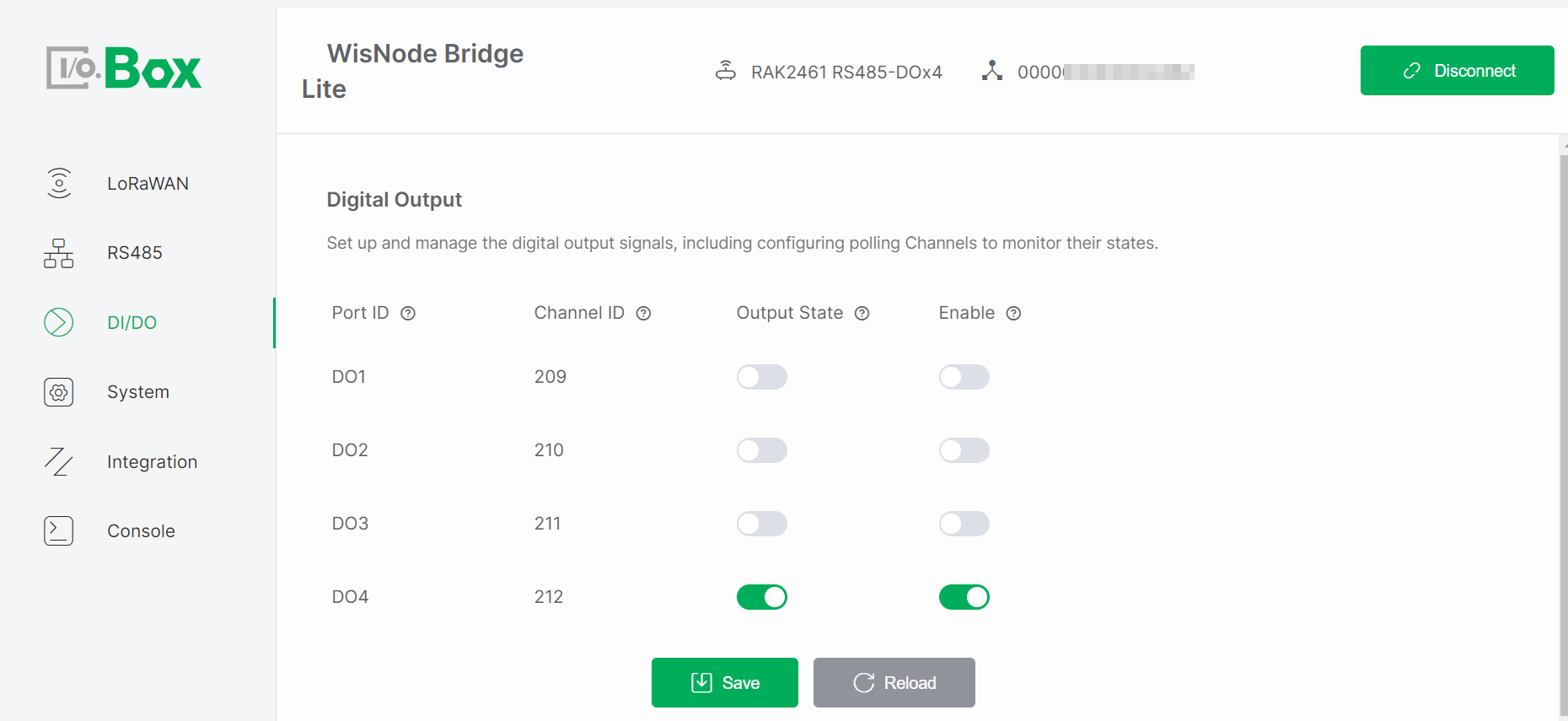 Figure 1: DI/DO tab2
Configuration Steps
-
Navigate to the DI/DO module and select the Digital Output menu.
-
Enable the Enable switch, set the desired Output State, and click Save to apply the configuration.
-
Observe whether the actuator operates as expected.
Parameter Descriptions
-
Port ID: Identifies the physical DO port, corresponding one-to-one with the Bridge I/O hardware interface. Automatically assigned by the system and cannot be modified.
-
Channel ID: Uniquely identifies the output channel within the system for command issuance and status tracking. Automatically assigned by the system and cannot be modified. Used as an address identifier in control commands or data frames.
-
Output State: Controls the output level (high or low) of the port for controlling external devices. The state changes according to system or user commands. Writable parameter.
NOTEThis parameter is active only when Enable is ON.
-
Interval (s): Specifies the frequency at which the device polls and reports the digital output state. Range: 5 to 86400 seconds.
-
Enable: Enable or Disable the output channel. The Output State takes effect only when enabled. Default: disabled.


