Device Configuration
Parameters
Global Settings Parameters
The Global Settings parameters section is available in WisToolBox Mobile.
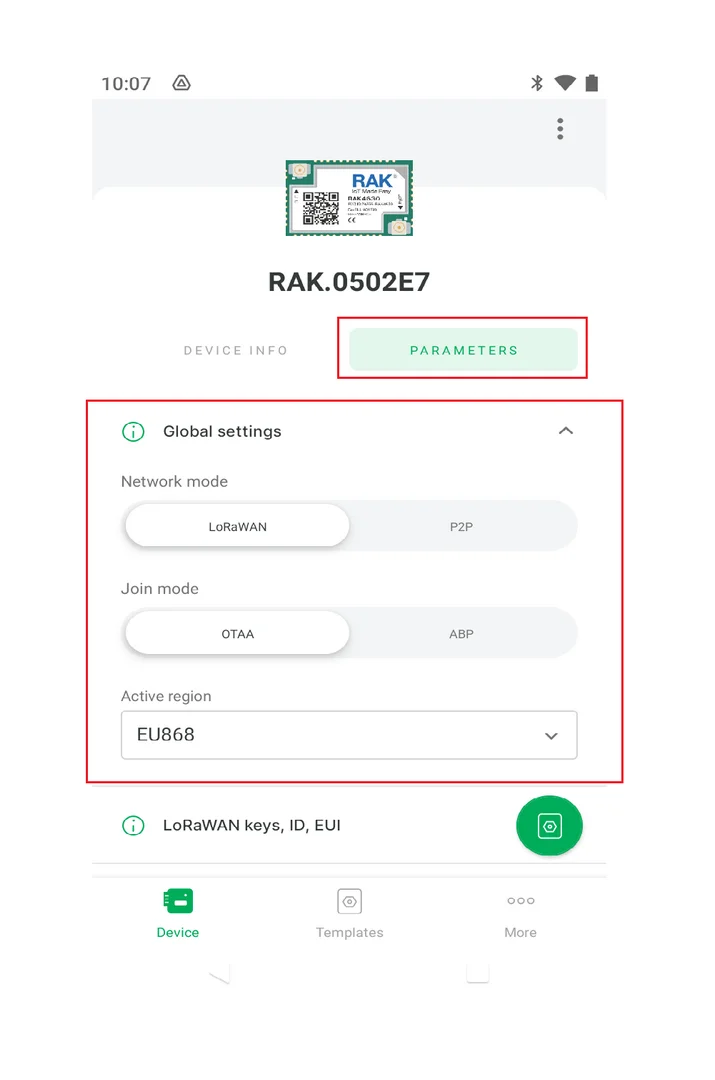 Figure 1: WisToolBox Global Settings parameters
LoRaWAN Keys, ID, EUI Parameters
The LoRaWAN Keys, ID, EUI parameters section is available in WisToolBox Mobile.
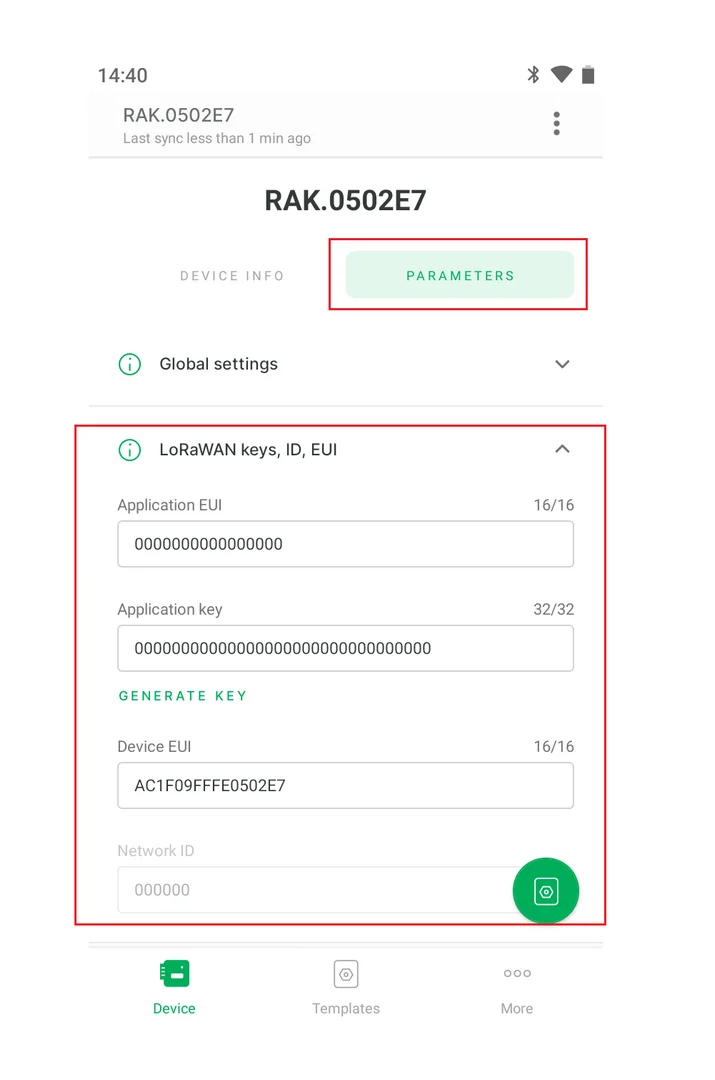 Figure 1: WisToolBox LoRaWAN Keys, ID, EUI parameters
If you change the value of any parameter, a new command is added to the queue and a button appears.
- Click the button to update the new value on the RAK device.
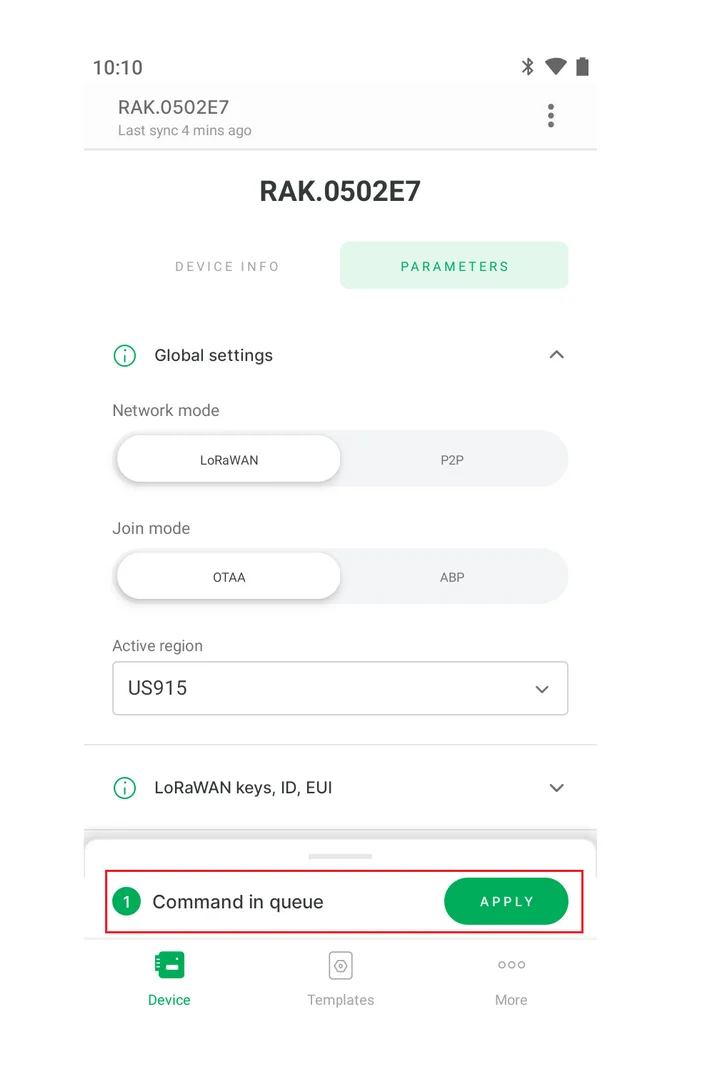 Figure 1: WisToolBox Command in queue
- Wait up to a minute for the command reply.
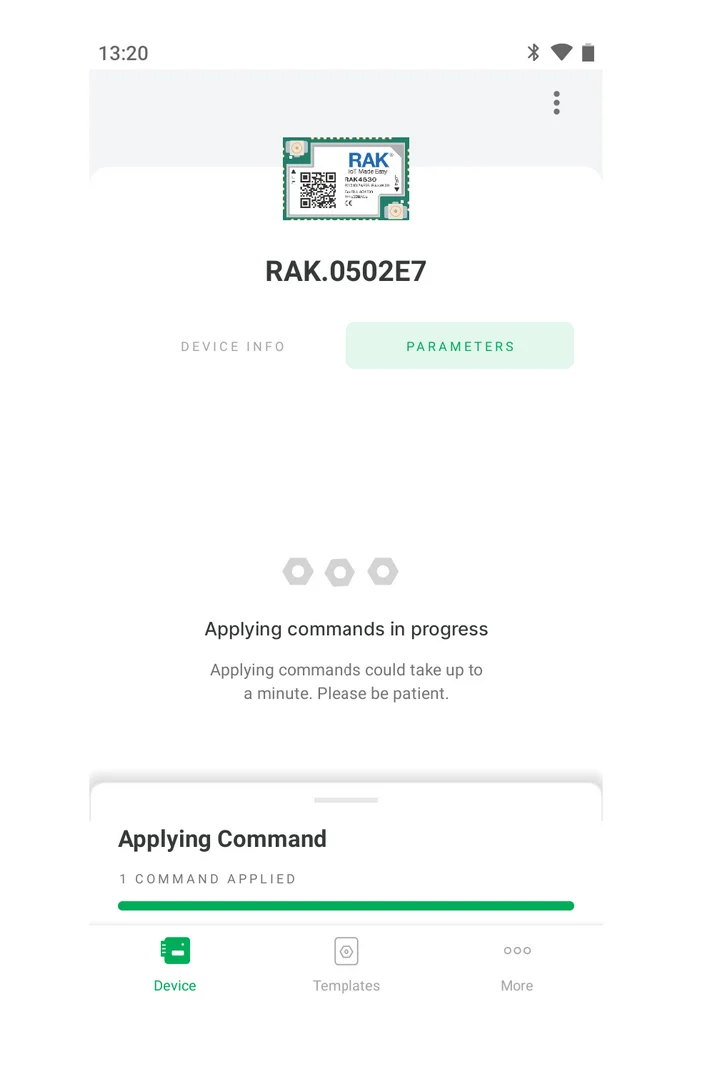 Figure 1: WisToolBox Applying Command progress
Advanced Mode Commands
- The Advanced Mode commands are available from the DEVICE INFO menu.
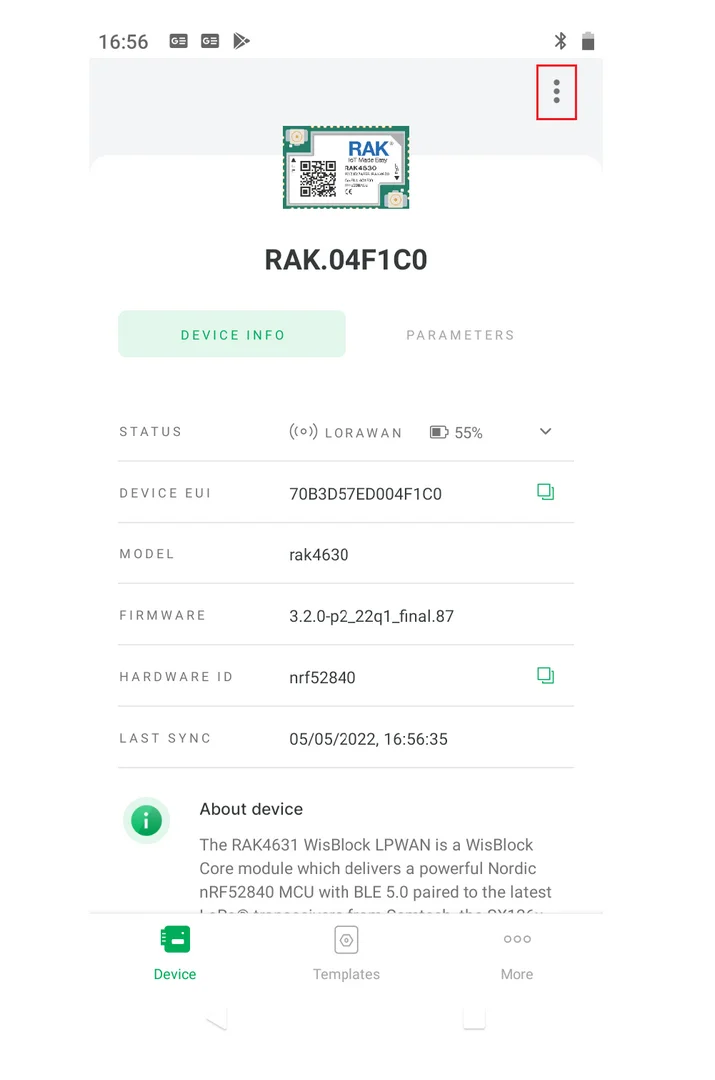 Figure 1: WisToolBox Mobile Advanced commands menu
- Click Advanced Mode Commands to check the Advanced commands.
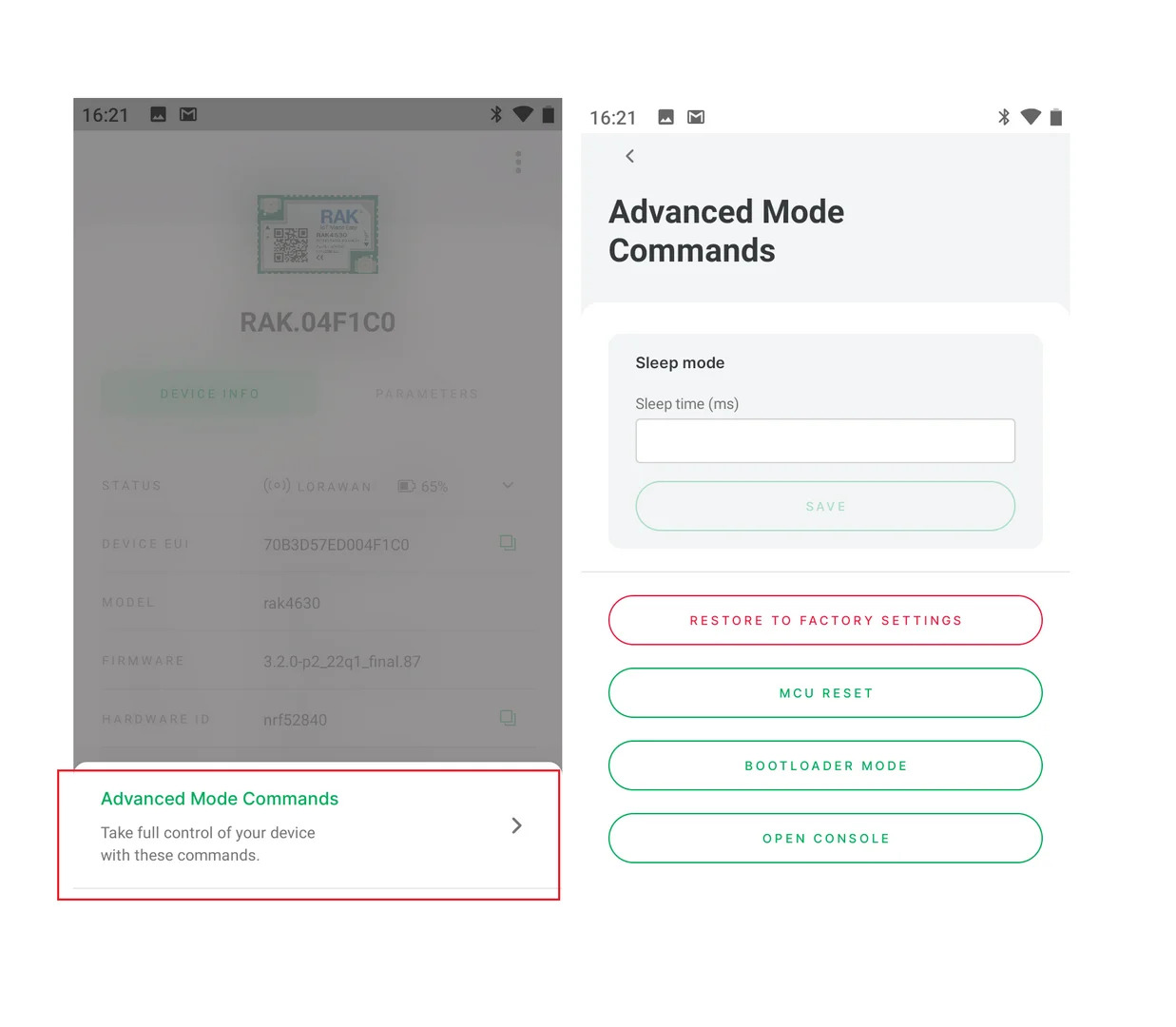 Figure 1: WisToolBox Mobile Advanced commands


