Firmware Upgrade for RAK9105U PowerLink
The RAK9105U PowerLink firmware can be upgraded through WisToolBox. For normal firmware updates, use the official firmware version provided through WisToolBox. WisToolBox displays the firmware versions officially released for the RAK9105U and handles the upgrade process directly.
Prerequisites
Before upgrading the firmware, make sure that:
WisToolBox is installed on your computer.
Upgrade Firmware with WisToolBox
Use this method for standard RAK9105U firmware upgrades
Do not disconnect the USB cable, close WisToolBox, or interrupt power while the firmware upgrade is in progress. Interrupting the upgrade may prevent the device from operating correctly.
Connect the RAK9105U
- Connect the Console port of the RAK9105U to your computer using a USB Type-C cable.
- Open WisToolBox.
- Connect to the detected RAK9105U.
- Select the device to configure.
Select the Official Firmware
-
From the device page, select FIRMWARE.
-
Open the section containing the official firmware versions available for the RAK9105U.
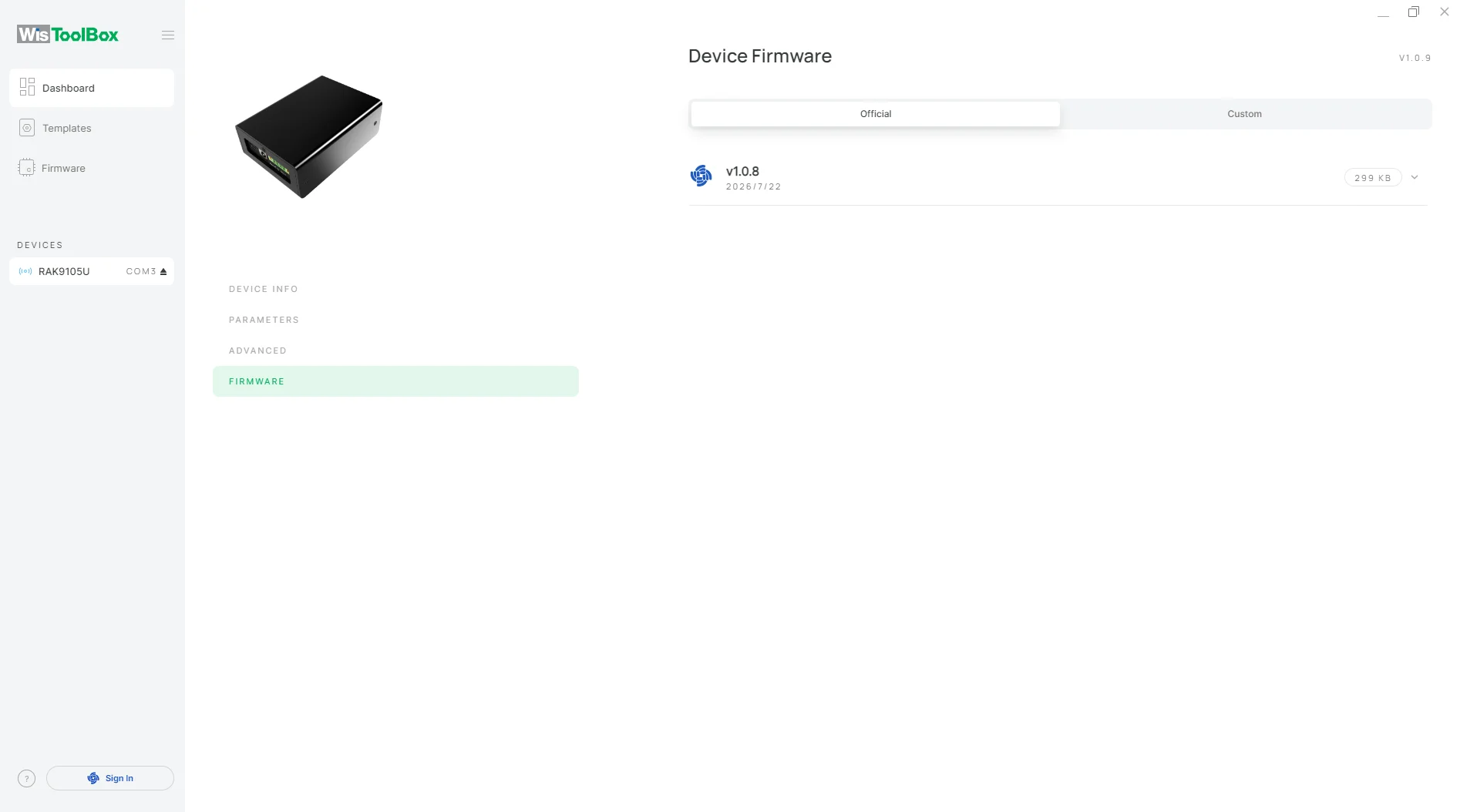 Figure 1: RAK9105U Official Firmware
 -
Review the available firmware version and select the version you want to install.
For normal upgrades, use the latest official firmware version provided through WisToolBox unless a different version is specifically recommended by RAKwireless Support.
Start the Firmware Upgrade
-
Select the target official firmware version.
-
Click UPGRADE DEVICE.
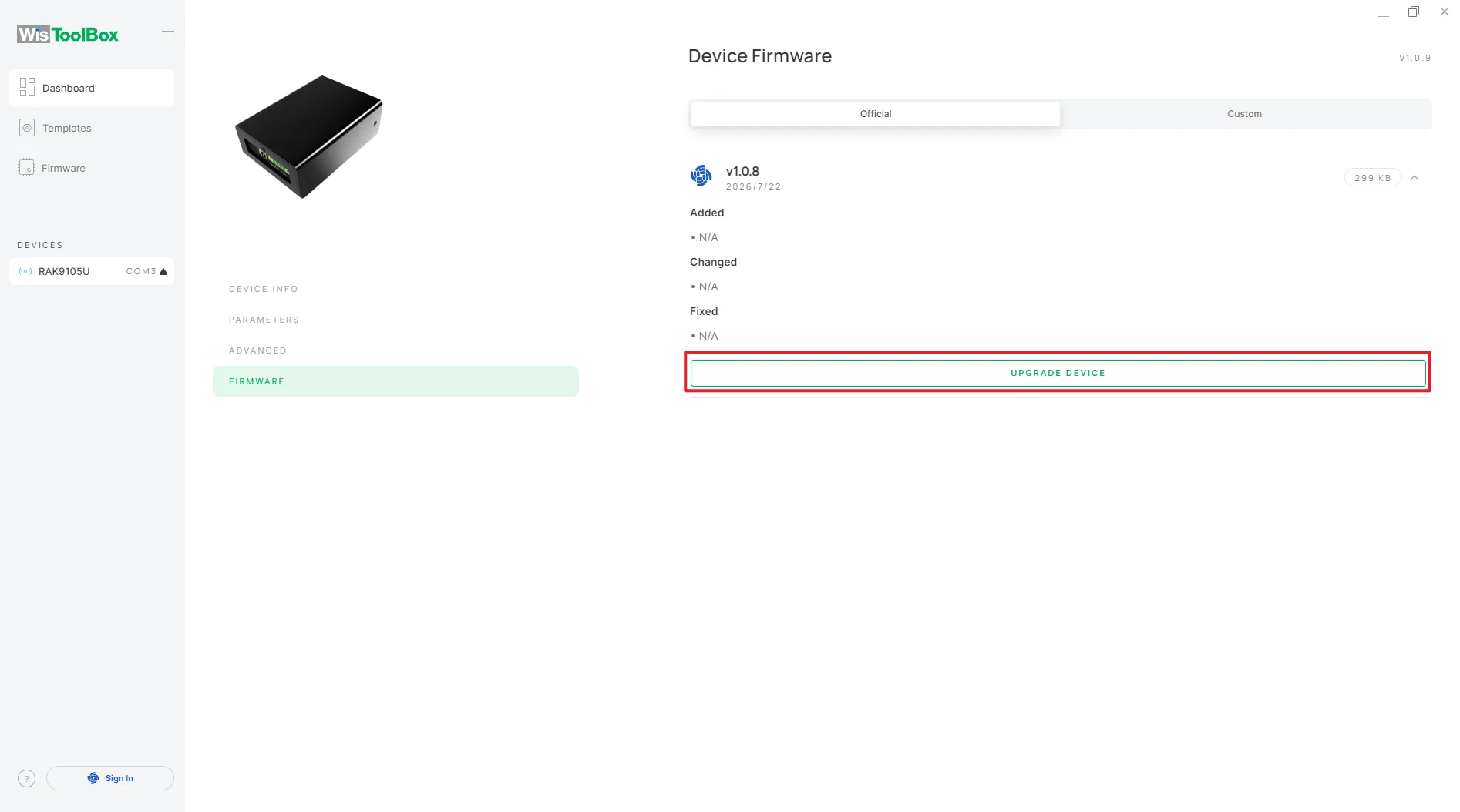 Figure 1: RAK9105U Official Firmware Upgrade
 -
Review the firmware version shown in the confirmation window.
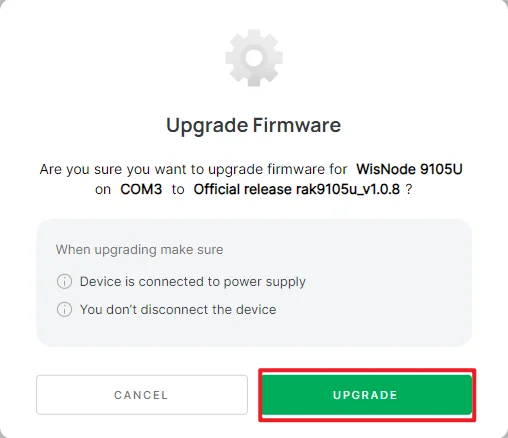 Figure 1: RAK9105U Upgrade Firmware Confirmation
 -
Click UPGRADE to begin the upgrade.
Wait until WisToolBox indicates that the firmware upgrade has completed successfully.
Verify the Upgrade
After the upgrade is complete:
- Click CLOSE.
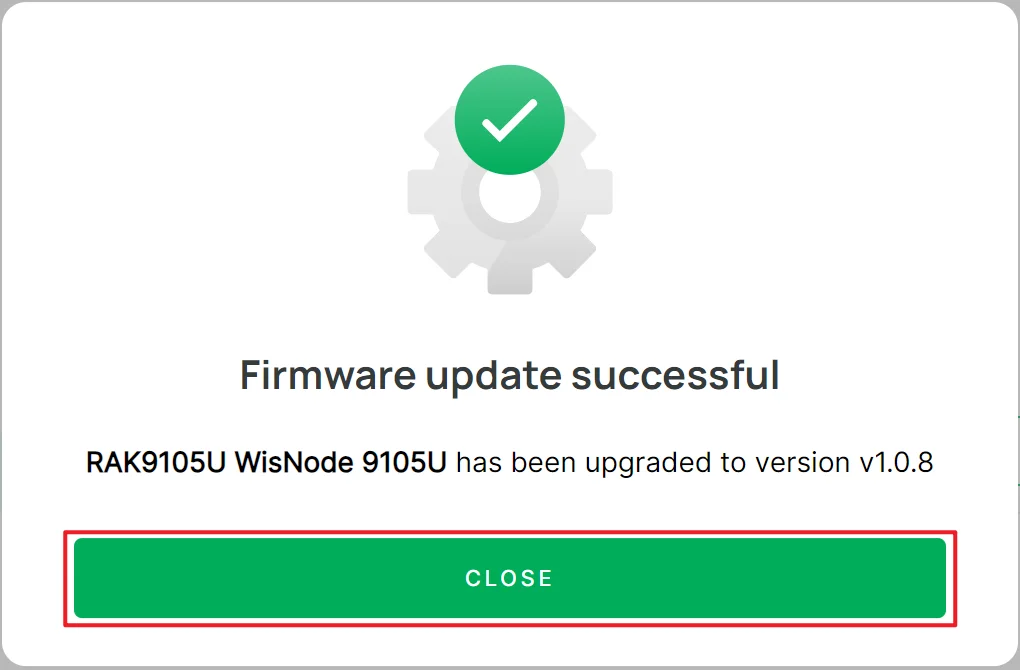 Figure 1: RAK9105U Upgrade Firmware Close
- Reconnect to the RAK9105U in WisToolBox if required.
- Verify that the expected firmware version is displayed in the device information.


