System Settings
This tab shows the general information about your device. You can choose the power output and perform system resets and updates.
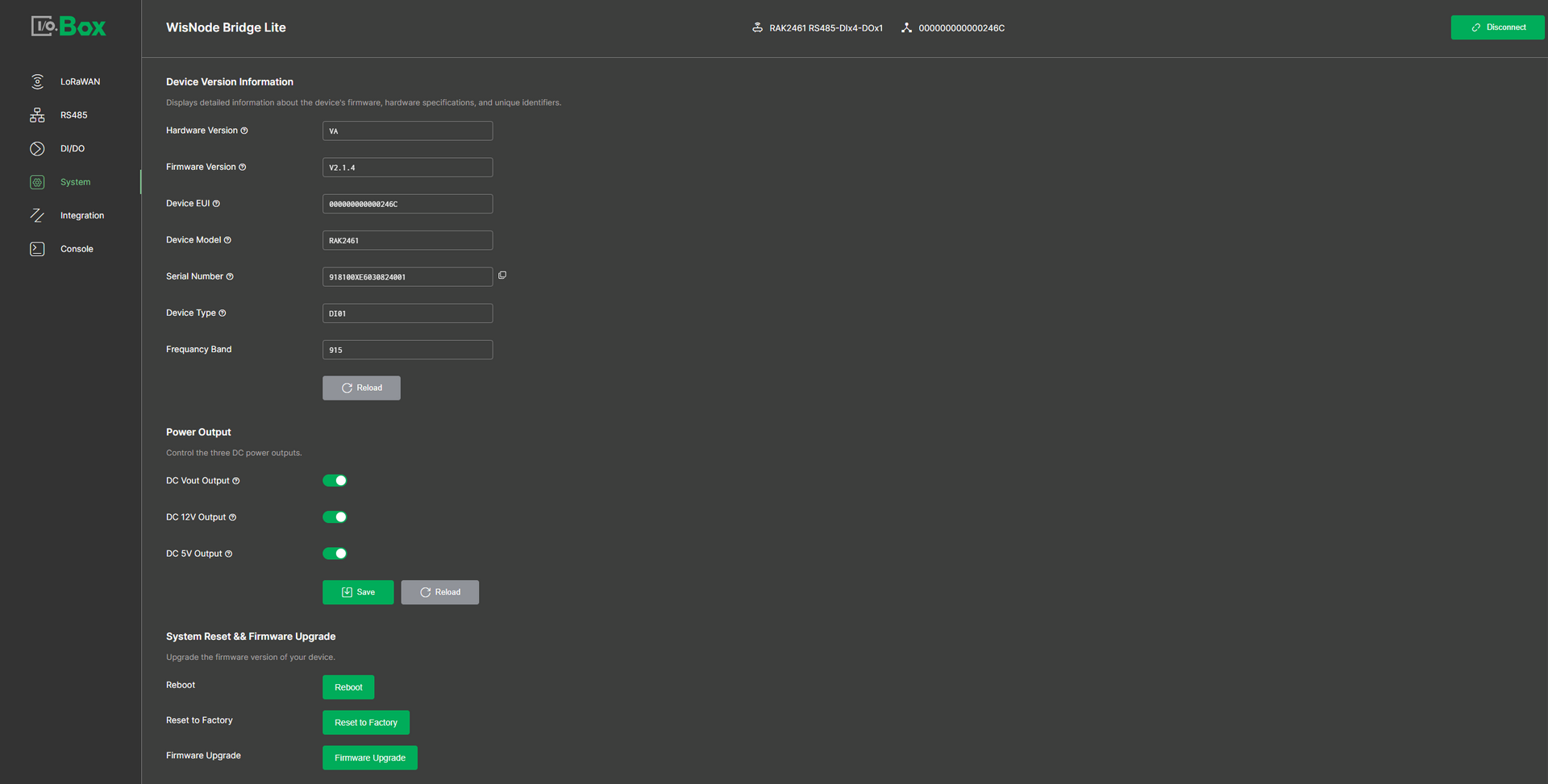 Figure 1: System tab
Device Version Information
- Hardware Version: Specific hardware version of the device.
- Firmware Version: The currently installed firmware version.
- Device EUI: Unique identifier assigned by the manufacturer.
- Device Model: The specific model name or number of the device.
- Serial Number: Serial number of the device.
- Device Type: The device category, defining its supported interface types and functionalities. For detailed specifications, refer to the model information.
- Frequency Band: Operating frequency band of the device.
Power Output
- DC Vout Output: Toggle to enable or disable the Vout power output. When enabled, Vout passes through the same voltage as the Vin input.
- DC 5V Output: Toggle to enable or disable the 5 V power output for connected peripherals or devices that require a 5 V supply.
- DC 12V Output: Toggle to enable or disable the 12V_Out power output, which provides a 12 V / 0.5 A power output when enabled.
NOTE
If the device does not have its own power supply, you must enable the appropriate power output here to provide power to the device.
System Reset & Firmware Upgrade
- Reboot: Click Reboot to restart the device. This is typically used to apply configuration changes or recover from temporary system issues.
- Reset to Factory: Click Reset to Factory to restore the device to its factory default settings. This action will erase all user configurations and cannot be undone.
- Firmware Upgrade: Click Firmware Upgrade to upload and install a new firmware version on the device. This is used to apply feature updates, bug fixes, or performance improvements.


