ConnectOS MQTT Forwarder
The ChirpStack MQTT Forwarder publishes what the concentrator hears to an MQTT broker, and subscribes for the downlinks it must transmit. It is the recommended way to connect a ConnectOS gateway to a ChirpStack network server.
Compared with the UDP Forwarder, it moves the gateway from a bare UDP stream to a real messaging protocol: the connection can be secured with TLS, each gateway can carry its own credentials, and the broker, not the gateway, decides what a given client is allowed to publish. On an untrusted network that difference matters.
By default it speaks Protobuf, a compact binary encoding. JSON is available for debugging.
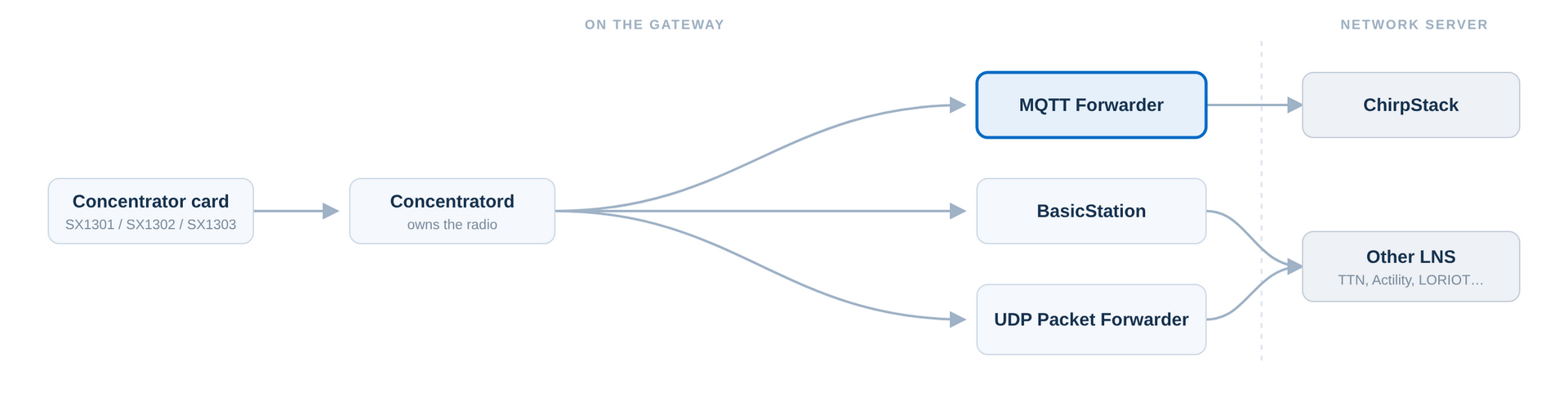 Figure 1: MQTT Forwarder in the ConnectOS LoRaWAN® Architecture
Before You Start
- The Concentratord must be configured and running on the slot you intend to forward.
- You need the address of the MQTT broker your ChirpStack instance uses, and any credentials it requires.
Only one forwarder should own a concentrator slot at a time. If the UDP or BasicStation forwarder is already enabled against the same slot, disable it first.
Choose the Instance
LoRaWAN → MQTT Forwarder has three entries:
| Entry | Use it for |
|---|---|
| Slot 1 | The concentrator in slot 1 |
| Slot 2 | The concentrator in slot 2 |
| Mesh | A Gateway Mesh Border Gateway, which feeds the forwarder through the mesh proxy instead of directly from a concentrator |
Unless you are building a mesh, use the entry matching your slot.
Global Configuration
Tick Enabled to run the forwarder.
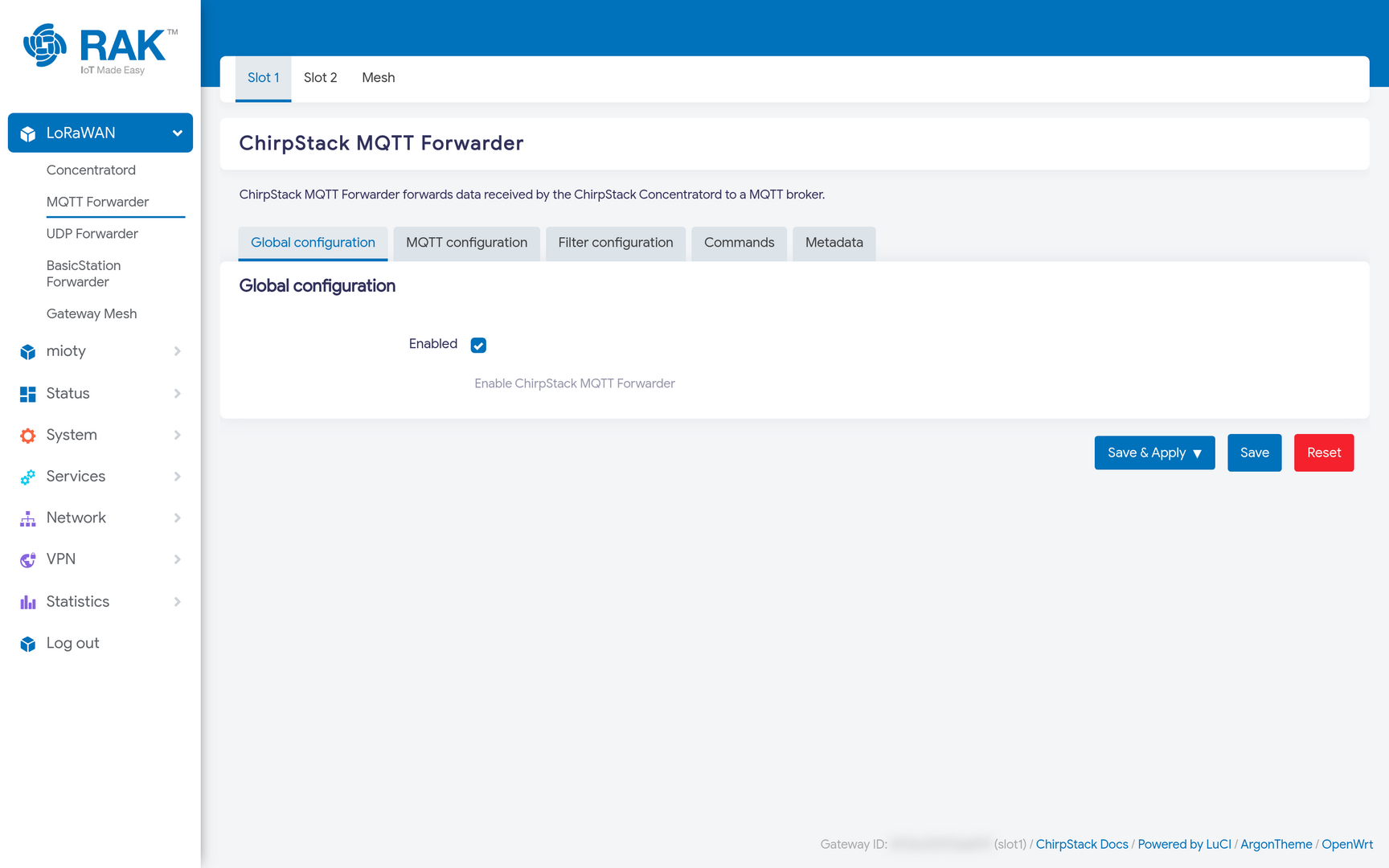 Figure 1: MQTT Forwarder Global Configuration
MQTT Configuration
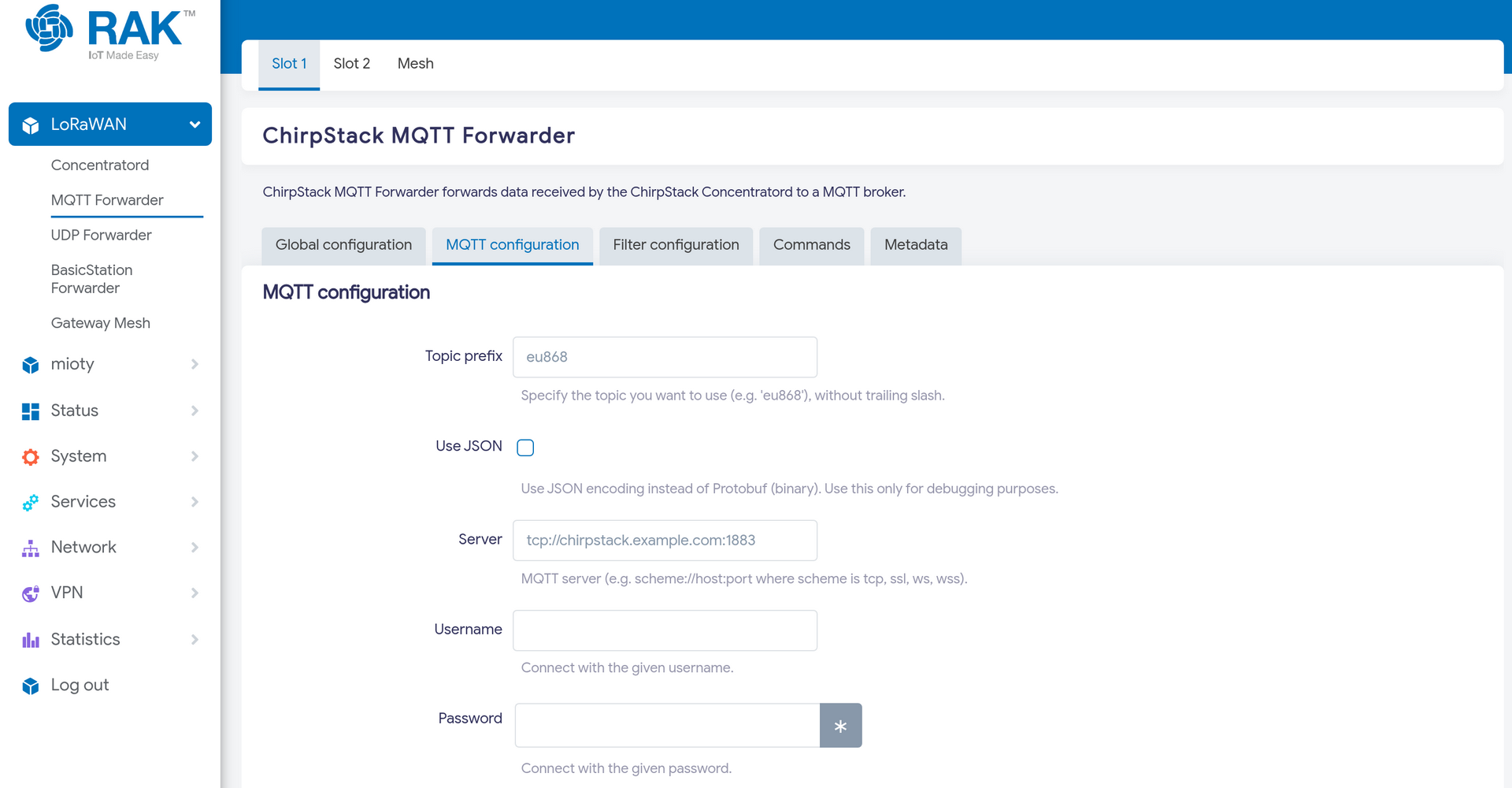 Figure 1: MQTT Broker Configuration
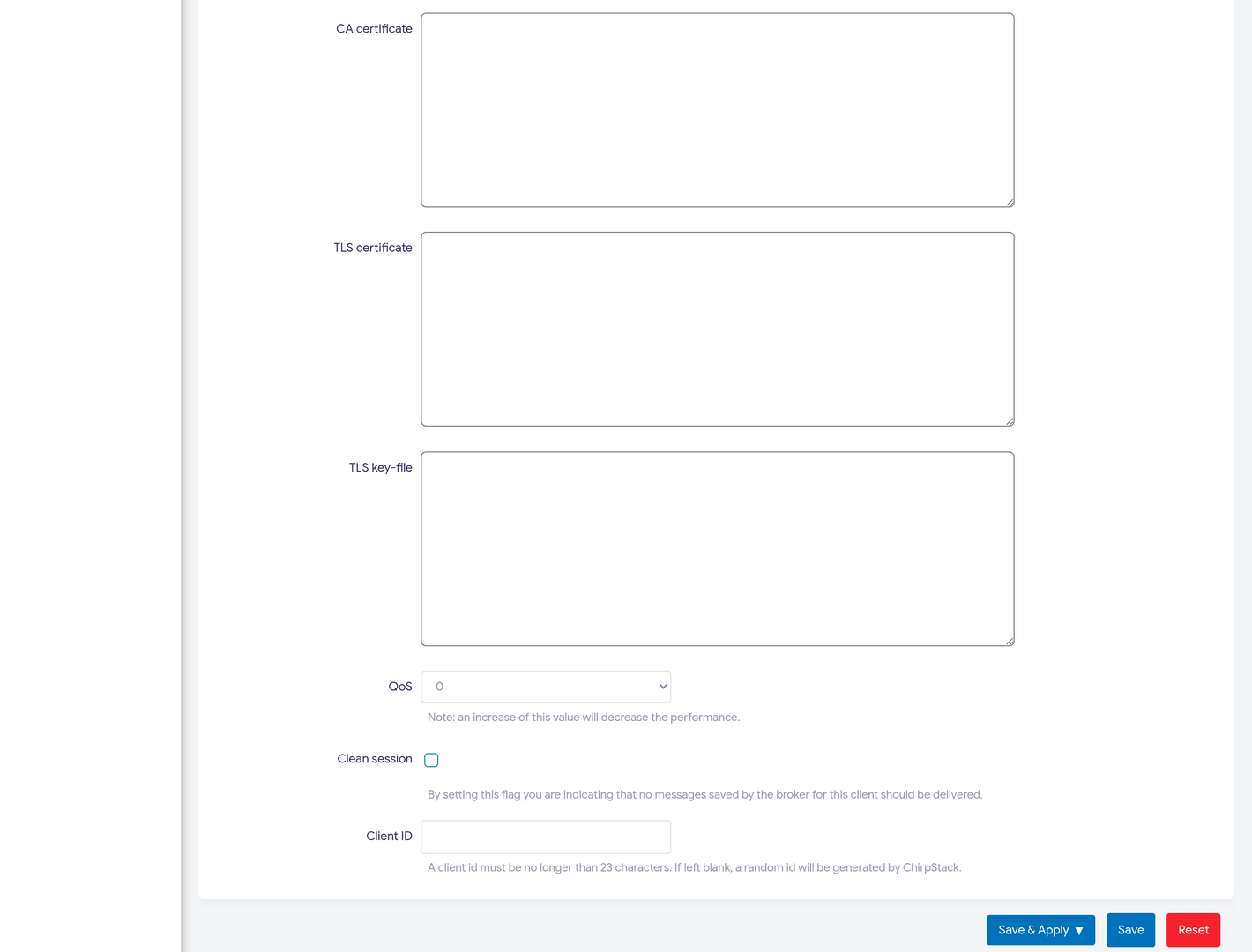 Figure 1: MQTT TLS and Client Configuration
| Field | Meaning |
|---|---|
| Topic prefix | Prepended to every topic. Conventionally the gateway's region, e.g. eu868, because a ChirpStack deployment usually separates regions by topic prefix. |
| Use JSON | Publish JSON instead of Protobuf. Debugging only, it costs bandwidth for no functional gain. |
| Server | Broker URI, e.g. tcp://localhost:1883. Use ssl://host:8883 for TLS. |
| Username / Password | Broker credentials, if it requires them. |
| CA certificate | The CA that signed the broker's certificate, when using TLS with a private CA. |
| TLS certificate / TLS key-file | A client certificate and key, when the broker authenticates gateways with mutual TLS. |
| QoS | MQTT delivery guarantee: 0 at most once, 1 at least once, 2 exactly once. Higher levels cost throughput; 0 is the usual choice for LoRaWAN traffic, where a lost uplink is already an expected event. |
| Clean session | When enabled, the broker does not replay messages queued while the gateway was offline. |
| Client ID | Overrides the MQTT client identifier. Leave empty to have one generated. |
The forwarder builds its topics from the prefix and the gateway EUI:
[prefix/]gateway/[gateway EUI]/event/[event]     uplinks and stats, published by the gateway
[prefix/]gateway/[gateway EUI]/state/[state]     gateway state
[prefix/]gateway/[gateway EUI]/command/[command] downlinks, subscribed by the gateway
So a gateway with prefix eu868 and EUI 0015c001f19ad81d publishes its uplinks under eu868/gateway/0015c001f19ad81d/event/up. This is worth knowing: subscribing to that topic with any MQTT client is the quickest way to confirm the gateway is really forwarding.
The gateway EUI in the topic comes from the Concentratord. If the EUI in your topics is not the one you registered on the network server, fix it at the Concentratord rather than here.
Filter Configuration
Filters drop uplinks at the gateway, before they reach the network server. On a busy site this cuts backhaul traffic considerably, useful on a metered cellular link.
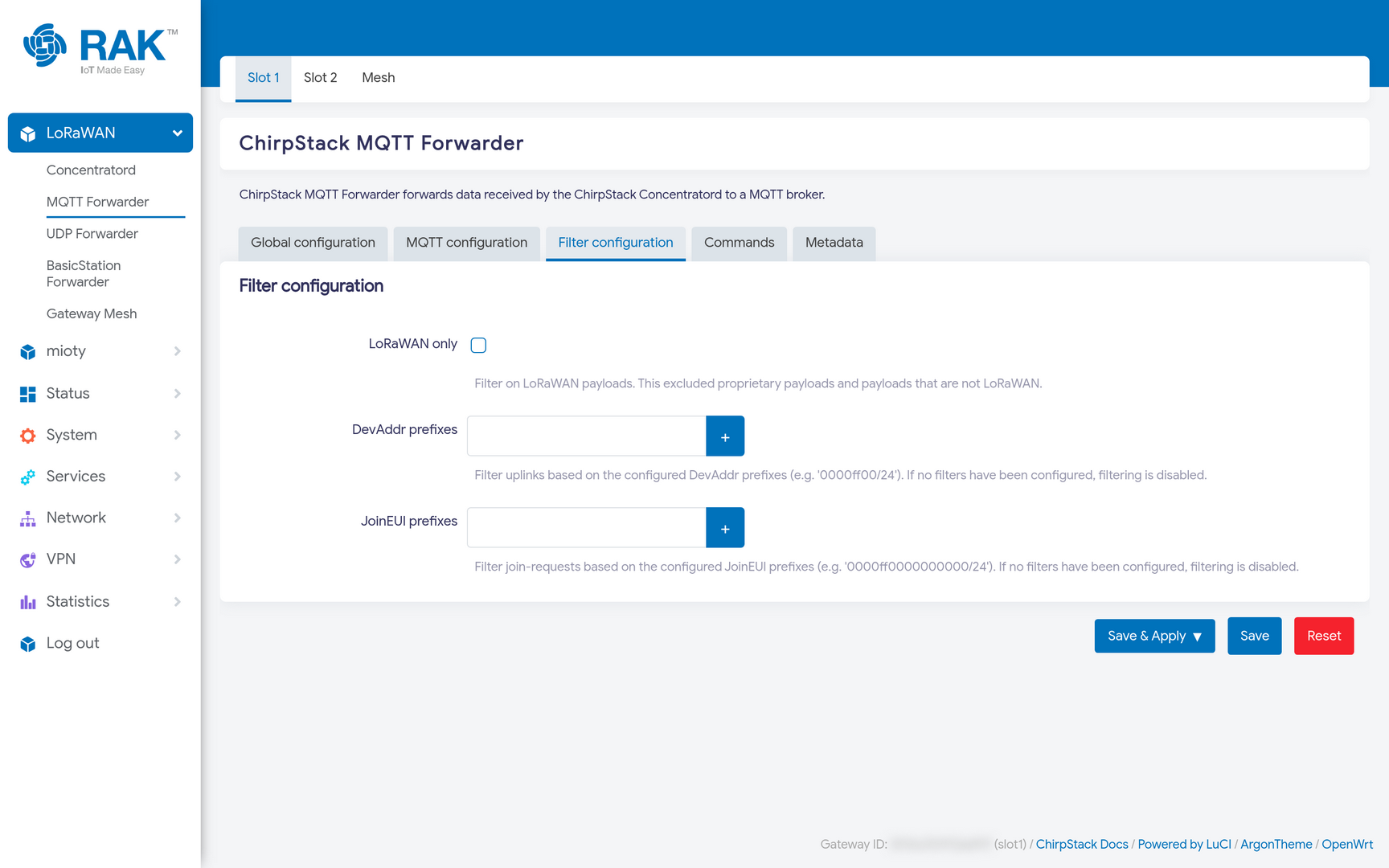 Figure 1: MQTT Forwarder Filter Configuration
| Field | Meaning |
|---|---|
| LoRaWAN only | Forward only frames that parse as LoRaWAN, discarding other LoRa traffic. |
| DevAddr prefixes | Forward only uplinks whose DevAddr matches these prefixes, in CIDR notation. |
| JoinEUI prefixes | Forward only join-requests whose JoinEUI matches these prefixes, in CIDR notation. |
Leave them empty to forward everything.
Filters are a blunt instrument: a device whose DevAddr falls outside the configured prefixes becomes invisible to the network server, and the symptom looks like poor coverage rather than a configuration choice. Only set them when you deliberately want to carry a subset of the traffic.
Commands and Metadata
Two further tabs extend what the gateway reports and accepts. Both start empty.
- Commands Register commands the network server may trigger on the gateway over MQTT.
- Metadata Static key/value pairs published with the gateway's stats, useful for recording things the network server cannot infer, such as a site name or an installation reference.
Add entries with the Add button on each tab.
Verify
Press Save & Apply, then check Status → System Log for chirpstack-mqtt-forwarder entries:
chirpstack-mqtt-forwarder: Sending gateway stats event, topic: eu868/gateway/0015c001f19ad81d/event/stats
chirpstack-mqtt-forwarder: Received message, topic: eu868/gateway/0015c001f19ad81d/command/config, qos: AtMostOnce
chirpstack-mqtt-forwarder: Received configuration command, version: 717c8d9dd858e8b0
chirpstack-mqtt-forwarder: Sending configuration command, version: 717c8d9dd858e8b0
chirpstack-mqtt-forwarder: Received uplink frame, uplink_id: 2214302260
chirpstack-mqtt-forwarder: Sending uplink event, uplink_id: 2214302260, topic: eu868/gateway/0015c001f19ad81d/event/up
Read those lines as three separate confirmations:
- stats event Tthe gateway is publishing. It proves the broker accepted the connection, and nothing more.
- configuration command ChirpStack is publishing back, on the gateway's
command/configtopic. This is the one that matters: the server only sends it to a gateway it recognises, so seeing it means the EUI is registered and the round trip works. The forwarder then applies that channel configuration to the concentrator. - uplink event A real device frame was heard and forwarded.
In the ChirpStack web interface, the gateway's Last seen starts updating, and its Gateway page shows the received frames.
Troubleshooting
| Symptom | Likely cause |
|---|---|
| Nothing in the log at all | The forwarder is not enabled, or the Concentratord on that slot is not running. |
| Connection errors to the broker | Wrong host or port, TLS expected but tcp:// used, or credentials rejected. |
| Stats published, but no configuration command back | The gateway EUI is not registered in ChirpStack, or the topic prefix does not match the region the server expects. |
| Everything looks right, but no uplinks | Channel-plan or sub-band mismatch. Check the Concentratord. |


