ConnectOS UDP Forwarder
The ChirpStack UDP Forwarder speaks the Semtech UDP packet forwarder protocol, the original, and still the most widely accepted, way for a LoRa gateway to talk to a network server. Almost every LNS supports it, which makes it the fallback when nothing else fits.
It is also the least capable option, and that is worth being explicit about:
- No transport security. Frames travel as plain UDP. Anyone on the path can read them, and nothing proves a packet came from your gateway.
- No authentication. The gateway identifies itself with its EUI alone. The network server trusts whatever arrives.
- No delivery guarantee. UDP datagrams that go missing are simply gone.
Prefer the MQTT Forwarder for ChirpStack, or the BasicStation Forwarder for The Things Stack. Reach for UDP when the network server offers nothing better, or when you need the broadest possible compatibility.
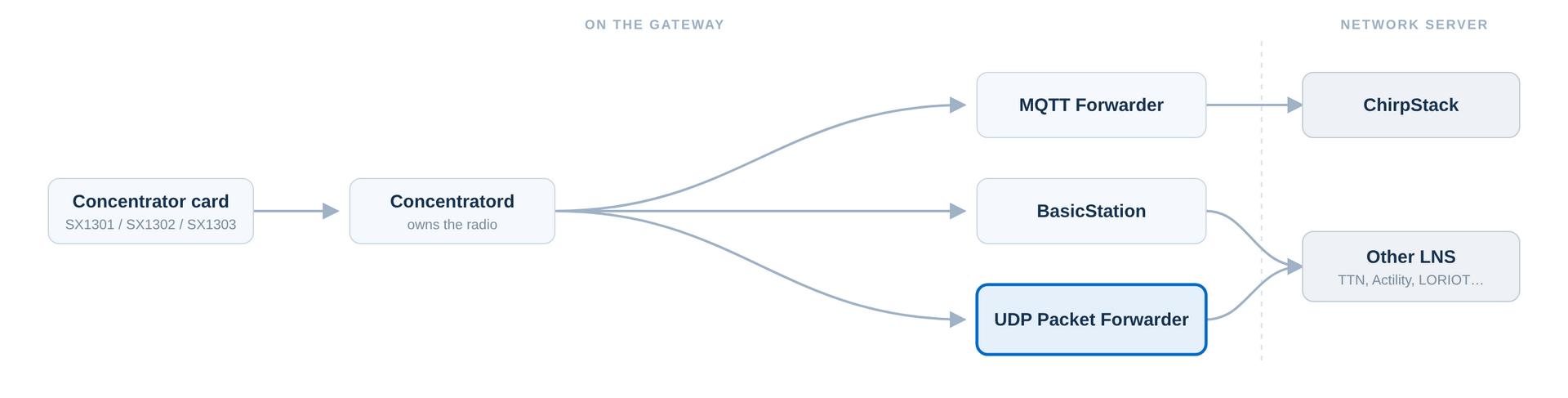 Figure 1: UDP Forwarder in the ConnectOS LoRaWAN Architecture
Before You Start
- The Concentratord must be configured and running on the slot you intend to forward.
- Register the gateway on your network server using the EUI from the ConnectOS footer.
- The gateway needs outbound UDP access, conventionally on port 1700.
Only one forwarder should own a concentrator slot at a time. Disable the MQTT and BasicStation forwarders on that slot before enabling this one.
Global Configuration
Navigate to LoRaWAN → UDP Forwarder and select the slot your card is in. On the Global configuration tab, tick Enabled.
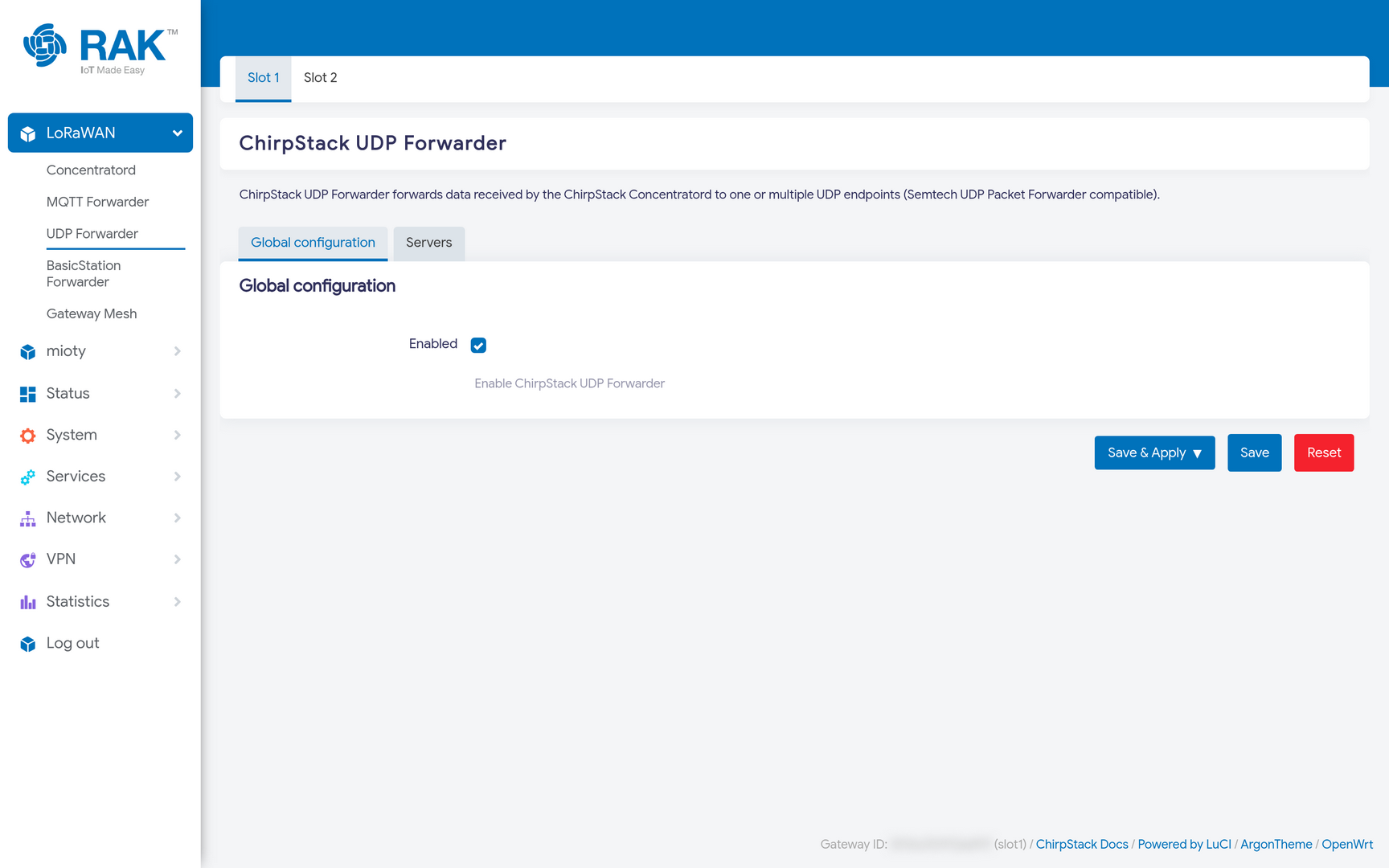 Figure 1: UDP Forwarder Global Configuration
Servers
The Servers tab lists the UDP endpoints to forward to, each as host:port.
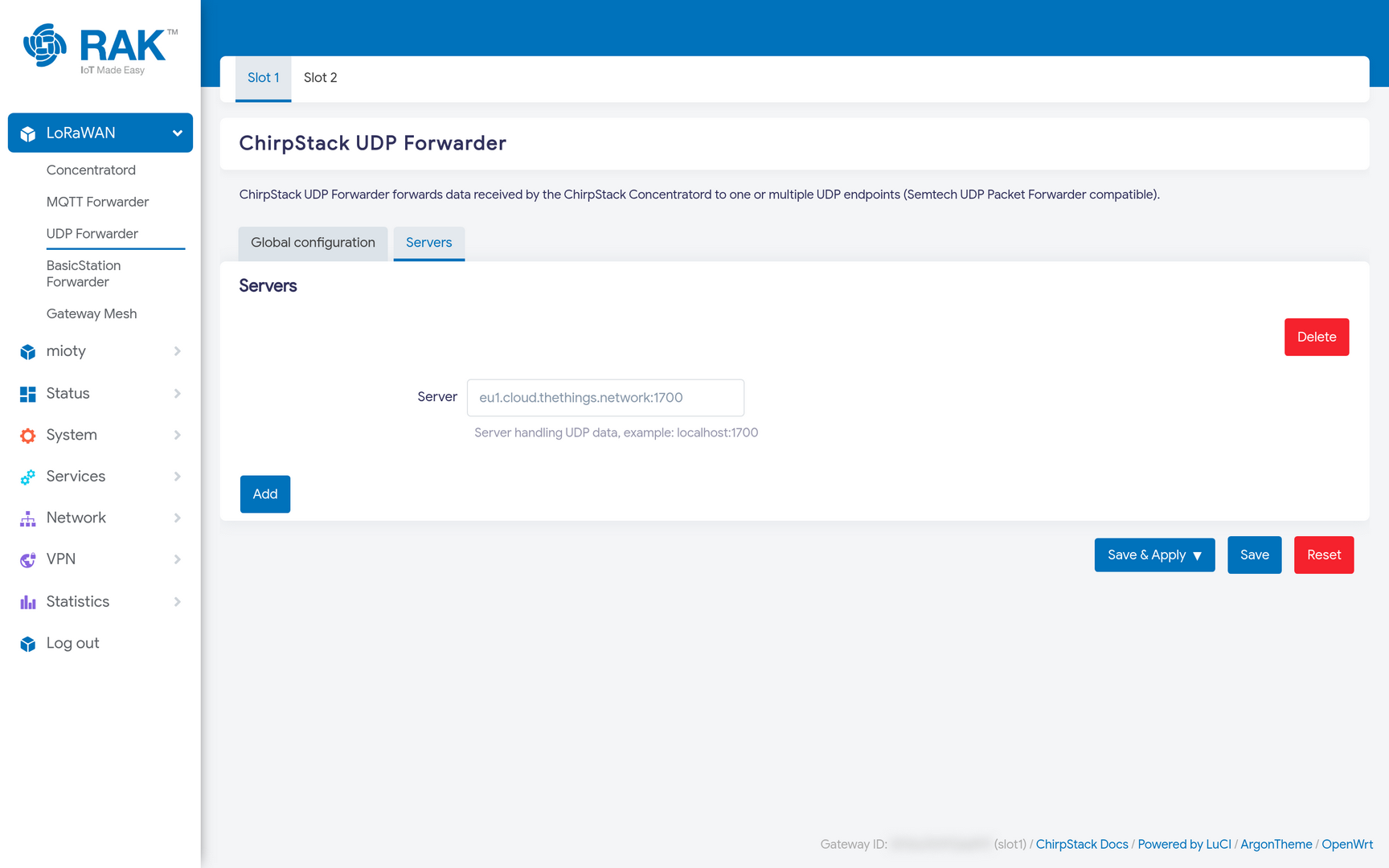 Figure 1: UDP Forwarder Servers
Press Add to append another server, or Delete to remove one. Every server receives a copy of every uplink, which is how a single gateway can feed more than one network server at once, useful when migrating between servers, or when contributing to a community network alongside a private one.
Forwarding to several servers multiplies your uplink backhaul traffic. On a metered cellular connection, that adds up.
Example: The Things Stack
The Things Stack accepts the Semtech UDP protocol on port 1700, on the same cluster host you would use for Basics Station:
eu1.cloud.thethings.network:1700
Substitute your cluster (nam1, au1, …). The gateway must already be registered there with the matching EUI.
Press Save & Apply.
Verify
Open Status → System Log and look for chirpstack-udp-forwarder entries. A working link looks like this:
chirpstack-udp-forwarder: Sending PULL_DATA to server, server: eu1.cloud.thethings.network:1700
chirpstack-udp-forwarder: PULL_DATA acknowledged, token: 44330, server: eu1.cloud.thethings.network:1700
chirpstack-udp-forwarder: Sending PUSH_DATA with stats to server, server: eu1.cloud.thethings.network:1700
Those three lines are the whole protocol in miniature, and each says something different:
- PULL_DATA is the gateway asking the server to keep a path open for downlinks. UDP has no persistent connection, so the gateway must re-open the hole through NAT every few seconds.
- PULL_DATA acknowledged is the only real confirmation you get that the server is listening and accepts this gateway. If you never see an acknowledgement, the gateway is shouting into the void, check the EUI registration and that nothing blocks outbound UDP.
- PUSH_DATA with stats is the periodic keep-alive that makes the gateway show as online, sent even when no device is transmitting.
Troubleshooting
| Symptom | Likely cause |
|---|---|
Sending PULL_DATA with no acknowledgement | The EUI is not registered on that server, outbound UDP is blocked, or the host/port is wrong. |
| Gateway online, but no uplinks arrive | Channel-plan or sub-band mismatch. Check the Concentratord. |
| Uplinks arrive, downlinks never do | The NAT mapping is closing between PULL_DATA messages, or the server is rejecting the downlink for airtime reasons. |
| Nothing at all in the log | The forwarder is not enabled, or the Concentratord on that slot is not running. |


