WisDM Account Profile Settings
The My Profile Settings page allows you to view and manage the personal information associated with your WisDM account. It provides access to your RAK ID details, organization memberships, and account deletion options.
To open the Account Profile page, click your account icon located in the bottom-left corner of the WisDM sidebar, then select Your profile.
RAK ID Information
This section displays the RAK ID–linked information, which is synchronized across all RAK platforms. RAK ID data cannot be modified directly in WisDM and must be updated from the RAK ID profile page.
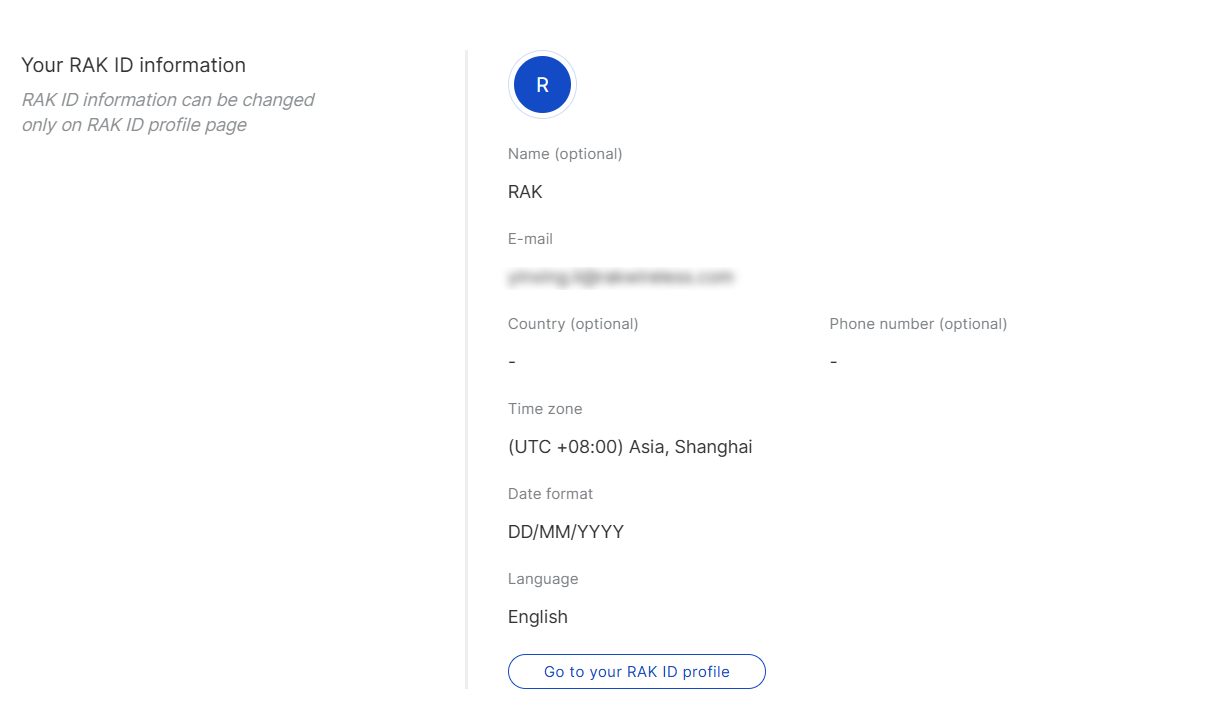 Figure 1: RAK ID Information section
- Name: The display name linked to your RAK ID.
- E-mail: The email address registered with your RAK ID.
- Country / Phone Number: Your contact details.
- Time Zone: Your local time zone for event and log displays.
- Date Format: Your preferred date format.
- Language: The interface language selected in WisDM.
Organizations
The Organizations section lists all groups your account belongs to in WisDM. From here, you can check your role and access scope for each one, or leave any organization when you no longer need access.
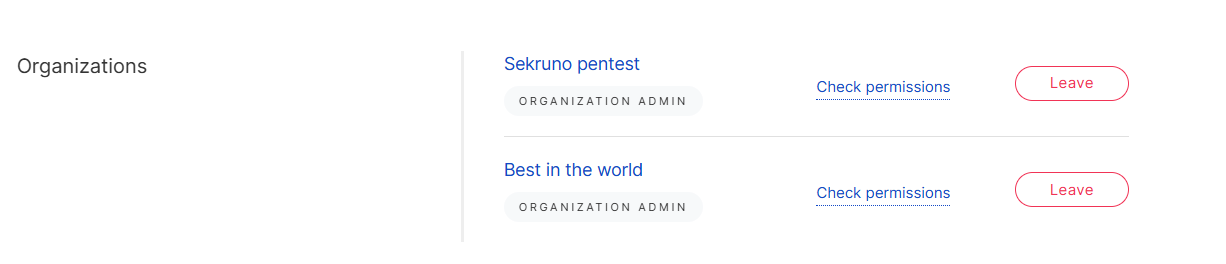 Figure 1: Organizations section overview
View Organization Permissions
Click Check permissions to view your current role, permissions, and access scope in the selected Organization.
This helps you understand what actions you can perform, such as whether you can manage members, access specific Locations, update gateway settings, or view subscription-related information.
Leave an Organization
- Leaving an organization cannot be undone. Make sure you no longer need access before confirming.
- If you are not the Organization Owner, leaving only removes your own access. The organization remains active, and other members are not affected.
- If the Organization Owner leaves, this may result in the organization being deleted rather than just removing the owner’s access.
Click Leave to remove yourself from an Organization.
After leaving:
- Your access is immediately revoked.
- You can no longer view its locations, gateways, applications, dashboards, or related data.
- The organization is removed from your list.
- To rejoin, you must be invited again by an administrator.
Delete WisDM Account
This section allows you to permanently delete your WisDM account. Before proceeding, we recommend contacting Support if you need assistance with any issues.
Deleting your account initiates a backend removal process that:
- Unlinks you from all organizations.
- Deletes your dashboards, preferences, and usage history.
- Sends a synchronization request to the RAK ID system to deactivate your WisDM access.
This process is irreversible. Once completed, all your data and organization links will be permanently removed.


