Wi-Fi Reboot
This extension monitors Wi-Fi connectivity by periodically sending ping and httping requests to specified targets. If all tests consistently fail, it will trigger a Wi-Fi module reboot, and escalate to a full system reboot if necessary. This extension is only compatible with WisGateOS 2 2.2.x and later.
Link Check Logic
- Scheduled Connectivity Tests
- Performs ping tests to all user-defined IP targets at regular intervals.
- If all ping targets fail, the system proceeds to the next step.
- Fallback HTTPing
- Sends HTTP requests to all configured web URLs.
- If all HTTPing targets also fail, the system records a failure count and begins recovery.
- Recovery Mechanism
- Step 1: Reboots the Wi-Fi module to attempt recovery.
- Step 2: If failures continue after rebooting the module, the extension will reboot the entire gateway.
NOTE
If the gateway remains reachable through a backup connection (e.g., Ethernet or Cellular), and any ping or httping test succeeds through that path, no recovery action will be triggered, even if the Wi-Fi interface is down.
Install the Wi-Fi Reboot Extension
To install this extension, follow Add an Extension.
Configure the Wi-Fi Reboot Extension
- To access the Wi-Fi Reboot extension, click Launch.
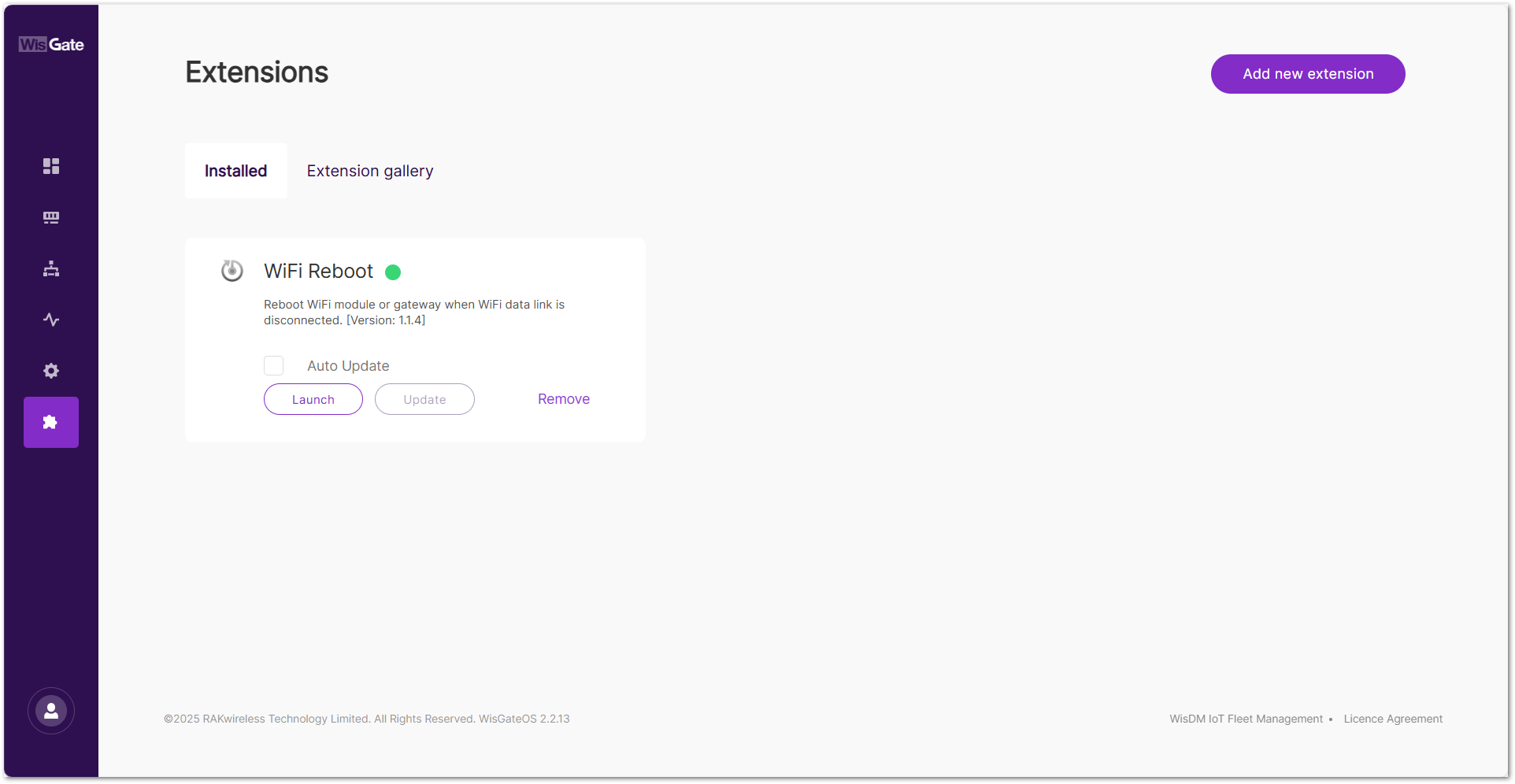 Figure 1: Extensions tab
- On the configuration page, configure the following parameters.
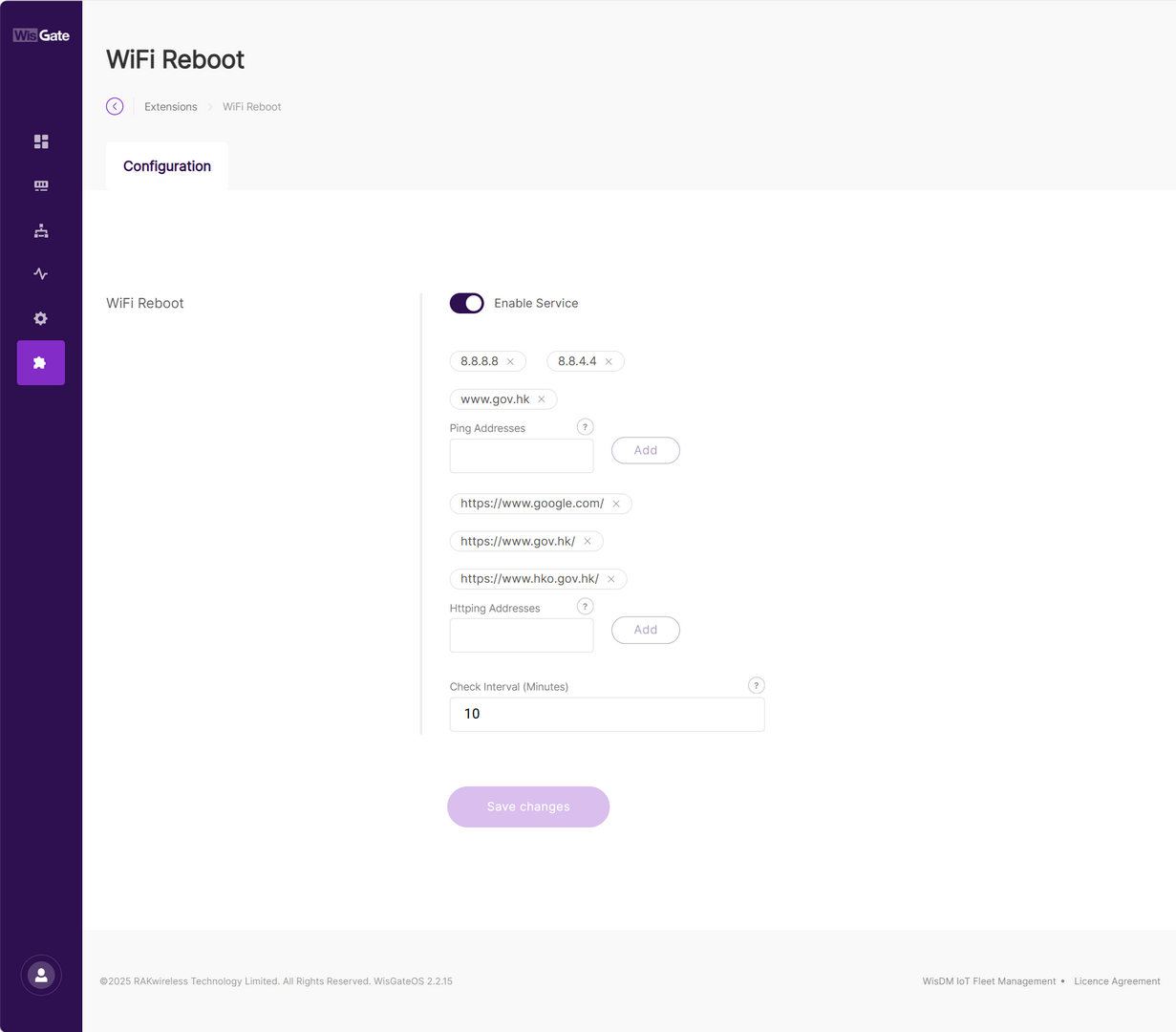 Figure 1: Configuration page
| Field | Description |
|---|---|
| Enable Service | Toggle to enable or disable the WiFi Reboot extension. Enabled by default. |
| Ping Addresses | Define one or more IP addresses or domain names to be used for ICMP ping tests. These addresses help determine whether the gateway can reach the outside network. Examples: 8.8.8.8 (Google DNS)8.8.4.4 (Google DNS Backup)www.gov.hk (HK Government)Can be public or private IPs. ⚠️ WARNING Avoid incorrect or unreachable entries to prevent false positives and unnecessary reboots. |
| Httping Addresses | Define one or more full URLs (must include http:// or https://) for HTTP-based service availability testing.Examples: https://www.google.com/https://www.gov.hk/https://www.hko.gov.hk/URLs can point to internal status pages or public web services. ⚠️ WARNING Only HTTP/HTTPS is supported (no FTP, RTSP). Pages must return status code 200 to be considered successful. |
| Check Interval (Minutes) | Determines how often the extension checks Wi-Fi connectivity. Recommended value: 10 minutes by default. |
- To save the changes, click Save changes.


