Failover Reboot
The Failover Reboot tool periodically checks the status of all enabled network links (LTE / Ethernet / Wi-Fi) of the gateway. Once it detects that all network links are offline, it will try to restore network connectivity by rebooting LTE module or gateway with failover.
The following is the logic diagram of the Failover Reboot extension.
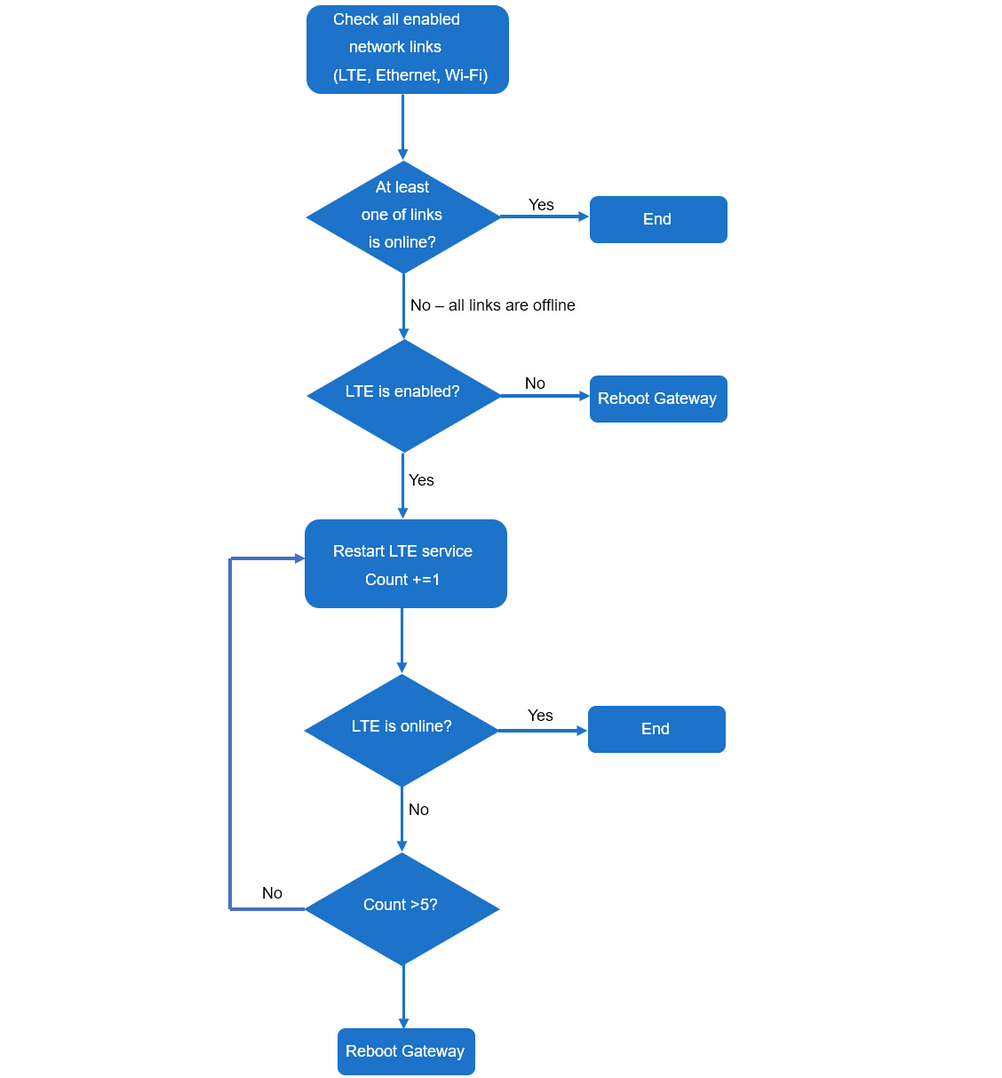 Figure 1: Logic diagram
NOTE
- This extension is only compatible with WisGateOS 2 2.2.x and later.
- The gateway can be rebooted up to five times.
Install the Failover Reboot Extension
To install this extension, follow Add an Extension.
Configure the Failover Reboot Extension
- To access the Failover Reboot extension, click Launch.
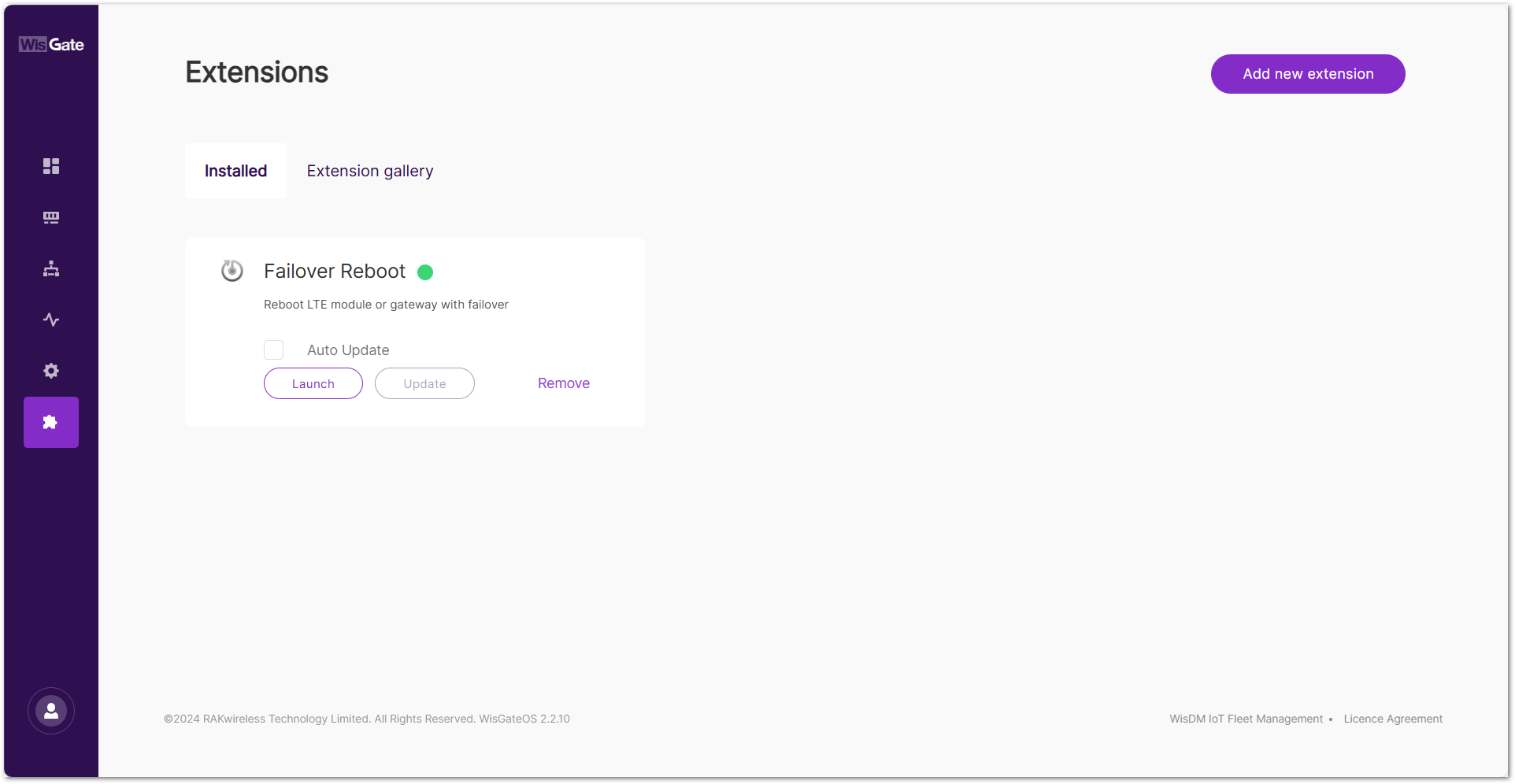 Figure 1: Extensions tab
- In the configuration page, enable the Failover Reboot service and set the Check Interval.
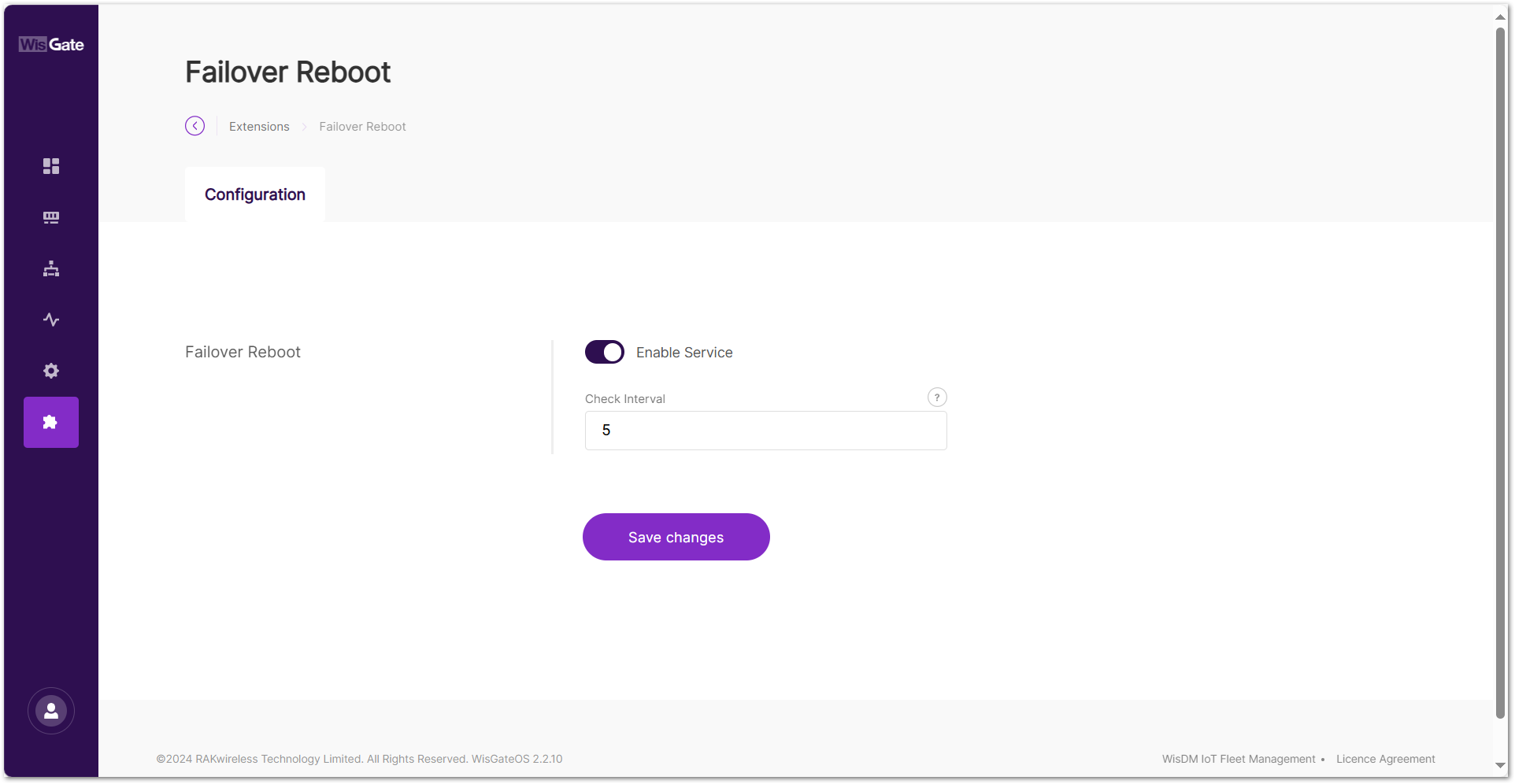 Figure 1: Configuration page
-
Enable Service: the Failover Reboot service
-
Check Interval: time interval for checking the network status, in minutes
- To save the changes, click Save changes.


