WisDM Single Gateway Firmware Update
Firmware is the internal software that controls the operation of the gateway. To ensure stability and security, it is strongly recommended to keep all gateways updated with the latest version available for their model.
Each gateway’s firmware can be updated individually from its System Settings page. This method is ideal for updating a single device, testing a specific version, or troubleshooting.
WisDM supports the following firmware types:
- Official releases - Stable production versions recommended for regular use.
- Critical updates - Firmware versions that contain security patches or essential fixes. When critical updates are enabled at the location level, they can be applied automatically to eligible gateways. Otherwise, they may be listed for manual upgrade.
- Beta versions - Firmware versions provided for testing or early access and marked with a special icon. Install them only under the guidance of the RAK Support Team. They are not recommended for production use unless explicitly directed.
Check Current Firmware
You can check your gateway’s current firmware version on either the Gateway Overview page or in System Settings.
- Gateway Overview Page
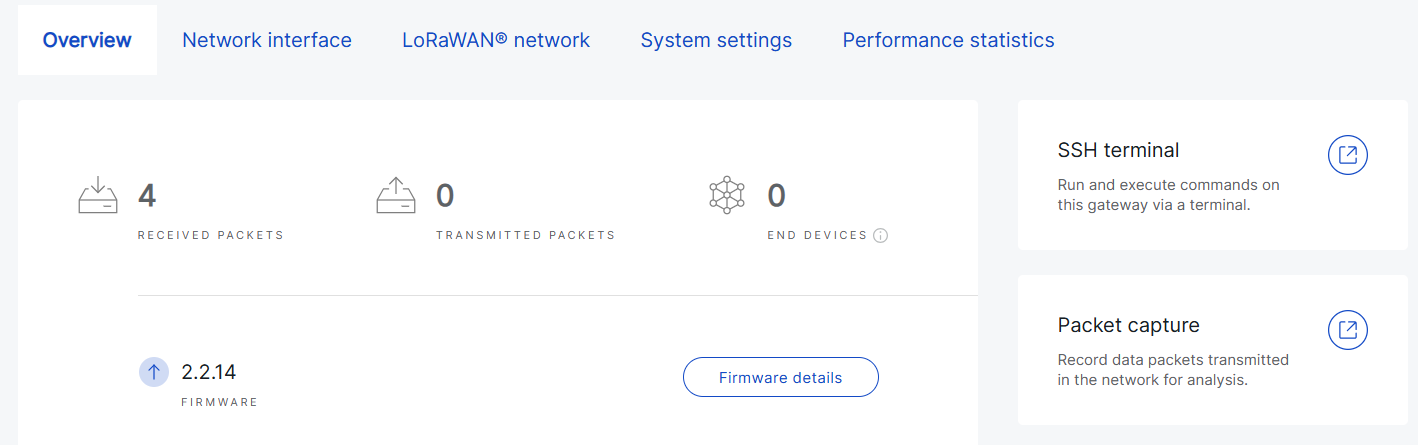 Figure 1: Firmware information from Gateway Overview
- System Settings
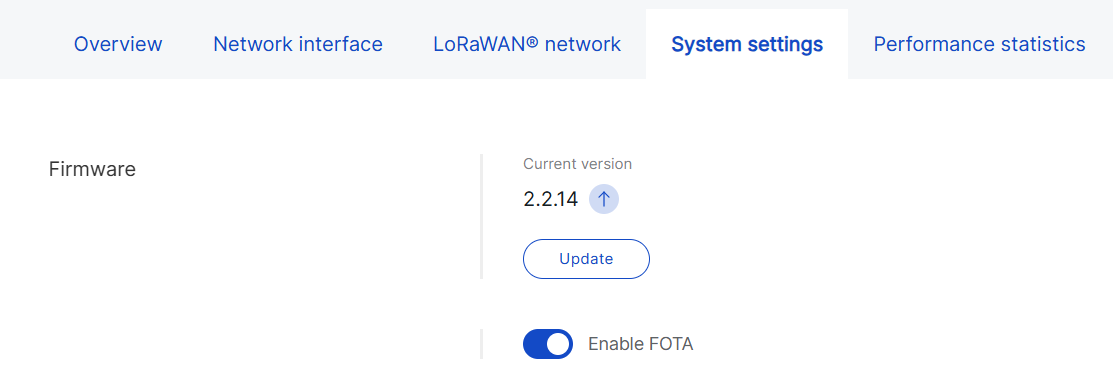 Figure 1: Firmware information from System Settings
If a newer firmware version is available, WisDM automatically displays an update prompt with the  icon.
icon.
Upgrade Steps
- Before performing the upgrade, ensure that FOTA is enabled for the gateway.
- Verify that the gateway is powered by a stable power supply.
- The gateway will reboot during the update, which may cause brief service interruptions.
- Go to Gateways > Select a gateway > System Settings.
Figure 1: Gateway firmware- Click Update.
- Choose the desired firmware version.
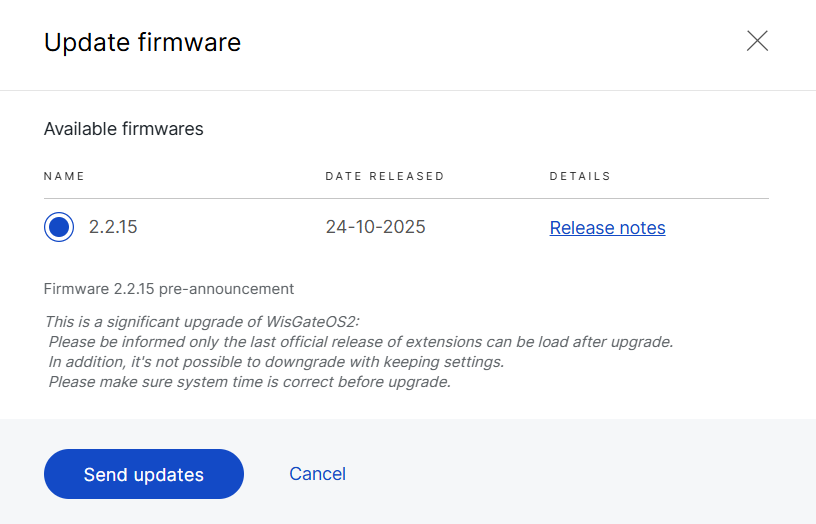 Figure 1: Choose firmware version for the gateway
In the Update firmware dialog, WisDM displays the available firmware versions for the selected gateway model. Each firmware version may include the following information:
- Firmware version: The firmware version that can be selected for update.
- Date released: The date when the firmware version was released.
- Release notes: A brief summary of the changes, fixes, or improvements included in this firmware version.
- Prerequisite: The minimum firmware version that the gateway must run before this firmware can be installed.
If a firmware version shows a Prerequisite, the gateway must be updated to the required intermediate firmware version before installing the selected target version. The prerequisite firmware also appears in the firmware list, even if it is not one of the latest available versions.
- Click Send updates.
- After initiating the update, WisDM displays the current upgrade status for the gateway:
- In progress - The update is currently being applied.
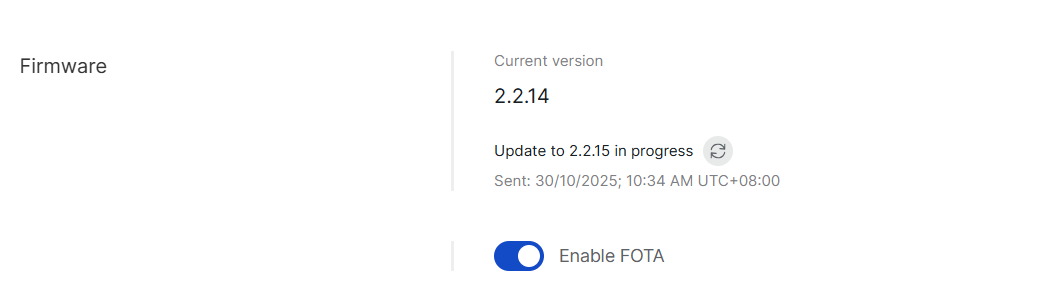 Figure 1: In progress
-
Pending - The gateway is currently offline. The update is queued and will start automatically once the gateway reconnects to WisDM.
You can cancel the pending update before it begins by clicking Cancel pending update in the Firmware section.
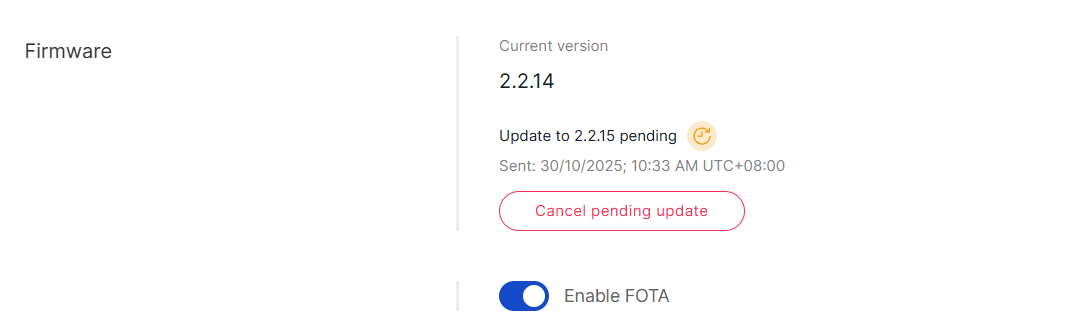 Figure 1: Pending
In addition to upgrading a single gateway, WisDM also supports bulk firmware upgrades for all gateways within a location, as well as automatic critical updates.
For details, see Location Management > Bulk Firmware Updates.


